-
- News
-
Categories
- 5G
- ADSL
- AI
- Banking
- Black Friday
- Broadband
- Broadcasting
- Business
- Business Telecoms
- Cellular
- Cloud and Hosting
- Columns
- Cryptocurrency
- Energy
- Enterprise
- Fibre
- Gadgets
- Gaming
- Government
- Hardware
- Industry News
- Internet
- Internet of Things
- Investing
- IT Services
- Motoring
- Reviews
- Science
- Security
- Smartphones
- Software
- Technology
- Telecoms
- Trending
- Wireless
- Press Office
- Forum
- Industry News
- What's Next
- Company hub
- Speed Test
- About us
- Advertise with us
- Contact
- Careers


-
Join the MyBroadband community
South Africa’s biggest forum. Discuss, discover, and connect with thousands of members.
-
Question of the Day: How do you normally pay for purchases in stores?

You are using an out of date browser. It may not display this or other websites correctly.
You should upgrade or use an alternative browser.
You should upgrade or use an alternative browser.
Microsoft is rolling out a feature to replace passwords with more secure sign-in methods
- Thread starter mylesillidge
- Start date


DA-LION-619
Honorary Master
Not since 2019? Passwordless is already implemented.Except you always had to use your PW AFAIK?
Enter email address => Get app notification to approve sign-in
No you miss my point.Your device was stolen, your fingerprint only works on that device.
You're concerned with someone using your device to access your MS account, forgetting they have access to everything on the device...
Just RTFM.
The point is that biometrics is not a very secure way to protect anything - just as you say above.
A password provides better protection, because it's not left behind on everything you touch.
Saying "you have bigger problems" does not make a case for this whole new scheme being an "improvement" in security. It just distracts from the point I'm trying to make.

DA-LION-619
Honorary Master
I think it must it must be explicitly enabled in Azure AD for business users.So is that a setting you need to enable? Is this for business or home users?
I'm not seeing it my side.
*edit* I see it on my personal account now but not business. I also see 'use your password instead' on personal. Assume I must disable that somewhere...
So curious.... if I get a new device and lose my old one... how do I set up authenticator if not with a password?
The ability to disable is what they’re rolling out now.
Last point, I guess ‘it depends’? You could use a QR code.
Biometrics are only for your device.No you miss my point.
The point is that biometrics is not a very secure way to protect anything - just as you say above.
A password provides better protection, because it's not left behind on everything you touch.
Saying "you have bigger problems" does not make a case for this whole new scheme being an "improvement" in security. It just distracts from the point I'm trying to make.
You’re making no point, biometrics are not shared or synced between devices.
Clean your device if you’re leaving fingerprints all over it? If a high-res photo beats your device security then, yes you have bigger problems than MS passwordless.
DA-LION-619
Honorary Master
If on 365, you would have Azure AD behind the scenes, it’s free.My new phone arrives today. I'll give feedback lol
If you don't subscribe to AD on the business side, is it not an option then?

Crowley
Honorary Master
- Joined
- Jun 9, 2006
- Messages
- 10,290
- Reaction score
- 6,979
Have you ever succesfully logged into any device with a impression of a fingerprint that was left behind on another surface?No you miss my point.
The point is that biometrics is not a very secure way to protect anything - just as you say above.
A password provides better protection, because it's not left behind on everything you touch.
Saying "you have bigger problems" does not make a case for this whole new scheme being an "improvement" in security. It just distracts from the point I'm trying to make.

ToxicBunny
Oi! Leave me out of this...
Have you ever succesfully logged into any device with a impression of a fingerprint that was left behind on another surface?
I'd be interested to know this as well, given how fingerprint sensors work on phones.

Moosedrool
Honorary Master
My vrchat has 2fa. You should see the comedy in getting a expiring code on your phone while wearing a vr headset and having to press buttons type the number on a virtual reality keyboard in mid air.
DA-LION-619
Honorary Master
Well the auth flow asks if it’s a personal or work account.Insecurity by obfuscation IMO. I see they have introduced so many new things since the last time I looked... you have to disable "Legacy MFA" in favour of org wide "Modern Authenticaiton" according to their documentation. These firms always have to differentiate themselves and end up complicating everyone's lives.
On that subject, has MS resolved the whole for home / school / work issue with their accounts?
You can give them a friendly name to make it easier to identify, in the app they have different icons also.
Also your device using the app can only be associated with one tenant/org/business.
In the business context, modern MFA wasn’t supported by Outlook on PC, if I remember.
DA-LION-619
Honorary Master
It’s in the docs, same link you provided.The point is that you can sign up a single account for both work and personal. That's a mistake on their part IMO.
I use the authenticator with multiple tenants but on the same account - in these cases, the vendor has added my work account to their AD as a guest and given me access...
If someone wanted to give me a new account, I imagine I'd have to set up another profile on my phone... what a PITA. I think Samsung might also allow you to install certain apps from their app store as independent to apps installed from the Play Store if you have Samsung and needed a second account... a bit of a work around.
Right now the issue I'm having is setting up for passwordless logins for the work email. I've got authenticator working but can't seem to get it to stop asking for the password.
Following their instructions here:
There's this step:
Passwordless sign-in with Authenticator - Microsoft Entra ID
Learn how to enable passwordless sign-in to Microsoft Entra ID by using Microsoft Authenticator.docs.microsoft.com
View attachment 1149650
That app - "Azure Multi Factor Auth Connector" does not exist in my setup at all.
And here we go with the obscurity.... I already have MFA enabled and require password + authenticator to sign in... but when I go to the azure portal (after logging in with MFA) and go to the MFA services overview tab, I get this:
View attachment 1149652
I mean... I've already got MFA, yet I'm expected to "Get Free Premium Trial" to enable MFA... LOL.
We use Microsoft Business Basic - assuming that doesn't include the option for passwordless login?
It's this kind of obscurity that makes people go... stuff it, i'll stick with the "old way of doing things"
It works with Business Basic.One prerequisite is that the device on which the Microsoft Authenticator app is installed must be registered within the Azure AD tenant to an individual user.
Currently, a device can only be registered in a single tenant. This limit means that only one work or school account in the Microsoft Authenticator app can be enabled for phone sign-in.

requiem
Expert Member
- Joined
- May 10, 2009
- Messages
- 4,070
- Reaction score
- 1,161
Agree.I hate that piece of ****. No, really, I loathe it.
DA-LION-619
Honorary Master
Still one device. It's in the app settings, if your device is registered also it won't allow you to enable the feature for another account.I'm not following, what's in that link? That prerequisite is not available to me.
View attachment 1149688
Second item - can only be registered in a single tenant is not strictly true if you have a different profile on your device AFAIK.
That's something else, MFA but in a diffferent context. Go to Authentication methods.when I go to the azure portal (after logging in with MFA) and go to the MFA services overview tab
AD > Security > Authentication methods
DA-LION-619
Honorary Master
Windows Hello or domain joined probably.Edge was being uber promiscuous and just authenticated me no matter what we did - we logged out, cleared all cache items from 'beginning of time', closed the browser, restarted it, went to office.com, selected my account (it was still there - cached), and it authenticated me without asking for password or authenticator app intervention (incognito window included) lol.... eventually we resorted to Chrome incognito.
MS took me through a whole host of changes to AD. It was working when on the phone with them, so we ended the support call.
The first attempt to log in now through Azure and passwordless is not working again - it wants my PW lol...
Not phoning them again right now, but there you go...
I get this now:
View attachment 1149728
If I select 'Use an app instead' I get this:
View attachment 1149730
...after which I get this:
View attachment 1149734
And authenticate with the app (which works)....
what a joke lol
My Account
Windows Hello, Security Key, Auth App => All passwordless.
Nothing new.
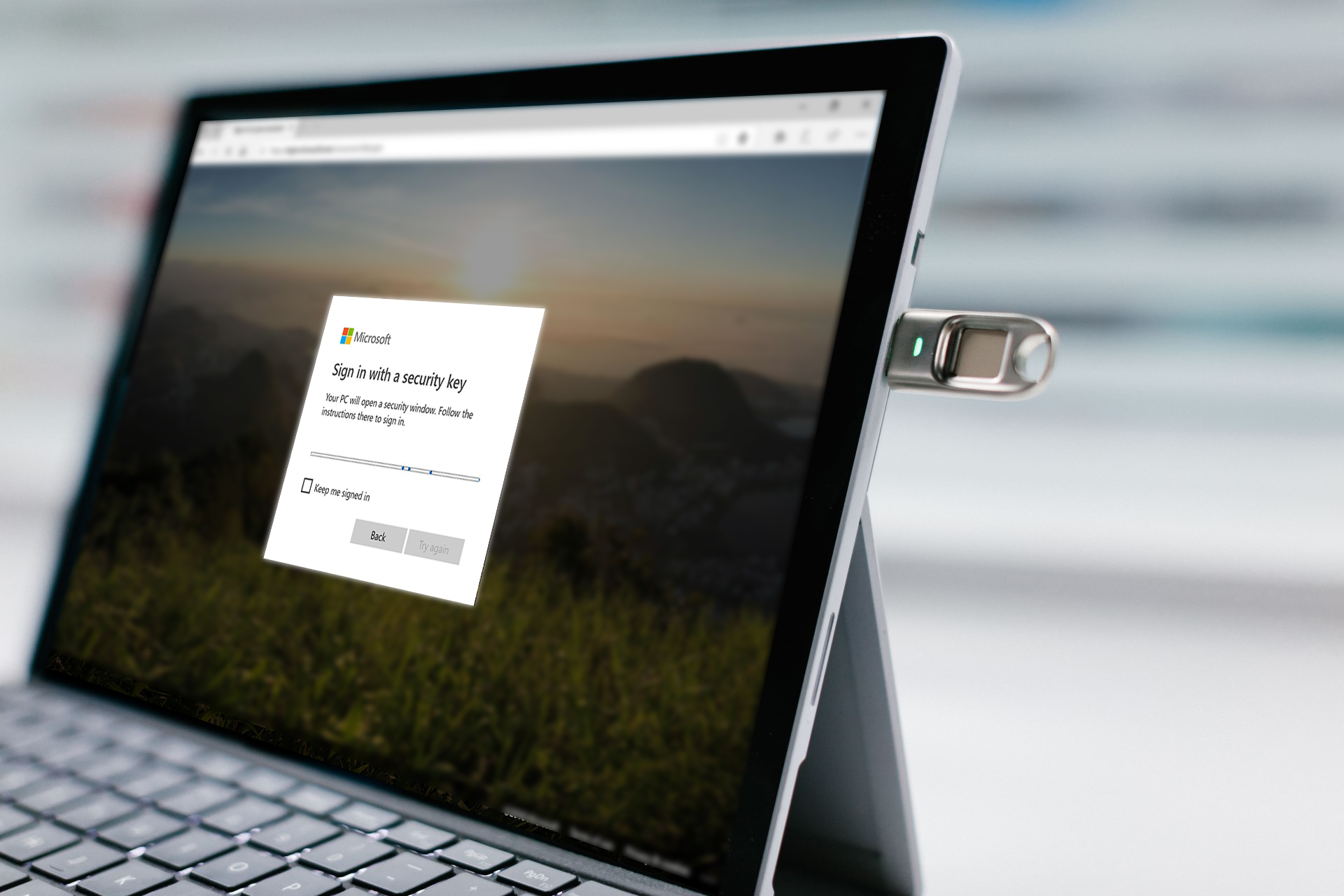
Announcing the public preview of Azure AD support for FIDO2-based passwordless sign-in | Microsoft Community Hub
I’m thrilled to announce that you can now go passwordless with the public preview of FIDO2 security keys support in Azure AD!
 techcommunity.microsoft.com
