My Computer problem

cavedog

Honorary Master
Joined
Oct 19, 2007
Messages
26,957
Reaction score
13,125
Location
PTA
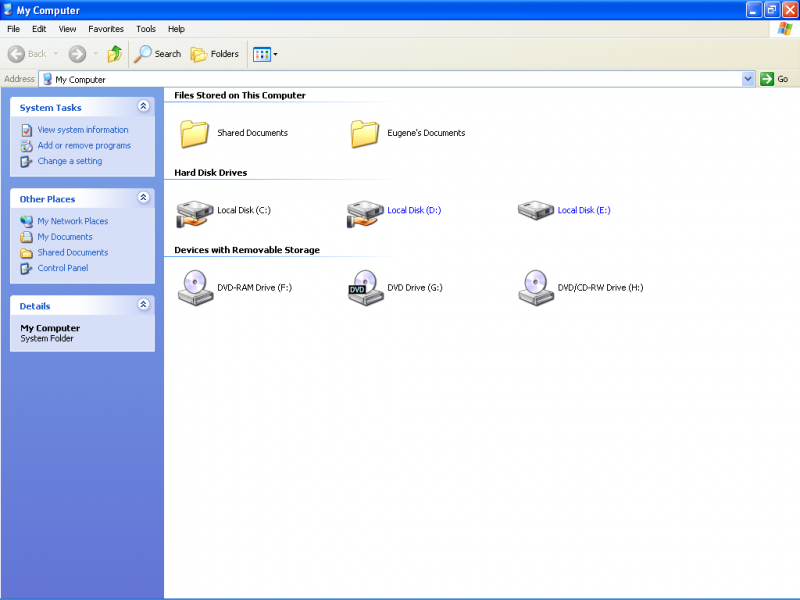
I have a problem with my operating system. Here is a screen shot of how my My computer screen looks.
before.PNG


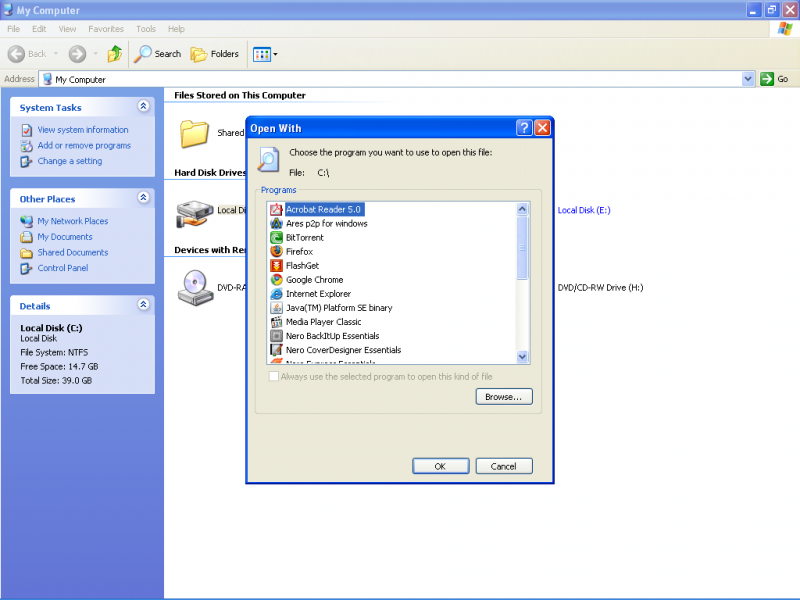
And here is what happens if I want to open my C: and D:
They are both the same hard drive but it's partioned. Now everything was fine for about 7 months now it just suddenly starts to do this. This is strange cause my sisters laptop is doing exactly the same thing. Any 1 know how to fix or what I can do to try and fix it?
after.PNG
 
click browse and enter c:\windows\explorer.exe and tell it to use it always.
 
Yes if I right click on start and say explore I can use the menu on the right and browse like that
 
well - you need to find a way to reset your file association - I can't fathom what you did to your pc to confuse it like that...
 
did a bit of googling for you..

some things to try:

1 Open Start, Run and type regsvr32 /i shell32.dll
2. You will see a message DllRegisterServer and DllInstall in shell32.dll succeeded

Then try it again..

Another one:
enter the following commands in command prompt:
c:\> attrib -r -s -h autorun.inf
c:\> del autorun.inf
d:\> attrib -r -s -h autorun.inf
d:\> del autorun.inf

restart the pc

Let us know how it goes.
 
well, if you click folders at the top if will turn the window into Windows Explorer... shortcut - what happens when you do that and then select your C Drive from the left side bar??
 
well, if you click folders at the top if will turn the window into Windows Explorer... shortcut - what happens when you do that and then select your C Drive from the left side bar??

Yes then I have to select the drive from the right then I can browse it normally. :confused:
 
I usually get that with my flash disk or external HDD, virus usually causes that and the only way I ever fixed it was to format. What does Google say?
 
A virus that passed Nod32 that I update like 15 times a day? :confused:

well in the first 3 programs you have on associations, 2 of them are virus spreading programs! try rapidfind.org instead.

click browse and enter c:\windows\explorer.exe and tell it to use it always.

yes that should work. was going to suggest that too, it should work.
 
Top
Sign up to the MyBroadband newsletter
X