New The PC Build Thread

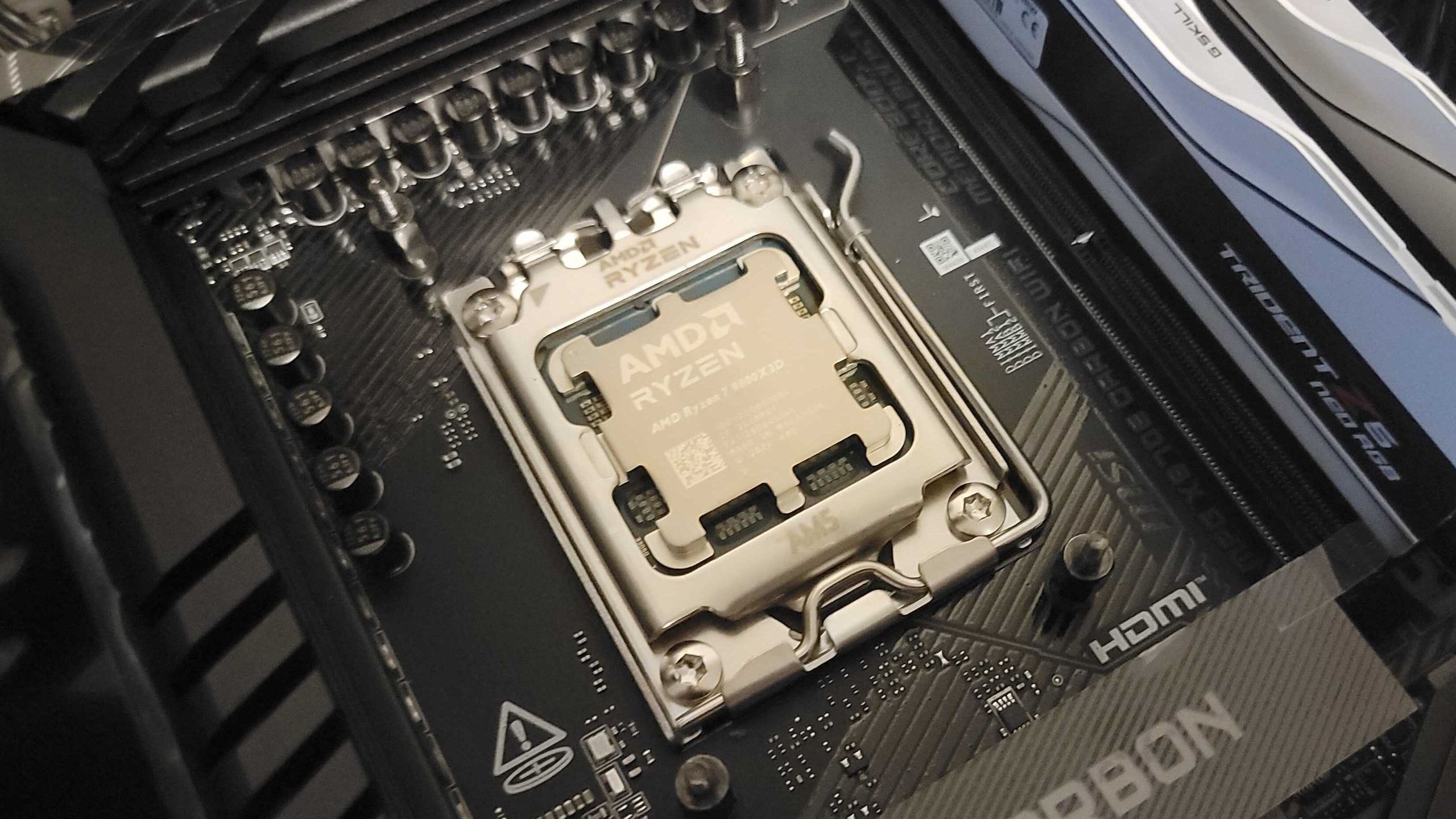
I am going to make a wild guess. What if the issue is the same as what Intel experienced?

Maybe there is an issue with the retention bracket/load plate or whatever it is called.

I know that the one on my board the Aorus Pro vs Elite is different. I don't know why, maybe different manufacturers thereof. I use a Thermal Grizzly bracket, yeah, overkill, but I wanted a super flat mounting surface for the application of phase change material.

Anyhow, some are fixing their issues with older BIOS versions. Others have their CPUs fried.

It is best to wait until AMD gives an update. According to the article I have posted, AMD is aware.

EDIT: Hmmm, I looked at a number of pictures now, but the Aorus Pro and Elite brackets are the same. The ASRock ones are different. The ASUS ones are also different. Slight differences. AMD changed the layout of the 9800X3D, so I am curious if this impacts the strength of the IHS. I won't know. Just weird the cases in which the CPUs fried. A load of the reports are eerily similar to Intel's 12th, 13th, and 14th-gen CPU failures, and to those of when Zen 4 launched. I just hope that it is a small sample.
 
Last edited:
If you have any 7000 or 9000 AMD CPU, more particularly so the X3D and have AGESA 1.2.0.2a/b or 1.2.0.3a installed. Check your voltages, so far ASRock, ASUS and MSI boards have shown incredibly high voltage spikes.

It is a limited case, but as far as the internet sleuths can tell this seems to be related to some board vendors having an unlocked SoC voltage that is not within the safe perimeters. This is very similar to the Intel case...

If you have a hardware monitor, check for this,


This might not be the cause of the issue, but have been observed on some ASRock, ASUS and MSI boards.

Some suggest to manually set your SoC voltage.

This can be caused by AGESA of how it is handling the CPU. I won't lay it on the motherboard vendors, yet.

EDIT: Some are also say that it is a reporting issue, and nothing is wrong with the behaviour. I won't know.
 
Hmmm, so today I took some time to test this. Back to AGESA 1.2.0.3a with only EXPO enabled. Around 3 hours in now, and my SoC voltage is 1.329 V at max. Some additional testing in some workloads shows that the CPU is around 7 degrees hotter on average; this I can consistently reproduce. As long as my CPU is within the 75-degree range at high load, I am okay.

I will do some more testing. Nothing extreme at this time. I am not going to do some testing with PBO until more is known.
 
Last edited:
For more than 6 hours I have dedicated my workstation to stress testing with AGESA 1.2.0.3a (note it's Gigabyte's BIOS). The 3D V-Cache is certainly working harder in some workloads, with the latest AGESA, and I have some idle temp spikes. More heat with no return, maybe with PBO, but meh.

This is not a clocked system, other than EXPO. The voltages are all stable.

I can't say that I am experiencing the issues as some have reported in the Reddit Mega thread.

ASRock have also reported that the issues some have with booting had to do with memory support.


ASRock issues BIOS update to address Ryzen 9 9800X3D failures, warns of 'misinformation' about failures​


I can't contribute to the claims. All I can say is that my CPU scores are lower than I had with previous AGESA versions when it is suppose to be better. It could be a driver/Windows thing I don't know. For prospective AMD buyers, all seems good. Just some internet anarchy. I guess someone planned a hit piece on ASRock.

Anyhow, many are reporting now that Tom's Hardware misreported the issue and that there isn't even 10 cases. Let's hope that the issue isn't real.

I am going on a MyBroadband detox, will come back to bitch on the 28th.
 
Amazon leaked the XFX range starting from $586 for the entry 9070 to $865 for the top of the line XT with the street date March 6th.
 
Is the Intel 13/14th gen still a okay buy ? With all the previous issues ?

There is nothing wrong with buying them. The issues were resolved with micro code fixes. Just make sure to update the BIOS on your motherboard.
 
What would you recommend for an office pc ?
Anything really...I'd even consider a 12400f which is dirt cheap and more than capable if the workload is going to be Office and whatnot. Fast storage and a decent whack of RAM will make more difference than going from a 12th gen 6 core to a 14th gen 8 core.
 
There is nothing wrong with buying them. The issues were resolved with micro code fixes. Just make sure to update the BIOS on your motherboard.
Have an i5 14th gen and did that already luckily did not have a crash or BSOD yet
 
Anything really...I'd even consider a 12400f which is dirt cheap and more than capable if the workload is going to be Office and whatnot. Fast storage and a decent whack of RAM will make more difference than going from a 12th gen 6 core to a 14th gen 8 core.
That is what I am looking at currently, 12400 with 32GB Ram and 500gb nvme storage

Reason for 32GB ram is you will be surprised how close WIndows 11 has been eating up 16GB of RAM

Also, is it worth it going with DDR5?
 
Have an i5 14th gen and did that already luckily did not have a crash or BSOD yet

The i5 was not really as affected as the voltage never reached the threshold where degradation occurred. It was a bigger problem on the i7 and i9 as their voltages where higher for the higher frequency. Better to be safe though.
 
That is what I am looking at currently, 12400 with 32GB Ram and 500gb nvme storage

Reason for 32GB ram is you will be surprised how close WIndows 11 has been eating up 16GB of RAM

Also, is it worth it going with DDR5?

Windows isn't actually using that RAM...it's pre-cacheing and stuff. If a program needs memory, Windows will allocate it what's needed. Unused memory is wasted memory, really. You paid for it, get your money's worth ;p

Still 32Gb isn't expensive so why not?

What's the cost difference 32Gb of DDR4-3200 versus 32Gb of DDR5-5600?
 
Windows isn't actually using that RAM...it's pre-cacheing and stuff. If a program needs memory, Windows will allocate it what's needed. Unused memory is wasted memory, really. You paid for it, get your money's worth ;p

Still 32Gb isn't expensive so why not?

What's the cost difference 32Gb of DDR4-3200 versus 32Gb of DDR5-5600?
Price is about R900 to R1000 more for DDR5

Although you say it is not being used, a lot of laptops in the offices were getting locked up due to a lack of memory be it on 8 or 16GB machines. Each person complains it is slow, task manager shows 93% memory utilized although the Windows 10 machines are fine on the same amount Windows 11 has not been the same
 
The i5 was not really as affected as the voltage never reached the threshold where degradation occurred. It was a bigger problem on the i7 and i9 as their voltages where higher for the higher frequency. Better to be safe though.
Would the 8600G not be worth the extra money

I see wootware is running out of LGA 1700 M-ATX boards on the budget end
 
Price is about R900 to R1000 more for DDR5

Although you say it is not being used, a lot of laptops in the offices were getting locked up due to a lack of memory be it on 8 or 16GB machines. Each person complains it is slow, task manager shows 93% memory utilized although the Windows 10 machines are fine on the same amount Windows 11 has not been the same

That's steeper than I'd like but DDR4 is also on the way out so if you're in need of replacements later, it might mean a motherboard replacement at the same time which is annoying. DDR5 might be worth the the extra from a risk management pov.

That windows issue sounds weird...none of my machines have behaved worse after upgrading. But I don't know what your office does so hard to say.
 
That's steeper than I'd like but DDR4 is also on the way out so if you're in need of replacements later, it might mean a motherboard replacement at the same time which is annoying. DDR5 might be worth the the extra from a risk management pov.

That windows issue sounds weird...none of my machines have behaved worse after upgrading. But I don't know what your office does so hard to say.

Oh no it wasn’t worse after upgrading but just those pc’s came with 8 and 16Gb and after a few years now isn’t enough
 
Top
Sign up to the MyBroadband newsletter
X