New The PC Build Thread

Name the GPU's or motherboards? I am yet to see one.
And again, the price to do the above is in the cents... so to me, they want the boards to fail

Its not just a few cents its an entire new process of coating the board but not affecting the mating surfaces, letting it dry and also makes repairs more difficult.

Here is one brand that does the coating. If you search you should find more of them.

c.png
 
condensation must be awesome! :ROFL: give it 5min then poof!
lasted way more than 5 min actually redid the install survived both

did not aim for freezing water just added the ice when water was warmer
had a fan connected to the cpu cooler socket so whenever the fan ramped up i knew the water was getting warmer
that's when i added the ice block

rinse repeat
was probably running 40 min like this
did the windows updates too

the base of the SS glass wasn't great , so could only use 1 core
aluminium glass did better + the base was flatter could enable all cores
naturally you would need to run for ice blocks more regular with all cores
 
Last edited:


😮

I am curious whether this is an issue contained to Ryzen 9000? When I still had Ryzen Master installed, it never automatically put the CPU in PBO mode. I would assume that it is a very aggressive PBO setting. Also... there isn't that many Ryzen Master versions.

Anyhow, so there is an issue. I have seen this in the past with my CPU/mobo combo, though a BIOS update remedied the issue. I talked about it some time ago in this thread.

I was wrong about it being a clamp pressure issue. Odd how some have danced around this, and now with Tech Yes City exposing it due to experiencing the issue that people are talking. There is also some RMA controversy, hence Gamers Nexus did the RMA rescue thing.
pretty sure this would only apply to the highest tdp cpu's
as the amps is what is burning the connection

ie a 65w tdp cpu wont need as much amps as a 120w tdp
no idea what the tdp ratings are just thumbsucking values

same as the unstability of 13/14th gen was more the i9/ k cpu's cause they were the ones that was aiming for the highest clocks / most boosting
 
Can someone with tech brains answer this dilemma :

Since I have been through multiple graphics cards and motherboards over the vast years on this rock, some last better than others.. I dug out an old GTX 1060 6GB, now this card looks brand new, no corrosion nothing why? because the heatsink is made of stainless steel <-- excellent. Others, like the new RTX cards are all thin aluminium which corrodes, goes white and literal does crumble away. Motherboards and GPUs also corrode and die as the little connectors are tin etc. They eventually corrode, go green or white and then will fail. The coast is obviously 10x worse than Joburg.


Why not either make the boards as follows, ideas :

  • Replacement heatsinks + fans OEM or aftermarket, make them common
  • Cover the entire board with resin to stop corrosion, so it's sealed
  • All soldering is gold (not expensive as so tiny)
i just counter this at the coast by not switching pc's off, uses more power corrosion happens due to condensation
if it is allways warm/hot no condensation

alluminium corodes white but this normally stops the corrosion unlike with steel where rust flakes of and rinse repeat
so cleaning the corosion on alluminium is actually bad as you clean of the layer that prevents future corosion

dust can absorb moisture
hence why my dust is always warm and dry with not switching off

lost hardware before adopting this practice

the only hardware i have lost in the last decade was a 220v earth leakage that happened on the screen jumped via hdmi cable took out screen 1060 and the psu, was a minining pc knew i had aproblem on the wire would feel a tingle if i touched the cut-off saw metal parts , tardyness in replacing this wire caused this pc to pop

and an ssd that was imo just old age it was 13 years old
 
Last edited:
pretty sure this would only apply to the highest tdp cpu's
as the amps is what is burning the connection

ie a 65w tdp cpu wont need as much amps as a 120w tdp
no idea what the tdp ratings are just thumbsucking values

same as the unstability of 13/14th gen was more the i9/ k cpu's cause they were the ones that was aiming for the highest clocks / most boosting

Odd situation. There are CPUs below the 9800X3D on the list. Just last week, a 9700X was reported to have died on an ASRock B850 board. Gamers Nexus had a talk with ASRock at Computex, and though they believe that their latest BIOS release might mitigate the issue, they don't seem to be sure that it will solve the problem.

ASRock support is now very transparent, and have warned that Ryzen CPUs used on older BIOS versions may have already degraded to the point that it will die in time.

This said. The issue does not seem to be AMD related, though as pointed out by Ian Cutress, who is a reliable source, that certain Ryzen Master versions might over-overclock your CPU. PBO have various options, some being very aggressive.

All this said. ASRock have a very comprehensive and overkill VRM solution on their motherboards. Could this be the issue, dunno. CPUs aren’t only dying on their motherboards, it’s only that in most cases, which is similar, are related to their brand. Neither is this limited to Zen 5 and AM5 800. Zen 4 and AM5 600 are also impacted, though not as troubled.

Time will tell. For the most part, the sample case is small. Though degradation might be an issue in the long-term.

For people who buy AMD. Just update your BIOS. It is that simple. Almost all cases are related to older BIOS versions.
 
I'm very out of the loop with hardware these days. I need to upgrade and mate has recommended this. I would go for 64GB ram though:


Was then thinking of something like this for OS basically:


Then this for apps and basically everything else:


I want a good core/base for my system with potential to upgrade or at least get a decent bit of life out of it. Does this seem like the way to go? Anything worth noting?

PSU is sorted and GPU is another kettle of fish and will come later. I'll make do with what I have for now.
 
It would be yes..

If you value any level of aftersales service, stay away from evetech.

Rather buy from wootware or progrenix.

Okay thanks. I've used wootware quite a bit. Asked about evetech with links sent to me and was told it was fine. But like I said, I'm out of the loop these days on this sort of thing.
 
I'm very out of the loop with hardware these days. I need to upgrade and mate has recommended this. I would go for 64GB ram though:


Was then thinking of something like this for OS basically:


Then this for apps and basically everything else:


I want a good core/base for my system with potential to upgrade or at least get a decent bit of life out of it. Does this seem like the way to go? Anything worth noting?

PSU is sorted and GPU is another kettle of fish and will come later. I'll make do with what I have for now.
Each person has their own reasons for each part

i would forego the 1tb SSD
And add that to the ukgrade kit
And jump to the ryzen 9 9900x bundle

Unless you have reasons for the 2 drive setup

Imo The read write speed is a gimic
You need high qeue depth to atain
And most OS files are small so think no meaningfull difference in general , a person may find certain scenarios where you will feel a difference they will be few and far between

Edit did not check how the iops compare

Think more cores/cache would help system last longer

Ymmv
 
It would be yes..

If you value any level of aftersales service, stay away from evetech.

Rather buy from wootware or progrenix.
Is the after sales service just slow or what

Have bought some stuff from everech

And had no problems so never had to deal with returns

Beterr price better bang for buck imo
 
Last edited:
I'm very out of the loop with hardware these days. I need to upgrade and mate has recommended this. I would go for 64GB ram though:


Was then thinking of something like this for OS basically:


Then this for apps and basically everything else:


I want a good core/base for my system with potential to upgrade or at least get a decent bit of life out of it. Does this seem like the way to go? Anything worth noting?

PSU is sorted and GPU is another kettle of fish and will come later. I'll make do with what I have for now.
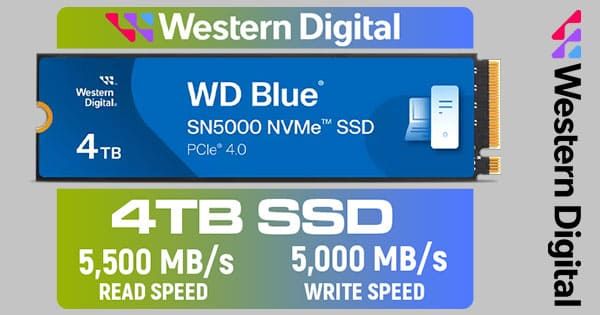
To each their own but.. ( I prefer a minimum of 1200TBW for a 1TB ssd or more)

600TBW on a 1tb drive is low/entry level .
1200TBW on a 4tb ssd? thats rather bad. Plenty of 1tb drives with that or more. Reminds me of that horrible 1TB Crucial nvme ssd on wootware and progenix with only 80TBW.... wouldnt even last me a year.

Edit: .. but if you want to go cheap, by all means go for the lower spec drives and test them every few months to make sure they dont k@k out on you unexpectedly.
 
I'm very out of the loop with hardware these days. I need to upgrade and mate has recommended this. I would go for 64GB ram though:


Was then thinking of something like this for OS basically:


Then this for apps and basically everything else:


I want a good core/base for my system with potential to upgrade or at least get a decent bit of life out of it. Does this seem like the way to go? Anything worth noting?

PSU is sorted and GPU is another kettle of fish and will come later. I'll make do with what I have for now.
The Corsair SSD is R2515,18 inc shipping and import charges at amazon.com
 
Is the after sales service just slow or what

Have bought some stuff from everech

And had no problems so never had to deal with returns

Beterr price better bang for buck imo
Apparently their after sales is non existent, but I've not had issues.
 
Hi everyone, I was hoping to get some advice on a PC build. I'm currently using a MacBook Air M1 for software dev. It's fine speed wise, but the 256gb drive is absolutely killing me. I can't get rid of it altogether, as I need Xcode to build the iOS apps. So will retain the MacBook for travel and iOS builds.

Basically what I want to do, is to build a similar desktop speed wise (with some more RAM obvs), and then do my day-to-day dev on Ubuntu. I haven;t built a PC in 15 years, so VERY out of the touch on CPUs, MBs, etc.

Can anyone suggest me a CPU/MB/RAM & drive combo which should at least and more cover the M1 MacBook performance? It will not be used for any gaming. Purely dev, running a few docker containers and possibly a VM or two.

So yeah, thinking at least 32gb RAM, and then a 1gb storage drive.

Much appreciated in advance :)
 
Top
Sign up to the MyBroadband newsletter
X