New to sonoff

DTBA

Executive Member
Joined
Nov 27, 2011
Messages
5,446
Reaction score
843
Hi, maybe just a little bit of help

I have a light that I just want to connect to smart RF switch.


Is this all I need?

Also if I add two do I need 2 rf switches and or can I control each light with it each own RF switch. (Will they interfere with each other ?)
 
Is this for a wall switch or lamp type light?
Going to install it for a ceiling light, so not switch at all. Just want to use the sonoff.

I see you might need a controller? or not needed?
 
You will need a switch for each device if you would want to control them separately from each other. No controller needed for just a light.

Give the device power, connect the device you want to control to the output side and bind the controller.
 
You could probably use this https://www.communica.co.za/products/sonoff-basicr2-wifi-smart-switch
or this
Edit:forget this. I see you wanted RF receiver.
 
You will need a switch for each device if you would want to control them separately from each other. No controller needed for just a light.

Give the device power, connect the device you want to control to the output side and bind the controller.
so the two above will work? RF controller and RF switch?

2 of each
 
You need a switch by/for the device and them some form of control switch which can be battery. There are both wifi and rf but that depends on what you use for the actual light.

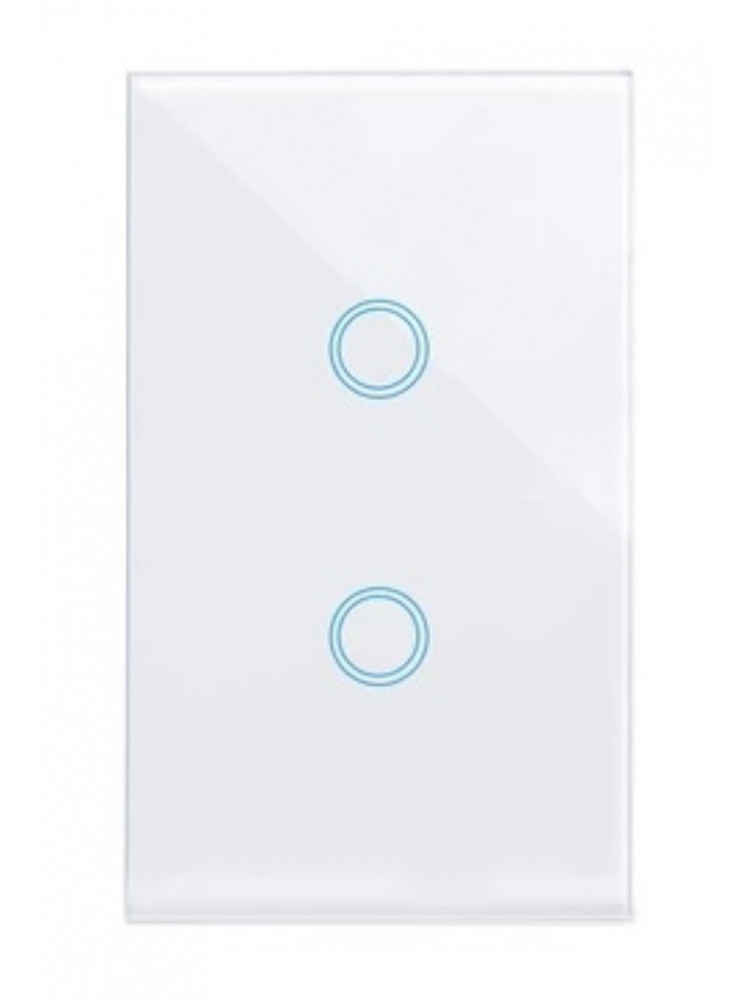
Personally I used a rf wall switch with no negative and a rf bridge. The wall switch recieves the rf and switches the circuit normally with the bonus of being able to still toggle the switch on the wall, in one unit. It's also a touch switch so long lasting.

Not the sonoff range though, last I saw they all needed a neutral at the wall. These were no neutral rf sold by geewiz.

I believe there is a wifi tuya no neutral version out? The rf ones also used the same ewelink portal. I have a mix of sonoff and those in my home depending what's powder heavy and what's simply lights.
 
so the two above will work? RF controller and RF switch?

2 of each
1 light = 1 of each

I see you get a 3 button RF wall mounted switch, in that case it would be 3 Sonoff switches and one wall mounted RF controller

Out of interest, how will you ensure there is continuous power going to the Sonoff in the ceiling? Are you going to power it from a plug circuit, or are you going to hardwire the existing wall switch?
 
1 light = 1 of each

I see you get a 3 button RF wall mounted switch, in that case it would be 3 Sonoff switches and one wall mounted RF controller

Out of interest, how will you ensure there is continuous power going to the Sonoff in the ceiling? Are you going to power it from a plug circuit, or are you going to hardwire the existing wall switch?
Hardwire from the DB no switch at all, reason I am going for the RF switches is that the room gets moved around a lot. Also, the room was just to store stuff now I need two lights in it and running conduit for switches are going to look ****.

Also, do they remember their state ? If they loose power? (loadshedding)
 
You need a switch by/for the device and them some form of control switch which can be battery. There are both wifi and rf but that depends on what you use for the actual light.

Personally I used a rf wall switch with no negative and a rf bridge. The wall switch recieves the rf and switches the circuit normally with the bonus of being able to still toggle the switch on the wall, in one unit. It's also a touch switch so long lasting.

Not the sonoff range though, last I saw they all needed a neutral at the wall. These were no neutral rf sold by geewiz.

I believe there is a wifi tuya no neutral version out? The rf ones also used the same ewelink portal. I have a mix of sonoff and those in my home depending what's powder heavy and what's simply lights.
Do you have a link for me for the geewiz ones?
 
Do you have a link for me for the geewiz ones?
Wall switch


Rf hub to wifi bridge


One bridge covers many many devices so kts not a one to one, just to bridge the rf to wifi if you want.

I haven't tried these type wifi ones because I don't see it actually stating wifi anywhere really.

 
Hardwire from the DB no switch at all, reason I am going for the RF switches is that the room gets moved around a lot. Also, the room was just to store stuff now I need two lights in it and running conduit for switches are going to look ****.

Also, do they remember their state ? If they loose power? (loadshedding)
They do remember the previous state and you can set it to either be On, Off or Previous State, when power is restored.

But it doesn't solve the loadshedding issue, because it doesn't know what state it should be in at the time of power being restored, if that makes sense.

I'm surprised they didn't build in a 24 hour "jumper clock" like the old analogue timers on the eWeLink app
 
They do remember the previous state and you can set it to either be On, Off or Previous State, when power is restored.

But it doesn't solve the loadshedding issue, because it doesn't know what state it should be in at the time of power being restored, if that makes sense.

I'm surprised they didn't build in a 24 hour "jumper clock" like the old analogue timers on the eWeLink app
You can use previous state like you said, you can also use schedules in the app. I used them to help control shedding and restore.
 
You can use previous state like you said, you can also use schedules in the app. I used them to help control shedding and restore.
Sure, but you have to then adjust them depending on the change in LS stages
 
Sure, but you have to then adjust them depending on the change in LS stages
I was lucky, ours was pretty easy and then I used the "scene" feature to chain multiple events.

Like loadshedding on/off and it set the items for the week Monday to Friday.

If tricky , do multiple scenes , each with differant schedules.
 
I was lucky, ours was pretty easy and then I used the "scene" feature to chain multiple events.

Like loadshedding on/off and it set the items for the week Monday to Friday.

If tricky , do multiple scenes , each with differant schedules.
Sounds like a pain in the ass :p

They could just introduce a 24hr clock, and you set the state as you wish with a On and Off indicator, then when power is restored it compares to the clock and sets accordingly, would be a neat function
 
Sounds like a pain in the ass :p

They could just introduce a 24hr clock, and you set the state as you wish with a On and Off indicator, then when power is restored it compares to the clock and sets accordingly, would be a neat function
Yeah it was but that was using the basic ewelunk stuff. You can hook it up to a homeassistant instance rather and do exactly what you suggested with a monitor on state change and a reference table.
 
Oh, one point, the rf ones behave a bit funny with HA do not 100% sure on the above. Wifi ones work fine.
 
Just a heads up that those sonoff battery powered stick-on wall switches only last 1-2 months. Mine are back in a box now collecting dust and ended up using a different product.
 
Just a heads up that those sonoff battery powered stick-on wall switches only last 1-2 months. Mine are back in a box now collecting dust and ended up using a different product.
It's bizarre, since its a passive RF remote, unless it's the WiFi that chows the battery?
 
Top
Sign up to the MyBroadband newsletter
X