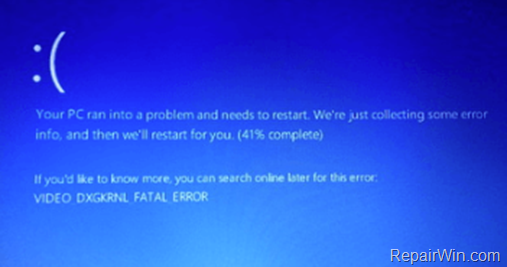
PC died ...

Dolby

Honorary Master
Joined
Jan 31, 2005
Messages
39,122
Reaction score
6,138
So, I've been trying stretch our any money spending as much as I can and remain on my budget. However, it seems more and more old PC is dying ...

So was thinking of the below, but :

- Minus the 1TB HDD, as I have my own 240GB SSD
- Increase the 8GB to 16GB RAM

Not games, just something that I can run dual monitors, Excel spreadsheets, mail, browse etc and upgrade to Windows 11

Decent PC for R7,600.00 incl VAT ?

1643463249624.png
 
Have a look at the HP Elitedesks 800 G1 or G2. Most has dual displayport outs. Get the Dell monitors. Ideally the P series monitors.

If you just use spreadsheets you dont need much. they have 4th gen cpu so windows 10, or you can go later.

Even the elitedesk mini but thats very small

You can find people selling the Crucial ddr3 1600 8gb modules for about R3-400 each. Get 16gb. And then get a solid state (ideally the samsung evo drive 850-860 you can pick them up so R600 a drive.

The elitedesk 800 can take upto 3 drives. Yip. And if you want to upgrade the graphics, you can get a GT1030 card, or GT 730 on a tighter budget.

But I found the onboard graphics fine for playing skyrim on medium and world of tanks. Works well

Generally even the newer gfx chipsets onboard is pretty decent. its only really beaten by the GT1030, anything below that is worthless on those machines. The onboard can actually beat them.
 
Have a look at the HP Elitedesks 800 G1 or G2. Most has dual displayport outs. Get the Dell monitors. Ideally the P series monitors.

If you just use spreadsheets you dont need much. they have 4th gen cpu so windows 10, or you can go later.

Even the elitedesk mini but thats very small

You can find people selling the Crucial ddr3 1600 8gb modules for about R3-400 each. Get 16gb. And then get a solid state (ideally the samsung evo drive 850-860 you can pick them up so R600 a drive.

The elitedesk 800 can take upto 3 drives. Yip. And if you want to upgrade the graphics, you can get a GT1030 card, or GT 730 on a tighter budget.

But I found the onboard graphics fine for playing skyrim on medium and world of tanks. Works well

Generally even the newer gfx chipsets onboard is pretty decent. its only really beaten by the GT1030, anything below that is worthless on those machines. The onboard can actually beat them.
The OP already said he has an SSD
 
I can recommend C2KIT if you ar prepared to go refurbished
 
Have a look at the HP Elitedesks 800 G1 or G2. Most has dual displayport outs. Get the Dell monitors. Ideally the P series monitors.

If you just use spreadsheets you dont need much. they have 4th gen cpu so windows 10, or you can go later.

Even the elitedesk mini but thats very small

You can find people selling the Crucial ddr3 1600 8gb modules for about R3-400 each. Get 16gb. And then get a solid state (ideally the samsung evo drive 850-860 you can pick them up so R600 a drive.

The elitedesk 800 can take upto 3 drives. Yip. And if you want to upgrade the graphics, you can get a GT1030 card, or GT 730 on a tighter budget.

But I found the onboard graphics fine for playing skyrim on medium and world of tanks. Works well

Generally even the newer gfx chipsets onboard is pretty decent. its only really beaten by the GT1030, anything below that is worthless on those machines. The onboard can actually beat them.
Been thinking of the same thing.

Realistically I was thinking of a unit with the best graphics card that will fit into it to render video. Specifically AI video enhancement software for a project. It requires a GPU with plenty of grunt.

Already have plenty of SATA SSD’s lying around.

Can always upgrade the stock HP power supply if it cant muster the load of a graphics card I would imagine?

I see plenty Elitedesks on FB marketplace what should one look out for?
62AF4D70-EA57-486E-9EE5-36CB94E5D25A.jpeg
 
So, I've been trying stretch our any money spending as much as I can and remain on my budget. However, it seems more and more old PC is dying ...

So was thinking of the below, but :

- Minus the 1TB HDD, as I have my own 240GB SSD
- Increase the 8GB to 16GB RAM

Not games, just something that I can run dual monitors, Excel spreadsheets, mail, browse etc and upgrade to Windows 11

Decent PC for R7,600.00 incl VAT ?

View attachment 1234862

Do you have an existing case & psu that can be used besides the ssd?

1.PNG
 
Do you have an existing case & psu that can be used besides the ssd?

View attachment 1235062
I do - but the whole PC must be like 8 years old or something, including the PSU. The only new item on it is the 240GB SSD

So I'd prefer brand new everything rather than stick an 8 year old ailing PSU into a new machine.

On the GFX side, I'm happy with internal - but I run my two screens now by using an HDMI from the internal, and an HDMI from the GFX. I thought I'd need the same going forward.
 
PC has behaved the last few times I've used it, so maybe I can try push a tad longer. But I'm definitely seeing more and more errors, even after a full new install.

It's lasted me well - i5 3570K was a killer CPU when I got it and feels smooth today with the SSD.
 
Do you have an existing case & psu that can be used besides the ssd?

View attachment 1235062
Exactly what I am going for next week, though still deciding if I want to go with the 12400f, and the 4 dim slot version on this board, which has two m.2 slots, which is a much better board for 1k more.That said you can go with an core i3 as well, since you wont be doing any gaming.Core i3s are quad core cpus now, when compared to yester years i3s is no slow poke.

Only issue they havent released, not exactly sure when they coming out, but i suspect somewhere in feb.So good luck happy hunting
 
I do - but the whole PC must be like 8 years old or something, including the PSU. The only new item on it is the 240GB SSD

So I'd prefer brand new everything rather than stick an 8 year old ailing PSU into a new machine.

On the GFX side, I'm happy with internal - but I run my two screens now by using an HDMI from the internal, and an HDMI from the GFX. I thought I'd need the same going forward.
Psus and cases can be reused, what size is the psu?
 
PC has behaved the last few times I've used it, so maybe I can try push a tad longer. But I'm definitely seeing more and more errors, even after a full new install.

It's lasted me well - i5 3570K was a killer CPU when I got it and feels smooth today with the SSD.

Sometimes disassembling, cleaning everything and reasembly solves some issues. Especially with ram modules.
What are the errors in eventlog saying?
 
Sorry - missed this ...

I'll heck the logs, but the last two where similar to the below .

image_thumb-7.png


The other I get are at bootup where it asks to press F1 to enter setup ... when I do that, I click Save and Boot and it works . Maybe every 4th or 5th bootup.
 
So, I've been trying stretch our any money spending as much as I can and remain on my budget. However, it seems more and more old PC is dying ...

So was thinking of the below, but :

- Minus the 1TB HDD, as I have my own 240GB SSD
- Increase the 8GB to 16GB RAM

Not games, just something that I can run dual monitors, Excel spreadsheets, mail, browse etc and upgrade to Windows 11

Decent PC for R7,600.00 incl VAT ?

View attachment 1234862

Is the i5 10400 more expensive than the i5 10400F + GT 710? If not, rather get the 10400 and use onboard GPU.

1643626603933.png
 
Sorry - missed this ...

I'll heck the logs, but the last two where similar to the below .

image_thumb-7.png


The other I get are at bootup where it asks to press F1 to enter setup ... when I do that, I click Save and Boot and it works . Maybe every 4th or 5th bootup.
The problem at boot is caused by a flat battery - typically a CR2032 - that causes the loss of CMOS. Replacing the battery - cost should be less that R10 - should resolve the issue.

Not sure of the problem described above, but it certainly could be related.
 
Is the i5 10400 more expensive than the i5 10400F + GT 710? If not, rather get the 10400 and use onboard GPU.

View attachment 1235664

Yeah the 10400 is cheaper, but hell no 12th gen while is costs more, the 12400 runs circles around it. Was considering getting a 10th gen as well, just so I could upgrade to windose 11, I will rather pay the extra as the performance difference between the 10th and 12th gen is pretty big enough between 25% and 31% faster.

 
Sorry - missed this ...

I'll heck the logs, but the last two where similar to the below .

image_thumb-7.png


The other I get are at bootup where it asks to press F1 to enter setup ... when I do that, I click Save and Boot and it works . Maybe every 4th or 5th bootup.

Like already mentioned put in a new cmos battery and reseat the GPU or CPU if its on chip and see how it goes.
 
I'm putting the new battery in on the weekend .

As for the other specs :

Processor Intel(R) Core(TM) i5-3570K CPU @ 3.40GHz, 3401 Mhz, 4 Core(s), 4 Logical Processor(s)
Name NVIDIA GeForce GTX 550 Ti & Intel(R) HD Graphics 4000
Model SanDisk SSD PLUS 240GB
Monitor : 2 x Dell S2721HN
Memory : 8GB RAM

I'm unsure how to find the PSU without opening, but it's also making a weird sound just on start up ... like a bearing grinding when it's loose. I don't often start up the PC though, but it's there ...
 
I'm putting the new battery in on the weekend .

As for the other specs :

Processor Intel(R) Core(TM) i5-3570K CPU @ 3.40GHz, 3401 Mhz, 4 Core(s), 4 Logical Processor(s)
Name NVIDIA GeForce GTX 550 Ti & Intel(R) HD Graphics 4000
Model SanDisk SSD PLUS 240GB
Monitor : 2 x Dell S2721HN
Memory : 8GB RAM

I'm unsure how to find the PSU without opening, but it's also making a weird sound just on start up ... like a bearing grinding when it's loose. I don't often start up the PC though, but it's there ...
Sounds like a fan bearing could be failing or something is interfering with a fan.

Try to isolate/identify the source of the sound by starting the PC whilst you have the covers off (in order to change the battery).

It also probably wouldn't hurt to remove the PSU;s covers before vacuuming the innards.
 
Top
Sign up to the MyBroadband newsletter
X