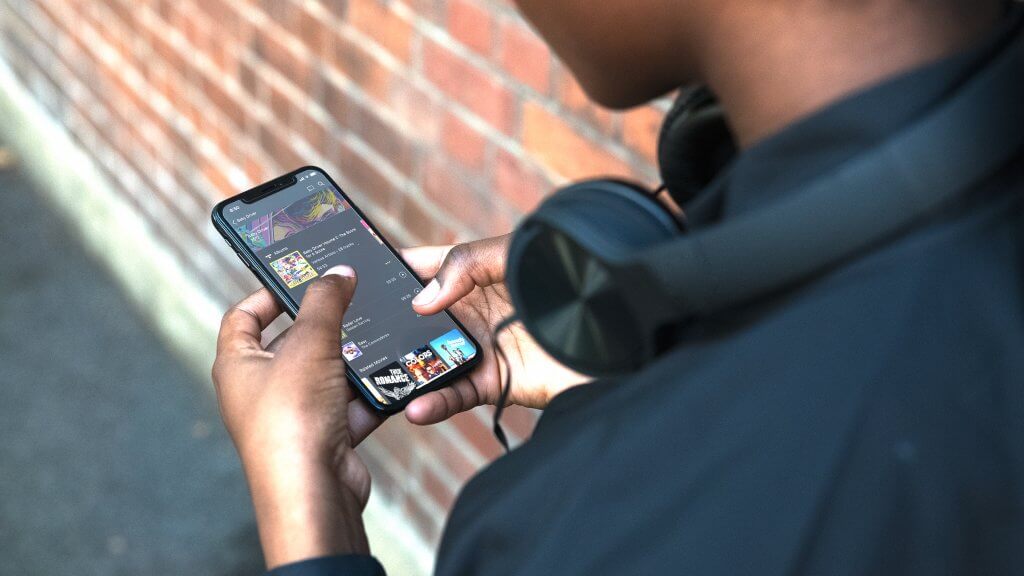
Plex Thread

Grab a free Plexshare here: www.reddit.com/r/plexshares/
Its not the easiest to find a decent one, i've been through a few but my currect one is great.
I've been on it for a year or two already. If you are willing to pay then they get pretty good, but free is for me!
 
The Windows 10 Plex app also sucks. The one that used to be on the Microsoft Store.
Can't remember how I got it installed. Anyway, it does not update any new stuff as you add it.
You have to click on a different server then go back to your current one before it sees the latest additions.
So irritating.
 
The Windows 10 Plex app also sucks. The one that used to be on the Microsoft Store.
Can't remember how I got it installed. Anyway, it does not update any new stuff as you add it.
You have to click on a different server then go back to your current one before it sees the latest additions.
So irritating.
They discontinued it yonks ago with the failure of the M$ store and the Plex app replaces that... https://www.plex.tv/media-server-downloads/#plex-app
 
I want to organise the series and old kids shows I have. Loaded Plex, it did its thing but it doesn't appear to have sorted things out into a nice interface for the kids to choose from.
Any suggestions?
 
The Windows 10 Plex app also sucks. The one that used to be on the Microsoft Store.

This app is no longer supported and was removed from the Microsoft store, I wouldn't be surprised if a lot of things don't work on it anymore.

For Windows you have two options:

1. Plex (for Windows) - basically the same interface as the Web app but with much better codec support (so it will direct play basically everything).
2. Plex Media Player - the app for HTPC use.

 
This app is no longer supported and was removed from the Microsoft store, I wouldn't be surprised if a lot of things don't work on it anymore.

For Windows you have two options:

1. Plex (for Windows) - basically the same interface as the Web app but with much better codec support (so it will direct play basically everything).
2. Plex Media Player - the app for HTPC use.

As I corrected I am using the Plex app. Which updates almost every time I open it. I remember now why I thought I had the MS one installed. Long story :X3:
 
I use plex on nas box.. cool but can’t handle the transcoding for heavy audio and visual transcoding(remote users).

So currently I run two plex servers. I was planning on making the 2nd box a transcoding box either as a local or cloud instance.

One thing I noticed is that while transcoding is good for bandwidth considerations, if you have a fast enough connection it might be better to send raw direct up to cloud instance and transcode on demand(vm in the cloud).

Offloading transcoding is a growing need I see mentioned on their forum but no product solution is available presently so meh.

Currently plex on a Apple M1 chip is supreme so gonna get a Apple Mini as soon as 2nd revision comes and virtualization on the M1 chip matures.
 
Anyone else bummed about the direction Plex is going or is it just me?

I have been an HTPC style user for over a decade, ie.: my Mac Mini is plugged into my TV, it runs Plex server and client and serves data to all the devices in the home as well as one or two mates who stream remotely from time to time.

Since the release of Plex Media Player things have gone downhill. PMP wouldn't speak to my DAC, that was weird since they released TIDAL integration soon after - so now you can stream lossless audio but you have to play it back through a headphone jack??

Subjective but I never liked the move away from the Deck view, it just worked so well. So I have been using the community supported OpenPHT for several years (while still paying for Plex Pass.)

Lately they seem focused on the web client and being more like Netflix in general which seems like an absolutely stupid idea, why move away from your USP and try to mimic an industry titan in a space that is already very full but ok... the issue is that as a very long term user I feel a bit jilted that as far as Plex is concerned 'desktop' seems to all but over :(
I'm with you 100%

I want to hide all that stuff and just manage local media seems impossibly hard to do.
 
So to explain my issue some more.

I'm running my Plex Media Server and Plex Media Player on the same PC.

The Plex Media Player application on the PC does not show new content that was added unless I click on "this device" to sort of "exit" the server and then go back again to the Plex server. It's as though the Media Player does not close when you exit it, But it does not show up in task manager.

However, the application on my TV, Plex web interface and the Android app are always up to date when I launch them :unsure:
 
Last edited:
The Plex app on my LG TV is not the best. Cannot skip forward through a video.
Rather been using XPlay to connect to Plex server for years now. Also has a better interface IMO.

Huh? I don’t use it much (prefer Apple TV) but pretty sure this was an option.

Or are we talking ancient TV here before WebOS?
 
I'm with you 100%

I want to hide all that stuff and just manage local media seems impossibly hard to do.

So put it in the garage and use clients to connect to it?

There is no practical need to really have the client ON the server any more.
 
I want to organise the series and old kids shows I have. Loaded Plex, it did its thing but it doesn't appear to have sorted things out into a nice interface for the kids to choose from.
Any suggestions?

What do you mean nice interface?
 
So put it in the garage and use clients to connect to it?

There is no practical need to really have the client ON the server any more.
I think you are replying to some one else ?

I have the server on a PC in the back, that part is great. The main issue now is that when I want to stream from any of the apps it floods me with all their own streaming content and I just want to see my own pirated content :P

I have no interest in any of the other content that Plex offer, I just want to see everything I have loaded on the plex server. Its like quite a bit of work to find out that it can't see or connect to your server.
 
I think you are replying to some one else ?

I have the server on a PC in the back, that part is great. The main issue now is that when I want to stream from any of the apps it floods me with all their own streaming content and I just want to see my own pirated content :p

I have no interest in any of the other content that Plex offer, I just want to see everything I have loaded on the plex server. Its like quite a bit of work to find out that it can't see or connect to your server.
You should be able to just add which sources you want to see on your homescreen.

As far as i remember you do this on each client device you setup
 
Top
Sign up to the MyBroadband newsletter
X