


Basically instead of using Windows Explorer to find what they want to watch, use Plex which has indexed the drives.What do you mean nice interface?
-
- News
-
Categories
- 5G
- ADSL
- AI
- Banking
- Black Friday
- Broadband
- Broadcasting
- Business
- Business Telecoms
- Cellular
- Cloud and Hosting
- Columns
- Cryptocurrency
- Energy
- Enterprise
- Fibre
- Gadgets
- Gaming
- Government
- Hardware
- Industry News
- Internet
- Internet of Things
- Investing
- IT Services
- Motoring
- Reviews
- Science
- Security
- Smartphones
- Software
- Technology
- Telecoms
- Trending
- Wireless
- Press Office
- Forum
- Industry News
- What's Next
- Company hub
- Speed Test
- About us
- Advertise with us
- Contact
- Careers
-
Join the MyBroadband community
South Africa’s biggest forum. Discuss, discover, and connect with thousands of members.
-
Question of the Day: Do you get motion sick?
You are using an out of date browser. It may not display this or other websites correctly.
You should upgrade or use an alternative browser.
You should upgrade or use an alternative browser.
Plex Thread
- Thread starter Boosted outlaw
- Start date

Soul Assassin
Honorary Master
- Joined
- Mar 27, 2006
- Messages
- 11,768
- Reaction score
- 2,345
I love Plex, I've been using it for so long I don't even remember what year, at least 10 years of pretty much daily use.
I remember it wasn't available on Windows yet so I installed it on a hackintosh netbook.
I remember it wasn't available on Windows yet so I installed it on a hackintosh netbook.

dualmeister
Honorary Master
What TV?

LG ULTRA HD TV 55'' UF850T | LG Singapore
Get more information on the LG 55UF850T. Click for pictures, reviews, and tech specs for the LG ULTRA HD TV 55'' UF850T
 www.lg.com
WebOS 3 not supported.
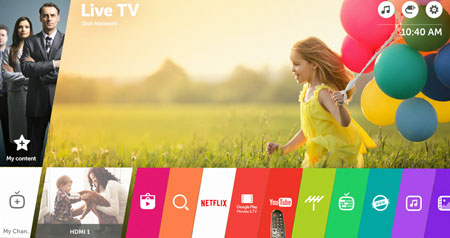
Previous LG TVs will not get webOS 3.0 - will instead receive
At CES, LG revealed webOS 3.0 for its 2016 TVs. Previous TVs will not get updated to webOS 3.0 but will receive a
 www.flatpanelshd.com
Last edited:

Tinuva
The Magician
Best is if you got lifetime pass on massive discount.

TedLasso
Executive Member
- Joined
- Feb 23, 2016
- Messages
- 5,277
- Reaction score
- 2,934
Just bought the full license about a month ago. Decided not to allow plex server to do any transcoding even for remote clients. Running on a small SFF PC.
Somehow, even though remote access is setup , according to Plex server, I can't access my files even the small 480p ones remotely. I have a full ubiquiti setup so unsure if I need to open anything else or if maybe win10 firewall on Plex server is dropping remote traffic. Any clues ?
Another oddity, is while I am on home network and use the Plex app on my mobile phone to watch content , even the 4k is shown on my old 3 year old phone (which doesn't have a 4k screen) with no lag or jitter. Plex not doing transcoding. How is this possible?
Somehow, even though remote access is setup , according to Plex server, I can't access my files even the small 480p ones remotely. I have a full ubiquiti setup so unsure if I need to open anything else or if maybe win10 firewall on Plex server is dropping remote traffic. Any clues ?
Another oddity, is while I am on home network and use the Plex app on my mobile phone to watch content , even the 4k is shown on my old 3 year old phone (which doesn't have a 4k screen) with no lag or jitter. Plex not doing transcoding. How is this possible?
Soul Assassin
Honorary Master
- Joined
- Mar 27, 2006
- Messages
- 11,768
- Reaction score
- 2,345
Got mine free from Elan in 2013.Best is if you got lifetime pass on massive discount.
dualmeister
Honorary Master
I used to have a monthly Plex pass so that I could use the multi user account option so that my daughter could have her own user account and content. Was not worth it.
So now I have Plex setup for me and she uses Emby. PC runs both Plex and Emby Server side by side.
So now I have Plex setup for me and she uses Emby. PC runs both Plex and Emby Server side by side.

SauRoNZA
Honorary Master
I think you are replying to some one else ?
I have the server on a PC in the back, that part is great. The main issue now is that when I want to stream from any of the apps it floods me with all their own streaming content and I just want to see my own pirated content
I have no interest in any of the other content that Plex offer, I just want to see everything I have loaded on the plex server. Its like quite a bit of work to find out that it can't see or connect to your server.

Oh I misinterpreted your statement.
That’s easy though. Just remove the source from Pins and you won’t see it again.
SauRoNZA
Honorary Master
Yeah just disable the source and it’s gone.
SauRoNZA
Honorary Master
Basically instead of using Windows Explorer to find what they want to watch, use Plex which has indexed the drives.
Yea but where does the problem come in exactly? What part of it isn’t working?
Did you add the folder to the Library etc?
SauRoNZA
Honorary Master
I used to have a monthly Plex pass so that I could use the multi user account option so that my daughter could have her own user account and content. Was not worth it.
So now I have Plex setup for me and she uses Emby. PC runs both Plex and Emby Server side by side.
Lifetime pass is the only way that ever made sense to me.
SauRoNZA
Honorary Master
LG ULTRA HD TV 55'' UF850T | LG Singapore
Get more information on the LG 55UF850T. Click for pictures, reviews, and tech specs for the LG ULTRA HD TV 55'' UF850T
WebOS 3 not supported.
Previous LG TVs will not get webOS 3.0 - will instead receive
At CES, LG revealed webOS 3.0 for its 2016 TVs. Previous TVs will not get updated to webOS 3.0 but will receive a
Yeah seems it’s one of those TV’s that just missed the modern window.
Are you sure you can’t forward though? On mine I need to press up to go to the progress bar and then I can move it around.
Plex Version 5.9.2
Platform 3.8.0
I used to have a monthly Plex pass so that I could use the multi user account option so that my daughter could have her own user account and content. Was not worth it.
So now I have Plex setup for me and she uses Emby. PC runs both Plex and Emby Server side by side.
So managed users (users under your plex user/pwd) has been a thing for a while now. I use to have a sub, likely the same thing + downloads a while a go but currently it’s just standard build with managed users and shared lib via other plex accounts.
The value offering after managed users come in to free offering and internet upload speed was fast enough to negate remote downloads (was useful when u had a slow upload) just wasn’t there.
Now I see they have monitoring platform too which is nice.. but again I look at cost and I’m not sure it’s worth it tbh. I do suffer some fomo when I think back to the cost of buying(lifetime) years ago vs current pricing. Meh.
dualmeister
Honorary Master
I tried the auto update, but says no update for your device.Yeah seems it’s one of those TV’s that just missed the modern window.
Are you sure you can’t forward though? On mine I need to press up to go to the progress bar and then I can move it around.
Plex Version 5.9.2
Platform 3.8.0
Just bought the full license about a month ago. Decided not to allow plex server to do any transcoding even for remote clients. Running on a small SFF PC.
Somehow, even though remote access is setup , according to Plex server, I can't access my files even the small 480p ones remotely. I have a full ubiquiti setup so unsure if I need to open anything else or if maybe win10 firewall on Plex server is dropping remote traffic. Any clues ?
Another oddity, is while I am on home network and use the Plex app on my mobile phone to watch content , even the 4k is shown on my old 3 year old phone (which doesn't have a 4k screen) with no lag or jitter. Plex not doing transcoding. How is this possible?
I had to open Port 32400 on my ubiquity edgerouter x to get remote access working
Soul Assassin
Honorary Master
- Joined
- Mar 27, 2006
- Messages
- 11,768
- Reaction score
- 2,345
Everyone also uses Tautulli right, any cool must have or fun settings you use?
TedLasso
Executive Member
- Joined
- Feb 23, 2016
- Messages
- 5,277
- Reaction score
- 2,934
I had also done that and only then did plex controller say 'remote access enabled'I had to open Port 32400 on my ubiquity edgerouter x to get remote access working
But when I triex to actually play the content remotely there was an error . Browsing content and signing in was working remotely
Edit :
Lo and behold tried to take a screenshot of the error today to include in the post and the bloody thing is working.
Only difference was that Plex controller was upgraded on the weekend .
#Happy Days. Now I can watch TV at work.

I fixed it for you. You can at least say thanksI had also done that and only then did plex controller say 'remote access enabled'
But when I triex to actually play the content remotely there was an error . Browsing content and signing in was working remotely
Edit :
Lo and behold tried to take a screenshot of the error today to include in the post and the bloody thing is working.
Only difference was that Plex controller was upgraded on the weekend .
#Happy Days. Now I can watch TV at work.

I downloaded it to try. It gives a bit more information than Plex Dashboard, but it does not seem to have enough "wow" factor to warrant using in parallel with what is already available to premium Plex users.Everyone also uses Tautulli right, any cool must have or fun settings you use?
It is also downright disappointing that it's not possible to export the available usage data from Plex Dashboard to Tautulli.
dualmeister
Honorary Master
Ran it for a few hours but then realized that I do not need all this info in my lifeEveryone also uses Tautulli right, any cool must have or fun settings you use?
