-
- News
-
Categories
- 5G
- ADSL
- AI
- Banking
- Black Friday
- Broadband
- Broadcasting
- Business
- Business Telecoms
- Cellular
- Cloud and Hosting
- Columns
- Cryptocurrency
- Energy
- Enterprise
- Fibre
- Gadgets
- Gaming
- Government
- Hardware
- Industry News
- Internet
- Internet of Things
- Investing
- IT Services
- Motoring
- Reviews
- Science
- Security
- Smartphones
- Software
- Technology
- Telecoms
- Trending
- Wireless
- Press Office
- Forum
- Industry News
- What's Next
- Company hub
- Speed Test
- About us
- Advertise with us
- Contact
- Careers


-
Join the MyBroadband community
South Africa’s biggest forum. Discuss, discover, and connect with thousands of members.
-
Question of the Day: Are generic posters and flyers that are obviously AI-generated off-putting?

You are using an out of date browser. It may not display this or other websites correctly.
You should upgrade or use an alternative browser.
You should upgrade or use an alternative browser.
Router that can handle multiple gateways with fail-over?
- Thread starter lkpat
- Start date

lkpat
Executive Member
Not importing....Draytek for the win- simple and easy to use
lkpat
Executive Member
OK, that's bonding and load balancing as per the heading... I'm wanting failover and failback... that said, I got a lot of useful info out of that vid. He explains things well. Slightly older routeros release I think, but still good. Thanks.'Not sure if TKSJa's stuff is still relevant
lkpat
Executive Member
Not touching Ubiquiti again. Incompatibility with my Dell laptop wifi card. I spent over a year avoiding the Ubiquiti Wifi point from the laptop because of a compatibility issue where it would just stop working. I had to disable the card and re-enable it every time. Sometimes 3 times an hour. I sold it this year.Ubiquiti UDM Pro.

Mzezman
Executive Member
- Joined
- Nov 13, 2021
- Messages
- 6,110
- Reaction score
- 4,030
OK, that's bonding and load balancing as per the heading... I'm wanting failover and failback... that said, I got a lot of useful info out of that vid. He explains things well. Slightly older routeros release I think, but still good. Thanks.
Sorry I thought I was linking this one
Hope that’s clearer. Really enjoyed his vids when I was in the MikroTik landscape. Is ROS7 that much different from 6?

SauRoNZA
Honorary Master
Not touching Ubiquiti again. Incompatibility with my Dell laptop wifi card. I spent over a year avoiding the Ubiquiti Wifi point from the laptop because of a compatibility issue where it would just stop working. I had to disable the card and re-enable it every time. Sometimes 3 times an hour. I sold it this year.
That’s Wireless though and completely irrelevant to this issue.
Also I’ve used four generations of Dell laptops in this house and never had an issue…maybe you should throw out the laptop not the Ubiquiti.
I’ve also run Ubiquiti at many companies and numerous offices and never has such a problem.
Sounds like a piece of crap Dell.
Not importing....
Importing? Distributor in Cape Town- can get them in a day. We resell the units weekly.
lkpat
Executive Member
Ah. Need to up your google-fu!Importing? Distributor in Cape Town- can get them in a day. We resell the units weekly.
lkpat
Executive Member
it's hardly irrelevant. it's my first experience of the Ubiquiti products outside the bullet. the experience sucked and was totally relevant as to why I'm not doing it again.That’s Wireless though and completely irrelevant to this issue.
as for running a server to configure the odd device around the house.... no lol
good for you. the ubiquity device cost a few grand. the laptop not so little. there's no way that makes sense. others have had the same issue, it's an issue with the access point.Also I’ve used four generations of Dell laptops in this house and never had an issue…maybe you should throw out the laptop not the Ubiquiti.
sure. whatever makes you sleep better.I’ve also run Ubiquiti at many companies and numerous offices and never has such a problem.
Sounds like a piece of crap Dell.
lkpat
Executive Member
thanks! will take a look. his accent takes me back a bit. I used to work in the Caribbean and had to get my head around it again haha.Sorry I thought I was linking this one
Hope that’s clearer. Really enjoyed his vids when I was in the MikroTik landscape. Is ROS7 that much different from 6?
SauRoNZA
Honorary Master
it's hardly irrelevant. it's my first experience of the Ubiquiti products outside the bullet. the experience sucked and was totally relevant as to why I'm not doing it again.
as for running a server to configure the odd device around the house.... no lol
good for you. the ubiquity device cost a few grand. the laptop not so little. there's no way that makes sense. others have had the same issue, it's an issue with the access point.
sure. whatever makes you sleep better.
Running a server? What?
lkpat
Executive Member
yep. you have to install and run a piece of server software that hosts an app then access that app to tweak and access your ubiquity config, but you should know that.Running a server? What?
renagade-wolf
Well-Known Member
- Joined
- Jun 16, 2012
- Messages
- 366
- Reaction score
- 39
To be honest.
I would just import one of these
and install OpnSense or PFSense on it, it will do all the above you want.
 opnsense.org
 www.pfsense.org
Even buy a small pc throw a few intel 1G network cards in there and be on the way.
if you really want
Local supplier for something similar but limited to pfsense only
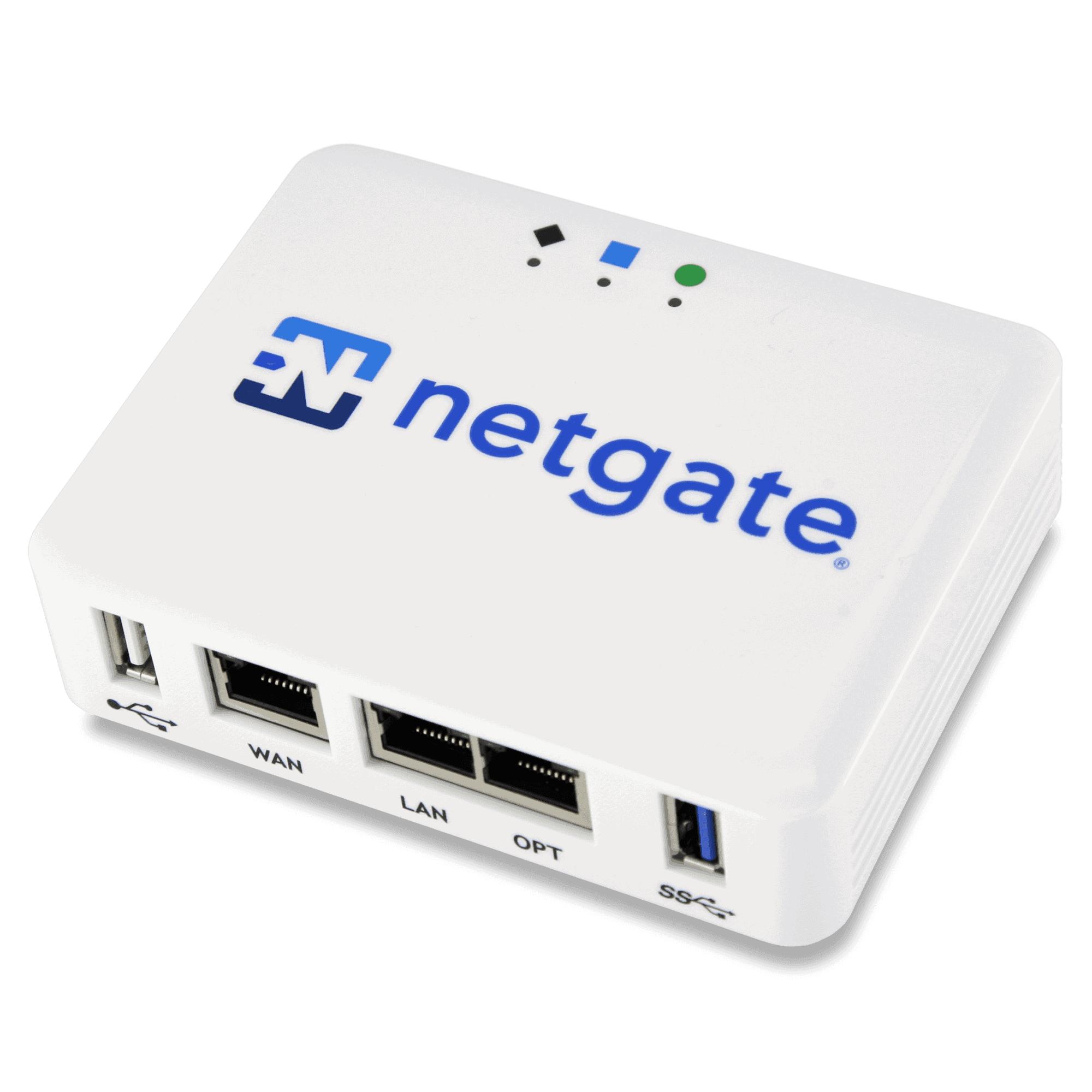
 tech.co.za
I would just import one of these
and install OpnSense or PFSense on it, it will do all the above you want.
OPNsense® is an open source, feature rich firewall and routing platform, offering cutting-edge network protection. - OPNsense
We’ve made digital security accessible to everyone. With our free OPNsense® platform, you get all the features of expensive commercial firewalls and more. Enjoy open and verifiable sources in a product developed with and for a large user community.
opnsense.org
pfSense® - World's Most Trusted Open Source Firewall
pfSense is a free and open source firewall and router that also features unified threat management, load balancing, multi WAN, and more
www.pfsense.org
Even buy a small pc throw a few intel 1G network cards in there and be on the way.
if you really want
Local supplier for something similar but limited to pfsense only
Netgate 1100 pfSense+ Security Gateway - tech.co.za
Buy Netgate 1100 pfSense+ Security Gateway online at tech.co.za. pfSense firewall ideal for SOHO ✓ Fast shipping ✓ Best prices.
tech.co.za
Last edited:
lkpat
Executive Member
I like the look of that little box. No way I'm running a PC as a firewall. I don't have the space and it's a waste of power.To be honest.
I would just import one of these
and install OpnSense or PFSense on it, it will do all the above you want.
OPNsense® is an open source, feature rich firewall and routing platform, offering cutting-edge network protection. - OPNsense
We’ve made digital security accessible to everyone. With our free OPNsense® platform, you get all the features of expensive commercial firewalls and more. Enjoy open and verifiable sources in a product developed with and for a large user community.pfSense® - World's Most Trusted Open Source Firewall
pfSense is a free and open source firewall and router that also features unified threat management, load balancing, multi WAN, and more
Even buy a small pc throw a few intel 1G network cards in there and be on the way.
if you really want
Local supplier for something similar but limited to pfsense only
Netgate 1100 pfSense+ Security Gateway - tech.co.za
Buy Netgate 1100 pfSense+ Security Gateway online at tech.co.za. pfSense firewall ideal for SOHO ✓ Fast shipping ✓ Best prices.

greg_SA
Expert Member
I was looking at one of these... out of stock though.
https://scoop.co.za/reyee-5-port-gigabit-2-wan-4-poe-54w-cloud-router-rg-eg105g-p.html
https://scoop.co.za/reyee-5-port-gigabit-2-wan-4-poe-54w-cloud-router-rg-eg105g-p.html
SauRoNZA
Honorary Master
yep. you have to install and run a piece of server software that hosts an app then access that app to tweak and access your ubiquity config, but you should know that.
This is what happens when you immediately dismiss the product without actually having a look at it and what it actually does.
Not applicable here in any way.
lkpat
Executive Member
WAT. You asked, I answered. Should I have ignored you?Not applicable here in any way.
What's not applicable is a suggestion to go with another product when my goods have arrived.
SauRoNZA
Honorary Master
WAT. You asked, I answered. Should I have ignored you?
What's not applicable is a suggestion to go with another product when my goods have arrived.
The problem is that you rejected the product without even figuring out what it is.
The UDM is literally the server and runs your entire network.
Have fun fighting with Mikrotik’s to do the most basic of things.
lkpat
Executive Member
I rejected it because I've had enough of Ubiquiti. I don't want to own Ubiquiti products again. Simple really.The problem is that you rejected the product without even figuring out what it is.
One server too many.The UDM is literally the server and runs your entire network.
ShapHave fun fighting with Mikrotik’s to do the most basic of things.
