TheRoDent
Cool Ideas Rep
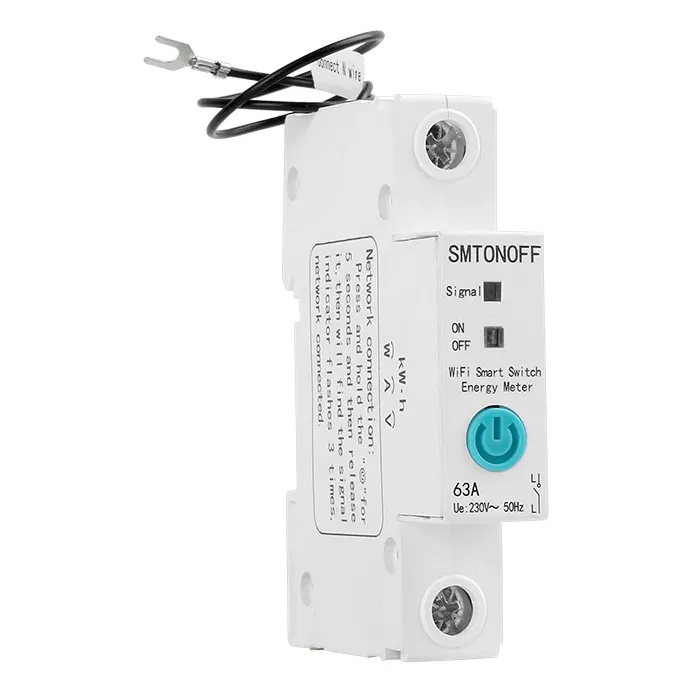
I recently acquired a number of these:
 www.robofactory.co.za
from RoboFactory.

They seem to be nice enough units (aside from the fact that they're only rated for 40A continuous load), and I'm starting to use them to manage things like geysers, underfloor heating, heatpumps, etc. They work fine with the Ewelink app, as well as the HomeAssistant and the SonoffLAN integration, and the main feature I appreciate is the load measurement.
The one pain I have with them is that the WiFi seems to be super finicky. Especially when two of them are installed next to each other. It's almost like they interfere with each other. Switch one on, the others' WiFi dies, and vice versa. Sometimes difficult to pair as well.
I've taken to installing them with a bit of physical seperation in the DB, which seems to help a bit, but other than me practically installing an AP inside the DB (of which there are several) it still seems quite finicky. The DB's are all plastic, non-metal so 2.4Ghz "should" be able to make it inside easily, but obviously there is also other stuff at play such as ElectroMagnetic interference from devices attached to all the circuits.
I have plenty if indoor/outdoor sonoff devices as well, and they tend to have very little issues, given my WiFi coverage, but none of them are installed inside a DB board.
I have a pretty stout Ubiquiti WiFi setup covering practically ever corner of my house, aside from obviously weird places like DB board locations.
At this point, I'm almost resigned to installing some Mikrotik Powerline Access Points inside the DB's (after ripping them out of their enclosures, and maybe 3D printing a DIN bracket for them) and sprinkling them amongst the DB's, which will probably do good for my general IOT infrastructure too.

So, my question to the folks here is: Do you have similar WiFi-y issues with other smart breakers such the ABB/CBI breakers? Is there a decent Zigbee breaker you'd recommend ? I haven't really found many DIN small form factor switches with similar features like these online...
Or do you just never have this issue at all ?
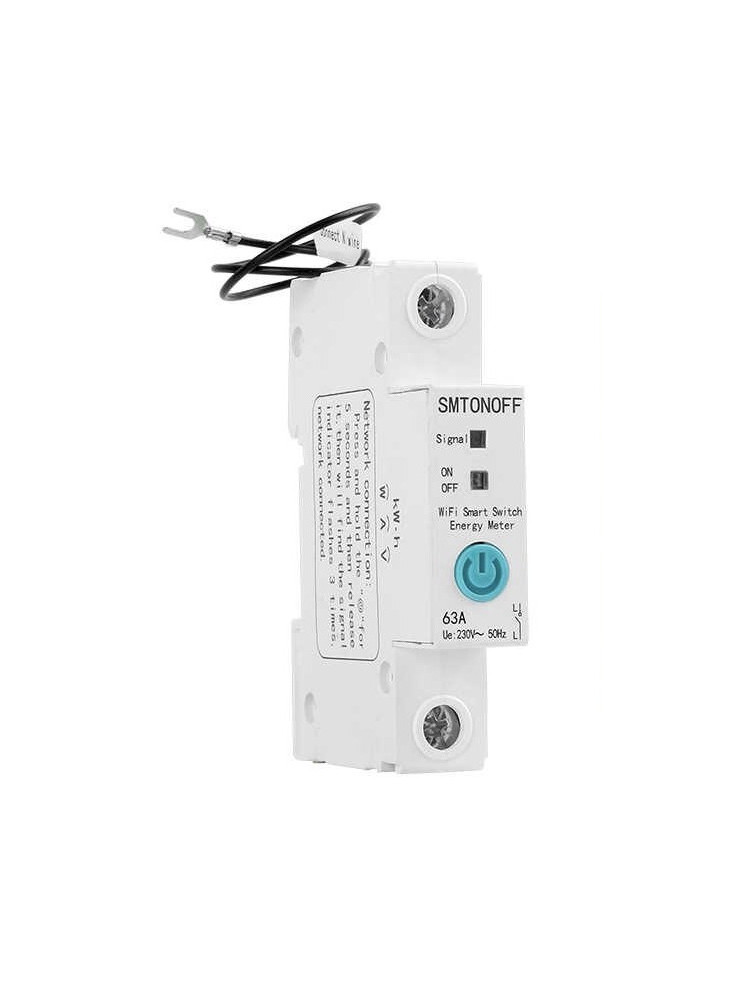
63A 1P Smart Circuit Breaker with monitoring - eWelink
Connect this high powered Smart Switch to your high current appliances and control it from anywhere. This device is perfect to control your geyser (up to 63A). You can set this device to automatically switch off your geyser during peak times and switch it back on during off peak times.
www.robofactory.co.za
from RoboFactory.
They seem to be nice enough units (aside from the fact that they're only rated for 40A continuous load), and I'm starting to use them to manage things like geysers, underfloor heating, heatpumps, etc. They work fine with the Ewelink app, as well as the HomeAssistant and the SonoffLAN integration, and the main feature I appreciate is the load measurement.
The one pain I have with them is that the WiFi seems to be super finicky. Especially when two of them are installed next to each other. It's almost like they interfere with each other. Switch one on, the others' WiFi dies, and vice versa. Sometimes difficult to pair as well.
I've taken to installing them with a bit of physical seperation in the DB, which seems to help a bit, but other than me practically installing an AP inside the DB (of which there are several) it still seems quite finicky. The DB's are all plastic, non-metal so 2.4Ghz "should" be able to make it inside easily, but obviously there is also other stuff at play such as ElectroMagnetic interference from devices attached to all the circuits.
I have plenty if indoor/outdoor sonoff devices as well, and they tend to have very little issues, given my WiFi coverage, but none of them are installed inside a DB board.
I have a pretty stout Ubiquiti WiFi setup covering practically ever corner of my house, aside from obviously weird places like DB board locations.
At this point, I'm almost resigned to installing some Mikrotik Powerline Access Points inside the DB's (after ripping them out of their enclosures, and maybe 3D printing a DIN bracket for them) and sprinkling them amongst the DB's, which will probably do good for my general IOT infrastructure too.
So, my question to the folks here is: Do you have similar WiFi-y issues with other smart breakers such the ABB/CBI breakers? Is there a decent Zigbee breaker you'd recommend ? I haven't really found many DIN small form factor switches with similar features like these online...
Or do you just never have this issue at all ?
Last edited: