Smart light switch help needed

hjst45

Senior Member
Joined
Mar 23, 2013
Messages
644
Reaction score
269
Good day everyone,

I am hoping someone can help me with the wiring for a smart switch I recently purchased.

The current switch has 2 wires coming into L (switch 1 and switch 3) and then bridged across the 3 switches. The COM on each switch has a separate wire coming into it.

I have attached a diagram as well for the current switch wiring.

Any help would be appreciated, thanks!
 

Attachments

  • 8c110129-a9b4-48fc-b859-d816bbfddcf0.JPG
    8c110129-a9b4-48fc-b859-d816bbfddcf0.JPG
    177.9 KB · Views: 75
  • 261a9dea-5651-4b18-b818-237087184648.JPG
    261a9dea-5651-4b18-b818-237087184648.JPG
    289.8 KB · Views: 74
  • d1e5efdc-c8f8-438c-a9da-7e88ac0b8c28.JPG
    d1e5efdc-c8f8-438c-a9da-7e88ac0b8c28.JPG
    101.5 KB · Views: 68
  • diagram.jpg
    diagram.jpg
    57.7 KB · Views: 72
I am no electrician, but your current switch wiring appears to the neutral (please double check) pic is not clear. And Chinglish instructions, seems to require both live and neutral.
 
Not sure why the wire is black behind the light switch. You don't have a neutral wire so you need to run one first before it will work.
 
Three common wires to L1, L2, L3. Live to L. This seems the wrong way around. You need to install the capacitor by one of the lights.

Only if they are LED’s and problematic ones at that.

OP I would not go any further on this adventure without getting a multimeter and figuring out which wire is the Live (has a 220v reading) and there would be only one.

Connect that to L and then pretty much take the other wire that wasn’t bridged from the other switches and came in directly and connect those to L1, L2 and L3.

The fact your Live comes in one side and goes out another tells me this is likely feeding another switch so you’ll probably want to keep track of the “other” non-live wire in case you need to bridge it again.

You could play the guessing game to figure out which of the two sides feeding in is the actual Live without the meter, but rather safe than sorry.
 
So as mentioned , yes you need to install a capacitor across any one of the output bulbs, bridging THEIR live/neutral.

For wiring , as @SauRoNZA says you need to figure out which is which.

Without knowing the actual details on the back plate ( normally there are markings ) , based on the switch bridging I would assume this:

1680853451345.png

if that is a 3 gang, then the left most socket looks like a single wire in, whereas the other three have bridges in and out. Why, I dunno, normally the switch should have a running backplane, no need to bridge the individual contacts itself unless they are running multiple light circuits off each switch. Easy test if no multimeter, kill main power and unscrew the first wire, cap it safely. The restore power and check if switches work. If ANY work, then you killed a outgoing, if NONE, then you have identified the correct incoming live.

But check the back plate , there should be embossed markings.
 
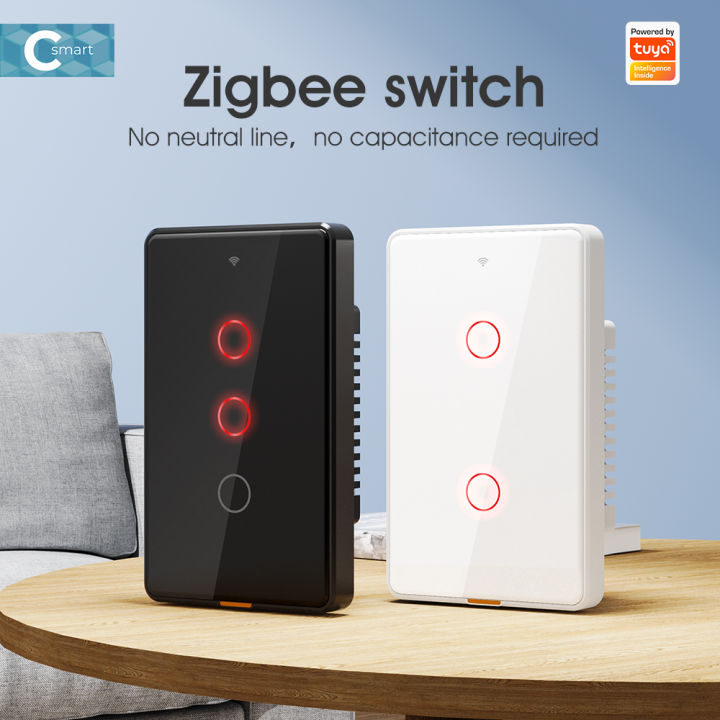
Also, you do realize that this is wireless NOT wifi right?

So you need a wireless/wifi bridge to communicate or a wireless hub. I have similar switches installed with the no neutral and AFAIK those only work on wireless due to the lack of a neutral needed to power a wifi module.

Similar local available version, your link is a Zigbee type.

 
Last edited:
Only if they are LED’s and problematic ones at that.

OP I would not go any further on this adventure without getting a multimeter and figuring out which wire is the Live (has a 220v reading) and there would be only one.

Connect that to L and then pretty much take the other wire that wasn’t bridged from the other switches and came in directly and connect those to L1, L2 and L3.

The fact your Live comes in one side and goes out another tells me this is likely feeding another switch so you’ll probably want to keep track of the “other” non-live wire in case you need to bridge it again.

You could play the guessing game to figure out which of the two sides feeding in is the actual Live without the meter, but rather safe than sorry.
Homer2.gif
homer.gif
Homer3.gif
 
His link is wrong, the picture in the manual shows it’s WiFi (Tuya) based.
I have'nt seen that offered before on no-neutral units but the tuya do seem to indicate that. Anyone installed in a no neutral enviro and on direct wifi?
 
I have'nt seen that offered before on no-neutral units but the tuya do seem to indicate that. Anyone installed in a no neutral enviro and on direct wifi?

Yup I have installed them, which is why I was saying they exist.
 
No neutral required. This is overcome by installing a capacitor across live and neutral at the light bulb. Capacitor(s) should have been supplied with your switch.
 
No neutral required. This is overcome by installing a capacitor across live and neutral at the light bulb. Capacitor(s) should have been supplied with your switch.

Capacitor is there to stop LED lights from blinking.

You don’t need it to make the switch itself work and it can run without.

That being said who doesn’t use LEDs and has smart switches.

And if you are going to install that you may as well just run the neutral wire it’s not like it’s any more or less effort.
 
Hi everyone,

Thanks for all the help!

I managed to get it working. The L on the left side was the incoming, the L on right side was powering another switch below for an outdoor light.

I connected both these to the L on new switch, and each COM to L1,L2 and L3.

I did indeed have a flickering issue, which was easily solved by connecting the provided capacitor across the L1 light.

Everything working perfectly, thank you!
 
I have a eachen WiFi smart switch (no neutral required) which I am trying to install.

The switch doesn't have a neutral wire but my light fixture has a neutral wire (there is a sticker). Can I install the capacitor at the light fixture and where?
 

Attachments

  • IMG20230716095601.jpg
    IMG20230716095601.jpg
    93.5 KB · Views: 32
  • IMG20230716095553.jpg
    IMG20230716095553.jpg
    150.1 KB · Views: 32
I've run into a similar situation today but haven't installed it as yet. Would it be necessary for my ceiling fan? It has a built in LED Strip and I'm not sure how if even add the capacitor to it
 
Top
Sign up to the MyBroadband newsletter
X