The official Mikrotik router thread

I'm also interested in this, but I have NordVPN and would like to use wireguard...
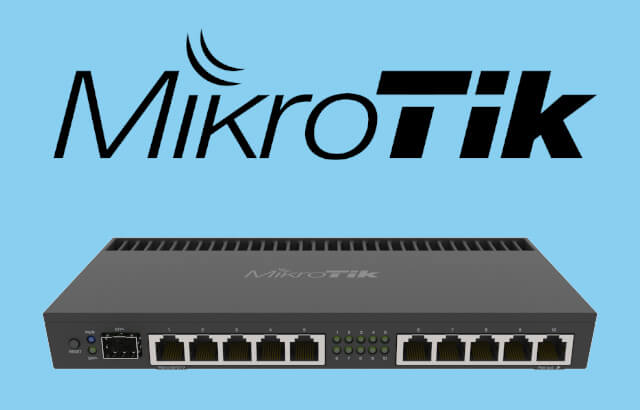
It will be similar to what I do with my PiHole and SmartDNS

 
I tried various configs with NordVPN on a CCR1009-7 for the purposes of circumventing video streaming geo blocking. Performance was terrible and throughput was a mostly crawling rollercoaster.

When ROS 7 gets out of beta will try wireguard, apparently also sorted out their OpenVPN issues.

For now what is working was to run the NordVPN app on a VM and then share the connection from there.
 
I tried various configs with NordVPN on a CCR1009-7 for the purposes of circumventing video streaming geo blocking. Performance was terrible and throughput was a mostly crawling rollercoaster.

When ROS 7 gets out of beta will try wireguard, apparently also sorted out their OpenVPN issues.

For now what is working was to run the NordVPN app on a VM and then share the connection from there.

So for Geo-blocking I use DNS service instead, DNS proxy = Zero impact on speed as only port 53 traffic is routed instead of tunneling our entire connection via a VPN
 
So for Geo-blocking I use DNS service instead, DNS proxy = Zero impact on speed as only port 53 traffic is routed instead of tunneling our entire connection via a VPN
Thanks, I did look into that but couldn't find one that supported the country and streaming services combo I needed. Maybe gave up on google too soon.

For now the Nord app vm is working great, no issues with 4k content or buffering. Will look into the smart dns options again when I get some free time.
 
I tried various configs with NordVPN on a CCR1009-7 for the purposes of circumventing video streaming geo blocking. Performance was terrible and throughput was a mostly crawling rollercoaster.

When ROS 7 gets out of beta will try wireguard, apparently also sorted out their OpenVPN issues.

For now what is working was to run the NordVPN app on a VM and then share the connection from there.

Okay, maybe ROS7 stable will work then.
I currently run a docker container (GlueTun) [https://hub.docker.com/r/qmcgaw/gluetun] for NordVPN and route my traffic through it.

So for Geo-blocking I use DNS service instead, DNS proxy = Zero impact on speed as only port 53 traffic is routed instead of tunneling our entire connection via a VPN

Which DNS service do you recommend? [EDIT] Nevermind, I on your website is is SmartDNS.
Will this work for ShowMax?

I don't use the VPN for just Geo-unblocking, I use it to download my favorite Linux distros too...
 
Last edited:
Question

Moving house soon and I would prefer to self install my router. The fiber line is already installed and I have my new login details from VOX already.

My router shows up under networking as 192.168.100.1
Where do I find the web interface to configure my username and password for the fiber?

Or do I configure this on the fiber box?
I've only ever setup ADSL.

Router is MikroTik RouterBOARD hAP ac 2
 
Question

Moving house soon and I would prefer to self install my router. The fiber line is already installed and I have my new login details from VOX already.

My router shows up under networking as 192.168.100.1
Where do I find the web interface to configure my username and password for the fiber?

Or do I configure this on the fiber box?
I've only ever setup ADSL.

Router is MikroTik RouterBOARD hAP ac 2
Does your ISP use PPPOE or DHCP to connect? Is the router yours or from Vox? I ask because some ISPs lock down the routers.

Nevertheless - you can connect your machine to the router and ensure you are on the same 192.168.100.x network. then in your browser enter 192.168.100.1 - the web config should show up.

PPPOE
  • Click on PPP menu item. PPP window will appear. From Interface tab, click on PLUS SIGN (+) dropdown menu and then choose PPPoE Client. New Interface window will appear.
  • Under General tab, put your PPPoE interface name (pppoe-wan) in Name input field and then choose your WAN interface (ether1) from Interfaces dropdown menu.
  • Click on Dial Out tab and put your ISP given username (mikrotik_wan) in User input field and password (mikrotik123) in Password input field. Click on Dial On Demand checkbox and Use Peer DNS checkbox. Also ensure that Add Default Route checkbox is checked. Also uncheck all the checkboxes except pap checkbox from Allow panel.
  • Click Apply and OK button.
  • MikroTik PPPoE Client will be connected now and you can see PPPoE Client status from Status tab. You will find that a dynamic IP is added in IP > Address list and you will also find a default route is automatically added in IP > Routes list by MikroTik PPPoE client.
  • 1625222242518.png
Assign LAN Gateway
  • Go to IP > Addresses menu item. Address List window will appear.
  • Click on PLUS SIGN (+) and put your LAN gateway IP (192.168.10.1/24) in Address input field.
  • Choose your LAN interface (ether2) from Interface dropdown menu.
  • Click Apply and OK button.
NAT configuration
  • Go to IP > Firewall menu and click on NAT tab and then click on PLUS SIGN (+). New NAT Rule window will appear now.
  • Choose srcnat from Chain dropdown menu and put LAN IP block (192.168.10.0/24) in Address input field.
  • Click on Action tab and choose masquerade from Action dropdown menu.
  • Click Apply and OK
 
192.168.100.1 - the web config down not show up.

This site can’t be reached
192.168.101.1 refused to connect.

Try:
Checking the connection
Checking the proxy and the firewall

ERR_CONNECTION_REFUSED

This is connecting via Wifi. Should I connect with cable?
 
Phoned VOX.

They will configure everything remotely once I've moved to the new address. Alternatively I'll order a new fibre router and configure it myself.

That would be idea actually.
 
They need to embrace WiFi 6 and do more research and development in their Wi-Fi technology.

MikroTik is falling behind.

Still the best routing OS in the planet, but absolutely dog **** when it comes to Wi-Fi.

So I use a MikroTik switch and then Other Access Points, but it's getting to the point where I'd rather just use the other brand entirely...
 
They need to embrace WiFi 6 and do more research and development in their Wi-Fi technology.

MikroTik is falling behind.

Still the best routing OS in the planet, but absolutely dog **** when it comes to Wi-Fi.

So I use a MikroTik switch and then Other Access Points, but it's getting to the point where I'd rather just use the other brand entirely...
i moved across from Mikrotik to the other brand - i prefer the routing on the mikrotik tbh but yes they lack in the wifi stakes and their interface is a lot more complex to visualise things. Hopefully ROS7 is better - has anyone seen / used it?
 
Is it possible to allow a device to connect to an external IP once and only once then drop connections to that external IP after that - through using a script + firewall rules?

We have devices we are testing that need to 'phone home' to google before they work - but only the first time - and google is not on the company ACL for those device types.
 
Top
Sign up to the MyBroadband newsletter
X