The official Mikrotik router thread

The other day I had to get this TP-Link M7200 as a backup to my broken fibre line, which won't be fixed for a couple of weeks.

Can this be hooked into my Microtik to provide Internet?
Does the mikrotik have wireless? If so you can use it as a client to the LTE device
 
Hooked up a 120mm 12v fan to my NUC's one USB port (running @5v) to keep my stack of tech in the cupboard cool. It's made an immense difference to the Tik temps, especially:

1678205653476.png
 
Great idea. Did you buy the fans alreasy wired up wired up with USB?
Nah, I actually salvaged the fan off my DIY biltong box (that was from a busted PSU) and just spliced wires from a spare MicroUSB cable onto it. I used to run the fan off a 3.7v Nokia charger, but throughout the colder months, I'd need around 9v to make the fan move enough air to dry the biltong out properly.

I have another fan in my Takealot cart, ready for dispatch to replace the one I borrowed. Next step is to see if I can hook it up to my hEX S USB port and control the fan on/off with some scripts using the reported temperatures from the Tik itself.

EDIT: Scripting this is going to be a bit tougher than I had imagined. With rOS 6.x it was still possible to cancel a 'usb-reset' command by issuing another command with a new duration (say, 1 second), but with rOS 7.x it looks like the default behaviour has changed. Now, if you issue a usb-reset command, it cannot be cancelled unless you reboot the router as you will be met with an error.

The hunt continues.
 
Last edited:
Just noticed in my log that my router is dropping thousands of packets (looks like DHCP requests) coming in from the WAN side? Anyone seen this before?

input: in:ether1 out:(unknown 0), src-mac a0:36:bc:9c:5e:78, proto UDP, 0.0.0.0:68->255.255.255.255:67, len 328
input: in:ether1 out:(unknown 0), src-mac f0:2f:74:3b:f2:c8, proto UDP, 0.0.0.0:68->255.255.255.255:67, len 403
input: in:ether1 out:(unknown 0), src-mac 3c:7c:3f:b1:25:68, proto UDP, 0.0.0.0:68->255.255.255.255:67, len 405
input: in:ether1 out:(unknown 0), src-mac 0c:9d:92:b0:db:3c, proto UDP, 0.0.0.0:68->255.255.255.255:67, len 405
...
 
Just noticed in my log that my router is dropping thousands of packets (looks like DHCP requests) coming in from the WAN side? Anyone seen this before?

input: in:ether1 out:(unknown 0), src-mac a0:36:bc:9c:5e:78, proto UDP, 0.0.0.0:68->255.255.255.255:67, len 328
input: in:ether1 out:(unknown 0), src-mac f0:2f:74:3b:f2:c8, proto UDP, 0.0.0.0:68->255.255.255.255:67, len 403
input: in:ether1 out:(unknown 0), src-mac 3c:7c:3f:b1:25:68, proto UDP, 0.0.0.0:68->255.255.255.255:67, len 405
input: in:ether1 out:(unknown 0), src-mac 0c:9d:92:b0:db:3c, proto UDP, 0.0.0.0:68->255.255.255.255:67, len 405
...

I have on an Openserve Fibre line. Had a client misconfigured on the same VLAN the ONT uplinked to and was magically getting a DHCP address from wherever.
 
I have on an Openserve Fibre line. Had a client misconfigured on the same VLAN the ONT uplinked to and was magically getting a DHCP address from wherever.
It must be something misconfigured on Frogfoots side, not that it's causing me any issues.
 
Just noticed in my log that my router is dropping thousands of packets (looks like DHCP requests) coming in from the WAN side? Anyone seen this before?

input: in:ether1 out:(unknown 0), src-mac a0:36:bc:9c:5e:78, proto UDP, 0.0.0.0:68->255.255.255.255:67, len 328
input: in:ether1 out:(unknown 0), src-mac f0:2f:74:3b:f2:c8, proto UDP, 0.0.0.0:68->255.255.255.255:67, len 403
input: in:ether1 out:(unknown 0), src-mac 3c:7c:3f:b1:25:68, proto UDP, 0.0.0.0:68->255.255.255.255:67, len 405
input: in:ether1 out:(unknown 0), src-mac 0c:9d:92:b0:db:3c, proto UDP, 0.0.0.0:68->255.255.255.255:67, len 405
...
The FNO has no client isolation. Do you see IP neighbours?
 
Hi Guys , looking to get a 8 port layer 3 switch for my homelab , and dont feel like spending big money on cisco or aruba.So looking at mikrotik as an alternative.Which L3 switch do you recommend from ?
 
Hi Guys , looking to get a 8 port layer 3 switch for my homelab , and dont feel like spending big money on cisco or aruba.So looking at mikrotik as an alternative.Which L3 switch do you recommend from ?

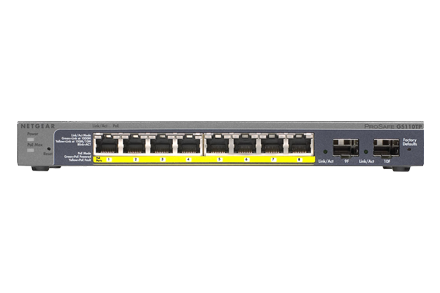
I have one of these that is redundant at this point.

Not sure if it has all the L3 capabilities you're looking for though.

If it does, PM me an offer and we can talk.

 
Hi Guys , looking to get a 8 port layer 3 switch for my homelab , and dont feel like spending big money on cisco or aruba.So looking at mikrotik as an alternative.Which L3 switch do you recommend from ?
Using the CRS125
 
Looking at the "hap lite rb941-2nd" sitting on the shelf above my laptop screen.

Firstly, it does not have 5GHz Wi-Fi, and The Lord alone knows when it was last updated.

I am looking for a router to put behind my ZTE MC888 5G router as supplied by RAIN.

Now the reason I am eyeing it is, I need a router for my Fire TV stick, that will support VPN and ControlD so that I can access iPlayer, ITVHUB etc. at will, without fiddling.

Is there a similar MikroTik device, that has Wi-Fi 6, and Gigabit ethernet ports, and costs around R1500.00?

Been awhile since I played with MikroTik devices.
 
Top
Sign up to the MyBroadband newsletter
X