The Official NVidia Shield Thread

Mine came with a molded plug but the power cable was a standard 2 pin like many electronic appliances, so I just used the cable from an old CD player. (my shield has an internal psu)

Are you referring to this? I just plug that into the adapter and it will accept South Africa's 220/230V ?
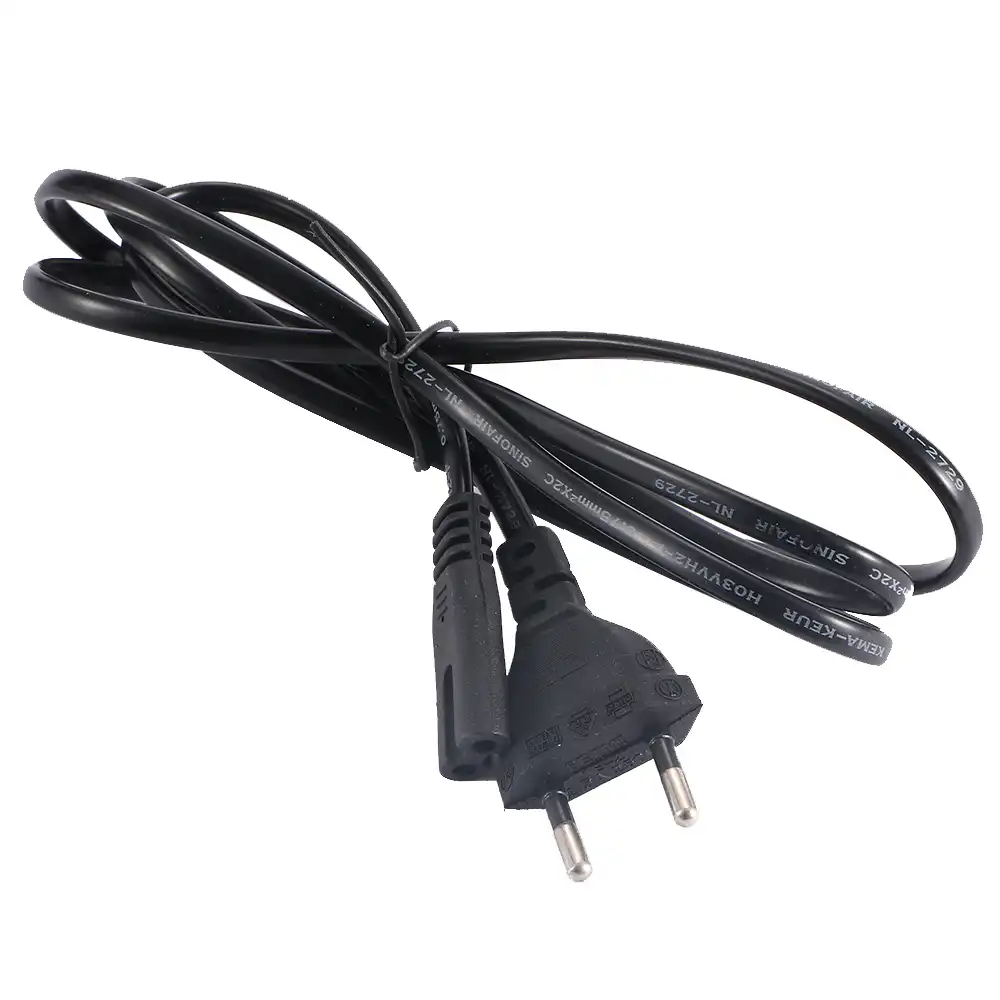
HTB1KUdcaiYrK1Rjy0Fdq6ACvVXaf.jpg_q50.jpg
 
I don't have the pro. I have the tube one. I don't know if the pro has a different power supply. But mine takes a cable just like that straight into the device.
 
Oh, yeah I ordered the 2019 Pro Model. Very worried that I'm screwed and need some voltage adapters and stuff now...

I can't seem to get an answer anywhere, not on nVidia's site and neither on amazon... Has anyone here ordered the Pro Model from Amazon USA? Does it come with a Universal Adapter/Euro Plug?
 
The voltage won't be an issue, I'm sure it will be a universal switching psu. Just the pin format...
 
Ok, I found a UK unboxing video, seems you do get those plastic prongs that slide in, from Amazon.co.uk

Hopefully AmazonUS is smart enough to detect I'm shipping to ZA and include the Euro plug in the box.

plug.jpg
 
Hi Guys,

I just bought the nVidia Shield Pro off amazon.

Does it come with a set of those plastic "plug heads" that I can slide into the Adapter, or do I need some kind of adapter to get it to work? I'm kind of clueless here on how to plug it in. (Not received it yet)
Any international travel adapter will work
 
Oh, yeah I ordered the 2019 Pro Model. Very worried that I'm screwed and need some voltage adapters and stuff now...

I can't seem to get an answer anywhere, not on nVidia's site and neither on amazon... Has anyone here ordered the Pro Model from Amazon USA? Does it come with a Universal Adapter/Euro Plug?
You dont need any voltage adapters just a international plug or a US to Euro plug adapter. Dont stress. Enjoy your toy. NVIDIA normally discounts these shield tvs by 30 to 50 dollars on Amazon during Black Friday
 
You dont need any voltage adapters just a international plug or a US to Euro plug adapter. Dont stress. Enjoy your toy. NVIDIA normally discounts these shield tvs by 30 to 50 dollars on Amazon during Black Friday
Awaiting those specials

Best place still Amazon?
 
Hi Guys,

I just bought the nVidia Shield Pro off amazon.

Does it come with a set of those plastic "plug heads" that I can slide into the Adapter, or do I need some kind of adapter to get it to work? I'm kind of clueless here on how to plug it in. (Not received it yet)
No sliding stuff, adapter required. I use this.
 
Awaiting those specials

Best place still Amazon?
yeah it is. Problem is though how would you import from other sites as those sites have premium pricing wrt to Shipping. I used Scotts Shipping which worked well. Personally though I would also opt for the Google TV which is smaller and compact for most needs unless you into heavy gaming. Techdoctor UK did a comparison with Google TV vs Nvidia and it came close. For $50 and a quarter of the price of a Shield tv Pro and with the new Google TV software (on Android 10), its a no brainer.
 
Ok so I have a question. When using cec with litbox my TV would turn on auto without my receiver which was perfect because I don't always want this.

Now with the Shield that ain't it. The AV receiver always turns on when switching to Shield when using cec. If I turn on the shield it turns on the TV and Av receiver.

This the only device that does it of my devices. Playstation turns on TV, litbox turned on TV but Shield turns on av receiver as well. I have the 2019 tube version.

Is it like for others as well? I use the cec feature cause it really eliminates the need for extra remote.

I have a Samsung TV. Could this be the issue?
 
Sirus, you can go into the CEC settings for your remote (In the Shield) and disable CEC for your receiver only.
 
My issue is I can't get 5.1 Audio whatsoever.

Apparently the nVidia Shield cannot decode a Dolby Digital Plus (E-AC-3) signal into a normal Dolby Digital (AC3) signal.

I have a 5.1 Speaker/Bluray Player in one setup... it can only handle DTS and Dolby Digital. So all I get is 2.0 Audio. =/

I'm now forced to pay 1000's of rands to get some fancy receiver that has DD+ support, if I want my 5.1 Speakers to play 5.1 and not 2.0 PCM. Fsck... that's lame.
 
My issue is I can't get 5.1 Audio whatsoever.

Apparently the nVidia Shield cannot decode a Dolby Digital Plus (E-AC-3) signal into a normal Dolby Digital (AC3) signal.

I have a 5.1 Speaker/Bluray Player in one setup... it can only handle DTS and Dolby Digital. So all I get is 2.0 Audio. =/

I'm now forced to pay 1000's of rands to get some fancy receiver that has DD+ support, if I want my 5.1 Speakers to play 5.1 and not 2.0 PCM. Fsck... that's lame.

Have you tried the option in Advanced Sound settings --> Surround Sound -->Dolby Audio Processing ?

Turning it on should do what you want..
 
Believe me I have tried everything... After much googling I've noticed it's a common problem and many people struggle to get 5.1 to work.

I reckon nvidia didn't want to fork over money to licence the decoder chips for legacy Dolby tech. Awesome device tho, I'll just upgrade my audio sometime in the future.
 
Confused about the use case for this unit - why this over smart tv or other android boxes? Pretty big price diff so obv there's something I'm not seeing but you guys are?
 
Top
Sign up to the MyBroadband newsletter
X