-
- News
-
Categories
- 5G
- ADSL
- AI
- Banking
- Black Friday
- Broadband
- Broadcasting
- Business
- Business Telecoms
- Cellular
- Cloud and Hosting
- Columns
- Cryptocurrency
- Energy
- Enterprise
- Fibre
- Gadgets
- Gaming
- Government
- Hardware
- Industry News
- Internet
- Internet of Things
- Investing
- IT Services
- Motoring
- Reviews
- Science
- Security
- Smartphones
- Software
- Technology
- Telecoms
- Trending
- Wireless
- Press Office
- Forum
- Industry News
- What's Next
- Company hub
- Speed Test
- About us
- Advertise with us
- Contact
- Careers


-
Join the MyBroadband community
South Africa’s biggest forum. Discuss, discover, and connect with thousands of members.

You are using an out of date browser. It may not display this or other websites correctly.
You should upgrade or use an alternative browser.
You should upgrade or use an alternative browser.
The Official Xiaomi Thread
- Thread starter PhireSide
- Start date

Zuner
Expert Member
Wow, have never used the default music app, pretty cool, you can minimize it without pausing!!Has anyone else noticed that in the standard xiaomi music app one can open and play YouTube music videos and songs right within the music app.
Also get a floating non intrusive bubble.
How do you open YouTube videos in the app?Has anyone else noticed that in the standard xiaomi music app one can open and play YouTube music videos and songs right within the music app.

phly
Expert Member
- Joined
- Mar 13, 2013
- Messages
- 2,097
- Reaction score
- 606
It's meant for music that is in video format but in YouTube. That's why and how you can have YouTube playing in the background without it closing because the logic is it's playing audio and not video. And also why auto rotate for the YouTube videos does not work either.How do you open YouTube videos in the app?
As to how. Just open the Mi Music app and click on watch at the bottom right and it'll open a YouTube section right within the music player for you to search and play anything from YouTube.

WaxLyrical
Honorary Master
Now the Chinese overloads know what music I likeHas anyone else noticed that in the standard xiaomi music app one can open and play YouTube music videos and songs right within the music app.

Nice find - Instant YT music video to audio converter.
How do you create a playlist tho?
phly
Expert Member
- Joined
- Mar 13, 2013
- Messages
- 2,097
- Reaction score
- 606
Now the Chinese overloads know what music I like
Nice find - Instant YT music video to audio converter.
How do you create a playlist tho?
I would imagine one can create a playlist on the youtube app and just login to your account and play your playlists. Or create a playlist and search it by name on the watch tab and play it without logging in since it's a public playlist. Several ways to skin that cat.

Giarc86
Expert Member
- Joined
- May 28, 2008
- Messages
- 1,243
- Reaction score
- 4
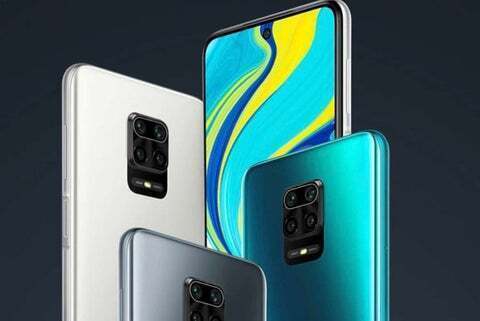
The Xiaomi Redmi Note 9s is available in South Africa from 15 June. Here's how much it'll cost » Stuff
Xiaomi is on the cusp of releasing their latest phone, the Redmi Note 9s series and thus, we come to you with the hottest news regarding the impendingstuff.co.za
Redmi Note 9s Takealot 5th June
4/64 R5399
6/128 R5999
Has anyone grabbed one of these? A lot of reviews seem to be saying there's quite a bit of screen bleed and shadowing on the edges. Also that the backlight shows around the punch hole.

Apparently also WiFi Issues.. Some reviews would be appreciated.Has anyone grabbed one of these? A lot of reviews seem to be saying there's quite a bit of screen bleed and shadowing on the edges. Also that the backlight shows around the punch hole.
Some Redmi Note 9 Pro/9S owners report dropped WiFi connections when the screen is off
A few Xiaomi Redmi Note 9 Pro/Redmi Note 9S users are reporting dropped WiFi connections on the device when the screen is turned off.
 www.xda-developers.com
I have found that if "Select best network automatically" is on, then WiFi disables when the screen is off. This has been happening since the Android 9 update on my Max 3 and on my daughter's newish Note 8.Apparently also WiFi Issues.. Some reviews would be appreciated.
Some Redmi Note 9 Pro/9S owners report dropped WiFi connections when the screen is off
A few Xiaomi Redmi Note 9 Pro/Redmi Note 9S users are reporting dropped WiFi connections on the device when the screen is turned off.
Switch off Select best networks, then the issue is gone.

Mist4h20
Senior Member
- Joined
- Oct 8, 2018
- Messages
- 709
- Reaction score
- 283
Has anyone grabbed one of these? A lot of reviews seem to be saying there's quite a bit of screen bleed and shadowing on the edges. Also that the backlight shows around the punch hole.
Hmmm didn't notice the slight screen bleed till it was mentioned now. Don't really notice it unless you're on a solid white page though(there's like a slight blueish tint). Doesn't bother me.
No noticeable WiFi issues, I am using 5g though.
I don't like the ads(not many) but even one pisses me off. Other than that it's a pretty quick phone with a macro camera (which I really enjoy) and it was cheap for the specs/performance so I won't complain too much
Mist4h20
Senior Member
- Joined
- Oct 8, 2018
- Messages
- 709
- Reaction score
- 283
Can't really see the very slight bleeding in the picHmmm didn't notice the slight screen bleed till it was mentioned now. Don't really notice it unless you're on a solid white page though(there's like a slight blueish tint). Doesn't bother me.
No noticeable WiFi issues, I am using 5g though.
I don't like the ads(not many) but even one pisses me off. Other than that it's a pretty quick phone with a macro camera (which I really enjoy) and it was cheap for the specs/performance so I won't complain too much
Attachments


what are you using?Finally on a stable version of 10 on my Note 8... was very close to going back to stock.
what are you using?
https://forum.xda-developers.com/redmi-note-8/development/rom-havocos-3-1-t4043973
I was using AOSP - which was a complete nightmare:
https://forum.xda-developers.com/redmi-note-8/development/10-0-rom-pixel-experience-t4029281
I moved to HAVOC which initially had similiar bugs as AOSP - but they seem to have been resolved, and camera is working.
needed to update the app, wasnt showing the button on the bottomIt's meant for music that is in video format but in YouTube. That's why and how you can have YouTube playing in the background without it closing because the logic is it's playing audio and not video. And also why auto rotate for the YouTube videos does not work either.
As to how. Just open the Mi Music app and click on watch at the bottom right and it'll open a YouTube section right within the music player for you to search and play anything from YouTube.

Lefty309
Senior Member
- Joined
- Apr 28, 2014
- Messages
- 508
- Reaction score
- 206
Turn off the ads in the settingsHmmm didn't notice the slight screen bleed till it was mentioned now. Don't really notice it unless you're on a solid white page though(there's like a slight blueish tint). Doesn't bother me.
No noticeable WiFi issues, I am using 5g though.
I don't like the ads(not many) but even one pisses me off. Other than that it's a pretty quick phone with a macro camera (which I really enjoy) and it was cheap for the specs/performance so I won't complain too much
phly
Expert Member
- Joined
- Mar 13, 2013
- Messages
- 2,097
- Reaction score
- 606
Is it a Xiaomi thing or an android thing that notifications in the notification shade are not arranged or ordered by time received? Or perhaps its just my phone. I get notifications from various apps throughout the day but at times its not easy to find out what that last notification was from because the notification shade is a mess.
I'm also getting duplicate notifications on the lockscreen. i.e two whatsapp msg notification on lockscreen but both indicating & notifying me of the same message.
Lastly the messages/notifications also come late. Especially emails. I thought it was due to using spark and so i resorted to using gmail and still. The laptop gets the email instantly but only like 5 to 10mins later does the same notification appear on phone. Sometimes almost an hour later.
I'm also getting duplicate notifications on the lockscreen. i.e two whatsapp msg notification on lockscreen but both indicating & notifying me of the same message.
Lastly the messages/notifications also come late. Especially emails. I thought it was due to using spark and so i resorted to using gmail and still. The laptop gets the email instantly but only like 5 to 10mins later does the same notification appear on phone. Sometimes almost an hour later.


Rouxenator
Dank meme lord
I got the 22mb "security patch" this morning, it did up the version from V11.0.5.0 to V11.0.7.0
