The PC Build Thread

Status
Not open for further replies.
It hasn't happened to me but I'll be building my PC this weekend using the Asrock X670E Steel Legend. It has the Bios Flashback feature which allows updating the Bios without a CPU. I also read conflicting info where some say it can fix a corrupted bios. Can someone confirm?

As far as loadshedding goes, I use the ESP app which has been working great, but sometimes the power randomly goes off for a split second and this has me worried.
Get a UPS in case
 
It hasn't happened to me but I'll be building my PC this weekend using the Asrock X670E Steel Legend. It has the Bios Flashback feature which allows updating the Bios without a CPU. I also read conflicting info where some say it can fix a corrupted bios. Can someone confirm?

As far as loadshedding goes, I use the ESP app which has been working great, but sometimes the power randomly goes off for a split second and this has me worried.
If possible do it with the PC on a UPS or inverter. If not, you do have BIOS Flashback which should have you covered.
 
Speaking of BIOS updates, I need to update my Gigabyte B660M DS3H DDR4 board soon to take a 13th gen CPU.

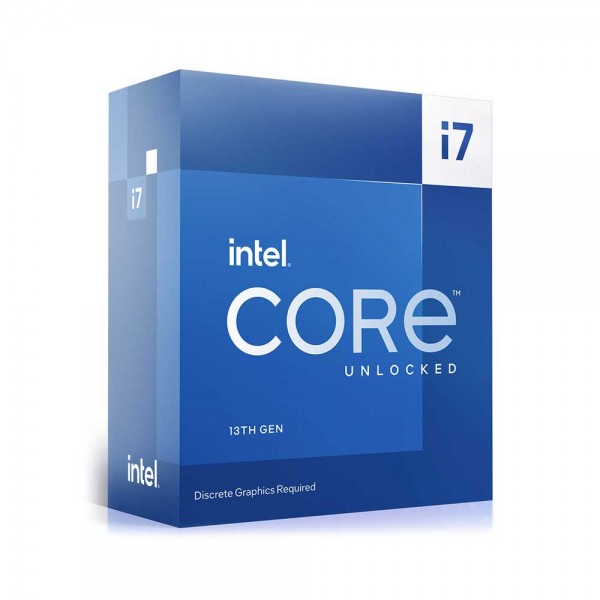
If one had to choose between a 13700KF (R8999 Wootware EFT price, else R9269) and 13700 (R8999 Computer Mania) is there any point getting the K cpu with a B660 board? The K chip has faster clock speeds it seems (or is that only if overclocking)? Base power of the K chip is 125W vs 65W for the F (or non-K). So are the non-K CPUs more energy efficient or is that only if idle? Or is that totally not the case if taking overclocking out of the picture?
 
Speaking of BIOS updates, I need to update my Gigabyte B660M DS3H DDR4 board soon to take a 13th gen CPU.

If one had to choose between a 13700KF (R8999 Wootware EFT price, else R9269) and 13700 (R8999 Computer Mania) is there any point getting the K cpu with a B660 board? The K chip has faster clock speeds it seems (or is that only if overclocking)? Base power of the K chip is 125W vs 65W for the F (or non-K). So are the non-K CPUs more energy efficient or is that only if idle? Or is that totally not the case if taking overclocking out of the picture?
Is this a trick question, why wouldn't you get the better one if they're the same price?
 
13700KF has higher base and boost clocks, which are stock settings. So that's what they will do out the box without overclocking. The 13700KF can be overclocked, which could extend the difference even more.

The F SKUs don't have an integrated GPU, but I assume you don't need one?
 
13700KF has higher base and boost clocks, which are stock settings. So that's what they will do out the box without overclocking. The 13700KF can be overclocked, which could extend the difference even more.

The F SKUs don't have an integrated GPU, but I assume you don't need one?
The KF also has double the e cores, 16 vs 8 on the standard 13700.

Edit: I had the 13900 open for some reason.
 
The KF also has double the e cores, 16 vs 8 on the standard 13700.
Indeed.
Also, @Progenix Oj101 has the 13700KF for R8,934. I'd use them before Woot.

 
13700KF has higher base and boost clocks, which are stock settings. So that's what they will do out the box without overclocking. The 13700KF can be overclocked, which could extend the difference even more.

The F SKUs don't have an integrated GPU, but I assume you don't need one?
Correct, I have an RTX 3080 10GB, so no need for the integrated GPU.

Overclocking one day if I get a Z690 or Z790 board though I don't see myself doing that unless the current mobo gives up the ghost.
 
Is this a trick question, why wouldn't you get the better one if they're the same price?
No not a trick question, they aren't the same price if purchasing via credit card. Wootware gives a 3% "discount" if paying via credit card so I listed the credit card price to compare apples with apples. I can pay the EFT price to get the discount, but it's easier if paying via credit card as I get the money back from FNB.

So it is a case of paying a bit more for the better CPU if I go for the KF over the non-K...
 
No not a trick question, they aren't the same price if purchasing via credit card. Wootware gives a 3% "discount" if paying via credit card so I listed the credit card price to compare apples with apples. I can pay the EFT price to get the discount, but it's easier if paying via credit card as I get the money back from FNB.

So it is a case of paying a bit more for the better CPU if I go for the KF over the non-K...
I'd go for the KF regardless. Resale value will also be higher when you want to replace the rig someday in the future.

That said, if this is for gaming, you'd be better off with a lower-tier CPU and mother board and a better GPU.

13700KF + 3080 < 13400 + 4080 (or similar)
 
so it's been a while since I build a machine,
looking at putting something together for my son. (first gaming rig),
not sure on budget yet, will look at what i get for what and then decide.
prob a big decision Intel I7 AlderLake (LGA1700) or AMY Ryzen ?
thinking GPU Geforce GTX 3070, which brand ?
2 x M.2 1TB,
PSU Corsair 750W.
Mother board - No idea.
RAM thinking 4 x 16GB, depending on board if this will be DDR4 or DDR5, leaning to a DDR5 based system, better longer term value/performance. ( ie Asus ROG STRINX B760-I Gaming Wifi LGA 1700 Intel B760 Mini ITX Intel MB - this will change memory to 2 x 32GB DIMMS).
not sure about case and MB Advise/coments, welcome to DM/PM me.

G
 
Last edited:
I'd go for the KF regardless. Resale value will also be higher when you want to replace the rig someday in the future.

That said, if this is for gaming, you'd be better off with a lower-tier CPU and mother board and a better GPU.

13700KF + 3080 < 13400 + 4080 (or similar)

I'm currently running an i5-12400 with 32GB DDR4 3600MHz as of March 2022, with a Gigabyte Gaming OC RTX 3080 10GB bought August 2022. Finding I am seemingly bottlenecked by my CPU in COD MW2 and Cyberpunk 2077 playing at 1080P (if comparing to 2 friends who have an i7-12700K + 3080 10GB and Ryzen 7 5800X3D + 3080 12GB). My thinking is upgrade my CPU to the max (or near max) I can on the current B660M motherboard, then perhaps in mid-2025 upgrade the GPU to an Nvidia 50 series card (assuming the prices are not insane at that point) or the comparable AMD offering.

1693163214153.png
 
I'm currently running an i5-12400 with 32GB DDR4 3600MHz as of March 2022, with a Gigabyte Gaming OC RTX 3080 10GB bought August 2022. Finding I am seemingly bottlenecked by my CPU in COD MW2 and Cyberpunk 2077 playing at 1080P (if comparing to 2 friends who have an i7-12700K + 3080 10GB and Ryzen 7 5800X3D + 3080 12GB). My thinking is upgrade my CPU to the max (or near max) I can on the current B660M motherboard, then perhaps in mid-2025 upgrade the GPU to an Nvidia 50 series card (assuming the prices are not insane at that point) or the comparable AMD offering.

View attachment 1577932
Yea, part of your issue there is 1080p is more CPU-limited than GPU. If you popped over to 1440p you've have a better experience visually and your GPU would start taking the brunt of the work and would do fine in anything. A CPU upgrade is an option though. My suggestion would honestly be a better screen (1440p, 144/165Hz). Probably similar money but a much nicer experience overall. Otherwise a 13600K would be a better upgrade, the 13th-gen chips are a fair bit better than their 12th-gen counterparts.
 
so it's been a while since I build a machine,
looking at putting something together for my son. (first gaming rig),
not sure on budget yet, will look at what i get for what and then decide.
prob a big decision Intel I7 AlderLake (LGA1700) or AMY Ryzen ?
thinking GPU Geforce GTX 3070, which brand ?
2 x M.2 1TB,
PSU Corsair 750W.
Mother board - No idea.
RAM thinking 4 x 16GB, depending on board if this will be DDR4 or DDR5, leaning to a DDR5 based system, better longer term value/performance. ( ie Asus ROG STRINX B760-I Gaming Wifi LGA 1700 Intel B760 Mini ITX Intel MB - this will change memory to 2 x 32GB DIMMS).
not sure about case and MB Advise/coments, welcome to DM/PM me.

G
Personally, if you're buying all new, I would recommend a GPU with more than 8GB of VRAM at this point, if you have the budget. Something like a 7900XT or the new 7800XT which just got announced and will be here soon - will be viable for a lot longer. That said, I had a 3070 before I recently upgraded and it plays everything fine, so it's up to you.

Easier to help you with a budget in mind, but something like a Ryzen 7600, 3070, 32GB DDR5-6000, a Gigabyte B650 Gaming X AX and a DeepCool AK620 would run beautifully and not be toooo expensive. DDR5 platform costs are still a bit high at present but it does offer you longevity in terms of an upgrade path.

I would go with 1x2TB instead of 2x1TB - leaves room for expansion later on.

An Intel equivalent would be something like an i5-13600 with a B660 motherboard.
 
Yea, part of your issue there is 1080p is more CPU-limited than GPU. If you popped over to 1440p you've have a better experience visually and your GPU would start taking the brunt of the work and would do fine in anything. A CPU upgrade is an option though. My suggestion would honestly be a better screen (1440p, 144/165Hz). Probably similar money but a much nicer experience overall. Otherwise a 13600K would be a better upgrade, the 13th-gen chips are a fair bit better than their 12th-gen counterparts.
I'm pretty happy at 1080p on a LG 27" IPS 144hz display. I tried a 1440p 27" VA 144hz monitor for a couple of months but I think the finer detail is lost on me or maybe the problem was that VA monitor was not the best... but ultimately it feels like my eyesight is the bottleneck and I'd rather have higher FPS where possible, albeit at 1080p. I also tried a Dell 32" IPS 1440p 165hz monitor, I might have kept it if it wasn't delivered with a scratch on it.

Thanks, the 13600K does indeed look like it will be a good upgrade without going too overboard, on average outperforming an i7-12900K if looking at hardware unboxed and gamers nexus vids.
 
Status
Not open for further replies.
Top
Sign up to the MyBroadband newsletter
X