USG and Unifi network

There is no fear, in fact I just completed updating my Cloud Key this morning and I am running the latest firmware releases on all my kit! The idea is to read the release notes as well as support forum to see what issues are introduced/resolved. Just common sense.
You forgot to mention the main reasons for investing in Ubiquiti - reliability and network security. Had it not been for Escum I would be running for over a year without having to reboot because of connectivity issues etc. I might add that I was a TP-Link fanatic and with fibre connectivity, got tired of having to reboot router and wireless extenders to restore wireless connectivity. Just my experience, if you want reliability, seamless conectivity and network security then there is nothing wrong with investing in kit that can offer you the mentioned benefits.

@RonSwanson disagrees on that point. Maybe he should elaborate.
 
@RonSwanson disagrees on that point. Maybe he should elaborate.
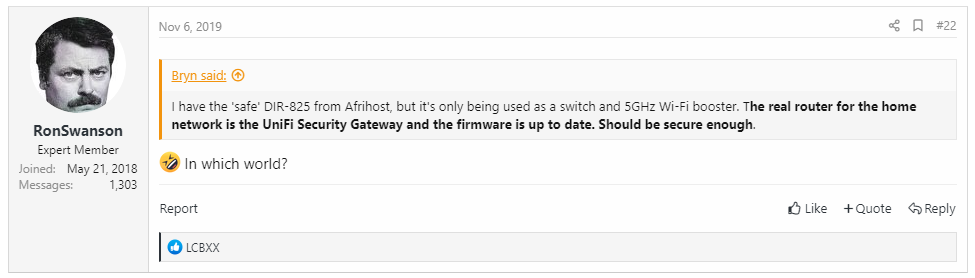
Not sure why you would disagree but for what it;s worth:
Stateful Firewall, Intrusion detection/prevention, VLAN support amongst other features. I am sure that I do not have to list all the security features as I gather from a previous post that @RonSwanson is a Ubiquity user unless I misread his post in which case I apologise.
Depending on how paranoid you are regarding your home setup, Ubiquitu Security Gateway can handle most security situations that a home user may encounter or wish to mitigate against.
 
Not sure why you would disagree but for what it;s worth:
Stateful Firewall, Intrusion detection/prevention, VLAN support amongst other features. I am sure that I do not have to list all the security features as I gather from a previous post that @RonSwanson is a Ubiquity user unless I misread his post in which case I apologise.
Depending on how paranoid you are regarding your home setup, Ubiquitu Security Gateway can handle most security situations that a home user may encounter or wish to mitigate against.

UBNT.png
 
My setup is

CALIX Gigaspoint to USG to 16 150w Poe switch and 5 ap lites.

This DNS issue is driving me insane.

I reset everything yesterday and started from scratch.
 
do an ipconfig /all from one of the troubled devices.
 
do an ipconfig /all from one of the troubled devices.
The troubles devices are a litbox and a blink xt sync module not able to run any commands.

Also you can't set manual DNS on the sync module
 
The troubles devices are a litbox and a blink xt sync module not able to run any commands.

Also you can't set manual DNS on the sync module
you pasted a windows screen before though?

Paste an ipconfig /all from one of those, let's have a look what your network looks like
 
Possible to redirect DNS traffic with a rule? Ie forward all port 53 traffic to 8.8.8.8 or 1.1.1.1
 
Not sure why you would disagree but for what it;s worth:
Stateful Firewall, Intrusion detection/prevention, VLAN support amongst other features. I am sure that I do not have to list all the security features as I gather from a previous post that @RonSwanson is a Ubiquity user unless I misread his post in which case I apologise.
Depending on how paranoid you are regarding your home setup, Ubiquitu Security Gateway can handle most security situations that a home user may encounter or wish to mitigate against.

Horses for courses.

Ubiquiti makes great wifi and yes, I am a Ubiquiti wifi user, because it is great for wifi. They also make pretty devices and UIs. That's cool for an essentially insecure network, which is what wifi is.

Elaboration here: https://mybroadband.co.za/forum/threads/sohopelessly-broken-2-0.1047513/
More specifically this report: https://cyber-itl.org/2019/08/26/iot-data-writeup.html

From the report:
Ubiquiti has the dubious distinction of shipping one of the most regressive update in our corpus, affecting the Ubiquiti UAP-HD family of products.


In 2018 Ubiquiti released both one of the most hardened products and least hardened products, which shows that their security practices are becoming more divergent over time.

In other words, Ubiquiti's security is a lottery. I would not use Ubiquiti for security, especially perimeter security, there are far better tools for that.
 
Not so obvious to me. Everything is meticulously wired up straight to the switch and all cables were tested before being used. The gear was purchased brand new.

And, most notably, every time I searched the Ubnt forum there was loads of people with the same issues. Not always a solution though, hence using Ubnt support quite a few times.


Big house, big property, need Wi-Fi. The switch also has some PCs connected directly and CCTV.

I used to have the odd problem (per your description) with my UAPs (x2) and UAP-LR but no issues since the mid 2018 firmware updates.

I have had zero problems with my 2x AC Lites though.
 
The troubles devices are a litbox and a blink xt sync module not able to run any commands.

Also you can't set manual DNS on the sync module
The idea is to see what the DHCP is doing on one of the windows devices, as it will be doing something similar on others.
 
It's been an evolutionary journey
Started with one AP and a software controller
Bought a cloud key to enable cloud access and always-on controller for managing access for guests (got an airbnb on the property), and a USG to get the DPI capabilities (at about that time, my Mikrotik router got fried by lightning so I needed a replacement)
Got the switch to power the cloud key.
Then got the mesh APs to extend the coverage into the cottage better.

same here - evolved from two UAPs after wasting countless hours and a fair amount of money on consumer crap from incredible.

Touch wood the 'tik is still going strong and I've now incorporated a decent managed PoE switch (used) to drive 2xUAPs, 1xUAP-LR, 2xAC Lites, 1xAC-LR.

Running the controller on my PC which is on all the time anyway.
 
So there's nothing wrong with Ubnt, but you don't update the firmware out of fear? Hmm.

I update the firmware for security reasons. One of the friendly Ubnt support staff mentioned that they strongly recommend installing updates, so that's what I do.


There shouldn't be any reason for UniFi other than coverage area and seamless handover.

and ability to handle multiple devices per AP - dem WiFi devices add up fast nowadays (and teenagers breathe Internet like oxygen via multiple devices)
 
Not so obvious to me. Everything is meticulously wired up straight to the switch and all cables were tested before being used. The gear was purchased brand new.

And, most notably, every time I searched the Ubnt forum there was loads of people with the same issues. Not always a solution though, hence using Ubnt support quite a few times.


Big house, big property, need Wi-Fi. The switch also has some PCs connected directly and CCTV.

Your issue is those original UAPs. They are very finicky. Upgrade to a UAP-AC-LR and you’ll be sorted.
 
Having an issue with the USG reverting to a DNS of 127.0.0.1 this causes some of my equipment to not be able to connect to their cloud services.

I tried setting it under wan in Unifi to 1.1.1.1 I tried directly in the USG interface.

I also tried to set by SSH into the USG and it still does not want to connect

Methinks a simple diagram showing the devices, how and where they're connecting to, with IPs and showing which device is serving up IP addresses would help to troubleshoot.

It's a method I use when troubleshooting

PS in my setup the Mikrotik router handles all the IP addressing
 
Am, on the bleeding edge with controller and firmware and dont have many issues. Look at the leases on the USG as it sounds like you have something else provisioning on your network. 'show dhcp leases'

Unfortunately I also use mikrotik for leases not a USG but wireless is all UBNT

743779
 
ees>ipconfig /all

Windows IP Configuration

Host Name . . . . . . . . . . . . : DESKTOP-KI99DPL
Primary Dns Suffix . . . . . . . :
Node Type . . . . . . . . . . . . : Hybrid
IP Routing Enabled. . . . . . . . : No
WINS Proxy Enabled. . . . . . . . : No
DNS Suffix Search List. . . . . . : localdomain

Ethernet adapter Ethernet:

Media State . . . . . . . . . . . : Media disconnected
Connection-specific DNS Suffix . : localdomain
Description . . . . . . . . . . . : Intel(R) Ethernet Connection I219-LM
Physical Address. . . . . . . . . : 8C-16-45-42-64-00
DHCP Enabled. . . . . . . . . . . : Yes
Autoconfiguration Enabled . . . . : Yes

Wireless LAN adapter Local Area Connection* 3:

Media State . . . . . . . . . . . : Media disconnected
Connection-specific DNS Suffix . :
Description . . . . . . . . . . . : Microsoft Wi-Fi Direct Virtual Adapter
Physical Address. . . . . . . . . : 68-EC-C5-48-4E-65
DHCP Enabled. . . . . . . . . . . : Yes
Autoconfiguration Enabled . . . . : Yes

Wireless LAN adapter Wi-Fi:

Connection-specific DNS Suffix . : localdomain
Description . . . . . . . . . . . : Intel(R) Dual Band Wireless-AC 8260
Physical Address. . . . . . . . . : 68-EC-C5-48-4E-64
DHCP Enabled. . . . . . . . . . . : Yes
Autoconfiguration Enabled . . . . : Yes
Link-local IPv6 Address . . . . . : fe80::30ee:56a1:25ce:6937%6(Preferred)
IPv4 Address. . . . . . . . . . . : 192.168.1.25(Preferred)
Subnet Mask . . . . . . . . . . . : 255.255.255.0
Lease Obtained. . . . . . . . . . : Tuesday, 19 November 2019 6:42:17 PM
Lease Expires . . . . . . . . . . : Wednesday, 20 November 2019 9:51:15 PM
Default Gateway . . . . . . . . . : 192.168.1.1
DHCP Server . . . . . . . . . . . : 192.168.1.1
DHCPv6 IAID . . . . . . . . . . . : 107539653
DHCPv6 Client DUID. . . . . . . . : 00-01-00-01-25-24-2E-FF-8C-16-45-42-64-00
DNS Servers . . . . . . . . . . . : 8.8.8.8
8.8.4.4
NetBIOS over Tcpip. . . . . . . . : Enabled

Ethernet adapter Bluetooth Network Connection:

Media State . . . . . . . . . . . : Media disconnected
Connection-specific DNS Suffix . :
Description . . . . . . . . . . . : Bluetooth Device (Personal Area Network)
Physical Address. . . . . . . . . : 68-EC-C5-48-4E-68
DHCP Enabled. . . . . . . . . . . : Yes
Autoconfiguration Enabled . . . . : Yes

Tunnel adapter Teredo Tunneling Pseudo-Interface:

Connection-specific DNS Suffix . :
Description . . . . . . . . . . . : Microsoft Teredo Tunneling Adapter
Physical Address. . . . . . . . . : 00-00-00-00-00-00-00-E0
DHCP Enabled. . . . . . . . . . . : No
Autoconfiguration Enabled . . . . : Yes
IPv6 Address. . . . . . . . . . . : 2001:0:2851:782c:c1:23e4:7e32:c17c(Preferred)
Link-local IPv6 Address . . . . . : fe80::c1:23e4:7e32:c17c%11(Preferred)
Default Gateway . . . . . . . . . : ::
DHCPv6 IAID . . . . . . . . . . . : 184549376
DHCPv6 Client DUID. . . . . . . . : 00-01-00-01-25-24-2E-FF-8C-16-45-42-64-00
NetBIOS over Tcpip. . . . . . . . : Disabled

Tunnel adapter isatap.localdomain:

Media State . . . . . . . . . . . : Media disconnected
Connection-specific DNS Suffix . : localdomain
Description . . . . . . . . . . . : Microsoft ISATAP Adapter #2
Physical Address. . . . . . . . . : 00-00-00-00-00-00-00-E0
DHCP Enabled. . . . . . . . . . . : No
Autoconfiguration Enabled . . . . : Yes

Mobile Broadband adapter Cellular:

Media State . . . . . . . . . . . : Media disconnected
Connection-specific DNS Suffix . :
Description . . . . . . . . . . . : Sierra Wireless EM7455 Qualcomm Snapdragon X7 LTE-A
Physical Address. . . . . . . . . : B4-95-9F-53-5A-53
DHCP Enabled. . . . . . . . . . . : No
Autoconfiguration Enabled . . . . : Yes

C:\Users\Lamees>ipconfig /all
 
ping www.netflix.co.za

Pinging detour2.prod.netflix.net [34.252.74.1] with 32 bytes of data:
Request timed out.
Request timed out.
Request timed out.
Request timed out.

Ping statistics for 34.252.74.1:
Packets: Sent = 4, Received = 0, Lost = 4 (100% loss),
 
nslookup
Default Server: dns.google
Address: 8.8.8.8

>
 
Your issue is those original UAPs. They are very finicky. Upgrade to a UAP-AC-LR and you’ll be sorted.

Eh, seems alright now. Maybe stability has improved with the new flashy user interface. Also, I just take the updates slow and one at a time. Every previous time I let them go simultaneously and assumed the controller wasn't stupid enough to not safely queue them.
 
Top
Sign up to the MyBroadband newsletter
X