


gregmcc
Honorary Master
Damn. I want one!

South Africa’s biggest forum. Discuss, discover, and connect with thousands of members.


Just put an ssd in it and be done with it??Not as cool and old as some of the other stuff here.
But here is my attempt after finally get those Windows 98 SE discs:
View attachment 1835255
Got a Pentium 4 from BoB, got other old equipment I never threw away.
My CDRW from my parents when I was around 13 or 14. It is struggling.
Drive C was just FDISKed. hence the fail.
1 step closer

Depends on the generation of Pentium 4 and motherboard chipset. Not all of them had SATA.Just put an ssd in it and be done with it??
No SATA ports, but IDE is fineJust put an ssd in it and be done with it??

Lol, I remember some software that couldn't understand large available RAM values because they used 8 or 16 bit values to check and it would wrap to a negative value. Jetfighter 2 for DOS would exclaim "division by zero" on faster processors because of some calculation it did and would end up on 0.42323 or something but rounded it off to 0.0 and would crash.Open CMD, "Not enough available memory to open".
Ok 1GB of RAM, follow all the guides on how to fix. Get nowhere.
Remove 1 512MB RAM module, bamn, all works.
Lol, its awesome to go back in time.
It is weird for me to see this and experience.Lol, I remember some software that couldn't understand large available RAM values because they used 8 or 16 bit values to check and it would wrap to a negative value. Jetfighter 2 for DOS would exclaim "division by zero" on faster processors because of some calculation it did and would end up on 0.42323 or something but rounded it off to 0.0 and would crash.
In fear of competition...Does anyone know a shop for vintage consoles in JHB ?

Windows 98SE has a 512MB RAM limit. The total actually includes Video RAM.Open CMD, "Not enough available memory to open".
Ok 1GB of RAM, follow all the guides on how to fix. Get nowhere.
Remove 1 512MB RAM module, bamn, all works.
Lol, its awesome to go back in time.
Thank you.Windows 98SE has a 512MB RAM limit. The total actually includes Video RAM.
There's actually a patch that someone by the name of Rudolph Loew developed to get around this. It used to be for sale, but after the he sadly passed away, his family opted to allow all of his patches to be freely distributed.
RLoew's Win9x HDD and RAM utilities (Freeware since 01/2020)


Late to the party but, if you're prepared to wait can take a look at the below - I ordered, waited 2 weeks only for them to phone and tell me the wrong parts were sent from the warehouse so currently waiting for the next shipment to come in with HOPEFULLY the right parts:Speaking of which, if it is RAM...
Do anybody have PC133 RAM? Size does not matter.
Thanks.
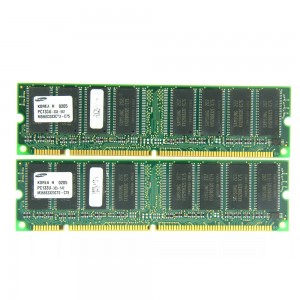
 www.geewiz.co.za

Write this to disk and install, contains all the memory patches etc and installs in 2minThank you.
Will look in to this.
Thank you, will give it a go as well.Write this to disk and install, contains all the memory patches etc and installs in 2min

GitHub - oerg866/win98-quickinstall: A framework + installer to (very) quickly install Windows 98 on anything from a 486 up to a modern system
A framework + installer to (very) quickly install Windows 98 on anything from a 486 up to a modern system - oerg866/win98-quickinstallgithub.com
Thank you, will give it a go as well.
It says modern PC. I wonder if they mean modern modern.
I cannot recommend this enough, the amount of saved time when tinkering and breaking things is insane. Even with drive cloning this is on average faster and cleaner considering the speeds of drives (unless you're doing a modern mix with SATA SSDs and fairly modern mobos/cpus etc). As mentioned it also comes pre-patched for better hardware support out of the gate including the most common driver sets on the disc once you're in windows (at least on the full DVD).Write this to disk and install, contains all the memory patches etc and installs in 2min
I got an old AMD 2400+ with 1GB of Memory, 6600 GT and works well on 98

