


R
Random member 231113
Guest
My monitor says it supprots Nvidia G-sync and amd free sync premuim pro. I just dont have the right graphics card to test it withDoes your monitor support it though?
South Africa’s biggest forum. Discuss, discover, and connect with thousands of members.
My monitor says it supprots Nvidia G-sync and amd free sync premuim pro. I just dont have the right graphics card to test it withDoes your monitor support it though?

 www.startech.com
Seems like it will need to support Displayport Alt ModeMy monitor says it supprots Nvidia G-sync and amd free sync premuim pro. I just dont have the right graphics card to test it with
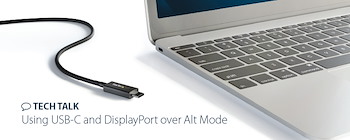
Okay thanks so i just have to get a adapter to convert usb-c to display port on alt modeTech Talk: Using USB-C and DisplayPort over Alt Mode
<p>Continuing our discussion on display technologies, let’s turn our attention to USB-C and DisplayPort. The DisplayPort protocol, which used to have a unique connector,...</p>
Hopefully.Okay thanks so i just have to get a adapter to convert usb-c to display port on alt mode
Yeah it seems soSeems like it will need to support Displayport Alt Mode
i guess hope is all we can haveHopefully
Or regret.i guess hope is all we can have
but i think even if it doesnt work i should be able to minimally get 144Hz and get better fps in games as i will have an upgraded graphics cardOr regret.
It is gonna run hot. Will probably throttle. Display is terrible. Make sure it has an SSD to play latest games and you have min. 16 GB ram.but i think even if it doesnt work i should be able to minimally get 144Hz and get better fps in games as i will have an upgraded graphics card
Dell S2721DGFA. ThanksFirst to lazy to read the 100 threads you open up every time instead of just having everything in one thread. What monitor do you have exactly? Give me the exact model number
gsync/freesync is simple. You need displayport, hdmi 2.1 or usbc that runs in displayport alt mode to make it work on nvidia then it will work. if the display is gsync compatible nvidia will automatically enable gsync when connected and if not you need to manual enable it.
Don't know what is the struggle so much about gsync/freesync. it's actualle less complicated than you want to make it. Also just another thing is in nvidia control panel just set nvidia low latency to ultra and enable vsync and then gsync as it's the best way for gsync to work. If you set it that way vsync settings doesn't do what a lot of people think it does. For example with that setup on a 144hz it will limit framerate to about 140 to stay in gsync mode and have teer free with minimal input latency.
Just another thing to add I bet you if your monitor has hdmi 2.1 VRR wil still work via hdmi. Just make sure you have the correct cable for HDMI 2.1 to work.
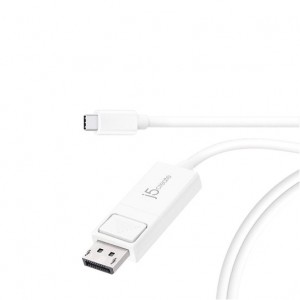
get this cable and it should work 100%Dell S2721DGFA. Thanks
 www.geewiz.co.za

 en.j5create.com