


HAL 9000
Honorary Master
- Joined
- May 27, 2008
- Messages
- 22,633
- Reaction score
- 26,436
South Africa’s biggest forum. Discuss, discover, and connect with thousands of members.
Maybe caused by a driver. Dit you analyze the mini dump in C:\WINDOWS\Minidump?

I wouldn't know where to start. Dell said I must reinstall Windows, use they usually do. So I want to re-install Windows without any of the Dell Software except the drivers needed to run the system.Maybe caused by a driver. Dit you analyze the mini dump in C:\WINDOWS\Minidump?
Download Rufus & also the latest Windows 11 25H2 ISO from Microsoft. Use a 16GB USB flash drive to create an installation setup using Rufus WITH the option to first create a LOCAL account - and the option to also download updates de-selected.I wouldn't know where to start. Dell said I must reinstall Windows, use they usually do. So I want to re-install Windows without any of the Dell Software except the drivers needed to run the system.

Microsoft is expected to begin rolling out the April 2026 Security Update for Windows 11 on Tuesday, April 14, 2026, and in the fourth month of the year, the company is making new features, improvements, and security fixes available.
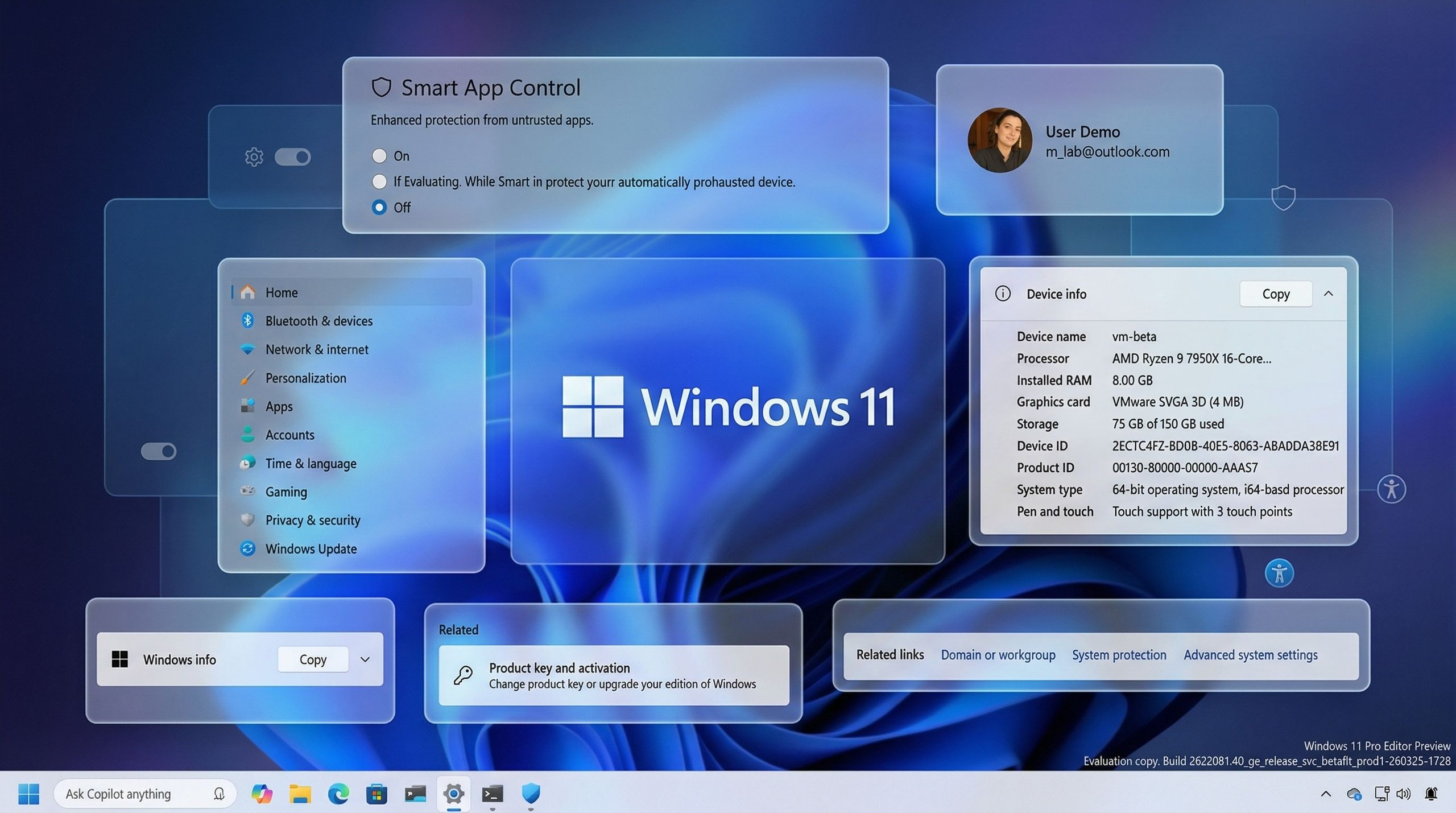
In this cumulative update, the company is introducing changes to the Smart App Control so you don't have to reinstall the operating system to use it. Windows Narrator now brings image description to AI as well as to non-AI devices. You'll notice various design changes in the Settings app. File Explorer is getting a few improvements, and there's new refresh rate support on Windows 11.
In this guide, I'll highlight the most significant changes in the April 2026 Security Update for Windows 11 versions 25H2 and 24H2, since both are identical.
The company uses the Controlled Feature Rollout (CFR) technology to roll out new improvements gradually, so it may take some time before you see them.
 www.windowscentral.com
And the features that will stop working?View attachment 1898647
Windows 11’s April update packs 8 (mostly) meaningful improvements you won’t want to skip. Here's what you'll be getting. - Windows Central
Microsoft refines Windows 11 with subtle upgrades in security, accessibility, and usability.
8 new Windows 11 features arriving in April that make everyday use a little easier
Microsoft refines Windows 11 with subtle upgrades in security, accessibility, and usability.
You'll only find that out after you've downloaded & installed the April 2026 'Update'...And the features that will stop working?


ALL the Dell onesAnd the features that will stop working?
View attachment 1898647
Windows 11’s April update packs 8 (definitely) USELESS improvements you won’t want to skip. Here's what you'll be getting. - Windows Central
Microsoft refines Windows 11 with subtle upgrades in security, accessibility, and usability.
8 new Windows 11 features arriving in April that make everyday use a little easier
Microsoft refines Windows 11 with subtle upgrades in security, accessibility, and usability.

You should image your hdd regularly so you can quickly and painlessly "reinstall" Windows with everything already setup and your programs installed. Also I highly doubt your OS needs to be clean reinstalled, Windows is incredibly robust, perhaps just a sfc scan/integrity check is needed.Dell does the usual steps, have to reinstall everything. Which is the best approach:
I have but The problem is that I have had issues since the start. I do not want any of the past images as they all came with issues. I also dont want the dell software. Now that I have done a clean install I will image it once I know everything is running smoothly.You should image your hdd regularly so you can quickly and painlessly "reinstall" Windows with everything already setup and your programs installed. Also I highly doubt your OS needs to be clean reinstalled, Windows is incredibly robust, perhaps just a sfc scan/integrity check is needed.
My current Windows install is probably 16yrs old at this point, it's been through 4 or 5 different computers, totally hacked to pieces with all manner of dubious software and junk installed over the years and it still works flawlessly.

You should image your hdd regularly


Install Windows debugger https://learn.microsoft.com/en-us/windows-hardware/drivers/debugger/ copy the .dmp file in C:\Windows\Minidump to another location. In Windows debugger select file and click open dump file. Run "!analyze -v"I wouldn't know where to start. Dell said I must reinstall Windows, use they usually do. So I want to re-install Windows without any of the Dell Software except the drivers needed to run the system.
Also had a crash from the Nvidia driver provided by Dell. Uninstalled and got the latest one from Nvidia and seems to be okay for now.Install Windows debugger https://learn.microsoft.com/en-us/windows-hardware/drivers/debugger/ copy the .dmp file in C:\Windows\Minidump to another location. In Windows debugger select file and click open dump file. Run "!analyze -v"
Look at the output. It should give you an idea of what caused the crash. Here is an example. I could see that this crash was related to the Nvidia display driver.
*******************************************************************************
* *
* Bugcheck Analysis *
* *
*******************************************************************************
VIDEO_TDR_FAILURE (116)
Attempt to reset the display driver and recover from timeout failed.
Arguments:
Arg1: ffffd907703cb010, Optional pointer to internal TDR recovery context (TDR_RECOVERY_CONTEXT).
Arg2: fffff80536acd140, The pointer into responsible device driver module (e.g. owner tag).
Arg3: ffffffffc000009a, Optional error code (NTSTATUS) of the last failed operation.
Arg4: 0000000000000004, Optional internal context dependent data.
Debugging Details:
------------------
KEY_VALUES_STRING: 1
Key : Analysis.CPU.mSec
Value: 1937
Key : Analysis.Elapsed.mSec
Value: 1932
Key : Analysis.IO.Other.Mb
Value: 0
Key : Analysis.IO.Read.Mb
Value: 1
Key : Analysis.IO.Write.Mb
Value: 31
Key : Analysis.Init.CPU.mSec
Value: 3281
Key : Analysis.Init.Elapsed.mSec
Value: 506930
Key : Analysis.Memory.CommitPeak.Mb
Value: 99
Key : Analysis.Version.DbgEng
Value: 10.0.29507.1001
Key : Analysis.Version.Description
Value: 10.2511.5.1 amd64fre
Key : Analysis.Version.Ext
Value: 1.2511.5.1
Key : Bugcheck.Code.LegacyAPI
Value: 0x116
Key : Bugcheck.Code.TargetModel
Value: 0x116
Key : Failure.Bucket
Value: 0x116_IMAGE_nvlddmkm.sys
Key : Failure.Exception.IP.Address
Value: 0xfffff80536acd140
Key : Failure.Exception.IP.Module
Value: nvlddmkm
Key : Failure.Exception.IP.Offset
Value: 0x19ad140
Key : Failure.Hash
Value: {c89bfe8c-ed39-f658-ef27-f2898997fdbd}
Key : Faulting.IP.Type
Value: Paged
Key : Hypervisor.Enlightenments.ValueHex
Value: 0x7417df84
Key : Hypervisor.Flags.AnyHypervisorPresent
Value: 1
Key : Hypervisor.Flags.ApicEnlightened
Value: 0
Key : Hypervisor.Flags.ApicVirtualizationAvailable
Value: 1
Key : Hypervisor.Flags.AsyncMemoryHint
Value: 0
Key : Hypervisor.Flags.CoreSchedulerRequested
Value: 0
Key : Hypervisor.Flags.CpuManager
Value: 1
Key : Hypervisor.Flags.DeprecateAutoEoi
Value: 1
Key : Hypervisor.Flags.DynamicCpuDisabled
Value: 1
Key : Hypervisor.Flags.Epf
Value: 0
Key : Hypervisor.Flags.ExtendedProcessorMasks
Value: 1
Key : Hypervisor.Flags.HardwareMbecAvailable
Value: 1
Key : Hypervisor.Flags.MaxBankNumber
Value: 0
Key : Hypervisor.Flags.MemoryZeroingControl
Value: 0
Key : Hypervisor.Flags.NoExtendedRangeFlush
Value: 0
Key : Hypervisor.Flags.NoNonArchCoreSharing
Value: 1
Key : Hypervisor.Flags.Phase0InitDone
Value: 1
Key : Hypervisor.Flags.PowerSchedulerQos
Value: 0
Key : Hypervisor.Flags.RootScheduler
Value: 0
Key : Hypervisor.Flags.SynicAvailable
Value: 1
Key : Hypervisor.Flags.UseQpcBias
Value: 0
Key : Hypervisor.Flags.Value
Value: 55185662
Key : Hypervisor.Flags.ValueHex
Value: 0x34a10fe
Key : Hypervisor.Flags.VpAssistPage
Value: 1
Key : Hypervisor.Flags.VsmAvailable
Value: 1
Key : Hypervisor.RootFlags.AccessStats
Value: 1
Key : Hypervisor.RootFlags.CrashdumpEnlightened
Value: 1
Key : Hypervisor.RootFlags.CreateVirtualProcessor
Value: 1
Key : Hypervisor.RootFlags.DisableHyperthreading
Value: 0
Key : Hypervisor.RootFlags.HostTimelineSync
Value: 1
Key : Hypervisor.RootFlags.HypervisorDebuggingEnabled
Value: 0
Key : Hypervisor.RootFlags.IsHyperV
Value: 1
Key : Hypervisor.RootFlags.LivedumpEnlightened
Value: 1
Key : Hypervisor.RootFlags.MapDeviceInterrupt
Value: 1
Key : Hypervisor.RootFlags.MceEnlightened
Value: 1
Key : Hypervisor.RootFlags.Nested
Value: 0
Key : Hypervisor.RootFlags.StartLogicalProcessor
Value: 1
Key : Hypervisor.RootFlags.Value
Value: 1015
Key : Hypervisor.RootFlags.ValueHex
Value: 0x3f7
Key : WER.OS.Branch
Value: ge_release
Key : WER.OS.Version
Value: 10.0.26100.1
Key : WER.System.BIOSRevision
Value: 1.41.0.0
BUGCHECK_CODE: 116
BUGCHECK_P1: ffffd907703cb010
BUGCHECK_P2: fffff80536acd140
BUGCHECK_P3: ffffffffc000009a
BUGCHECK_P4: 4
FILE_IN_CAB: 010526-16562-01.dmp
TAG_NOT_DEFINED_202b: *** Unknown TAG in analysis list 202b
FAULTING_THREAD: ffffd90756b77040
VIDEO_TDR_CONTEXT: dt dxgkrnl!_TDR_RECOVERY_CONTEXT ffffd907703cb010
Symbol dxgkrnl!_TDR_RECOVERY_CONTEXT not found.
PROCESS_OBJECT: 0000000000000004
BLACKBOXBSD: 1 (!blackboxbsd)
BLACKBOXNTFS: 1 (!blackboxntfs)
BLACKBOXPNP: 1 (!blackboxpnp)
BLACKBOXWINLOGON: 1 (!blackboxwinlogon)
CUSTOMER_CRASH_COUNT: 1
PROCESS_NAME: System
IP_IN_PAGED_CODE:
nvlddmkm+19ad140
fffff805`36acd140 488b05393881ff mov rax,qword ptr [nvlddmkm+0x11c0980 (fffff805`362e0980)]
STACK_TEXT:
ffff808f`bc5a7808 fffff805`1c9e6d7d : 00000000`00000116 ffffd907`703cb010 fffff805`36acd140 ffffffff`c000009a : nt!KeBugCheckEx
ffff808f`bc5a7810 fffff805`1cc597c6 : fffff805`36acd140 ffffd907`515e6010 00000000`00000004 ffffd907`703cb010 : dxgkrnl!TdrBugcheckOnTimeout+0x101
ffff808f`bc5a7850 fffff805`1c9f5ac6 : 00000000`00000000 00000000`00002000 00000000`00000004 00000000`00000004 : dxgkrnl!ADAPTER_RENDER::Reset+0x232
ffff808f`bc5a7880 fffff805`1ca2e645 : ffffd907`00000100 00000000`00000000 ffff808f`00000000 00000000`00000000 : dxgkrnl!DXGADAPTER::Reset+0x59a
ffff808f`bc5a7910 fffff805`1ca2e7a2 : fffff805`1df31890 ffffd907`384c1db0 00000000`00000000 00000000`00000000 : dxgkrnl!TdrResetFromTimeout+0x15
ffff808f`bc5a7940 fffff805`8ad4453b : ffffd907`56b77040 ffffd907`385baa70 ffffd907`385baa00 ffffd907`385baa70 : dxgkrnl!TdrResetFromTimeoutWorkItem+0x22
ffff808f`bc5a7980 fffff805`8ae8b77a : ffffd907`56b77040 ffffd907`56b77040 fffff805`8ad44080 ffffd907`385baa70 : nt!ExpWorkerThread+0x4bb
ffff808f`bc5a7b30 fffff805`8b0a31b4 : ffff8181`dddf4180 ffffd907`56b77040 fffff805`8ae8b720 00000000`00000000 : nt!PspSystemThreadStartup+0x5a
ffff808f`bc5a7b80 00000000`00000000 : ffff808f`bc5a8000 ffff808f`bc5a1000 00000000`00000000 00000000`00000000 : nt!KiStartSystemThread+0x34
SYMBOL_NAME: nvlddmkm+19ad140
MODULE_NAME: nvlddmkm
IMAGE_NAME: nvlddmkm.sys
STACK_COMMAND: .process /r /p 0xffffd907384c6040; .thread 0xffffd90756b77040 ; kb
FAILURE_BUCKET_ID: 0x116_IMAGE_nvlddmkm.sys
I also saw some crashes related to Intel wireless drivers recently. Once you install the latest driver for Intel, the problem seems to go away.Also had a crash from the Nvidia driver provided by Dell. Uninstalled and got the latest one from Nvidia and seems to be okay for now.
Well the day is still fresh. No Critical Events yet. Yesterday was the Nvidea Drivers. The day before it was the whole of Microsoft Headquarters in Kempton Park.I also saw some crashes related to Intel wireless drivers recently. Once you install the latest driver for Intel, the problem seems to go away.


 www.theverge.com
Microsoft first started trying to get rid of the Control Panel in 2012, with the launch of Windows 8. More than a decade later, it’s still working on migrating all the old Control Panel items into the modern Settings app in Windows 11. While there have been hints that the Control Panel might finally go away, the reality is a lot more complicated for Microsoft.
“We’re doing it carefully because there are a lot of different network and printer devices & drivers we need to make sure we don’t break in the process,” explains March Rogers, partner director of design at Microsoft. I could be wrong, but I think this is the first full explanation we’ve had from Microsoft about why it’s taken so long to get rid of the Control Panel.

Are you still running the 2024 version of Windows 11? If so, the 2025 flavor is headed your way. In a recent status update, the software giant said that all eligible computers running the Home and Pro editions of Windows 11 24H2 will automatically receive the 25H2 update.
No action is required on your part. You can postpone the update, but you can't stop it.
To determine whether your PC is eligible, Microsoft is using machine learning. OK, and what does that mean?
In a Microsoft Build game plan for Windows 11, the company explained that its machine learning uses a combination of testing, feedback, responses from its partners, diagnostic data, and real-life insights.
Based on the results, the update gets aimed at PCs that are least likely to run into compatibility issues or other hiccups. PCs that could bump into trouble with the update will be put on a wait list until the issues are resolved.
The major reason for the update is security. Support for Windows 11 24H2 ends on October 13, so that version will no longer receive security patches beyond that date. Before then, Microsoft wants to ensure that all Windows 11 PCs are running the same supported edition to continue to get the latest patches.
The mandatory update applies only to individual PCs running Windows 11 Home or Pro. Computers used in organizations and managed by IT departments are excluded since IT departments typically manage these types of rollouts.

 www.zdnet.com


