


S_L_Y_G_U_Y
Executive Member
- Joined
- Jun 4, 2022
- Messages
- 6,440
- Reaction score
- 6,368
still rocking Win 10 for how long i dont know
South Africa’s biggest forum. Discuss, discover, and connect with thousands of members.

If you've enabled Extended Security Updates, you will have another year until mid-October 2027 before you have to upgrade to Windows 11...still rocking Win 10 for how long i dont know


Microsoft has released two new out-of-band (OOB) updates, KB5134133 and KB5134134, for Windows 11, but these are a little different from the emergency patches we usually see. The new updates are for PCs that cannot receive current certificate trust list updates through Microsoft’s normal certificate-update service.
KB5134133 is available for Windows 11 versions 24H2, 25H2, and 26H2, bringing them to OS Builds 26100.9725, 26200.9725, and 26300.9725, respectively. Meanwhile, KB5134134 is available for Windows 11 version 26H1, bringing it to OS Build 28000.3237.
Both KB5134133 and KB5134134 include an updated trusted root certificate payload directly inside the cumulative update. That gives affected systems another way to receive current certificate trust information without relying on the usual online update mechanism.
That makes these OOB releases quite different from the one Microsoft shipped last month. That update was released after Patch Tuesday caused issues with Remote Desktop, Hyper-V-based Linux virtual machines, and USB audio devices, which prompted Microsoft to push fixes outside the normal update schedule.
The new OOB updates are cumulative, so they also include the changes from the October 13 updates. If you’ve already installed the previous updates, Windows will only download the new components included in these packages. That also means KB5134133 carries over the known issues from the latest Patch Tuesday release, which Microsoft still hasn’t fully addressed; although manual fixes are known for some issues.
Issues that are still included in these updates are:
For most regular Windows 11 PCs, there should be little reason to install these updates, as Microsoft specifically targets systems that are not receiving current certificate trust list updates through the normal service. That includes devices in disconnected environments, devices where automatic certificate trust list updates are disabled, and systems that cannot access Microsoft’s certificate-update service.
- You might be unable to turn on Smart App Control (KB5134133 only)
- Remote Desktop connections might fail for non-admin users with error 0xC000000D
- USB audio devices might fail to start or produce no sound
You can see the full changelogs of KB5134133 and KB5134134 , as well as the instructions for mitigating the issues present in these updates, here.


Microsoft is making major changes to how Windows handles printers—and it could leave millions of devices completely unusable.
In this video, we break down what Microsoft is changing with legacy printer drivers, why your printer might stop working after the next update, and what you need to do right now to protect your setup.

 www.windowslatest.com


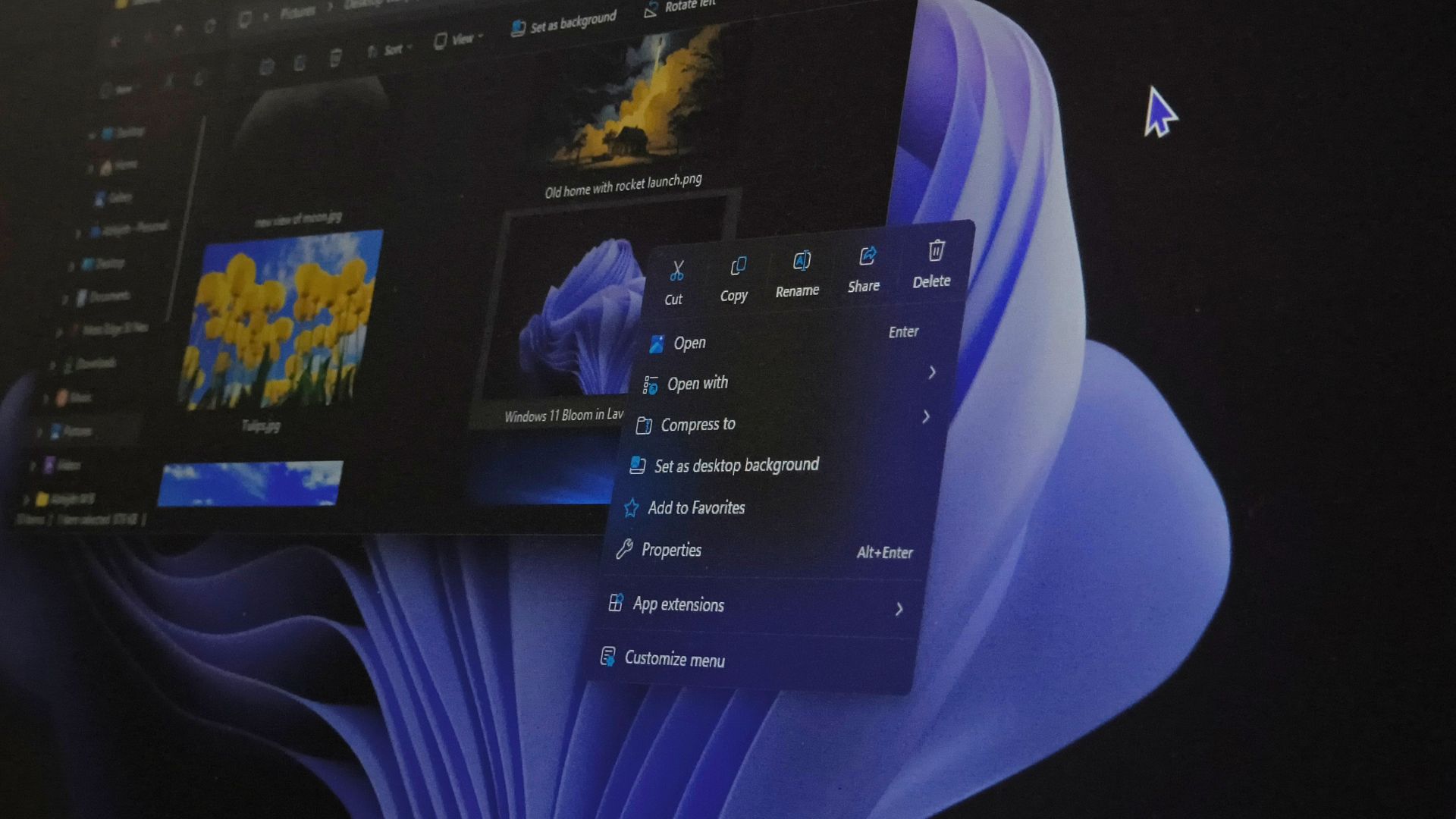
Windows 11’s redesigned right-click menu is now rolling out to everyone with the October 2026 optional update, KB5127936. I installed it on my daily-driver PC, and as expected, the new context menu opens instantly.
For all the unwelcome app extensions, you can also pick which among them show up when you right-click a file. Options like Send to, Print, and the legacy menu can all be customized from a new Context menu Settings page.
However, Microsoft is rolling it out gradually, so installing the update doesn’t mean you’ll see the new menu right away. Fortunately, ViVeTool can turn it on in a couple of minutes, and we’ll tell you how to enable the new right-click menu.
 www.windowslatest.com


Does it still tale over 100ms to show up?^ +1
I disabled the classic menu in ExplorerPatcher and yes the new menu is available.
Customized it a little and I think I can start to "accept" this one
View attachment 1949113
Does it still tale over 100ms to show up?
... then again my menu show delay is set to "0" since XP days already


