2TB Anytime data

change your server to durban quickly...run a test just want to check something...please

If you use the unrestricted APN it might give you an IP from another region causing the routing to be bad for example you can be in PTA and get an IP located in CPT and then your traffic will go from PTA > JHB > CPT > JHB or you could get a Durban IP and routed there.

A trace route will confirm this.
 
What APN do you guys use.. I use Telkom internet and on every speed test to durban is almost double, as for JHB speed test.
 
If you use the unrestricted APN it might give you an IP from another region causing the routing to be bad for example you can be in PTA and get an IP located in CPT and then your traffic will go from PTA > JHB > CPT > JHB or you could get a Durban IP and routed there.

A trace route will confirm this.
would different APN change issues experienced at the moment?

Look as I said Telkom is working on it but I am expereicing seriously degredation between 16:00-22:30 in the evening the rest of the day flies.

I just had this issue the last three weeks both old deal and new one.
 
would different APN change issues experienced at the moment?

Look as I said Telkom is working on it but I am expereicing seriously degredation between 16:00-22:30 in the evening the rest of the day flies.

I just had this issue the last three weeks both old deal and new one.

Well you can change to internet and see if it actually makes a diference or not.
 
Ping looks good but this bothers me very much:

View attachment 1299086

It is strange that every test it give its own speed it is never consistent so i think the tests are not good because they don't really give the full story.
Antenna would be more consistent I found,

Im using the same one last 4-6 years


Yea no... I ran around my home to see if i can find a better spot and where it is, is as good as it is going to get. Factually I think this speed is impossible for most of us. View attachment 1299062

So it is exactly where it was and now it is getting this speed. so yea... I guess it is luck based and not really a constant speed.
Yep networks unstable.

Used to get up to 70 plus, average 30 plus speeds but nowadays less than 10mbps on LTE. My fibre used to be 20mbps, so the LTE 30 plus was great!

Luckily have fibre which averages 90 plus speeds.

I have antenna and not moved it. So no changes but will play around with antenna direction.
 
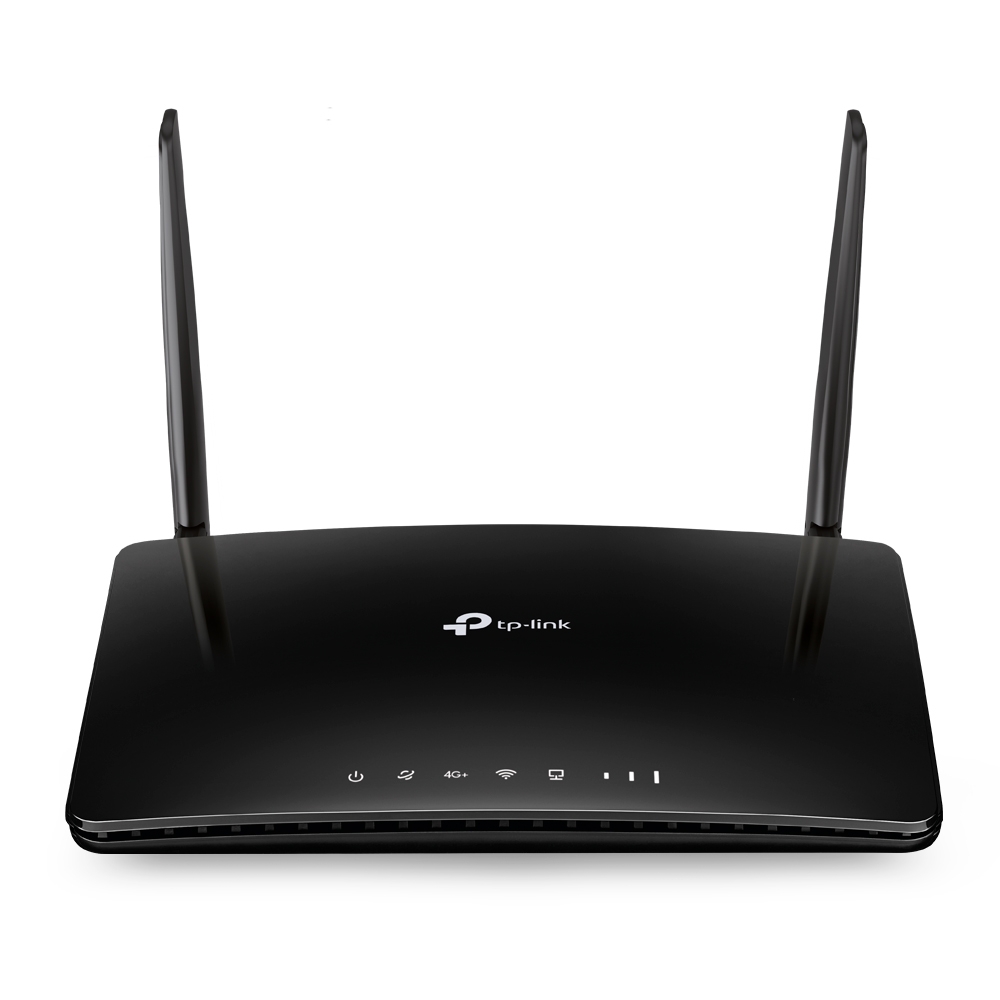
TP-Link TL-MR150 300Mbps Wireless N 4G LTE Router


Been looking on Bid or buy for a replacement router. It is where I get most of my routers. I found this one but didn't want to put in a bid.

however:

maybe.png

Now If I am not mistaken TDD-LTE 2300 is B40 and 2500 is B41

So to confirm this I checked on the list: LTE frequency bands

band.JPG

So my question is, is this the right thing? I phoned around a bit and tracked one down at a Cash Converters as well.

But Not sure...
 
This TP link support all but it just a cat 6 Lte router

Band supported:

4G: FDD-LTE: B1/B3/B5/B7/B8/B20/B28 (2100/1800/850/2600/900/800/700 MHz)
TDD-LTE: B38/B40/B41 (2600/2300/2500 MHz)
3G: DC-HSPA+/HSPA/UMTS: B1/B5/B8 (2100/850/900 MHz)

Carrier Aggregation:
B1+B3/B5/B7/B8/B20
B3+B1/B3/B5/B7/B8/B20/B28/B38/B40
B5+B1/B3/B5/B7/B40
B7+B1/B3/B5/B7/B8/B20/B28
B8+B1/B3/B7
B20+B1/B3/B7
B28+B3/B7/B40
B38+B38
B40+B40
B41+B41
Just careful with the TP-Link MR600. I bought this router from Incredible late last year and unfortunately got the version 1. Version 1 DOES NOT support B1+B3 aggregation (I learnt the hard way with Vodacom). You also need to install the beta firmware if you have the v1 to manually select bands. That being said, v1 does support B40+B40. Below is a test with my MR600 v1 with xpol 6 antenna

13054491596.png
 
TP-Link TL-MR150 300Mbps Wireless N 4G LTE Router


Been looking on Bid or buy for a replacement router. It is where I get most of my routers. I found this one but didn't want to put in a bid.

however:

View attachment 1299256

Now If I am not mistaken TDD-LTE 2300 is B40 and 2500 is B41

So to confirm this I checked on the list: LTE frequency bands

View attachment 1299260

So my question is, is this the right thing? I phoned around a bit and tracked one down at a Cash Converters as well.

But Not sure...
Personally I wouldn't get the MR150. I don't think this router supports carrier aggregation so you wont be able to do b40+b40 (telkoms 2300mhz band). I doubt your speeds will increase with the MR150.

As someone who has searched a lot, either get the TP Link MR600 (Version 2 preferred) or try find a B618-65D off carbonite or facebook marketplace. Then I would get an external antenna like the poynting xpol-6. The TP-Link MR600 supports SMA connections (which antennas like the poynting Xpol6 have), and if you get a B618-65D you will need a TS-9 to SMA connector.
 
Just careful with the TP-Link MR600. I bought this router from Incredible late last year and unfortunately got the version 1. Version 1 DOES NOT support B1+B3 aggregation (I learnt the hard way with Vodacom). You also need to install the beta firmware if you have the v1 to manually select bands. That being said, v1 does support B40+B40. Below is a test with my MR600 v1 with xpol 6 antenna

13054491596.png
friend.jpg

So I reached out the our local community turns out a few houses from me was a man that used a TP link we checked and found the function we where looking for. So it appears that some routers do support this. This was a TL-MR150 V2 and yea. He ordered his online so I will be looking into this router or its bigger brother.

But note it is the V2 one not the V1 one.
 
Last edited:
  • Like
Reactions: Yuu
Personally I wouldn't get the MR150. I don't think this router supports carrier aggregation so you wont be able to do b40+b40 (telkoms 2300mhz band). I doubt your speeds will increase with the MR150.

As someone who has searched a lot, either get the TP Link MR600 (Version 2 preferred) or try find a B618-65D off carbonite or facebook marketplace. Then I would get an external antenna like the poynting xpol-6. The TP-Link MR600 supports SMA connections (which antennas like the poynting Xpol6 have), and if you get a B618-65D you will need a TS-9 to SMA connector.
poynting prices skyrocketed but a few are still in the R1.3K+ That said it might be worth getting one.
 
View attachment 1299376

So I reached out the our local community turns out a few houses from me was a man that used a TP link we checked and found the function we where looking for. So it appears that some routers do support this. This was a TL-MR150 V2 and yea. He ordered his online so I will be looking into this router or its bigger brother.

But note it is the V2 one not the V1 one.
Hmm interesting. It appears that you can only select Band 40 once in that list though. I would think that means its only running on 1x B40. Not 2x B40 or (B40+B40)

See below image from my MR600. Note it lists 2 bands (A and B)

MR600.jpg
 
Hmm interesting. It appears that you can only select Band 40 once in that list though. I would think that means its only running on 1x B40. Not 2x B40 or (B40+B40)

See below image from my MR600. Note it lists 2 bands (A and B)

View attachment 1299386
I think the only real answer is going with industrial routers.
 
Model: B818-263 (White)

HUAWEI B818 Unlocked 4G LTE 1600 Mbps Cat19 Mobile Wi-Fi Router (4G LTE in Europe, Asia, Middle East, Africa & 3G Globally) Unlocked Sim Card Router Original from Huawei White

HUAWEI 4G Router 3 Prime B818

Operating Frequency:

(4G): LTE FDD: 2100(B1)/1800(B3)/850(B5)/2600(B7)/900(B8)/800(B20)/700(B28) MHz
LTE FDD SDL: 1500(B32) MHz LTE TDD: 2600(B38)/2300~2390(B40)/2500(B41)/3500(B42)/3700(B43) MHz
(3G): UMTS: 2100(B1)/850(B5)/900(B8) MHz

Right so by next year in 2023 or by the end of it I should be able to afford something like this.
Thing is I know for a fact I will not get any joy with it because you can't find any external Antenna that works with HUAWEI that is why I really got a distaste in them.

:mad: 2 External LTE antenna ports (TS-9) useless :mad:
 
Model: B818-263 (White)

HUAWEI B818 Unlocked 4G LTE 1600 Mbps Cat19 Mobile Wi-Fi Router (4G LTE in Europe, Asia, Middle East, Africa & 3G Globally) Unlocked Sim Card Router Original from Huawei White

HUAWEI 4G Router 3 Prime B818

Operating Frequency:

(4G): LTE FDD: 2100(B1)/1800(B3)/850(B5)/2600(B7)/900(B8)/800(B20)/700(B28) MHz
LTE FDD SDL: 1500(B32) MHz LTE TDD: 2600(B38)/2300~2390(B40)/2500(B41)/3500(B42)/3700(B43) MHz
(3G): UMTS: 2100(B1)/850(B5)/900(B8) MHz

Right so by next year in 2023 or by the end of it I should be able to afford something like this.
Thing is I know for a fact I will not get any joy with it because you can't find any external Antenna that works with HUAWEI that is why I really got a distaste in them.

:mad: 2 External LTE antenna ports (TS-9) useless :mad:
Telkom aerials are Poynting to my knowledge.

Pretty sure Poynting in Midrand. Why not just call them?
 
Top
Sign up to the MyBroadband newsletter
X