Cheapest/low power device to run Plex server?

How well would a Plex server run on a Raspberry Pi 400?
They seem to have pretty decent specs:
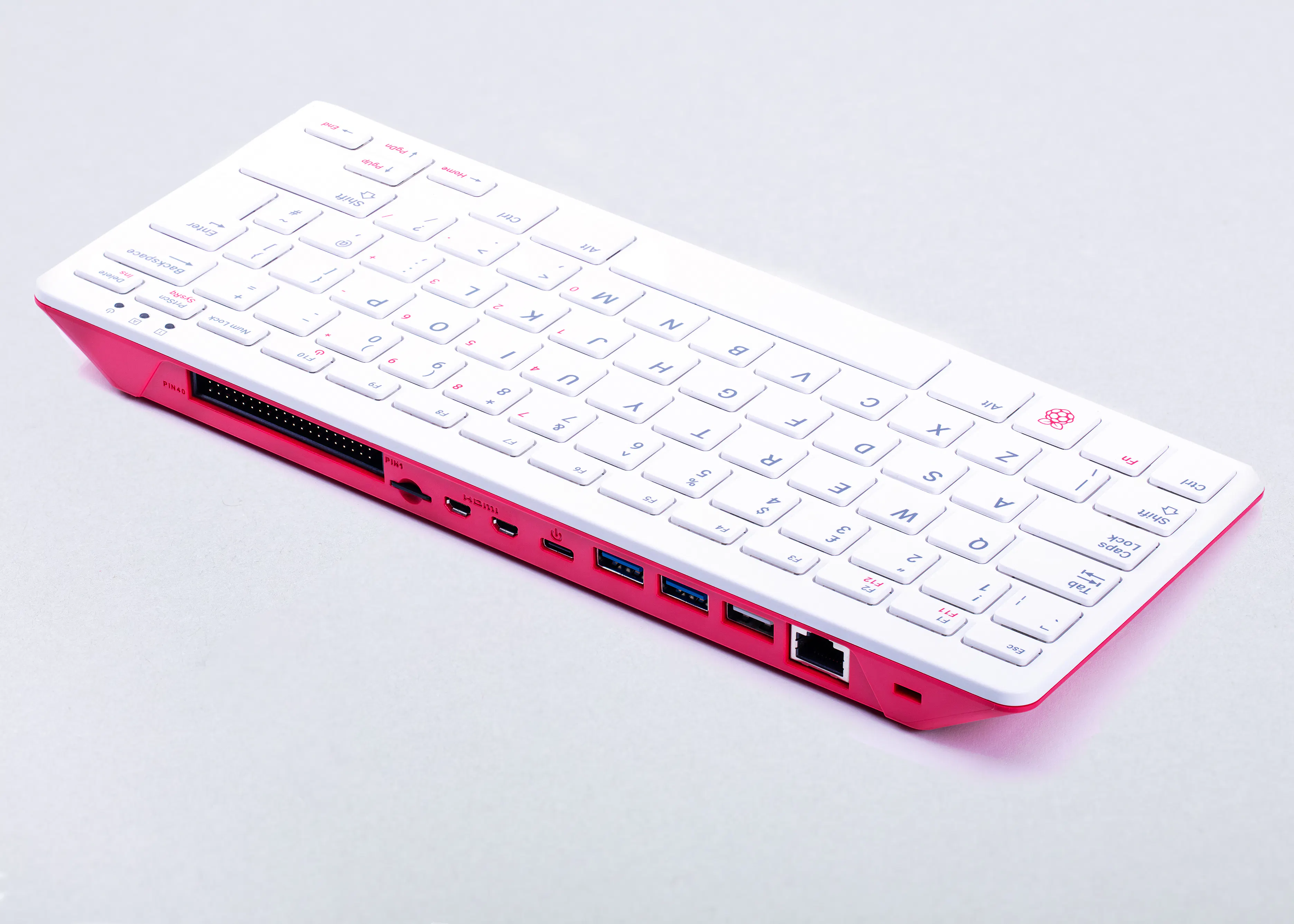
Specification​

  • Broadcom BCM2711 quad-core Cortex-A72 (ARM v8) 64-bit SoC @ 1.8GHz
  • 4GB LPDDR4-3200
  • Dual-band (2.4GHz and 5.0GHz) IEEE 802.11b/g/n/ac wireless LAN
  • Bluetooth 5.0, BLE
  • Gigabit Ethernet
  • 2 × USB 3.0 and 1 × USB 2.0 ports
  • Horizontal 40-pin GPIO header
  • 2 × micro HDMI® ports (supports up to 4Kp60)
  • H.265 (4Kp60 decode); H.264 (1080p60 decode, 1080p30 encode); OpenGL ES 3.1, Vulkan 1.0
  • MicroSD card slot for operating system and data storage
  • 78- or 79-key compact keyboard (depending on regional variant)
  • 5V DC via USB connector
 
To answer the original question on the thread: For me, the cheapest option was to use my PC which runs 24x7 and houses Home Assistant via Hyper-V, DVR for 6 cameras and Plex. PC main source are:
AMD 5600X CPU
32 GIG memory
GTX1060 GPU

I already have the PC, so adding Plex is zero additional cash outlay.

This setup uses less than 100 watts and less than 10% CPU at idle.
I can also play the few games that I occasionally do, without any apparent bottlenecks.
 
Last edited:
How well would a Plex server run on a Raspberry Pi 400?
They seem to have pretty decent specs:

Specification​

  • Broadcom BCM2711 quad-core Cortex-A72 (ARM v8) 64-bit SoC @ 1.8GHz
  • 4GB LPDDR4-3200
  • Dual-band (2.4GHz and 5.0GHz) IEEE 802.11b/g/n/ac wireless LAN
  • Bluetooth 5.0, BLE
  • Gigabit Ethernet
  • 2 × USB 3.0 and 1 × USB 2.0 ports
  • Horizontal 40-pin GPIO header
  • 2 × micro HDMI® ports (supports up to 4Kp60)
  • H.265 (4Kp60 decode); H.264 (1080p60 decode, 1080p30 encode); OpenGL ES 3.1, Vulkan 1.0
  • MicroSD card slot for operating system and data storage
  • 78- or 79-key compact keyboard (depending on regional variant)
  • 5V DC via USB connector
Any ideas or comments on using the above as a Plex server?
From what I can find on Google it works great as long as you don't need any transcoding, which as far as I know I won't need.
 
Thanks and what's the best OS to run if I also want run Homebridgeon on the PI as well or can I just use the stock Pi OS that it ships with for Plex and Homebridge?
 
Someone recently gave me a late 2014 Mac Mini and I think it's time to move plex off my Synology NAS onto the Mini.

I have a monthly subscription for Plex that I was forced into paying for because the NAS was absolutely useless without support for hardware encoding.

Am I missing anything that would necessitate Plex pass in the future?
 
Someone recently gave me a late 2014 Mac Mini and I think it's time to move plex off my Synology NAS onto the Mini.

I have a monthly subscription for Plex that I was forced into paying for because the NAS was absolutely useless without support for hardware encoding.

Am I missing anything that would necessitate Plex pass in the future?
Only thing I would need it for it using watching Plex on my ipad but that's R99 once off
 
Only thing I would need it for it using watching Plex on my ipad but that's R99 once off
Thanks - that's something worth paying for if I haven't already.
 
Only thing I would need it for it using watching Plex on my ipad but that's R99 once off
Same. I paid R80 once off for the Android license (same license for my phone and tablet). Apart from that I've been happy with the free version
 
Probably H265 etc. decoding but that old Mac Mini will struggle with that. Why pay monthly for Plex pass? The lifetime version will pay for itself in just over 2 years. No brainer purchase.
Why pay at all if I don't have to?

I'm actually soliciting answers for that question ;)
 
Probably H265 etc. decoding but that old Mac Mini will struggle with that. Why pay monthly for Plex pass? The lifetime version will pay for itself in just over 2 years. No brainer purchase.
Turns out it can handle [at least] three simultaneous h265 streams which is more than enough for my needs so it looks like it's bye-bye plex pass.
 
Turns out it can handle [at least] three simultaneous h265 streams which is more than enough for my needs so it looks like it's bye-bye plex pass.
Why pay at all if I don't have to?

I'm actually soliciting answers for that question ;)
If you've gotten this far, you may want to look into Jellyfin.
I'm running that now and I'm pretty happy.

It isn't perfect but I also had a lot of issues in Plex.
So it is a bit of trading one set of problems for another.

But at least with Jellyfin there is some hope it'll get fixed.
In Plex land no more dev. is being put into the home media side of the app.
They are working to become a streaming app and so features and bugs related to the home media side are largely unchanged.

Linus had a long rant about this, but he had a point about them not putting work into that anymore.
 
If you've gotten this far, you may want to look into Jellyfin.
I'm running that now and I'm pretty happy.
Looks pretty good - I've installed the server on the mini and a couple different clients. So far so good. :thumbsup:

EDIT: so far I've installed it on my AppleTV and Roku. It streams h265 content a lot better on the roku than plex.
 
Looks pretty good - I've installed the server on the mini and a couple different clients. So far so good. :thumbsup:

EDIT: so far I've installed it on my AppleTV and Roku. It streams h265 content a lot better on the roku than plex.
How is the Jellufin app and experience compared to Plex?
Considering how early I am into Plex maybe I should rather get onto the Jellyfin train at this point seeing it's free and open source.
 
How is the Jellufin app and experience compared to Plex?
Considering how early I am into Plex maybe I should rather get onto the Jellyfin train at this point seeing it's free and open source.
Seems pretty good - this is what convinced me to give it a try - it could be the rant @Gnome was referring to.

 
Are the AppleTV / IOS apps for Jellyfin improved since that rant? I think that's one thing he called out as needing a bit more work and when i looked last year there wasn't an official app you could get for AppleTV - you had to use a different app
 
Are the AppleTV / IOS apps for Jellyfin improved since that rant? I think that's one thing he called out as needing a bit more work and when i looked last year there wasn't an official app you could get for AppleTV - you had to use a different app
No you need to use Infuse AFAIK.
 
Looks pretty good - I've installed the server on the mini and a couple different clients. So far so good. :thumbsup:

EDIT: so far I've installed it on my AppleTV and Roku. It streams h265 content a lot better on the roku than plex.
Nice, I'm surprised your experience with AppleTV has been so good.
Based on videos online the AppleTV experience was significantly worse not too long ago.

But I think it still shows and echoes the general consensus that JellyFin is moving forward and making things better.
Whereas Plex is trying to become Netflix and distance itself from self-hosting.

In my mind when it comes to freedom around content and self hosting, it is hard to trust any non-open source projects.
Every single non-open source project always lets me down eventually.

Even TrueNAS are going closed source now and PfSense are dropping more and more home user support.
Basically the TL;DR for me has been to err on the open-source side for my own things where I can.

Don't get me wrong I'm using a MBP and my TV is Android and so on, but where good alternatives exist.

---

To talk about h.265, indeed their codec support, in my experience, was far better than Plex.
The developers of x265, pretty much the defacto H.265 decoder even among paid alternatives (and it is open source!), have gotten involved in JellyFin and the hardware decode side of that project.
So my experience with hardware decode was also that JellyFin is much better than Plex, but given the developers that implemented it, who is surprised.

it could be the rant @Gnome was referring to.
Yeah that is the one IIRC.
 
Top
Sign up to the MyBroadband newsletter
X