Dashboard Cameras

Does anyone have suggestions for basic video editing software? Something to clip/cut and perhaps convert from one format to another? I have been using VS Player with my CCTv footage which has been great but I can't get it to clip/cut the Garmin 55 footage.
 
Did you find any that can do both? Im looking for one that can do both.
Im thinking a Garmin will work since it can sync up to 4 cameras but it will be quite expensive

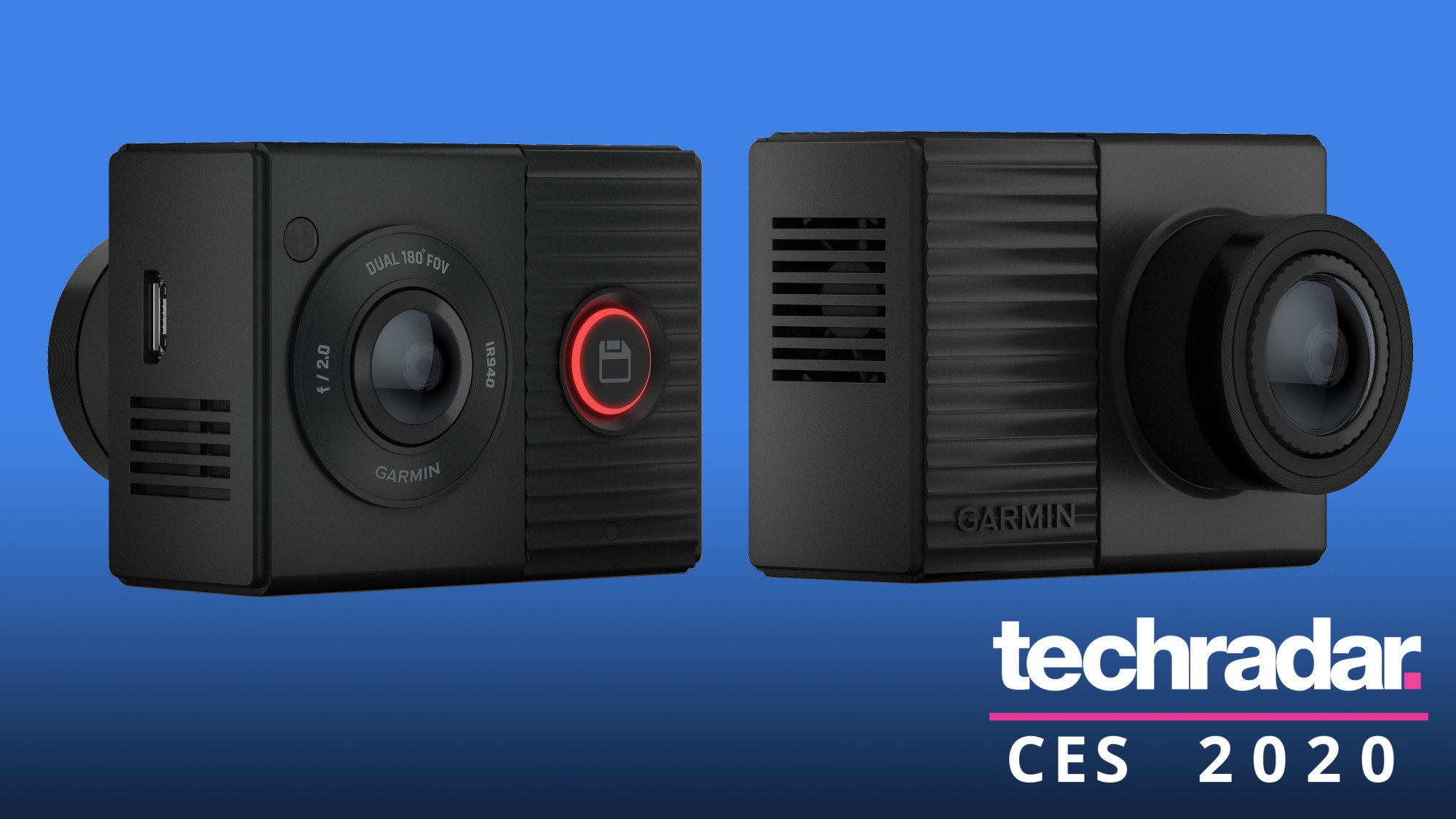
Garmin's new 360-degree Dash Cam Tandem records absolutely everything - TechRadar

Garmin has unveiled a new dash cam at CES 2020 that uses a pair of wide-angle lenses to capture 360-degree video, recording what's happening all around your car, even when you're not actually driving, and at night.

771000

The new Garmin Dash Cam Tandem really is a first for the accessories manufacturer, in that it offers drivers complete video coverage of their surroundings.

While other dash cams have limited viewing angles, which can often be to their detriment, the Garmin Dash Cam Tandem tackles that shortcoming with aplomb.

As the name suggests, what you get with this particular package is a pair of ultra-wide-angle 180-degree lenses back to back, for a combined 360-degree field of view.

This dynamic duo provide you with a high-definition 1440p front-facing view of proceedings, which is further optimized thanks to Garmin’s Clarity HDR for optimal quality recording.

Meanwhile, the interior lens adds in night vision and also incorporates Garmin’s nifty NightGlo technology. That gets you video of driver and passenger interactions, even after day has turned to night.

Read the full article here:

 
Does anyone have suggestions for basic video editing software? Something to clip/cut and perhaps convert from one format to another? I have been using VS Player with my CCTv footage which has been great but I can't get it to clip/cut the Garmin 55 footage.

I use Garmin's own GDCPlayer dashcam editor to download & then trim my Garmin DC45 recordings, then use VideoProc software to either remove audio (in case of in-car conversations) or to recode the clips into other formats.

Garmin Dash Cam Player interface:

771008

NOTE: New downloads of the GDCPlayer have since been discontinued by Garmin.

771012

VideoProc interface:

771010
 
Does anyone have suggestions for basic video editing software? Something to clip/cut and perhaps convert from one format to another? I have been using VS Player with my CCTv footage which has been great but I can't get it to clip/cut the Garmin 55 footage.
Garmin 55 is mp4.. .just copy it to pc.... sure anything can be used with that. Miro for conversions is quite nice. Windows Movie Maker is probably as basic as you will get :)
 
-snip-

Read the full article here:


Thanks, I would prefer one that shows the back and front only. Im not sure how this one will work looking through the cabin and out the back glass.
On Amazon the Garmin Tandem is R4500, with that money I can get 2 separate Garmin cams and sync them up to get back and front

After some searching and reading reviews, I found the Z-Edge T4. This seems like a good option but I cant seem to find anywhere that stocks it.
 
Thanks for the suggestions, I can easily access the micro SD card to get the videos off the camera and I remembered I had VSDC which I will try out again to remove audio and cut the videos. I downloaded the Garmin VIRB application for my iPhone which works well.
 
I won a Garmin 55 this last weekend, anyone else use one and has some handy tips?

Slowly getting up and running with the Garmin DC55, I have switched most of the smart functionality off as I find it distracting, I am going to switch the voice command functionality off next as it somehow keeps being activated by the podcasts I listen to.
 
I have left on my Speed Alert, Forward Collision, Traffic Moving Ahead & Lane Departure warnings, but set them all to their least sensitive settings where applicable. My Garmin DC45 doesn't have voice activation - I still need to press a button on the side to capture a video recording or still frame snapshot.
 
I'm aware an actual dash cam is always better. This new iOS App that dropped that caught my eye:

DUBL Drive turns your iPhone into an easy-to-use Dash Cam

The new app DUBL Drive can turn your iPhone into a great dash cam.

When driving, the app will record video using the front and rear camera simultaneously.

At the same time, it will record the speed and GPS information directly onto the video.

Whenever heavy braking or an impact is detected when traveling above 10MPH, the app will automatically record 30 seconds of video and then save it into a video library.

Even if your iPhone happened to be damaged during an accident, the video should be available to view if you choose to save photo and videos in iCloud.

DUBL Drive can be used with any iPhone XS, iPhone XS Max, iPhone 11, or iPhone 11 Pro. The app can be downloaded now on the App Store for free.

You’ll need a subscription to use the app. There are two different options to select from, $1.99 per month or $14.99 per year. There is a seven-day free trial available.


Screenshot_20200122_184431.jpg
 
I'm aware an actual dash cam is always better. This new iOS App that dropped that caught my eye:

DUBL Drive turns your iPhone into an easy-to-use Dash Cam

The new app DUBL Drive can turn your iPhone into a great dash cam.

When driving, the app will record video using the front and rear camera simultaneously.

At the same time, it will record the speed and GPS information directly onto the video.

Whenever heavy braking or an impact is detected when traveling above 10MPH, the app will automatically record 30 seconds of video and then save it into a video library.

Even if your iPhone happened to be damaged during an accident, the video should be available to view if you choose to save photo and videos in iCloud.

DUBL Drive can be used with any iPhone XS, iPhone XS Max, iPhone 11, or iPhone 11 Pro. The app can be downloaded now on the App Store for free.

You’ll need a subscription to use the app. There are two different options to select from, $1.99 per month or $14.99 per year. There is a seven-day free trial available.


View attachment 772662
Interesting to see how you mount it.
 
Interesting to see how you mount it.
This will kill the battery, never mind recording with maps, the heat as well.
Rather use a cheap android with sygic for a once off cost.

The cons is no cloud and only front facing.
 
This will kill the battery, never mind recording with maps, the heat as well.
Rather use a cheap android with sygic for a once off cost.

The cons is no cloud and only front facing.

In that case, rather just get a dedicated Garmin :p
 
Thanks for the suggestions, I can easily access the micro SD card to get the videos off the camera and I remembered I had VSDC which I will try out again to remove audio and cut the videos. I downloaded the Garmin VIRB application for my iPhone which works well.

I have been using VIRB and VSDC, both are fairly easy to use. VSDC has a lot more features but for what I need which is stitching video together and trimming video, VIRB is far simpler to use.
 
Top
Sign up to the MyBroadband newsletter
X