RedViking
Nord of the South
Thanks folks. Followed all the trouble shooting. DSTV says it must go to a shop as they can also just repeat all the troubleshooting stuff.
South Africa’s biggest forum. Discuss, discover, and connect with thousands of members.
If you switch on your decoder and it simply loads till infinity but refuses to enter the menu, It might be because of minor imperfections that you can easily rectify by following these steps:
Step 1
1 Unplug the power cord from the decoder for at least 10 minutes.
2 Disconnect every external input devices such as USB drives and the smart card.
3 Reconnect only the power cable and see if your decoder might boot.
Step 2
1 Unplug the power cord completely.
2 Next without plugging back the cable, press and hold the P+(P plus) button on your decoder. Now, with your other hand, plug in your the decoder’s power cable while you continue pressing and holding the P+ button.
3 Monitor the progress on your TV screen and immediately you see the message “CODE”( You will see this on the top right corner), let go of the P+ button.
4 Almost immediately after releasing the P+ button, press the following buttons in thisorder: P-,P+,P+,P-(- ++-).
5 Restart your device now.
If the above 2 methods fails, then you may have to go to their office.
If you switch on your decoder and it simply loads till infinity but refuses to enter the menu, It might be because of minor imperfections that you can easily rectify by following these steps:
Step 1
1 Unplug the power cord from the decoder for at least 10 minutes.
2 Disconnect every external input devices such as USB drives and the smart card.
3 Reconnect only the power cable and see if your decoder might boot.
Step 2
1 Unplug the power cord completely.
2 Next without plugging back the cable, press and hold the P+(P plus) button on your decoder. Now, with your other hand, plug in your the decoder’s power cable while you continue pressing and holding the P+ button.
3 Monitor the progress on your TV screen and immediately you see the message “CODE”( You will see this on the top right corner), let go of the P+ button.
4 Almost immediately after releasing the P+ button, press the following buttons in thisorder: P-,P+,P+,P-(- ++-).
5 Restart your device now.
If the above 2 methods fails, then you may have to go to their office.
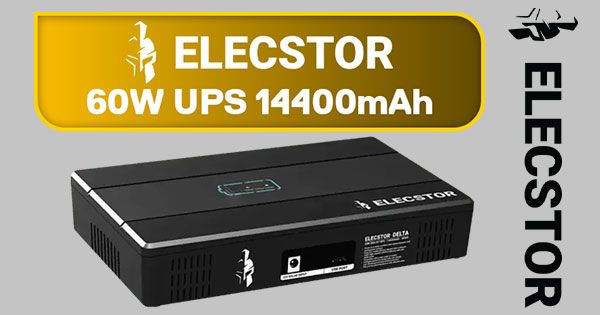
@Nemesys - your second method works 100% . I've previously managed to fix both my "corrupt " DSTV Explora hard drives. But then we have another power outage as usual, have to do it all over again! I was wondering if there is a special kind of surge protector to stop this happening? None of the "alleged" protectors I've bought in the past have helped.If you switch on your decoder and it simply loads till infinity but refuses to enter the menu, It might be because of minor imperfections that you can easily rectify by following these steps:
Step 1
1 Unplug the power cord from the decoder for at least 10 minutes.
2 Disconnect every external input devices such as USB drives and the smart card.
3 Reconnect only the power cable and see if your decoder might boot.
Step 2
1 Unplug the power cord completely.
2 Next without plugging back the cable, press and hold the P+(P plus) button on your decoder. Now, with your other hand, plug in your the decoder’s power cable while you continue pressing and holding the P+ button.
3 Monitor the progress on your TV screen and immediately you see the message “CODE”( You will see this on the top right corner), let go of the P+ button.
4 Almost immediately after releasing the P+ button, press the following buttons in thisorder: P-,P+,P+,P-(- ++-).
5 Restart your device now.
If the above 2 methods fails, then you may have to go to their office.
This will solve that issue permanently - then you can just power down the DSTV decoder normally before the power station is fully discharged & needs to be recharged again...@Nemesys - your second method works 100% . I've previously managed to fix both my "corrupt " DSTV Explora hard drives. But then we have another power outage as usual, have to do it all over again! I was wondering if there is a special kind of surge protector to stop this happening? None of the "alleged" protectors I've bought in the past have helped.