


Dimpie (JIGSAW)
Honorary Master
Even online via browser was a whole f***up yesterday ... stream stop randomly and then their whole site is as slow as sh|t from a snail.
South Africa’s biggest forum. Discuss, discover, and connect with thousands of members.

Where did you get the apk fromSide loading v2.3.19 did the trick. After installing on both Mibox and Ematic box, have had no issues so far.
I just googled the apk version then downloaded on my laptop. Sorry, not sure which site it was again.Where did you get the apk from
I just googled the apk version then downloaded on my laptop. Sorry, not sure which site it was again.
Here is a link from another forum.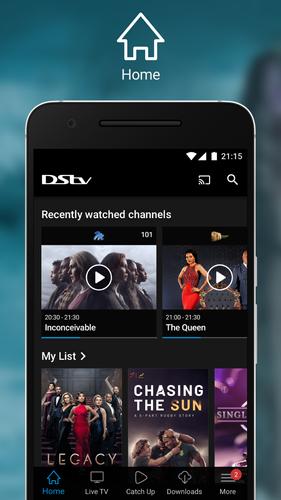
Download DStv 2.3.18 Android APK File
Download DStv 2.3.18 APK for Android from APKPure. The DStv app is the home of DStv on the go for DStv customersm.apkpure.com

Worked for me.Side loading v2.3.19 did the trick. After installing on both Mibox and Ematic box, have had no issues so far.
I also have a Mibox S, I first started getting a stutter in the picture and now everytime I change channels Dstvnow freezes and I must clear cache and force stop and login again.Me and a couple of friends been going through the exact same thing every night from around 10pm onwards for about 2 months now and its irritating!
Most of us has Mi Box S few Ematic and one of them has a Nvidia Shield so not sure if its device specific...
Most of us on Afrihost and others on Cool Ideas
The bulk on Vumareach fibre and one other on Openserve fibre with Arifost
I think the app is fukt!
Another thing I can add is that I have an Explora Ultra in the lounge and when I do check its dstvnow app, it works flawless at the exact time the Mi Boxes is on a black screen...
I also have a Mibox S, I first started getting a stutter in the picture and now everytime I change channels Dstvnow freezes and I must clear cache and force stop and login again.
DSTV says it because the Mibox doesnt have android 9.
Have you been able to find any further solutions?
m.apkpure.com
Same issue. Even changing channel means the screen go black. Have to clear data, force stop and relog in. Very annoying.
Internet is fine. Youtube and Netflix work perfectly. The DSTV app is just terribly designed
edit: using the Mibox
m.apkpure.com
Except the solution does not last. I have a Skyworth 55 (Android 10) . On Thursday evening it started doing this . Gave up and went to bed. On Friday evening it worked for one further episode of Survivor Australia and then grey screen. On Saturday evening DSTV helpdesk gave clear cache, uninstall app and reinstall app from playstore. It works for one episode of whatever you are watching. So to watch four more episodes of Aus Survivor , app was un-installed and re-installed 4 times. Ridiculous. Netflix, Youtube AND Showmax however work fine .Managed to fix it (Android TV 11) :
1. Go to settings - > apps
2. Click on Dstv app
3. Clear Data
4. Force Stop
5. Uninstall
6. Restart device
7. Install again from playstore
8. Log into your Dstv profile online and add the code back.
Done
U must install the previous version.. I've done it and it's even better than the current version.. Just make sure u disable auto updatesExcept the solution does not last. I have a Skyworth 55 (Android 10) . On Thursday evening it started doing this . Gave up and went to bed. On Friday evening it worked for one further episode of Survivor Australia and then grey screen. On Saturday evening DSTV helpdesk gave clear cache, uninstall app and reinstall app from playstore. It works for one episode of whatever you are watching. So to watch four more episodes of Aus Survivor , app was un-installed and re-installed 4 times. Ridiculous. Netflix, Youtube AND Showmax however work fine .
You would think DSTV helpdesk would acknowledge that there is a problem but instead when I asked if there was a DSTV system problem , got "none that we are aware of" . I took her to task telling her she is talking BS becoz its was even on our whatsapp neighbourhood group ??


Exactly... now I must try and get my parents sitting on the farm to sideload this...
This is from someone official at DStv. They're suggesting we sideload apps from a third party website. Imagine getting your parents to try this
View attachment 1231772
DStv 2.3.19 APK Download by MultiChoice Africa (Pty) Ltd | Android APK
Download DStv.apk android apk files version 2.3.19 Size is 23348164 md5 is 309f833fbb88d28c7aef423052a5e54c By MultiChoice Africa (Pty) Ltd This Version Need KitKat 4.4 - 4.4.4 API level 19 or higher, We Index Version From this file.Version code 217020319 equal Version 2.3.19 .You can Find...android-apk.org

Since Thursday evening. Sometimes no msg just grey screen . Affecting all streaming subscribers it seemsAnybody get the following error
"We're sorry
Something went wrong, please try again in a few MORE minutes"

