G-Sync/AMD Free-sync

So this is a continuation of my last thread/post where I discussed what you need to run AMD Free Sync. One of the most important questions I have is can you run this feature with HDMI or can you only run it will a thunderbolt display port cable? I am asking this question because I have read that you can only use this feature if you have display port but AMD’s website states that you can use it with HDMI so I am very confuse now. Also because most laptops don’t actually have display port and only support HDMI so I am very limited to gaming laptops. NVIDIA’s website says that G-sync is supported with HDMI as long as you have a 20 series and above. Can someone please explain this whole process to me so I don’t make a costly decision?
or there is scanline sync?

boom-mind-blown.gif
 
If you already have an hdmi cable then just simply try it, if it doesn't work then buy a new one that is compatible.
So i found a laptop that has HDMI 2.1 and a DP port which is amazing.
 
Why do you want to use G-sync in the first place (if you don't mind me asking)?

RE G-sync over HDMI; I would recommend not even trying. With the right card (you will need HMDI 2.1, which you are unlikely to have access to) and the right monitor, it can be done, but save yourself a lot of trouble and do it via Display Port OR - and I only figured this out recently - it can be done via USB-C (assuming you have this capability on both ends of the chain, which is of course not guaranteed).

As for the 3050, the recommendation to at least get a 3060 is good advice - I have a 3060 in my laptop, and it's perfectly serviceable, but I'd definitely have gotten something a bit beefier (especially in a laptop, since the GPU can't be upgraded).
I want to use G sync as my current laptop only can support a refresh rate of 60Hz but my monitor is capable of running at least 165Hz. Which is a enormous difference in my opinion. So are you saying i could use USB-C instead of a DP port. Also i found a new laptop with a Geforce RTX 4050 look at this one and give me your opinion.
 
You wouldn’t notice the difference between 120 and 165hz.

Have the same monitor (running Freesync on a 6700XT using a DP cable).
Can you try running G sync for me on HDMI and USB-C i just want to see if it works. Will G sync work on a Gefore RTX 4050?
 
Can you try running G sync for me on HDMI and USB-C i just want to see if it works. Will G sync work on a Gefore RTX 4050?

Sure, just post me an RTX GPU.

Jokes aside, why are you so adverse to using DP? Any specific reason you want to use HDMI and USB-C instead?
 
I want to use G sync as my current laptop only can support a refresh rate of 60Hz but my monitor is capable of running at least 165Hz. Which is a enormous difference in my opinion. So are you saying i could use USB-C instead of a DP port. Also i found a new laptop with a Geforce RTX 4050 look at this one and give me your opinion.
Okay - sorry for a possibly silly question: G-sync is not necessary for higher refresh rates, and it seems the refresh rate is what you are interested in, correct?

RE the 4050, it appears to be the case that the 3060 is significantly faster, and as the 3060 is (in my opinion) borderline already (in the context of future-proofing), I'd not go any lower than that.

What monitor are you using, or are you intending to get one?
 
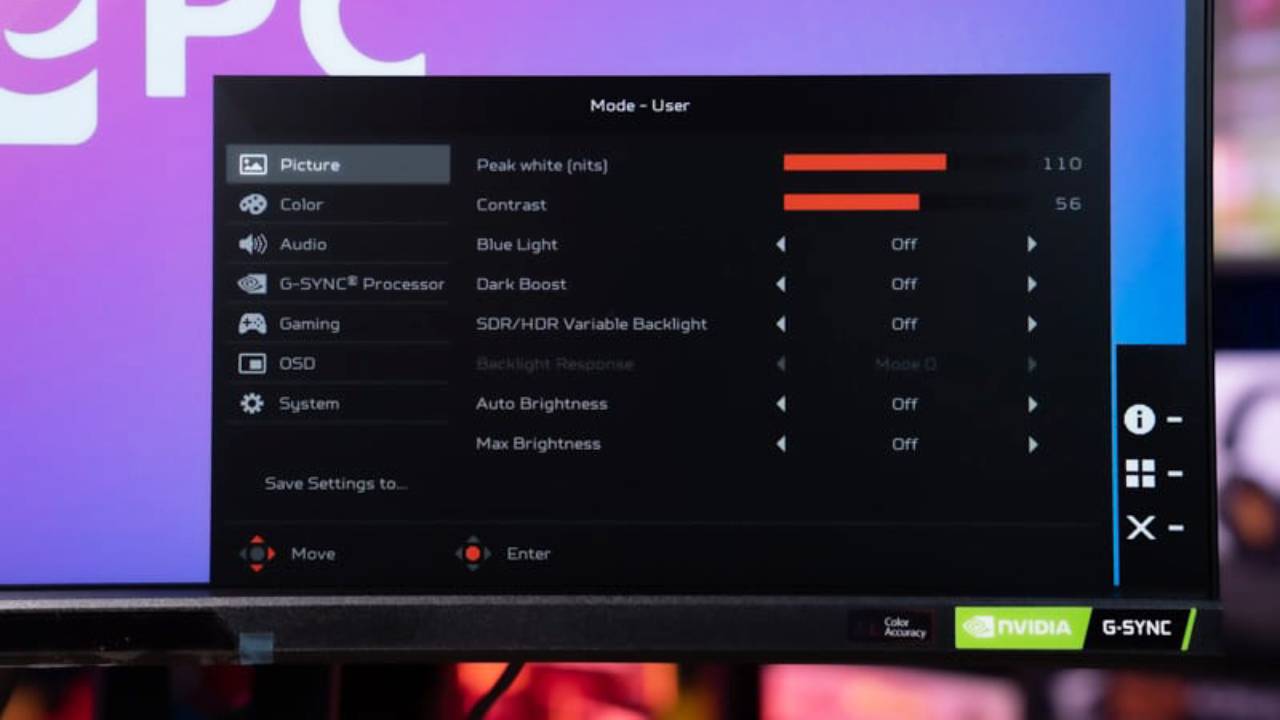
This is via USB-C (which is DP in disguise as far as I understand), when connected via HDMI, the option does not appear at all:

1698836604359.png
 
Sure, just post me an RTX GPU.

Jokes aside, why are you so adverse to using DP? Any specific reason you want to use HDMI and USB-C instead?
lol, I am struggling to find a gaming laptop that offers a DP port. I only found a few.
 
Okay - sorry for a possibly silly question: G-sync is not necessary for higher refresh rates, and it seems the refresh rate is what you are interested in, correct?

RE the 4050, it appears to be the case that the 3060 is significantly faster, and as the 3060 is (in my opinion) borderline already (in the context of future-proofing), I'd not go any lower than that.
Okay - sorry for a possibly silly question: G-sync is not necessary for higher refresh rates, and it seems the refresh rate is what you are interested in, correct?

RE the 4050, it appears to be the case that the 3060 is significantly faster, and as the 3060 is (in my opinion) borderline already (in the context of future-proofing), I'd not go any lower than that.

What monitor are you using, or are you intending to get one?
My monitor is a Dell S2721DGFA it has a 165 Hz but can only run 60 Hz with my current laptop. So i am playing on getting a new gaming laptop with a Gefore RTX 4050. G sync allows you to get a variable refresh rate so i will get a higher refresh rate than 60Hz
 
So would this mean i actually need a DP cable right? And i cant use a USB-C cable
you can run DP over usb-c, in the EXTREMELY unlikely scenario that the new notebook you buy doesn't have a 2.1 HDMI port.

And this is SO easy to find out

Google: Notebook model number -> view specs -> view IO -> Lists 1x HDMI 2.1 port
 
Last edited:
Top
Sign up to the MyBroadband newsletter
X