Help Steam Remote Play

Name Is Mike

Active Member
Joined
Aug 2, 2019
Messages
49
Reaction score
9
I'm currently having issues with Steam Remote Play Together. I'm able to link my smartphone with my computer and play from there but when I try to use the Play together feature to Co-Op with someone else, I get a "Can't connect remote computer".

Anyway dealing with this?
 
Nope. Just a Rain mobile sim in a B315 router. I can use Parsec without any issues though.
 
I haven't had any issues with SRPT, but it doesn't seem to like VPN connections. I guess they look at minimum ping or they ban 'troublesome' IPs.

I really like this service, awesome being able to play games like MK 11 with other people who don't own the title within their own home. Crawl and Super Blood Hockey is awesome to play this way.

I hope you can resolve your issue, but the service is pretty much seamless at my side in regard to gameplay experience.
 
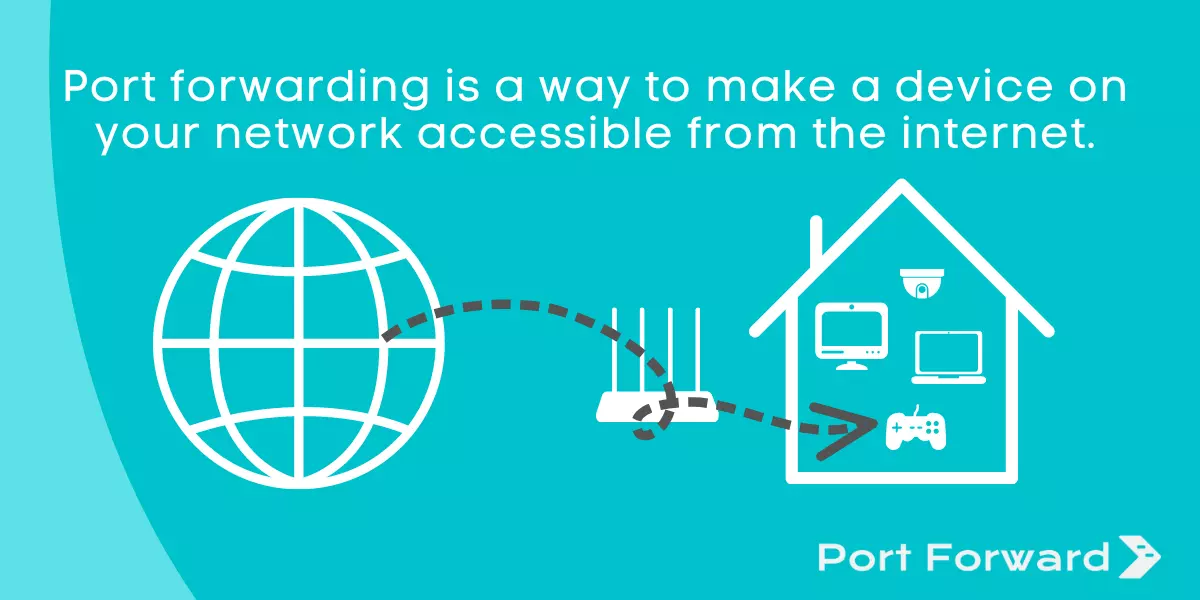
I'm really not that tech savvy, but I read somewhere about port forwarding. Could that be the issue? Or is that not necessary?
 
Port forwarding may be needed.

Mine was also broken (same error with ports forwarded), but what fixed it for me was using another network adapter and internet connection.

Normally I am connected via ethernet to a fibre connection. I swapped to a plug in WiFi dongle that I have and used my phone as a mobile hotspot. Once I verified that Remote Play Together worked with this setup, I swapped back to the ethernet cable and it was working correctly.

Before Remote Play Together was a thing I also used Remote Play to stream to my TV so I could play some games in my living room.

My best guess as to why this doesn't work is that Steam for some reason is only accepting local connections if you used Remote Play like this before, but this is just speculation on my part.
 
Last edited:
Port forwarding may be needed.

Mine was also broken (same error with ports forwarded), but what fixed it for me was using another network adapter and internet connection.

Normally I am connected via ethernet to a fibre connection. I swapped to a plug in WiFi dongle that I have and used my phone as a mobile hotspot. Once I verified that Remote Play Together worked with this setup, I swapped back to the ethernet cable and it was working correctly.

Before Remote Play Together was a thing I also used Remote Play to stream to my TV so I could play some games in my living room.

My best guess as to why this doesn't work is that Steam for some reason is only accepting local connections if you used Remote Play like this before, but this is just speculation on my part.
I could try connecting via the ethernet port from my router. Do you have any links to setting up port forwarding?
 
If my guess is correct then you will need a totally separate connection. Connected via ethernet still means you are part of the local network. This is why I used my phone as a hotspot, it's totally separate.


Just search for your router and pick any game. It will guide you through the steps, just substitute the ports with the ones below.

Ports to forward are 27031 and 27036 for UDP, 27036 and 27037 for TCP.
 
If my guess is correct then you will need a totally separate connection. Connected via ethernet still means you are part of the local network. This is why I used my phone as a hotspot, it's totally separate.


Just search for your router and pick any game. It will guide you through the steps, just substitute the ports with the ones below.

Ports to forward are 27031 and 27036 for UDP, 27036 and 27037 for TCP.
746813
Something like that? I'm 45% sure I almost got it.
 
View attachment 746813
Something like that? I'm 45% sure I almost got it.

If it's a Rain mobile sim, you can forget about port forwarding as they don't allow it. I tried it numerous times back in the day, but their support agent also confirmed it for me via email (there is also a couple of threads about it in the Rain section about them blocking port forwarding). Parsec also worked fine for me and a friend, but I'm 99.9% sure port forwarding is the culprit here.
 
If it's a Rain mobile sim, you can forget about port forwarding as they don't allow it. I tried it numerous times back in the day, but their support agent also confirmed it for me via email (there is also a couple of threads about it in the Rain section about them blocking port forwarding). Parsec also worked fine for me and a friend, but I'm 99.9% sure port forwarding is the culprit here.
Tried with a Telkom sim and it worked but with Rain nothing. Parsec works though, at least that's something.
 
Top
Sign up to the MyBroadband newsletter
X