Home WiFi Network Setup

Neuk_

Honorary Master
Joined
Jan 23, 2018
Messages
13,386
Reaction score
13,261
Location
Johannesburg, South Africa
Disclosure: I am no WiFi or network specialist, I know enough to fiddle and get myself in trouble, Googling or asking on this forum to figure it all out.

So, we currently have a fibre line that ends in what seems an ancient DZS ONT, which is then connected to our main WiFi router which is an Asus RT-AC68U, which is then connected to a Unifi UAP which is on the other end of the house. The Asus is setup as the main router so handles DHCP and the UAP as an access point, which works well enough for our needs for now. The only hard wired network device connected to the Asus besides the UAP is one of the NVR/DVR’s for our home CCTv, which is a while other topic, everything else connects via WiFi to our network, Apple TV, phones, pads, laptops, smart switches, WiFi cameras, inverter, etc.

My biggest issue at the moment seems to lie with the Asus, which randomly decides on random devices that there is no internet and only a reboot of the Asus fixes the issue, along with some devices randomly dropping off the network and not being able to reconnect, sometimes a reboot of the Asus helps, sometimes it doesn’t. I have thought about restoring the Asus back to factory settings but having to reconnect so many devices to it is a headache I could do without at the moment.

My thought, since I have two UAP’s sitting in a cupboard, one of which is destined for the middle of the house to bridge the gap between the Asus and existing UAP, is to setup the other UAP next to the Asus. Then I can switch devices connected via WiFi to the Asus over to the new UAP one by one, then once all are over I can factory reset the Asus and since nothing relies on the Asus for WiFi, I won’t have much else to do but get the Asus up and running again.

Is my logic sound?
 
That is a good idea

Setup the 2nd WAP and connect it to the Asus router, then disable the wifi on the Asus.

If the random problem goes away then you know the wifi on the Asus is the issue; if not then it's time for a new router ;-)
 
When you confirm the Asus as the issue after adding the new uap, replace the Asus with a USG or dream machine and be ubiquity all the way..
 
When you confirm the Asus as the issue after adding the new uap, replace the Asus with a USG or dream machine and be ubiquity all the way..
Uxg lite or cloud gateway ultra rather.
 
With the new devices coming out there will be quite some USGs and even UDRs coming into the market
When you confirm the Asus as the issue after adding the new uap, replace the Asus with a USG or dream machine and be ubiquity all the way..
 
Thanks all for the feedback and confirming I am on the right track ;) Strangely, the Asus has been pretty good since I bought it in 2018, only hiccups have been this recent issue and it randomly deciding in our old house that one of the admin user passwords was no longer the correct password. I would love to replace it at some stage but it will have to wait as there are other more important things to spend money on with our second son arriving in a few weeks time.
 
Thanks @SauRoNZA ;) I had never thought of two different WiFi networks using two different brands would be a big issue but I'll work towards having the Asus handle DHCP and the UAP's handle the WiFi network.
 
Thanks @SauRoNZA ;) I had never thought of two different WiFi networks using two different brands would be a big issue but I'll work towards having the Asus handle DHCP and the UAP's handle the WiFi network.
You are basically leaving all wireless roaming/transition decisions up to the client devices which will hold onto to even the weakest signal for dear life and only once losing it will scan networks and then choose the more powerful one.

When switching to UniFi you are giving this to the “server” side to manage and it will handoff clients between access points as necessary based on signal or load balancing etc.

Why you would sit with two access points in the cupboard and not use them is beyond me. I have 6 in my house even though 3 would probably work fine enough but now I can guarantee the best connection in pretty much every room and outside in my garden.
 
You are basically leaving all wireless roaming/transition decisions up to the client devices which will hold onto to even the weakest signal for dear life and only once losing it will scan networks and then choose the more powerful one.

When switching to UniFi you are giving this to the “server” side to manage and it will handoff clients between access points as necessary based on signal or load balancing etc.

Why you would sit with two access points in the cupboard and not use them is beyond me. I have 6 in my house even though 3 would probably work fine enough but now I can guarantee the best connection in pretty much every room and outside in my garden.

Thanks, as I said in my first post, I know enough to be dangerous so I appreciate any opportunity to learn.

Do I need additional Ubiquiti/Unifi kit to manage the three UAP's? The load/signal balancing would be most welcome as I certainly struggle with what you describe on a daily basis...

As for why they are still in the cupboard, I simply haven't gotten around to getting them out and installing them, there are various reasons/excuses for this but it is as simple as that.
 
Thanks, as I said in my first post, I know enough to be dangerous so I appreciate any opportunity to learn.

Do I need additional Ubiquiti/Unifi kit to manage the three UAP's? The load/signal balancing would be most welcome as I certainly struggle with what you describe on a daily basis...

As for why they are still in the cupboard, I simply haven't gotten around to getting them out and installing them, there are various reasons/excuses for this but it is as simple as that.
You would need a Unify controler which you can run on RaspberryPi or spare machine.
Drop me a DM if you want some help/options to set up; i'm in CT but can remote in to setup/configure.
 
Thanks, as I said in my first post, I know enough to be dangerous so I appreciate any opportunity to learn.

Do I need additional Ubiquiti/Unifi kit to manage the three UAP's? The load/signal balancing would be most welcome as I certainly struggle with what you describe on a daily basis...

As for why they are still in the cupboard, I simply haven't gotten around to getting them out and installing them, there are various reasons/excuses for this but it is as simple as that.
Life gets in the way hey and before you know it its been months and you haven't had a chance to take a look at these projects

You shouldn't need a controller to manage multiple APs but it's easier and gives you one pane of control - it's also free and you can run it on a machine in the house. It also doesn't have to be running all the time so you could set it up, setup your configs etc then power it down
 
Thanks, as I said in my first post, I know enough to be dangerous so I appreciate any opportunity to learn.

Do I need additional Ubiquiti/Unifi kit to manage the three UAP's? The load/signal balancing would be most welcome as I certainly struggle with what you describe on a daily basis...

As for why they are still in the cupboard, I simply haven't gotten around to getting them out and installing them, there are various reasons/excuses for this but it is as simple as that.

Ideally you’d want to run the UniFi Controller on something 24/7 but it’s not a must.

Need it at least once to setup and then can use the app on your phone afterwards I *think*.

In your future a UniFi Dream Machine or Cloud Gateway would be sensible to replace the ASUS and its then the controller.
 
Thanks again for the input and offers of assistance, I am busy looking at the controller software as it would make managing the three UAP's easier, although I see you can run them individually if necessary. It does complicate matters, initially anyway as I would need to factory reset the already installed UAP to get the controller to see it from what I have read, but I think it will be worth it in the long run. I have an old MacBook Pro, ancient is more apt actually, that I will look at using to run the controller software if it can. I need to clean up the top of cupboard where the ONT and Asus router is, it also has the main alarm board, various power points, switch for the CCTv, PoE adapter for the UAP, PoE adapter for one of the four Unifi line of sight network repeater's, AirMax's I think they are, etc.

P.S. Unpacking the UAP's I realised one of the reasons I have never gotten round to fitting them, they were removed from my wife's family factory offices and are missing the power cord for the PoE adapters :rolleyes:
 
Thanks, that is a good idea, will save me from having to run three separate PoE adapters in a small space. I’ll check the switch’s I have but I don’t think they are PoE capable.
 
Thanks, that is a good idea, will save me from having to run three separate PoE adapters in a small space. I’ll check the switch’s I have but I don’t think they are PoE capable.
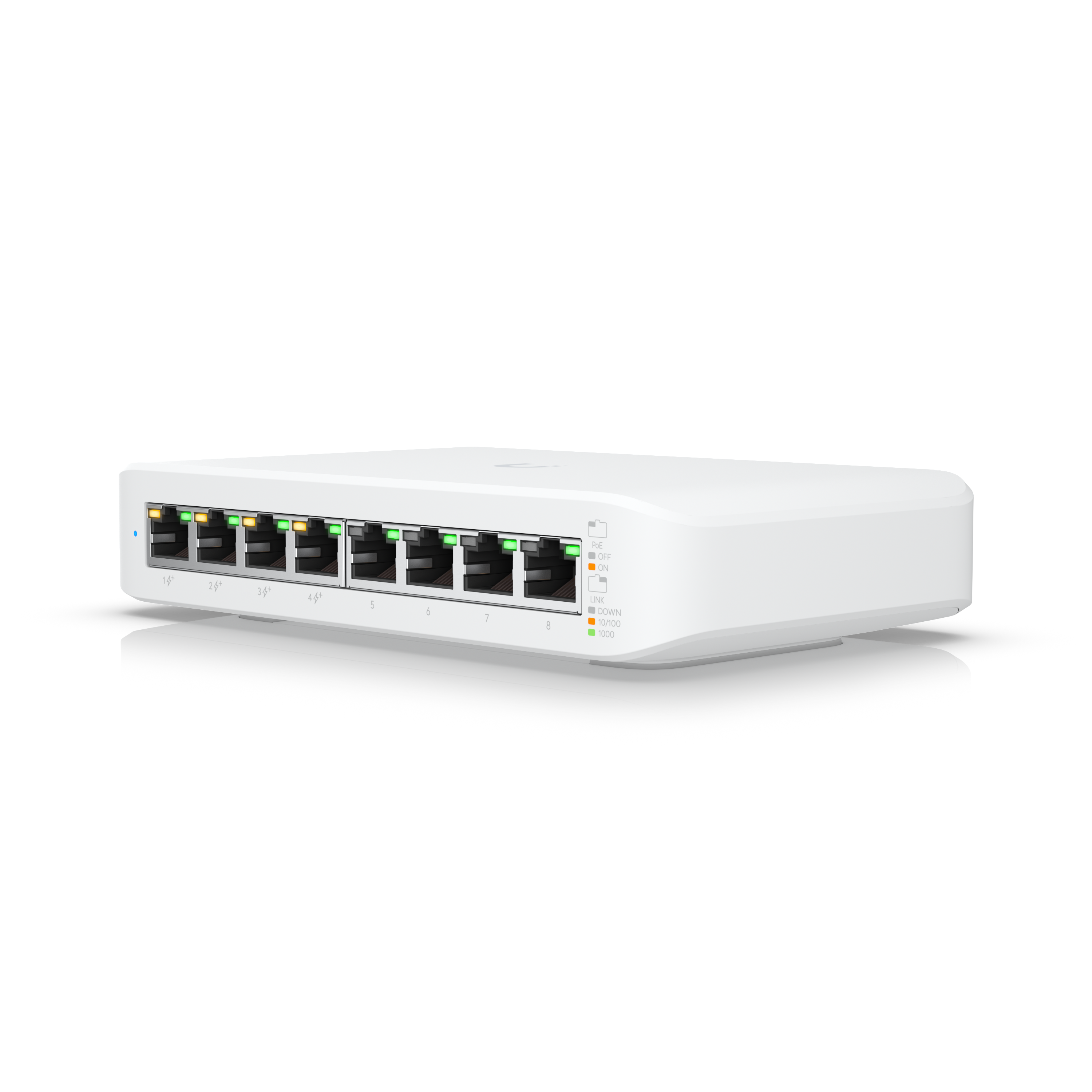
If you don't have any poe switches, pickup this one..

 
Anything cheaper if I wanted to dive into Ubiquiti and just need PoE switches to power the WiFi units?
The TP-link ones aren’t to bad either, I would also Say make sure you look carefully at the PoE flavour, Ubiquiti new stuff is PoE+ and the make sure you have enough power budget no all PoE switches are equal
 
Anything cheaper if I wanted to dive into Ubiquiti and just need PoE switches to power the WiFi units?
Yeah, tenda, tp-link, cudy and reyee is where you want to look for the entry level stuff.. just make extra sure about voltages and standards and make sure that you have enough power for all your poe devices..
 
Top
Sign up to the MyBroadband newsletter
X