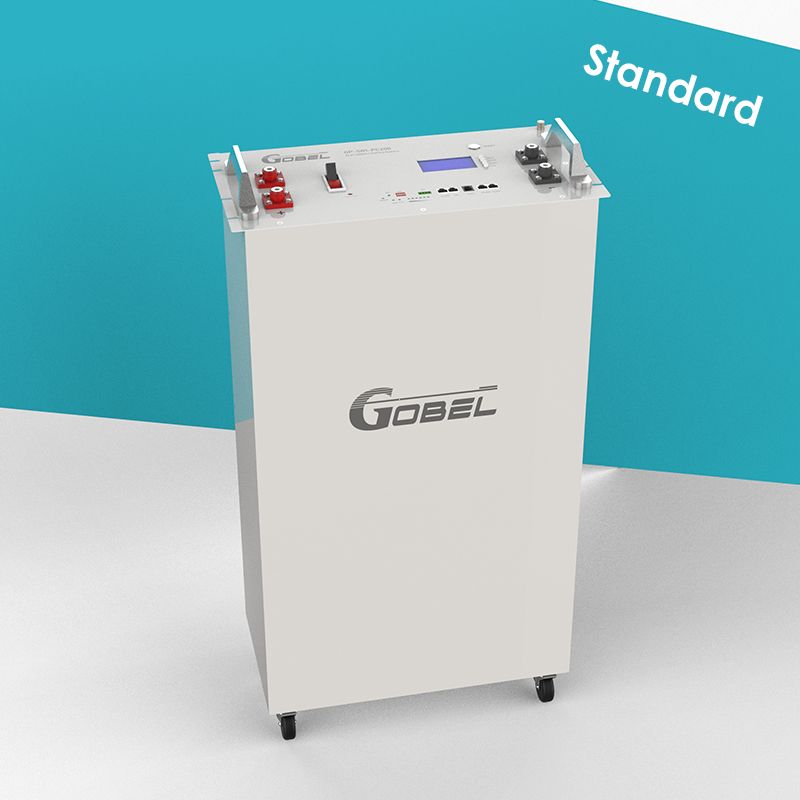
Hubble Batteries

I'm assuming hubble balances using the BMS? Most likely it uses passive balancing which imo is not that great. I installed active balancers on all 6 of my batteries. They are custom or DIY built though..
Yes, all use BMS. The question was does it activate at a certain voltage or is active all the time but yes, active is better than passive. DIY custom too imho as you can fix your own issues if they pop up. Bad cell, swop it out, bad bms, swop it out.

Check this deal:
 
Yes, all use BMS. The question was does it activate at a certain voltage or is active all the time but yes, active is better than passive. DIY custom too imho as you can fix your own issues if they pop up. Bad cell, swop it out, bad bms, swop it out.

Check this deal:
A switching resistor will switch on for the most charged cell in a battery string once it hit's OV protection prematurely.Most bms's are pretty bad at passive balancing.Active balancer actively monitor each cell and starts the balancing process when there's a 0.05mv difference between cells.
Most people will tell you it will fix itself if you cycle the battery a few times but in reality once it stops charging lets say at 84% it's actually better to leave it there for atleast a day and not discharge the battery as the switching resistor will switch off and passive balancing will stop once you start to discharge the battery and will only switch on again once the problem cell hit OV protection again.

so my advice let it sit at whatever voltage / % it charges to for a day to allow the excess energy in the problem cell to be burned off by the resistor
 
A switching resistor will switch on for the most charged cell in a battery string once it hit's OV protection prematurely.Most bms's are pretty bad at passive balancing.Active balancer actively monitor each cell and starts the balancing process when there's a 0.05mv difference between cells.
Most people will tell you it will fix itself if you cycle the battery a few times but in reality once it stops charging lets say at 84% it's actually better to leave it there for atleast a day and not discharge the battery as the switching resistor will switch off and passive balancing will stop once you start to discharge the battery and will only switch on again once the problem cell hit OV protection again.

so my advice let it sit at whatever voltage / % it charges to for a day to allow the excess energy in the problem cell to be burned off by the resistor
I'm aware. Active balancer takes from highest cell and dumps it into lowest cell. Passive just burns the energy away. They also have very small balancers with like 300mA or something which is useless for these big capacity cells. At least JK have 1 or 2A active balancer that is actually capable of balancing 100+ Ah capacities. Also, we don't know when balancing starts with all these different makes, at least with DIY types you can set your own values and should start balancing at 3.45V cell voltage.

What makes matters worse is you have to guess what's happening as you can't see cell voltages normally afaik.

If I had a new battery, I would charge it up in steps, first 56V for 24 hours, then 56.8V for 24 hours, then 57.6V for 24 hours then finally 58.4V but no need for another 24 hours. Then you can call it top balanced and start using lower voltages to help with degradation.

Maybe do a once a week top balance again with 58.4V?
 
Small update. Battery is performing exactly as I expected.
Yesterday it charged to 94% SOC @ 55Vdc.
Discharged it to 23% again overnight (I had set it to 15%, but forgot I had "Force discharge" on, so it used the "Force Discharge" parameters which was still 23%).
This morning it recharged from Solar to 98% SOC @55Vdc.
Will discharge again tonight as normal, and suspect it will reach 100% SOC tomorrow.

aaand 100% @55Vdc, as normal again.

1000363631.jpg
 
Friday night i only let it discharge from 21h30 so by Yesterday morning it only reached dod of 28%.
So i started discharge earlier last night to get 15% dod.
It got to 15% 46.9 Vdc by about 4h45 this morning and is charging up again.
Probably hit 100% by 10h30am..

Small update since the above post.
All seemed fine, till 3 Sept.
EOD is set to 20%, but the Battery stops discharge at 22%, then calls for AC charge to 23%.
I changed EOD to 15% yesterday, and it Discharged overnight to 16%, then called for charge from AC to 18%.
In the morning, once there's sun, it charges all the way to 100%, stays there for 20 mins and drops to 99% (has always done this).

But EOD seems to be out of sync.
Dropped Hubble an Email explaining what's going on, they replied within 5 minutes saying:

" Kindly note that this sounds to me like the voltages and SOC's lost each other and are now not matching.
If you have a RS232 to USB firmware cable, we would be able to assist you remotely using the App Anydesk and a windows laptop.
You can contact our technical support department directly @ 021 531 4464"


I don't have a cable, VOLTEX wants R450, but Hubble themselves quoted R333, so I bought one.
Paid today and will collect tomorrow, then get them to sort it out.
So far very happy with their speedy assistance.
 
Small update since the above post.
All seemed fine, till 3 Sept.
EOD is set to 20%, but the Battery stops discharge at 22%, then calls for AC charge to 23%.
I changed EOD to 15% yesterday, and it Discharged overnight to 16%, then called for charge from AC to 18%.
In the morning, once there's sun, it charges all the way to 100%, stays there for 20 mins and drops to 99% (has always done this).

But EOD seems to be out of sync.
Dropped Hubble an Email explaining what's going on, they replied within 5 minutes saying:

" Kindly note that this sounds to me like the voltages and SOC's lost each other and are now not matching.
If you have a RS232 to USB firmware cable, we would be able to assist you remotely using the App Anydesk and a windows laptop.
You can contact our technical support department directly @ 021 531 4464"


I don't have a cable, VOLTEX wants R450, but Hubble themselves quoted R333, so I bought one.
Paid today and will collect tomorrow, then get them to sort it out.
So far very happy with their speedy assistance.
Goodluck - let us know how it goes.
 
I just had hubble connect to my batteries, my one pack's remaining capacity had become badly out of sync with the rest. They're currently charging.

Pack 1:

1726042093603.png

Pack 2:

1726042119006.png

Pack 3:

1726042138883.png
 
Small update since the above post.
All seemed fine, till 3 Sept.
EOD is set to 20%, but the Battery stops discharge at 22%, then calls for AC charge to 23%.
I changed EOD to 15% yesterday, and it Discharged overnight to 16%, then called for charge from AC to 18%.
In the morning, once there's sun, it charges all the way to 100%, stays there for 20 mins and drops to 99% (has always done this).

But EOD seems to be out of sync.
Dropped Hubble an Email explaining what's going on, they replied within 5 minutes saying:

" Kindly note that this sounds to me like the voltages and SOC's lost each other and are now not matching.
If you have a RS232 to USB firmware cable, we would be able to assist you remotely using the App Anydesk and a windows laptop.
You can contact our technical support department directly @ 021 531 4464"


I don't have a cable, VOLTEX wants R450, but Hubble themselves quoted R333, so I bought one.
Paid today and will collect tomorrow, then get them to sort it out.
So far very happy with their speedy assistance.
Looks like this will be my approach. Not sure how my batteries is linked to Sunsynk.
 
How long have the been working if I may ask?
I've had them for about 2 for about 4 years (since install, both had to go in for cell replacements), then had one installed earlier last year no issues so far, except now with the unbalanced soc.
 
This is the packs after the charge this morning, I'll have to see if they discharge equally over the next few days:

Pack 1:

1726053958557.png

Pack 2:

1726053977074.png

Pack 3:

1726053997537.png
 
I checked, but forgot to update. Its 53.6v.

I have set the battery to discharge to 20% in the hope of getting the display correct. Still showing 53.6v as 87% SOC.
I wonder why it doesn't reset to 100%? 53.6V divide 13 = 4.12V per cell.
 
How did they connect - via a RIOT? I swear I saw another post about hubble needing to do support on a battery and the person needing a RS232 cable which they purchased. But it's not in this thread. Wondering if I am going mad .. LOL
I also saw it - you're not losing it :ROFL:
 
Top
Sign up to the MyBroadband newsletter
X