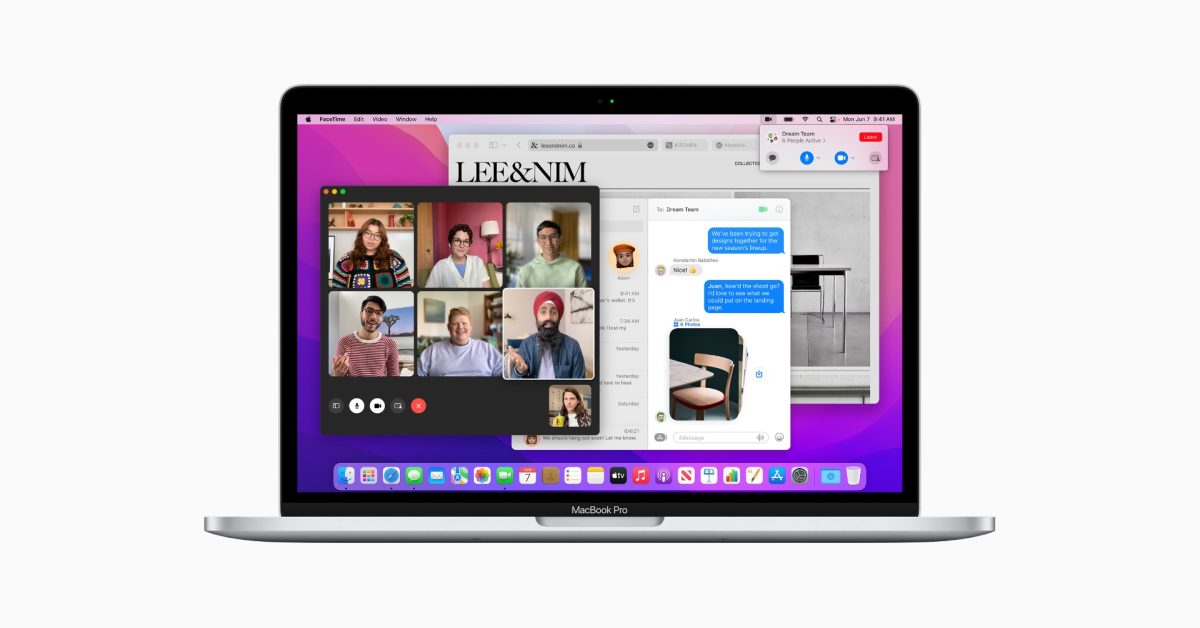
MacOS Monterey

Yeah I'll probably get the 16" M1 Pro with 16GB memory and 1TB storage. The price jump after that point doesn't seem worth it for my needs.

Same, still on a 2014 model. First year I cannot upgrade to the latest OS, so definitely upgrading.
 
macOS Monterey: Here are the features exclusive to M1 Macs

macOS Monterey was first unveiled during the WWDC21 keynote and after four months, it’s finally released today. Even so, not all users will be able to take advantage of the new features, as several functions will only be available to the M1, M1 Pro, and M1 Max Mac models. Read on as we round them up.

When Apple made the transition from PowerPC to Intel, the company was quick to drop support from older Macs. As Apple is in the middle of the transition from Intel to its own silicon, the company is still supporting many Intel Macs.

With the second major software update to take advantage of the Apple Silicon, here are the features Apple introduced that will be only available to its Macs with proprietary processors.

Portrait Mode on FaceTime: Only M1 Macs on macOS Monterey will be able to blur the background of a video call using FaceTime.

Maps: Interactive globe and detailed new city experience will only be available in the M1 Macs running macOS Monterey. With these two features, users will be able to interact with a 3D globe and explore cities like San Francisco, Los Angeles, New York, and London with detail for elevation, roads, trees, buildings, landmarks, and more.

Object Capture: With macOS Monterey, users will be able to turn a series of 2D images into a photo-realistic 3D object that’s optimized for AR in just minutes using the power of Mac.

Siri: Neural text-to-speech voice in more languages is only available to the M1 Macs. With macOS Monterey, this feature will be available in more languages: Swedish (Sweden), Danish (Denmark), Norwegian (Norway), and Finnish (Finland).

On-device dictation: Keyboard dictation helps protect the user’s privacy by performing all processing completely offline. With macOS Monterey, users can dictate texts of any length without a timeout.

One of the features that were listed as exclusive to the M1 Macs became available to Intel users as well. With the release of macOS Monterey, all users can use Live Text in Photos, which gives the ability to interact with text in photos.

 
And here I am on High Sierra.

I presume the MBA I'm getting in a couple of weeks won't be down-gradable to 10.13.

Still for Aperture?

Hate to be the one, but the tea leaves say Adobe in your future.
 
Still for Aperture?

Hate to be the one, but the tea leaves say Adobe in your future.
Still for Aperture.

I'm sort of getting used to Photo Mechanic, not much choice there, but there's nothing on offer from Adobe for me.
 
And here I am on High Sierra.

I presume the MBA I'm getting in a couple of weeks won't be down-gradable to 10.13.
M1 is Big Sur or up.

But don't see why you couldn't run Aperture on the later?
 
I thought Aperture is discontinued / merged with Apple Photos.

Or am I missing something?
It was discontinued back in 2014 iirc. Still works just as well as it did back then on the right hardware.

Unfortunately I broke that hardware, so I have to find suitable alternatives.

But don't see why you couldn't run Aperture on the later?
I'm going to try it but apparently there are problems running it, even using Retroactive.
 
Running Monterey on everything in the house. No slowdown, but also no new features I'm actually interested in. Maybe the safari upgrade, but that was in Sur already. Meh.
 
It was discontinued back in 2014 iirc. Still works just as well as it did back then on the right hardware.

Unfortunately I broke that hardware, so I have to find suitable alternatives.


I'm going to try it but apparently there are problems running it, even using Retroactive.
Isn't Lightroom miles better than all that?
 
And just using the Photos app?
My gut says it doesn't have the level of control I need and referenced libraries were always a problem but maybe the app has changed. I'll give it a look when I get the new laptop.
 
Everything feels a LOT slower after updating to Monterey... and this running on a M1 Mac Mini. Prior to the upgrade all applications were quite zippy. Now it feels like I'm using a 2005 Celeron in anything that needs a bit more oomph than a web browser.
 
Everything feels a LOT slower after updating to Monterey... and this running on a M1 Mac Mini. Prior to the upgrade all applications were quite zippy. Now it feels like I'm using a 2005 Celeron in anything that needs a bit more oomph than a web browser.
I haven't noticed any slowdown on my M1 Air. Maybe just reboot the machine.
 
I haven't noticed any slowdown on my M1 Air. Maybe just reboot the machine.
Yeah, done that a few times as well as cleanups, etc.. Suppose it could be the new versions of Photoshop and Lightroom which also updated recently but they run fine on my Windows PC with no slowdowns there.
 
My gut says it doesn't have the level of control I need and referenced libraries were always a problem but maybe the app has changed. I'll give it a look when I get the new laptop.
I recently decided to back up my whole external drive with about 200gb photos in RAW onto iCloud (via Apple Photos). It was surprisingly pretty fast, and I find the editing quite decent for most colour corrections - I'm not a serious photog. Also pretty nice being able to access my photos almost instantly across devices.
Still have to organise them a little better but for most part it does it a good job by itself.

In the past I used Lightroom, then the photography hobby took the backseat, so didn't bother to renew subscription.
 
Yeah, done that a few times as well as cleanups, etc.. Suppose it could be the new versions of Photoshop and Lightroom which also updated recently but they run fine on my Windows PC with no slowdowns there.
I've got Creative Cloud up to date and the latest update is working perfectly for me on Monterey. That's including Photoshop, Illustrator, XD and Lightroom. Sorry but I don't think that could be causing whatever the issue is.
 
Top
Sign up to the MyBroadband newsletter
X