New The PC Build Thread

sorry no. 10 degrees is huge man. scary to think what bugs were overlooked in new version

I don't know whether it is AGESA-related or Gigabyte's own implementation. Currently I am monitoring some Reddit threads.

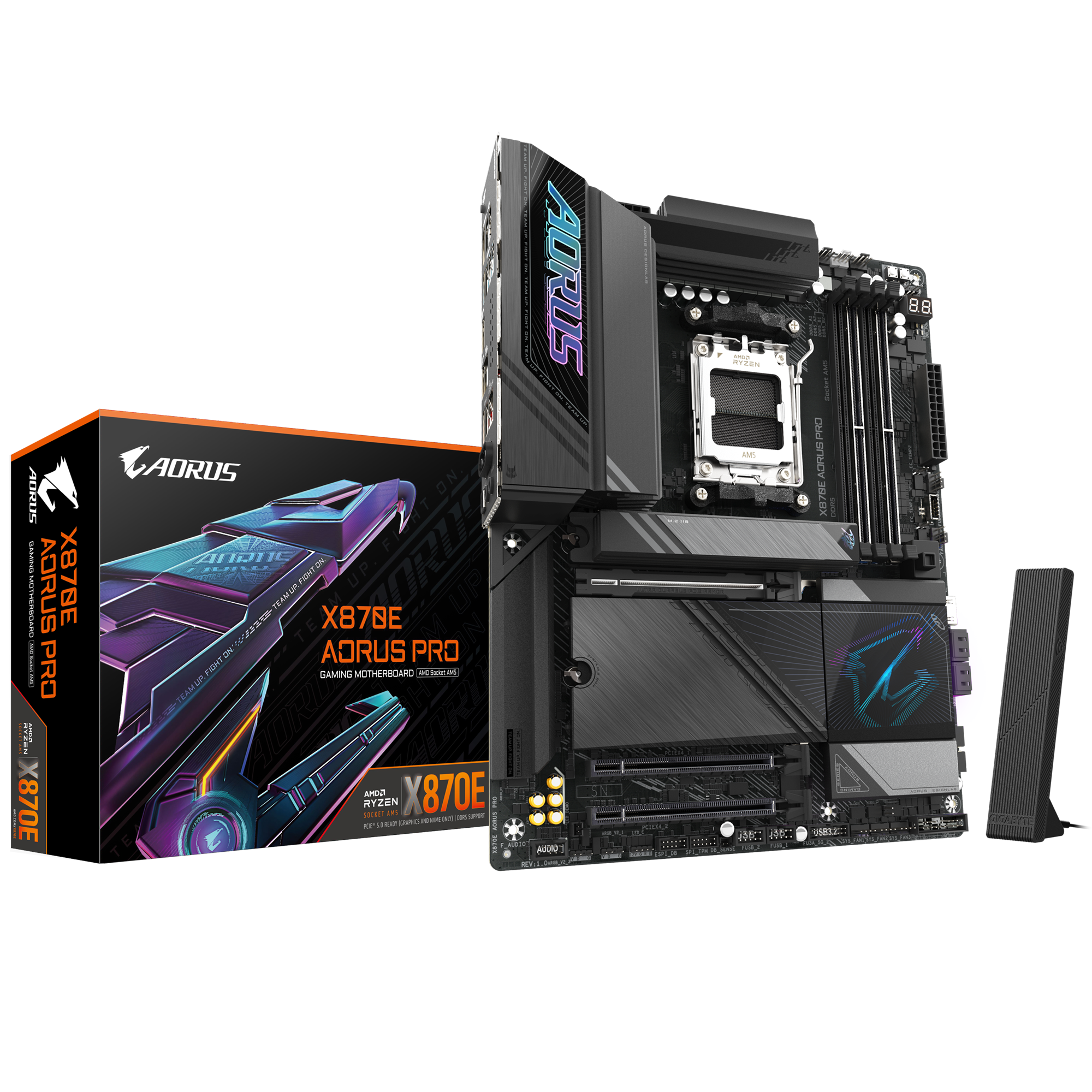
I have an X870 Aorus Pro (rev. 1.0) and it has since been replaced by a newly revised v1.1. Though this isn't unusual, Gigabyte hasn't highlighted what has changed.

The rev. 1.1 had an AGESA BIOS 1.2.0.2b since December 19th and the rev. 1.0 only received it on February 5th. That is a long time apart, and then on the 7th they released 1.2.0.3a.

Now I have had this board since November. On AGESA 1.2.0.0a the CPU would get random usage spikes with the temps going near the 89 degree limit. That wasn't cool because it would happen when the system was idle. This issue went away with AGESA 1.2.0.1a. Now on 1.2.0.3a it seems to be back, but worse under load.

In Gigabyte's own BIOS description:
  1. Update AMD AGESA 1.2.0.3a PatchA. Please also update AMD Chipset Driver to 7.01.08.129 or later version to improve gaming performance for 2CCD Ryzen 7000 & 9000 CPUs

Perhaps the CPU is working harder? Last night I did some synthetic benchmarks with only EXPO enabled, and it behaved slightly worse than AGESA. 1.2.0.2b, at much higher temps.

I don't know. I am considering reporting this to Gigabyte at the moment. Just want to know whether I am the only one experiencing this.

NOTE: I do have the latest chipset (7.01.08.129) installed. A whole AMD suite clean install.
 
Anyone here have a 2 CCD AMD Ryzen CPU running with AGESA 1.2.0.3a?

I updated my BIOS, and now my CPU runs almost 10 degrees hotter than usual with the same workloads. 1.2.0.2a/b don't exhibit this issue. Just want to know whether this is unique to me.
Maybe some kind of core parking bug on new AGESA? have you done the typical BIOS reset & chipset update after upgrade?
 
Maybe some kind of core parking bug on new AGESA? have you done the typical BIOS reset & chipset update after upgrade?

I did all that, I have one issue with the chipset driver that is discussed here:


Thanks, this helped. I updated my bios to AMD AGESA 1.2.0.3a on my Gigabyte x870 and had this issue even after reinstalling the chipset driver. I'm posting a reply just in case more people are updating the bios and is searching for a solution.

As per the guide on ASUS's discussion board, it doesn't fix the issue. Uninstall/reinstall, it remains an issue.


Install the latest AMD Chipset Drivers v7.01.08.129 : [DRIVERS] AMD Chipset/RAID (3xx/4xx/5xx/6xx/8xx).

If you had already installed these latest AMD Chipset Drivers v7.01.08.129 before updating your BIOS to an AGESA 1.2.0.3 or more recent based BIOS (BIOS 100x), these AMD Chipset Drivers v7.01.08.129 must be reinstalled (without uninstalling them, just reinstall over the current one) in order to install the drivers for your AMD Application Compatibility Database device.

Now, AMD hasn't published the driver itself yet, and it is only downloadable via vendors.

NOTE: If I revert to AGESA 1.2.0.2a/b, the driver is without issue...
 
Also... the X3D driver is nowhere to be seen in my devices. /Ugh.

Here I go again...

EDIT: Just tested it again. I think there is something wrong with Gigabyte's BIOS. If I update to their latest BIOS, the chipset breaks. The system is stable, but performance is degraded. This said, I haven't run it long enough for instabilities.

I am going to do an AMD cleanup with their own utility. There is another issue with this, too, though not related to mine. The TPM doesn't flush correctly, thus going into safe mode might prevent you from logging into Windows, whether it is PIN or password, but there are ways around this and to remedy the issue with the TPM.
 
Last edited:
Also... the X3D driver is nowhere to be seen in my devices. /Ugh.

Here I go again...

EDIT: Just tested it again. I think there is something wrong with Gigabyte's BIOS. If I update to their latest BIOS, the chipset breaks. The system is stable, but performance is degraded. This said, I haven't run it long enough for instabilities.

I am going to do an AMD cleanup with their own utility. There is another issue with this, too, though not related to mine. The TPM doesn't flush correctly, thus going into safe mode might prevent you from logging into Windows, whether it is PIN or password, but there are ways around this and to remedy the issue with the TPM.
What AMD system do you have?
 
Ah nice :). Pity about the issues, I've not really done any updates on my 5700x3d to see if it's a bug on that one.

For people with this specific board (Gigabyte 870E Aorus Pro rev 1.0), I would recommend remaining on AGESA 1.2.0.2a/b. Something isn't properly baked here, but the issue doesn't seem unique to my board either.
 
For people with this specific board (Gigabyte 870E Aorus Pro rev 1.0), I would recommend remaining on AGESA 1.2.0.2a/b. Something isn't properly baked here, but the issue doesn't seem unique to my board either.
Good advice.
 
For users with a Windows security PIN, Secure Boot, and whatnot, that have a safe mode default loop if booted into safe mode. Just hold shift and restart on the login page. Go into Command Prompt and execute this for its removal.

bcdedit /deletevalue {default} safeboot

This has been a known issue for a while now.
 
Last edited:
Good advice.

It is possible that the issue resides with the chipset drivers. For now, it is only packaged by the vendors. You can only download 6.10.17.152 from AMD's own website. 7.01.08.129 is available from motherboard vendors and is needed for AGESA 1.2.0.3a.

I am reverting now, and if all checks out, I am again going to upgrade back to see if the issue persists; if not, then I guess there is an order to things.
 
Reverted everything. Step-by-step. I had to reinstall chipset 6.10.17.152 in order to purge it because 7.01.08.129 wasn’t even being detected as installed. Purged it then.

Still on AGESA 1.2.0.3a, I then clean installed 7.01.08.129, then all other drivers as issued by Gigabyte's Control Centre, then I installed the AMD Radeon Driver (24.12.1).

No issues with the drivers. The AMD 3D V-Cache optimizer is installed, and so is the GPIO and I2C drivers. The temps are normal again.

Now, however, the ADL (AMD Display Library) is missing. I tried clean and reinstalling the GPU drivers, but nope. Ryzen Master also doesn’t want to initialise and this is usually chipset driver related. I don't use Ryzen Master so I am okay with this being a issue. Though I would appreciate to have system metrics being read by third-party apps that use the ADL.

Did some benchmarks, and overall, it is worse. Did a Cyberpunk 2077 ‘canned’ benchmark and it is about 5-10% worse, pending on the area.

I am going back to AGESA 1.2.0.2a, or its Gigabyte BIOS F3g. I had no issues with the system then.

Done, troubleshooting. I am leaning towards this being a motherboard/chipset issue. I don't like merry-go-around.
 
Definitely going back to AGESA 1.2.0.2a.


Ongoing Concerns Over AMD AGESA 1.2.0.3a Patch-A Firmware and Ryzen 7 9800X3D​

Recent user reports indicate that some Ryzen 7 9800X3D processors become non-operational after the installation of AMD’s AGESA 1.2.0.3a Patch A. Symptoms commonly described include an unresponsive system displaying the “00” motherboard diagnostic code and a constant red CPU LED. Several individuals have attempted to resolve the problem by reverting to an earlier BIOS version, but these efforts have generally been unsuccessful. Discussions in online communities suggest that most cases involve ASRock and ASUS motherboards, although the broader extent of the issue is still unclear.

The original intention behind AGESA 1.2.0.3a Patch A was to enhance various aspects of Ryzen processor performance and stability. AMD introduced updates aimed at improving DDR5 memory support, refining power management, and preparing for the launch of upcoming processors like the Ryzen 9 9950X3D and 9900X3D. By optimizing how the system handles heavy workloads and adjusting temperature control algorithms, the patch was expected to deliver a more seamless computing experience. However, despite these intended benefits, the emergence of critical failures has led to questions about potential incompatibilities between the new firmware and certain motherboard models or CPU batches. Although confirmed instances remain relatively limited, the possibility of catastrophic CPU failure has made users wary of rushing to update without first considering the possible consequences, especially for workstations and other productivity-focused builds.

At present, AMD has not published an official statement to clarify the exact cause of these malfunctions or to offer guidance for those who have encountered serious issues. Consequently, many users are holding off on any BIOS updates until more information is available or until a revised firmware is released. This approach is particularly advisable for individuals whose PCs serve essential roles in productivity, content creation, or other resource-intensive tasks, where prolonged downtime could result in significant financial or professional setbacks. Before proceeding with any flash process, it is recommended to confirm whether the update is genuinely necessary and to keep a close watch on manufacturer announcements for any new advisories or solutions.

If AMD isn't even publishing the new chipset driver themselves... it speaks to the reliability of the matter.
 
I rolled back to 1.2.0.2b. I wanted Patch B because it has some memory latency tweaks in the BIOS. I haven't really tested it with this motherboard.

The best part is. It all works. Everything is as it should be. I am even using chipset 7.01.08.129. What gives AMD/Gigabyte? Something isn't playing along.

For those who have issues with the latest AGESA patch (and its related drivers), well, roll back.
 
Reverted everything. Step-by-step. I had to reinstall chipset 6.10.17.152 in order to purge it because 7.01.08.129 wasn’t even being detected as installed. Purged it then.

Still on AGESA 1.2.0.3a, I then clean installed 7.01.08.129, then all other drivers as issued by Gigabyte's Control Centre, then I installed the AMD Radeon Driver (24.12.1).

No issues with the drivers. The AMD 3D V-Cache optimizer is installed, and so is the GPIO and I2C drivers. The temps are normal again.

Now, however, the ADL (AMD Display Library) is missing. I tried clean and reinstalling the GPU drivers, but nope. Ryzen Master also doesn’t want to initialise and this is usually chipset driver related. I don't use Ryzen Master so I am okay with this being a issue. Though I would appreciate to have system metrics being read by third-party apps that use the ADL.

Did some benchmarks, and overall, it is worse. Did a Cyberpunk 2077 ‘canned’ benchmark and it is about 5-10% worse, pending on the area.

I am going back to AGESA 1.2.0.2a, or its Gigabyte BIOS F3g. I had no issues with the system then.

Done, troubleshooting. I am leaning towards this being a motherboard/chipset issue. I don't like merry-go-around.
Where do you get AGESA from
 
For people with this specific board (Gigabyte 870E Aorus Pro rev 1.0), I would recommend remaining on AGESA 1.2.0.2a/b. Something isn't properly baked here, but the issue doesn't seem unique to my board either.

I switched to Asus TUF boards a while back. Gigabyte is hit and run at best and the rest is just sub-par compared to Asus.
 
Where do you get AGESA from

From my motherboard's download page:


I have been watching Reddit, and so far I am seemingly the only person with this issue. Some say they have system crashes. Though so far, I haven't seen combos like mine. A 7900 or 7950, X3D or otherwise. Genuinely, just by changing the BIOS from 1.2.0.2 to 1.2.0.3 is like flipping a switch.

If it weren't for the high temps, I wouldn't have even been bothered. I have been going through this since last night. It is like all of the AMD drivers are freaking out.

So far 1.2.0.2b is as stable as 1.2.0.2a.
 
I switched to Asus TUF boards a while back. Gigabyte is hit and run at best and the rest is just sub-par compared to Asus.

Reddit threads covering Asus and ASRock boards also have discussions covering some instabilities with 1.2.0.3a. I still need to go and see how the MSI crowd is doing.

Nevermind.


This was released over a week ago and it causes boot looping for a bunch of users.
 
Top
Sign up to the MyBroadband newsletter
X