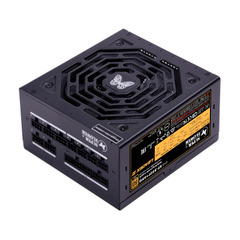
New The PC Build Thread

Well thing is if they boot up 5x other games and play each for an hour without crashing that is exactly what they are going to tell you.

Benchmark crashing is a concern I did not look into. The only time it ever happened to me it was a RAM issue (OC).

And just throwing it out there but all Rockstar PC ports give issues on PC without exception. They are not good porters. The fact that it takes them 2 years to port it should make you aware of that.

RD2 is known to crash on PC.


Just to be clear, I'm not telling you not to RMA it. I'm telling you to make sure its not the game instead of the card before you RMA it.
I understand that, but if it were the game, I cant believe that it would hard reset my PC. Crash to desktop sure, but hard reset, or complete black screen freeze?
 
nah Hard reset. Sounds like PSU......
Yeah I have had that before. When Elden Ring launched that was happening, and it was the PSU. That's when I bought the new one in 2022. It could well be. But yeah, on my old GTX1080, no issues in anything. Only since upgrading has this happened. I will just have to do tests in the other PC tonight. Make sure. I will just use my other PC to power the GPU from its PSU. Then I can rule it out if it still happens.

Also, there have been times where it will crash to desktop, and not hard reset. Once I was even lucky enough to have that Nvidia error pop up bottom right saying the GPU/driver experienced something do I want to send/dont send. Troubleshooting sucks so bad.
 
Last edited:
I understand that, but if it were the game, I cant believe that it would hard reset my PC. Crash to desktop sure, but hard reset, or complete black screen freeze?
Of course it will. It's not uncommon at all for games to hard crash PC's.

Going back 2 years worth of games personally, The First Descendant and Witcher 3 both rebooted my PC. DDU reinstall fixed TFD, W3 I couldn't be bothered to fix I had too many mods.
 
Yeah I have had that before. When Elden Ring launched that was happening, and it was the PSU. That's when I bought the new one in 2022. It could well be. But yeah, on my old GTX1080, no issues in anything. Only since upgrading has this happened. I will just have to do tests in the other PC tonight. Make sure.

Also, there have been times where it will crash to desktop, and not hard reset. Once I was even lucky enough to have that Nvidia error pop up bottom right saying the GPU/driver experienced something do I want to send/dont send. Troubleshooting sucks so bad.
Well what does the rest of the system look like. Transient load spikes hasn't gone away. I assume it is an AT X3.0 PSU. TDP of the ti is 300watt, but that can still spike to over 350watt, which is why I recommended underclocking till you no longer get crashes or hard resets. If you don't the PSU more than likely the culprit. Spike loads can still trigger the OCP.

There were a lot of problems with ATX3.0 PSUs which had tight OCP protection. ATX3.1 mostly fixed those issues.
 
Well what does the rest of the system look like. Transient load spikes hasn't gone away. I assume it is an AT X3.0 PSU. TDP of the ti is 300watt, but that can still spike to over 350watt, which is why I recommended underclocking till you no longer get crashes or hard resets. If you don't the PSU more than likely the culprit. Spike loads can still trigger the OCP.

There were a lot of problems with ATX3.0 PSUs which had tight OCP protection. ATX3.1 mostly fixed those issues.
I think it is ATX 2.52. Based on product page.

 
I think it is ATX 2.52. Based on product page.

Just to be clear, you upgraded from GTX 1080 to 5070ti. Correct ? If my suspicions are correct, overzealous OCP could theoretically be the cause of your headaches

Generally when ever I buy a secondhand GPU or troubleshoot, this is my go to. I did this with an RX470 I got last week.

Speaking of which, the weird fan curve on my card is now fixed, need to tweak it a bit more, but holds steady at 70 degrees and 67% fan speed, just need to tweak fan curve a wee bit and get the temps to down to 60.
 
Just to be clear, you upgraded from GTX 1080 to 5070ti. Correct ? If my suspicions are correct, overzealous OCP could theoretically be the cause of your headaches
Yeah that was the upgrade. What's OCP?
 
Also, there have been times where it will crash to desktop, and not hard reset. Once I was even lucky enough to have that Nvidia error pop up bottom right saying the GPU/driver experienced something do I want to send/dont send. Troubleshooting sucks so bad.
That error will be in Event Viewer > System.

A code and then "Exception_Access_Violation"?

Is your RAM OC'd? What profile?

DX12 or Vulkan?

Is "Resizable Bar" enabled in BIOS?

Yeah troubleshooting PC issues does indeed suck but thing is, once you do it, then you know.
 
That error will be in Event Viewer > System.

A code and then "Exception_Access_Violation"?

Is your RAM OC'd? What profile?

DX12 or Vulkan?

Is "Resizable Bar" enabled in BIOS?

Yeah troubleshooting PC issues does indeed suck but thing is, once you do it, then you know.
I wont be back at PC till this evening so can't do much till then. I have the crash reports there so im not sure.

Both Vulkan and DX12 crash.

Not sure about Resizable Bar so will need to check that. Ram is running at 3200 with XMP Profile 2.
 
Yeah that was the upgrade. What's OCP?
Overcurrent protection, in other words GPU spike loads can trigger the OCP, which can result in game crashing or hard resets

Which is why I am recommending the underclocking part, it will reduce the wattage used and the spike loads, if you don't get crashes or hard resets then you know. It is a quick enough test and will rule out the one or the other.

In general, it is rare for a GPU to fail right out of the gate like that it does happen, but rare most of the time
 
Last edited:
I wont be back at PC till this evening so can't do much till then. I have the crash reports there so im not sure.

Both Vulkan and DX12 crash.

Not sure about Resizable Bar so will need to check that. Ram is running at 3200 with XMP Profile 2.
All good. When you find it just paste it here.

These new cards like Resizable Bar. Those old games don't.
 
Overcurrent protection, in other words GPU spike loads can trigger the OCP, which can result in game crashing or hard resets

Which is why I am recommending the underclocking part, it will reduce the wattage used and the spike loads, if you don't get crashes or hard resets then you know. It is a quick enough test and will rule out the one or the other.

In general, it is rare for a GPU to fail right out of the gate like that it does happen, but rare most of the time
I have a GTX1660Super as well. If I put that card into my PC, and run the same benchmarks, would the same thing happen? Or is it more likely to be an issue with the combo of the 50 series cards with my PSU?

I will do the undervolt test first thing. Im assuming I still leave benchmarks at max settings as well?
 
I have a GTX1660Super as well. If I put that card into my PC, and run the same benchmarks, would the same thing happen? Or is it more likely to be an issue with the combo of the 50 series cards with my PSU?

I will do the undervolt test first thing. Im assuming I still leave benchmarks at max settings as well?
It is only for the 30 series up, there were reports that it impacted 20XX series card as well.

Testing with a lower class GPU isn't going to help much, best to rule out the 5070ti first, testing with lower powered GPU's aren't going to draw nearly enough power to trigger OCP, mostly a time waster test. But a good test to rule out any other components like ram ect.

I wouldn't bother with that unless you specifically want to test the rest of the system

And yes you want to stress the GPU as much as possible with max settings, reducing the boost clock speeds should be enough, so you would have to do both undervolt and underclock
 
It is only for the 30 series up, there were reports that it impacted 20XX series card as well.

Testing with a lower class GPU isn't going to help much, best to rule out the 5070ti first, testing with lower powered GPU's aren't going to draw nearly enough power to trigger OCP, mostly a time waster test. But a good test to rule out any other components like ram ect.

I wouldn't bother with that unless you specifically want to test the rest of the system

And yes you want to stress the GPU as much as possible with max settings, reducing the boost clock speeds should be enough, so you would have to do both undervolt and underclock
Another interesting thing is I have that Palit Thundermaster software, and it has an auto OC button which tests itself for OC settings. That also hard crashed my PC I think. But yeah I cant think of it being anything other than GPU or PSU. I have another PSU, and can also just power the GPU from that one and run the tests. That was how I figured out my last PSU was dead with those Elden Ring crashes.
 
Rule of thumb never use manufacturer apps. Uninstall that please. You have 0 reason to OC a week old 5070TI.

And are you sure you didn't save any settings when you fiddled with that app?

Use MSI Afterburner. And use it only when you need to.
 
Rule of thumb never use manufacturer apps. Uninstall that please. You have 0 reason to OC a week old 5070TI.

And are you sure you didn't save any settings when you fiddled with that app?

Use MSI Afterburner. And use it only when you need to.
No i only did it to test as well after the crashes. I didnt use any OC on anything when it started happening. But yeah I hear you.
 
No i only did it to test as well after the crashes. I didnt use any OC on anything when it started happening. But yeah I hear you.
Cool. Many brands have factory OC models already. Its generally not a good idea to fiddle with those unless you know exactly what you are doing.

Which of the 3x Palit models do you have?

Also just for interest sake, do you own Cyberpunk? It's a good stress test. If you do play around with it for an hour and see if you crash again.
 
Another interesting thing is I have that Palit Thundermaster software, and it has an auto OC button which tests itself for OC settings. That also hard crashed my PC I think. But yeah I cant think of it being anything other than GPU or PSU. I have another PSU, and can also just power the GPU from that one and run the tests. That was how I figured out my last PSU was dead with those Elden Ring crashes.
I would disable all OCs, run the CPU at lowest TDP settings, disable XMP/expo. Everything should run stock and lowest power settings. As rayne said no reason to OC anything unless you want to break records, or like to tinker.

The last time I oced something was back in 2008, with a q6600, it honestly just not worth it. I have only ever been running stock and default/bios settings.
 
I would disable all OCs, run the CPU at lowest TDP settings, disable XMP/expo. Everything should run stock and lowest power settings. As rayne said no reason to OC anything unless you want to break records, or like to tinker.

The last time I oced something was back in 2008, with a q6600, it honestly just not worth it. I have only ever been running stock and default/bios settings.
Feel similar but RAM is an exception. That they literally sell on OC specs and it's a good boost for everything you do on PC whether game or browse.

BIOS depends on features and CPU/GPU settings required to be enabled. That I never run stock.
 
Top
Sign up to the MyBroadband newsletter
X