


DAE_JA_VOO
Well-Known Member
- Joined
- Jul 12, 2006
- Messages
- 484
- Reaction score
- 1
Just as the instructions say, you do the ROM first, and then the radio. I haven't had a single random reboot 
South Africa’s biggest forum. Discuss, discover, and connect with thousands of members.

How do you back up your phone? Do you just copy the contents to your pc once the phone is in disk mode?
Are the Vodacom Desire's branded?
Anyway, just flashed my Desire to the brand new Froyo ROM that's got Sense
I've done NOTHING, except install the Twitter app and my screenshot app


Well, I only just installed it this morning, so it's WAY too soon to say. The most important thing for me is Sense. I hate the Sense launcher, but I use HTC's Calendar, Contacts, and Dialer apps, so I essentially NEED Sense on a ROM, even though I use LauncherPro as my launcher. So, the fact that it's got Sense is instantly a win for me. I'll keep you posted though.And how is it? Smooth? Faster? Notice any improved Battery life? Whats your fav new feature?
Search the market for "screenshot", pick any screenshot app, and voilaI will keep an eye on the battery life and see if it improves but I doubt it. Faster and smoother is hard to determine, because it was blazing fast before the root as well... The biggest reason I did it is to install apps on the SD card instead of on the internal memory.
DAE_JA_VOO, how do you take screenshots on this...?
Thats what I did yes. Exported my contacts to csv file on the SD, and copied everything over to my PC (Wallpapers, ringtones, contact export, ect)
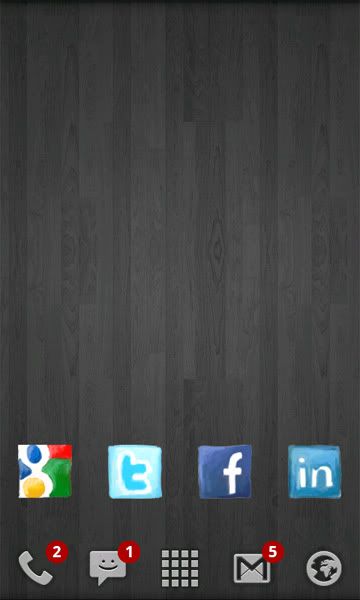
EDIT: How does this ROM look?

Anyone experience the following,
- Processor max's out - 99%, and the entire phone slows down.
- Google Talk fails to start
- GMail fails to refresh, when manually hitting refresh
These are all mutually exclusive problems and all are resolved by rebooting. The problems occur infrequently, but do not resolve themselves - have to reboot. If anyone knows why this happens or of a tool to troubleshoot these problems, e.g. looking at processor usage per application, it would be appreciated.
Anyone experience the following,
- Processor max's out - 99%, and the entire phone slows down.
- Google Talk fails to start
- GMail fails to refresh, when manually hitting refresh
These are all mutually exclusive problems and all are resolved by rebooting. The problems occur infrequently, but do not resolve themselves - have to reboot. If anyone knows why this happens or of a tool to troubleshoot these problems, e.g. looking at processor usage per application, it would be appreciated.
I am downloading Froyo too, did you have any issues? everything and fm radio working?
I just plugged in the ear phones and tried the radio... Worked fine for me, any indication as to what is not supposed to work so I can test?
I will do some tests for bluetooth with my laptop tomorrow, fm radio I listened to just now so I don't know what the exact problem might be. And yes 720p is included!
You guys might just wanna check this out :http://www.appbrain.com/app/scan.bcr It took a photo of a biznuss card and added it to my contacts... as text. awesome stuff i bet the I Phone cant do


