PC hard crashing

Forum Reader

Expert Member
Joined
Aug 25, 2019
Messages
1,424
So my PC has been crashing in the last few weeks. Mainly when playing Borderlands 2. Only way to fix is to restart it.

I think it's an overheating problem as the fans do make a loud sound before crash but I can't find the problem. Not sure if it is the CPU or GPU or something else. My specs:

CPU: FX8350
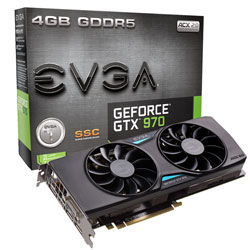
GPU: GTX970 EVGA SSC
16MB RAM

Have had this system since 2015 and it's the first time I'm experiencing such a problem. Only adjustments made was upgrade from 8GB ram to 16GB ram about 6 months ago. Plus an addition of a SSD about a year ago. Didn't have any issues till the last few weeks.

These are the log files using CoreTemp and GPU-Z. Temps seem ok according to google so not sure how to find out what is wrong. Crash happens at 13:05:38. I restart PC about a minute later.

According to the logs, max CPU temp was 44 and max GPU temp was 69 degrees.

CPU:
CPUID:,0x600F20
Processor:,AMD FX-8350 Eight-Core (Vishera)
Platform:,Socket AM3+ (942 pin)
Revision:,OR-C0
Lithography:,32nm

Session start:,13:01:17 - December 18 - 2020

Time,Core 0 Temp. (°),Core 1 Temp. (°),Core 2 Temp. (°),Core 3 Temp. (°),Core 4 Temp. (°),Core 5 Temp. (°),Core 6 Temp. (°),Core 7 Temp. (°),,Core 0,Low temp. (°),High temp. (°),Core load (%),Core speed (MHz),Core 1,Low temp. (°),High temp. (°),Core load (%),Core speed (MHz),Core 2,Low temp. (°),High temp. (°),Core load (%),Core speed (MHz),Core 3,Low temp. (°),High temp. (°),Core load (%),Core speed (MHz),Core 4,Low temp. (°),High temp. (°),Core load (%),Core speed (MHz),Core 5,Low temp. (°),High temp. (°),Core load (%),Core speed (MHz),Core 6,Low temp. (°),High temp. (°),Core load (%),Core speed (MHz),Core 7,Low temp. (°),High temp. (°),Core load (%),Core speed (MHz),
13:05:08 12/18/20,40,40,40,40,40,40,40,40,,,15,46,75,4112.76,,15,46,5,4112.76,,15,46,55,4112.76,,15,46,2,4112.76,,15,46,88,4112.76,,15,46,0,4112.76,,15,46,59,4112.76,,15,46,0,4112.76,
13:05:18 12/18/20,42,42,42,42,42,42,42,42,,,15,46,45,4112.76,,15,46,55,4112.76,,15,46,46,4112.76,,15,46,29,4112.76,,15,46,80,4112.76,,15,46,2,4112.76,,15,46,66,4112.76,,15,46,1,4112.76,
13:05:28 12/18/20,42,42,42,42,42,42,42,42,,,15,46,65,4112.76,,15,46,46,4112.76,,15,46,40,4112.76,,15,46,7,4112.76,,15,46,94,4112.76,,15,46,2,4112.76,,15,46,65,4112.76,,15,46,0,4112.76,
13:05:38 12/18/20,44,44,44,44,44,44,44,44,,,15,46,75,4112.76,,15,46,3,4112.76,,15,46,21,4112.76,,15,46,0,4112.76,,15,46,3,4112.76,,15,46,0,4112.76,,15,46,20,4112.76,,15,46,2,4112.76,
13:05:48 12/18/20,25,25,25,25,25,25,25,25,,,15,46,12,1404.36,,15,46,0,1404.36,,15,46,9,1404.36,,15,46,2,1404.36,,15,46,32,1404.36,,15,46,0,1404.36,,15,46,14,1404.36,,15,46,2,1404.36,
13:05:58 12/18/20,24,24,24,24,24,24,24,24,,,15,46,20,1404.36,,15,46,0,1404.36,,15,46,15,1404.36,,15,46,0,1404.36,,15,46,26,1404.36,,15,46,0,1404.36,,15,46,8,1404.36,,15,46,0,1404.36,
13:06:08 12/18/20,26,26,26,26,26,26,26,26,,,15,46,6,4112.76,,15,46,1,4112.76,,15,46,3,4112.76,,15,46,0,4112.76,,15,46,18,4112.76,,15,46,0,4112.76,,15,46,12,4112.76,,15,46,0,4112.76,
13:06:18 12/18/20,22,22,22,22,22,22,22,22,,,15,46,17,2808.71,,15,46,0,2808.71,,15,46,5,2808.71,,15,46,0,2808.71,,15,46,8,2808.71,,15,46,0,2808.71,,15,46,6,2808.71,,15,46,1,2808.71,
13:06:28 12/18/20,21,21,21,21,21,21,21,21,,,15,46,25,1404.36,,15,46,0,1404.36,,15,46,2,1404.36,,15,46,0,1404.36,,15,46,8,1404.36,,15,46,0,1404.36,,15,46,9,1404.36,,15,46,2,1404.36,
 
Last edited:

Forum Reader

Expert Member
Joined
Aug 25, 2019
Messages
1,424
GPU:
Date , GPU Clock [MHz] , Memory Clock [MHz] , GPU Temperature [°C] , Fan Speed (%) [%] , Fan Speed (RPM) [RPM] , Memory Used [MB] , GPU Load [%] , Memory Controller Load [%] , Video Engine Load [%] , Bus Interface Load [%] , Board Power Draw [W] , GPU Chip Power Draw [W] , MVDDC Power Draw [W] , PCIe Slot Power [W] , PCIe Slot Voltage [V] , 6-Pin #1 Power [W] , 6-Pin #1 Voltage [V] , 8-Pin #1 Power [W] , 8-Pin #1 Voltage [V] , Power Consumption (%) [% TDP] , PerfCap Reason [] , VDDC [V] ,
2020-12-18 13:05:21 , 1404.4 , 1752.8 , 69.0 , 19 , 855 , 996 , 56 , 33 , 0 , 11 , 108.4 , 71.5 , 31.0 , 30.7 , 12.1 , 27.4 , 12.2 , 47.7 , 12.2 , 53.9 , 4 , 1.1930 ,
2020-12-18 13:05:22 , 1404.4 , 1752.8 , 69.0 , 19 , 855 , 1000 , 58 , 32 , 0 , 15 , 108.9 , 71.6 , 31.0 , 31.1 , 12.1 , 27.4 , 12.2 , 47.8 , 12.2 , 54.2 , 4 , 1.1930 ,
2020-12-18 13:05:23 , 1404.4 , 1752.8 , 69.0 , 19 , 866 , 999 , 59 , 32 , 0 , 16 , 105.3 , 68.0 , 31.2 , 30.3 , 12.1 , 27.0 , 12.2 , 45.4 , 12.2 , 52.4 , 4 , 1.1930 ,
2020-12-18 13:05:24 , 1404.4 , 1752.8 , 69.0 , 19 , 855 , 1003 , 59 , 32 , 0 , 16 , 108.1 , 70.9 , 30.6 , 31.1 , 12.1 , 27.1 , 12.2 , 47.3 , 12.2 , 53.8 , 4 , 1.1930 ,
2020-12-18 13:05:25 , 1404.4 , 1752.8 , 69.0 , 19 , 858 , 1006 , 54 , 28 , 0 , 13 , 106.4 , 69.7 , 30.9 , 30.3 , 12.1 , 27.1 , 12.2 , 46.4 , 12.2 , 53.0 , 4 , 1.1930 ,
2020-12-18 13:05:26 , 1404.4 , 1752.8 , 69.0 , 19 , 865 , 1030 , 51 , 24 , 0 , 17 , 107.3 , 70.2 , 30.9 , 30.7 , 12.1 , 27.3 , 12.2 , 47.3 , 12.2 , 53.7 , 4 , 1.1930 ,
2020-12-18 13:05:27 , 1404.4 , 1752.8 , 69.0 , 19 , 865 , 1033 , 62 , 33 , 0 , 16 , 108.9 , 70.7 , 31.5 , 31.5 , 12.1 , 27.5 , 12.2 , 47.1 , 12.2 , 54.2 , 4 , 1.1930 ,
2020-12-18 13:05:28 , 1404.4 , 1752.8 , 69.0 , 19 , 869 , 1042 , 55 , 28 , 0 , 16 , 104.8 , 67.4 , 30.9 , 30.5 , 12.1 , 26.7 , 12.2 , 44.9 , 12.2 , 52.1 , 4 , 1.1930 ,
2020-12-18 13:05:29 , 1404.4 , 1752.8 , 68.0 , 19 , 871 , 1040 , 49 , 25 , 0 , 15 , 104.0 , 67.9 , 29.9 , 29.8 , 12.1 , 26.3 , 12.2 , 45.3 , 12.2 , 51.7 , 4 , 1.1930 ,
2020-12-18 13:05:30 , 1404.4 , 1752.8 , 69.0 , 19 , 867 , 1001 , 58 , 31 , 0 , 16 , 107.3 , 68.9 , 31.6 , 31.5 , 12.1 , 27.3 , 12.2 , 45.9 , 12.2 , 53.4 , 4 , 1.1930 ,
2020-12-18 13:05:31 , 1404.4 , 1752.8 , 69.0 , 19 , 864 , 1001 , 59 , 32 , 0 , 15 , 105.5 , 68.5 , 31.1 , 30.2 , 12.1 , 27.0 , 12.2 , 45.7 , 12.2 , 52.5 , 4 , 1.1930 ,
2020-12-18 13:05:32 , 1404.4 , 1752.8 , 69.0 , 19 , 860 , 999 , 56 , 30 , 0 , 14 , 105.8 , 68.7 , 30.6 , 30.6 , 12.1 , 26.8 , 12.2 , 45.8 , 12.2 , 52.6 , 4 , 1.1930 ,
2020-12-18 13:05:33 , 1404.4 , 1752.8 , 69.0 , 19 , 864 , 999 , 56 , 29 , 0 , 15 , 103.6 , 66.4 , 31.0 , 30.1 , 12.1 , 26.6 , 12.2 , 43.4 , 12.2 , 51.0 , 4 , 1.1930 ,
2020-12-18 13:05:34 , 1404.4 , 1752.8 , 69.0 , 19 , 871 , 993 , 58 , 31 , 0 , 14 , 111.4 , 73.5 , 31.8 , 31.6 , 12.1 , 28.1 , 12.2 , 49.0 , 12.2 , 55.4 , 4 , 1.1930 ,
2020-12-18 13:05:35 , 1404.4 , 1752.8 , 69.0 , 19 , 869 , 991 , 57 , 30 , 0 , 16 , 108.7 , 70.8 , 31.3 , 31.4 , 12.1 , 27.4 , 12.2 , 47.2 , 12.2 , 54.1 , 4 , 1.1930 ,
2020-12-18 13:05:36 , 1404.4 , 1752.8 , 69.0 , 19 , 871 , 999 , 66 , 37 , 0 , 15 , 119.4 , 81.5 , 32.4 , 32.7 , 12.1 , 29.8 , 12.2 , 54.3 , 12.2 , 59.4 , 4 , 1.1930 ,
2020-12-18 13:05:39 , - , - , 0.0 , - , - , 1002 , - , - , - , - , - , - , - , - , - , - , - , - , - , 0.0 , 0 , 0.0000 ,
 

Forum Reader

Expert Member
Joined
Aug 25, 2019
Messages
1,424
I'm thinking most likely GPU issue? As was still getting readings from CPU but stopped getting GPU readings after freeze. Could be PhysX related as I have this enabled for Borderlands 2?

According to google, the card can handle up to 100 degrees and thermal throttling will only occur around 80 degrees. Max temp according to GPU-Z was 69 though before crash.
 
Last edited:

Forum Reader

Expert Member
Joined
Aug 25, 2019
Messages
1,424
What does event viewer say?

Ah didn't know such a thing exists. Crash was the UserPnp and Display events below.

Also note that the crash was quite bad this time as even a hard reset didn't start up the PC again. I unplugged everything thing, blew out dust (there wasn't much as I did this last week as well when it crashed), then restarted.

error.png

error1.png
error2.png
 
Last edited:

Forum Reader

Expert Member
Joined
Aug 25, 2019
Messages
1,424
Looking at it again, it could be power supply related. There was a spike to 119.4W before crash. Maybe my power supply is acting up and 120W is the limit. I have one of these which should be more than enough. It's worked for many years.


Aghori

Honorary Master
Joined
May 11, 2009
Messages
14,245
Replace power supply with a higher and cleaner wattage and check. It looks like your supply is too low for the card and ram/cpu
 

|tera|

Master of Messengers
Joined
Mar 31, 2006
Messages
25,906
If you have a secondary spare drive, install Windows from scratch on the latest build.

You can also try to do a clean GFX driver install before the install.

If it is a hard freeze, as I've experienced, it could be overheating or a bust mobo.
 

Forum Reader

Expert Member
Joined
Aug 25, 2019
Messages
1,424
Replace power supply with a higher and cleaner wattage and check. It looks like your supply is too low for the card and ram/cpu

Could be but manufacturer says 500W minimum. So 750W should be more than enough.


I have played Borderlands 2 before with this PC and it hasn't crashed in the past. Could be that the PSU is gone bad after 5 years but I don't have another one to test.
 

Pineapple Smurf

Pineapple Beer Connoisseur
Joined
Aug 2, 2016
Messages
43,435
good chance the thermal heat paste has started going hard and brittle after 5 years of usage
CPU's and GPU's will overheat quickly
Simply remove and clean surfaces and re apply thermal paste

It will be cheapest option to try first, then go from there and see what happens
 

Forum Reader

Expert Member
Joined
Aug 25, 2019
Messages
1,424
good chance the thermal heat paste has started going hard and brittle after 5 years of usage
CPU's and GPU's will overheat quickly
Simply remove and clean surfaces and re apply thermal paste

It will be cheapest option to try first, then go from there and see what happens

The temps are well below max. Looking online it's most likely a power supply issue. It's nearly 6 years old and apparently they do go bad after a while. Just don't want to buy another one in case it is not the problem. People have had issues like this and solved it by just replacing their power supply.
 

|tera|

Master of Messengers
Joined
Mar 31, 2006
Messages
25,906
The temps are well below max. Looking online it's most likely a power supply issue. It's nearly 6 years old and apparently they do go bad after a while. Just don't want to buy another one in case it is not the problem.
Do the software route as I've suggested above.

I hardly fiddle with hardware first.
Usually it's something software based.

I have a Desktop way older than yours. No crashes or BSODs.
 

Pineapple Smurf

Pineapple Beer Connoisseur
Joined
Aug 2, 2016
Messages
43,435
The temps are well below max. Looking online it's most likely a power supply issue. It's nearly 6 years old and apparently they do go bad after a while. Just don't want to buy another one in case it is not the problem.
aaah ok, makes sense, year Caps do go bad after a time, you could fix it yourself if you know how.
Otherwise borrow a friends PSU first to make sure it is the PSU before you go buy a new expensive one
 

Forum Reader

Expert Member
Joined
Aug 25, 2019
Messages
1,424
If you have a secondary spare drive, install Windows from scratch on the latest build.

You can also try to do a clean GFX driver install before the install.

If it is a hard freeze, as I've experienced, it could be overheating or a bust mobo.


Yeah think I will do this. Need to move over my Windows installation to the SSD anyway. Have been lazy to do it although I have the SSD for nearly a year now. Have just been using the SSD to reduce load times when gaming.
 

ponder

Honorary Master
Joined
Jan 22, 2005
Messages
92,823
Remove GPU drivers with DDU and install latest from nvidia.
Set GPU power linit to 80% and see if it stall crashes.
Replace cpu&gpu thermal paste.
 

Forum Reader

Expert Member
Joined
Aug 25, 2019
Messages
1,424
I installed the latest drivers yesterday. Still crashes. Haven't reinstalled windows or done anything else.
I also tested GTA V. It crashes randomly (mostly when getting into a car but some were when things exploded so it is likely a GPU/power issue), but it's not a hard system crash. I can alt+ctrl+del to get out and back to windows when it crashes. Borderlands 2 causes a complete system crash which only a hard reset fixes.

If I recall correctly, the problem only started occurring a couple weeks ago when I started a playthrough of Borderlands 2. The PhysX effects in that game are quite heavy. Combined with the summer heat, maybe caused some damage to my aging PSU.

Just playing other games that don't crash for now. I want to build a new PC at some point, hence don't want to do too much work on this one. If I can still play a lot of games on it, that is fine until then.
 
Last edited:

animal531

Expert Member
Joined
Nov 12, 2013
Messages
2,728
Based on past experience, remove your graphics card and memory, clean them and the sockets properly and reseat them, and you can re-apply some thermal paste on your cpu.

If you have a spare power supply try that; with our crappy Eskom power dropping every now and then they can take some damage. If that still doesn't work then it could be that your graphics card is busy going.
 

Forum Reader

Expert Member
Joined
Aug 25, 2019
Messages
1,424
Just an update to this. I did a fresh install of Windows on the SSD and the PC has been working fine for a few weeks. The problem was the HDD. It got worse after my last post here and started to fail to even boot up. I still have the HDD connected as it works but accessing files on it is often very slow. Folders in it take a while to open up, etc.

This is the HDD, bought in Jan 2014:

1 x Seagate Barracuda ST2000DM001, 2TB/2000GB, SATA6G, 7200rpm, 64MB cache,
with Op (HD-S2000S6B64)
 

ponder

Honorary Master
Joined
Jan 22, 2005
Messages
92,823
Just an update to this. I did a fresh install of Windows on the SSD and the PC has been working fine for a few weeks. The problem was the HDD. It got worse after my last post here and started to fail to even boot up. I still have the HDD connected as it works but accessing files on it is often very slow. Folders in it take a while to open up, etc.

This is the HDD, bought in Jan 2014:

1 x Seagate Barracuda ST2000DM001, 2TB/2000GB, SATA6G, 7200rpm, 64MB cache,
with Op (HD-S2000S6B64)

CrystalDiskInfo – Crystal Dew World (crystalmark.info)
 
Top