Samsung Galaxy S5

Hi guys, I'm looking for a bit of advice regarding a new phone. My Note 3 miraculously disappeared over the weekend. I do qualify for an early upgrade and am looking at the S5 or Note 4. Any reason why I should get the S5 over the Note 4?
 
Hi guys, I'm looking for a bit of advice regarding a new phone. My Note 3 miraculously disappeared over the weekend. I do qualify for an early upgrade and am looking at the S5 or Note 4. Any reason why I should get the S5 over the Note 4?

Only reason you should do that is for the water resistance and dust proof ability or if you prefer the smaller size.

Otherwise the Note 4 beats it hands down
 
Hi guys, I'm looking for a bit of advice regarding a new phone. My Note 3 miraculously disappeared over the weekend. I do qualify for an early upgrade and am looking at the S5 or Note 4. Any reason why I should get the S5 over the Note 4?

If you had a Note 3, you will absolutely love the Note 4. :)

If you got used to the SPen functionality, you might miss it when getting a S5.

The Galaxy S5 is a fantastic phone as well, and the smaller size might appeal to you.
 
Possible Silent Mode solution for Lollipop (I have not tested it yet)

Found this on XDA, here goes :

You mute your phone with priority mode, but that's rather hidden...

•open the all toggles: swipe down from the top of your screen with two fingers (or swipe down once and tap the icon in the upper right with three squares and two arrows)
•here you see a toggle called all. Set it to none for silent mode
•tap the pen icon to edit the layout, long press the all/none toggle and drag it up to put it in your directly accessible toggles
•you can go to the settings for priority mode by long pressing the toggle. You can also find it under sound&notifications - interruptions (not called priority mode!!!)

WARNING: your alarms will not go off of you set priority mode to none.

Your feedback will be appreciated. :)
 
Last edited by a moderator:
If you want something done, do it yourself. ;)

The new "silent mode" on Lollipop works 150%. :)

I phoned my number from another phone, the call showed on my screen, but completely quiet. You can either configure Priority interruptions to allow certain numbers to still ring, like your bank manager or wife, and None for no interruptions. Works perfectly.

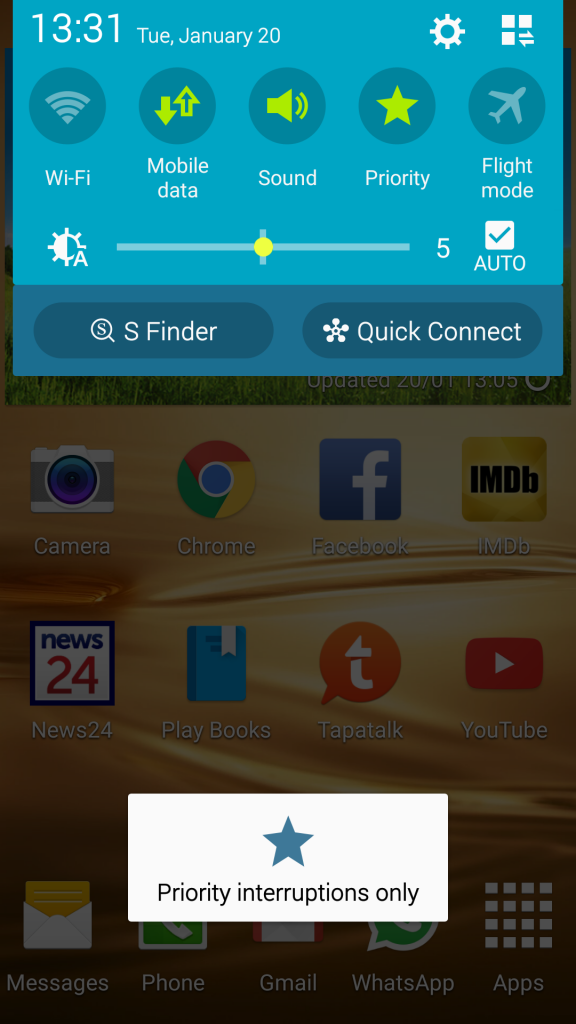
Priority :

Lollipop2_zpsd8b51740.png


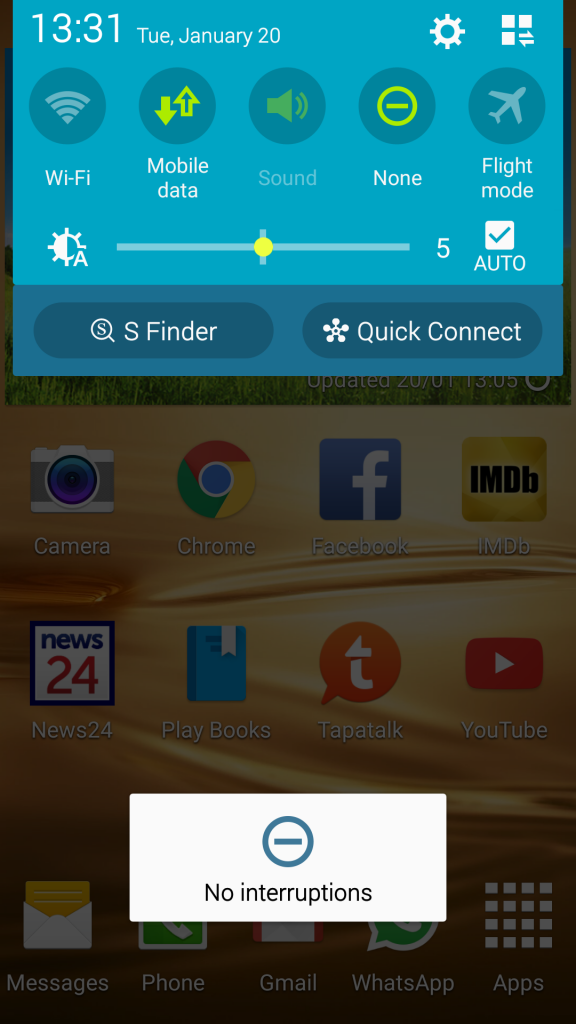
None (see the Sound icon is greyed out) :

Lollipop1_zps38de9876.png


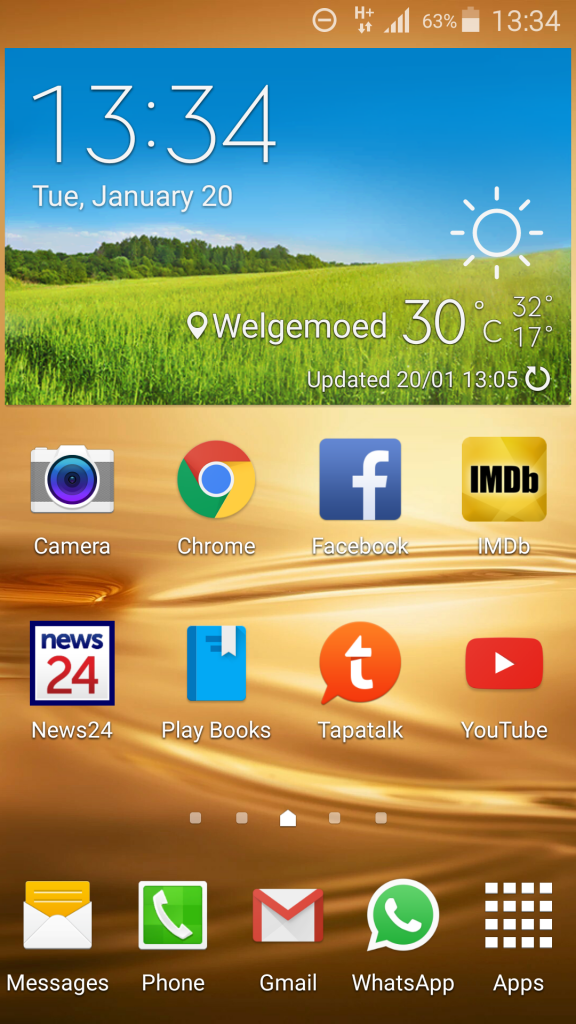
See at top the "None" icon.

Lollipop3_zps42aad1d1.png


*Please note that I'm not an a-hole like the Note 4 owners with their massive screenshots. :D
 
Top
Sign up to the MyBroadband newsletter
X