


I use an SMTP server that is recognised by ISPs in Europe but non in Africa. Strange. When in South Africa I have to use VPN to send mails through the server. Not sure this can be a solution to most people have SMTP problems with South African ISPs.
-
- News
-
Categories
- 5G
- ADSL
- AI
- Banking
- Black Friday
- Broadband
- Broadcasting
- Business
- Business Telecoms
- Cellular
- Cloud and Hosting
- Columns
- Cryptocurrency
- Energy
- Enterprise
- Fibre
- Gadgets
- Gaming
- Government
- Hardware
- Industry News
- Internet
- Internet of Things
- Investing
- IT Services
- Motoring
- Reviews
- Science
- Security
- Smartphones
- Software
- Technology
- Telecoms
- Trending
- Wireless
- Press Office
- Forum
- Industry News
- What's Next
- Company hub
- Speed Test
- About us
- Advertise with us
- Contact
- Careers
-
Join the MyBroadband community
South Africa’s biggest forum. Discuss, discover, and connect with thousands of members.
-
Question of the Day: Do you get motion sick?
You are using an out of date browser. It may not display this or other websites correctly.
You should upgrade or use an alternative browser.
You should upgrade or use an alternative browser.
Vodacom SMTP Outgoing Mail server help
- Thread starter Totempole
- Start date

I have a solution,
1. Get a Gmail account
2. Set your Gmail account to retrieve the Telkom email via pop3/imap
3. Leave the Gmail account as the defaults for the outbound email, ie the Gmail address
What has this achieved, you can still receive email on the Telkom address, however recipients will learn your new email address and eventually you can cancel the Telkom email and not be beholden to the ISP ever again as you are now freeeeee.
1. Get a Gmail account
2. Set your Gmail account to retrieve the Telkom email via pop3/imap
3. Leave the Gmail account as the defaults for the outbound email, ie the Gmail address
What has this achieved, you can still receive email on the Telkom address, however recipients will learn your new email address and eventually you can cancel the Telkom email and not be beholden to the ISP ever again as you are now freeeeee.

dabbler
Expert Member
- Joined
- Apr 15, 2006
- Messages
- 3,984
- Reaction score
- 747
I have an Afrihost email account. At home I have no problems sending emails on Vox (smtp outgoing set to 'smtp.voxtelecom.co.za'. I used Vodacom on a recent trip to the WC and could not get my emails sent. Only way I could sort this out was to buy Telkom airtime, connect via that, and set the outgoing to 'smtp.saix.net'. It used to work on Vodacom in the past though.
PS. Using Afrihost webmail in a browser on the Vodacom network works fine.
PS. Using Afrihost webmail in a browser on the Vodacom network works fine.

Totempole
Executive Member
I have a solution,
1. Get a Gmail account
2. Set your Gmail account to retrieve the Telkom email via pop3/imap
3. Leave the Gmail account as the defaults for the outbound email, ie the Gmail address
What has this achieved, you can still receive email on the Telkom address, however recipients will learn your new email address and eventually you can cancel the Telkom email and not be beholden to the ISP ever again as you are now freeeeee.
This is actually the only workaround I've found so far. But far from a solution especially since this doesn't only apply to Telkom email addresses. It's any email address that isn't hosted by Vodacom.

BrianDT
New Member
- Joined
- Jul 15, 2021
- Messages
- 6
- Reaction score
- 3
Man oh man am I frustrated. I literally spent a full day with various methods and cannot seem to get this working. Have the exact same problem.
I have same scenario where I am trying to help a family member setting up a new notebook with outlook 2019 and their business telkom email address up.
Just cannot get it working. These were just some of the local post and methods followed with no luck.
 mybroadband.co.za
 carbonite.co.za
mybroadband.co.za
Tried all of the the following outlook settings with no luck:
Email: [email protected]
Pass: xxxxx
POP3 and IMAP
Incoming pop3.telkomsa.net
Outgoing both smtp.saix.net and smtp.telkomsa.net tried
Advance settings:
Incoming pop3 default and port 110 tried
Outgoing default and por465 tried
I would appreciate any help dearly. Feel like a chop as I advised them to buy the outlook 2019 package (at a price hefty price tag) and now feel responsible for making this work due to my oversight.
I have same scenario where I am trying to help a family member setting up a new notebook with outlook 2019 and their business telkom email address up.
Just cannot get it working. These were just some of the local post and methods followed with no luck.
Vodacom SMTP Outgoing Mail server help
I'm trying to assist a family member who has a Telkom email address on Outlook over a Vodacom Internet Connection (Both Fibre and Mobile). Up until today, he was able to send emails using Telkom's outgoing mail server (smtp.telkomsa.net) without any issues. Now it completely refuses to send...
mybroadband.co.za
Please help. Work-around for telkom mail on outlook 2019 | Internet & Networks
So Telkom decided that they are not supporting Office 2016, 2019 and 365. Does anyone have an idea how to bypass their stupidity? I have tried all their different SMTP servers on port 25. Nada. By the way, the incoming mail works, but outgoing fails every time. I get a message that the...
carbonite.co.za
Outlook(telkom) no outgoing mails via Vodacom fibre router
I have a problem sending mails(receiving is fine) from my Telkom Outlook app, while I am connected via my Vodacom Fibre router. When I connect my hotspot(cellphone) to my laptop then outlook works fine sending and receiving mails. outgoing smtp server is smtp.saix.net. Previously this use to...
mybroadband.co.za
Tried all of the the following outlook settings with no luck:
Email: [email protected]
Pass: xxxxx
POP3 and IMAP
Incoming pop3.telkomsa.net
Outgoing both smtp.saix.net and smtp.telkomsa.net tried
Advance settings:
Incoming pop3 default and port 110 tried
Outgoing default and por465 tried
I would appreciate any help dearly. Feel like a chop as I advised them to buy the outlook 2019 package (at a price hefty price tag) and now feel responsible for making this work due to my oversight.
Attachments

ld13
Honorary Master
I would appreciate any help dearly. Feel like a chop as I advised them to buy the outlook 2019 package (at a price hefty price tag) and now feel responsible for making this work due to my oversight.
What oversight? This is an issue with how Telkom and the ISP handles outgoing mail, that is all. You would have the same issue on thunderbird, would you not?

Some time ago after a Windows update I found that all my office apps became very sluggish and took a very long time to open. Then one day I found that only my gmail account emails were coming through Vodamail stopped working completely and kept asking for a the password to be reentered.I'm trying to assist a family member who has a Telkom email address on Outlook over a Vodacom Internet Connection (Both Fibre and Mobile).
Up until today, he was able to send emails using Telkom's outgoing mail server (smtp.telkomsa.net) without any issues. Now it completely refuses to send.
I've never been able to get any of Vodacom's SMTP servers to work with the Telkom address in the past, and still not having any luck now. I've tried smtp.vodacom.co.za, smtp.vodamail.co.za, and even smtp.vbmail.co.za.
I don't know if I'm perhaps missing something as far as settings are concerned? Or perhaps there's a temporary outage with telkom's SMTP servers.
Any assistance would be greatly appreciated.
Thanks in advance.
After search around the net I found a site suggesting that the windows 10 update messed around with the Office app settings and a link to how to reset MS Office. This worked for my Try this link
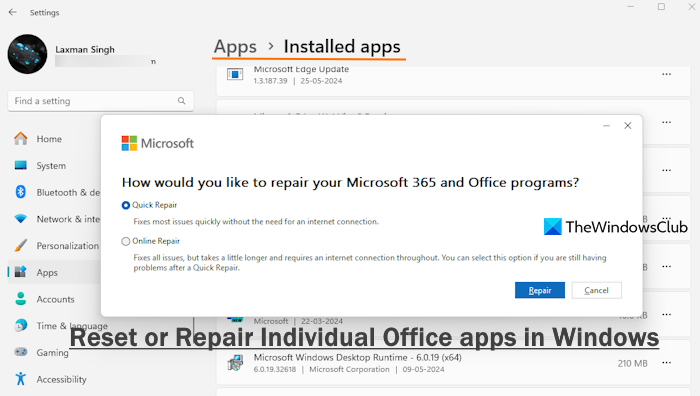
How or Reset or Repair Individual Office apps in Windows 11/10
Learn how to repair or reset individual Office apps or all Office apps simultaneously on Windows 11/10 if they are not working properly.
 www.thewindowsclub.com
Totempole
Executive Member
Some time ago after a Windows update I found that all my office apps became very sluggish and took a very long time to open. Then one day I found that only my gmail account emails were coming through Vodamail stopped working completely and kept asking for a the password to be reentered.
After search around the net I found a site suggesting that the windows 10 update messed around with the Office app settings and a link to how to reset MS Office. This worked for my Try this link
How or Reset or Repair Individual Office apps in Windows 11/10
Learn how to repair or reset individual Office apps or all Office apps simultaneously on Windows 11/10 if they are not working properly.
Unfortunately the issue has nothing to do with this. It's Vodacom that decided to lock down their SMTP server to only allow Vodacom email addresses. Why they did this out of the blue is beyond me, and probably the most shortsighted thing they could do as an ISP.
It's for this reason, I would recommend almost any other Fibre or Mobile ISP over Vodacom. The only exception being the odd ISP out there that still don't have their own SMTP server. Be careful to look out for these questionable ISPs if you still use a POP3 mailbox.
Have you tried smtp.saix.net with port:25, without SSL?Man oh man am I frustrated. I literally spent a full day with various methods and cannot seem to get this working. Have the exact same problem.
I have same scenario where I am trying to help a family member setting up a new notebook with outlook 2019 and their business telkom email address up.
Just cannot get it working. These were just some of the local post and methods followed with no luck.
Vodacom SMTP Outgoing Mail server help
I'm trying to assist a family member who has a Telkom email address on Outlook over a Vodacom Internet Connection (Both Fibre and Mobile). Up until today, he was able to send emails using Telkom's outgoing mail server (smtp.telkomsa.net) without any issues. Now it completely refuses to send...
Please help. Work-around for telkom mail on outlook 2019 | Internet & Networks
So Telkom decided that they are not supporting Office 2016, 2019 and 365. Does anyone have an idea how to bypass their stupidity? I have tried all their different SMTP servers on port 25. Nada. By the way, the incoming mail works, but outgoing fails every time. I get a message that the...
Outlook(telkom) no outgoing mails via Vodacom fibre router
I have a problem sending mails(receiving is fine) from my Telkom Outlook app, while I am connected via my Vodacom Fibre router. When I connect my hotspot(cellphone) to my laptop then outlook works fine sending and receiving mails. outgoing smtp server is smtp.saix.net. Previously this use to...
Tried all of the the following outlook settings with no luck:
Email: [email protected]
Pass: xxxxx
POP3 and IMAP
Incoming pop3.telkomsa.net
Outgoing both smtp.saix.net and smtp.telkomsa.net tried
Advance settings:
Incoming pop3 default and port 110 tried
Outgoing default and por465 tried
I would appreciate any help dearly. Feel like a chop as I advised them to buy the outlook 2019 package (at a price hefty price tag) and now feel responsible for making this work due to my oversight.
If the email client allows using a common smtp server like smtp.gmail.com helps.I did still no jo

Chockmeister-J
Active Member
- Joined
- Jul 11, 2020
- Messages
- 31
- Reaction score
- 8
Guys, the only way to fix this smtp server settings for Telkomsa.net and Vodacom as the ISP is:
*Create a Vodamail mail-box (eg. [email protected])
*Log in and activate the account
*Use the same smtp settings for the Vodamail for Telkomsa
*There, your problem is fixed. You're welcome.
Don't forget from time to time log into your Vodamail box just to refresh and keep the account active. Register link below.
*Create a Vodamail mail-box (eg. [email protected])
*Log in and activate the account
*Use the same smtp settings for the Vodamail for Telkomsa
*There, your problem is fixed. You're welcome.
Don't forget from time to time log into your Vodamail box just to refresh and keep the account active. Register link below.
Totempole
Executive Member
Guys, the only way to fix this smtp server settings for Telkomsa.net and Vodacom as the ISP is:
*Create a Vodamail mail-box (eg. [email protected])
*Log in and activate the account
*Use the same smtp settings for the Vodamail for Telkomsa
*There, your problem is fixed. You're welcome.
Don't forget from time to time log into your Vodamail box just to refresh and keep the account active. Register link below.
Thanks for this, will give it a try.
Does the link only work when using Vodacom data? Just clicked it and I get a "Page Not Found" message.
Chockmeister-J
Active Member
- Joined
- Jul 11, 2020
- Messages
- 31
- Reaction score
- 8
I can't say, if you're doing it from your phone through Chrome browser, select the desktop version, it should open.Thanks for this, will give it a try.
Does the link only work when using Vodacom data? Just clicked it and I get a "Page Not Found" message.
Chockmeister-J
Active Member
- Joined
- Jul 11, 2020
- Messages
- 31
- Reaction score
- 8
Check my previous replies for the fix...I still haven't found a single perfect workaround for this. Neither Vodacom Customer care or Vodacom Business seem to give a crap.
This is also something that people need to consider when signing up for cheaper, less known Fibre providers. Not all of them even have an SMTP server for POP emails.
Hi all.
I had this exact problem yesterday, where the guy has a vox mailbox with a Vodacom fibre line. Smtp server set to smtp.vodacom.co.za or smtp.vodamail.co.za, used to work, then recently stopped. I was about to try Chockmeister-J's solution, but noticed that I hadn't tried smtp.vbmail.co.za (mentioned by Totempole in op) and decided to try it. Set it up with no authentication and voila... mail being sent. True story!
Thanks for all the great info and advice.
I had this exact problem yesterday, where the guy has a vox mailbox with a Vodacom fibre line. Smtp server set to smtp.vodacom.co.za or smtp.vodamail.co.za, used to work, then recently stopped. I was about to try Chockmeister-J's solution, but noticed that I hadn't tried smtp.vbmail.co.za (mentioned by Totempole in op) and decided to try it. Set it up with no authentication and voila... mail being sent. True story!
Thanks for all the great info and advice.
Chockmeister-J
Active Member
- Joined
- Jul 11, 2020
- Messages
- 31
- Reaction score
- 8
No worries Bigeasy.Hi all.
I had this exact problem yesterday, where the guy has a vox mailbox with a Vodacom fibre line. Smtp server set to smtp.vodacom.co.za or smtp.vodamail.co.za, used to work, then recently stopped. I was about to try Chockmeister-J's solution, but noticed that I hadn't tried smtp.vbmail.co.za (mentioned by Totempole in op) and decided to try it. Set it up with no authentication and voila... mail being sent. True story!
Thanks for all the great info and advice.

Tried the smtp.vbmail.co.za with no auth and port 25 and it works when sending to some email addresses but when sending to any gmail account the mail never arrives, strange but true!Hi all.
I had this exact problem yesterday, where the guy has a vox mailbox with a Vodacom fibre line. Smtp server set to smtp.vodacom.co.za or smtp.vodamail.co.za, used to work, then recently stopped. I was about to try Chockmeister-J's solution, but noticed that I hadn't tried smtp.vbmail.co.za (mentioned by Totempole in op) and decided to try it. Set it up with no authentication and voila... mail being sent. True story!
Thanks for all the great info and advice.
Totempole
Executive Member
That's because Gmail now blocks any emails sent through an unauthenticated SMTP. It's a security measure that was implemented quite some time back.Tried the smtp.vbmail.co.za with no auth and port 25 and it works when sending to some email addresses but when sending to any gmail account the mail never arrives, strange but true!
Wow that’s interesting.
Any advice with regard to this problem? Should I setup a gmail account and make it retrieve mail from the Telkom account?
Should I address the issue with Telkom, is it even worthwhile doing that?
Any advice with regard to this problem? Should I setup a gmail account and make it retrieve mail from the Telkom account?
Should I address the issue with Telkom, is it even worthwhile doing that?
That's because Gmail now blocks any emails sent through an unauthenticated SMTP. It's a security measure that was implemented quite some time back.