


My_King
Honorary Master
You can do the registry fix, but then your time/date and volume icons look badThey removed the "small taskbar buttons" option for the Taskbar lmao
South Africa’s biggest forum. Discuss, discover, and connect with thousands of members.
You can do the registry fix, but then your time/date and volume icons look badThey removed the "small taskbar buttons" option for the Taskbar lmao

It seems like it should be just another Windows 10 update rather than a new OS.Missing nothing thus far.
It is like 10, except rounded corners, big scrolling diversions in startmenu and context menus, irritating taskbar, rounded corners recommended shite in startmenu, rounded corners... oh, and don't forget the rounded corners.
Exactly.You can do the registry fix, but then your time/date and volume icons look bad


According to the Arstechnica review
I have not tested 11 yet. but that sounds absolutely awful. The second thing I do with a new installation (first is removing the crap icons (store/mail/edge) from the taskbar) is to move it to the right side of the single screen as the vertical space on our widescreen monitors is more precious to me. Widescreen is often deadspace unless you have 2 open windows sharing 50% screen each at the same time. (I wish the browsers could do vertically stacked tabs instead of the 52 tiny tabs so maybe the less used stacked on the top and the 30 on the side with wider labels)
Then I ungroup taskbar items and set it to show labels and icon size small. Icons are slower to use to pick the app or folder I need with the way I work. I am not a casual user, not allowing me to drag to a vertical taskbar on the side, and not allowing ungrouping is terrible, if true.
Oh sht this is looking terrible, what are the default options now you see in context menus?I just want to get rid of the "Show more options" kuk.
When I right click want all my options

I have a good few menu items I use regularly, like copy source path and a few others. Is there a hack around this to always show all items or to select what you see by default?

Thanks, is the Copy as path a native context menu item?


I had with vbox and start10, but removed both.Anyone having any application compatibility issues yet?
Name a single instance where Microsoft absolutely forced you to upgrade.until they make it compulsory , as we all know how Microsoft rolls.

win XP, need I say more?Name a single instance where Microsoft absolutely forced you to upgrade.
They didn't force anyone. They stopped support for it but you're welcome to install it today.win XP, need i say more?
I'm pretty sure I remember people getting unannounced/silent upgrades to Win 10 back when it was released.Name a single instance where Microsoft absolutely forced you to upgrade.
Thanks, is the Copy as path a native context menu item?
Do context menu items that programs add get shown in the main menu or under the "show more options" menu?
That sucks, I have 3-5(depending on the file or folder) 3rd party context menu items I use regularly.Third-party program shortcuts are under Show more options.
That sucks, I have 3-5(depending on the file or folder) 3rd party context menu items I use regularly.
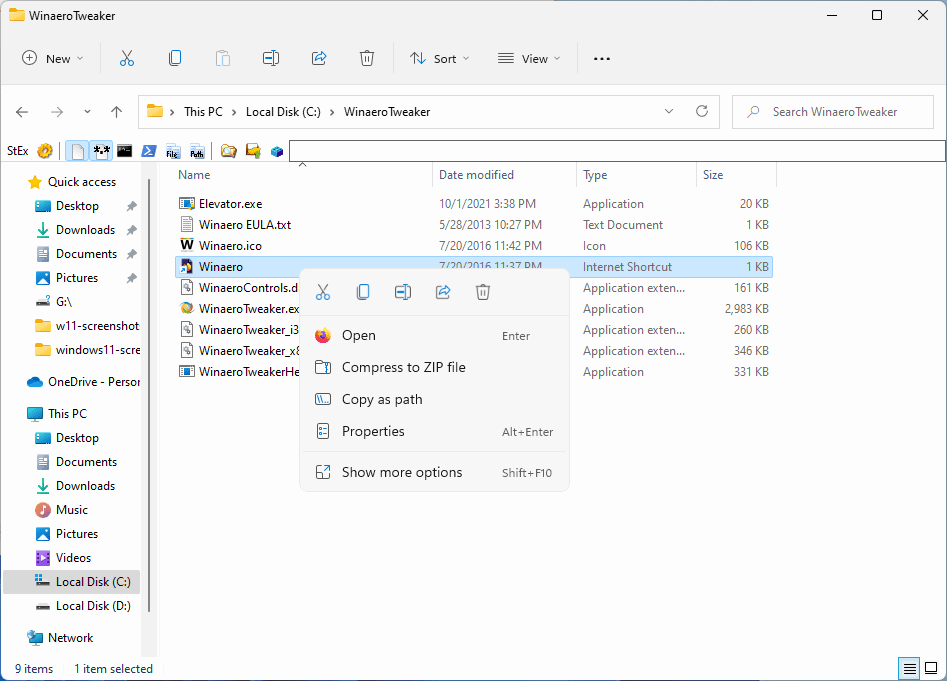
- Download the latest version of Winaero Tweaker from the official program website.
- Run the installer, and select portable version or choose to install it.
- Start WinAero Tweaker after the process.
- Go to Windows 11 > Classic Full Context Menu.
- Check the "Enable classic full context menus" box.
- Select the Restart Explorer button to complete the process.
remember this as well, even remember it being "threatened" if you dont install your a d0es or something along those lines.I'm pretty sure I remember people getting unannounced/silent upgrades to Win 10 back when it was released.
this, but you know Microsoft needs to do a bit more deducting to "anticipate" your options.I just want to get rid of the "Show more options" kuk.
When I right click want all my options