Windows 11 Support Thread

Microsoft Shows AI Integration in Windows 11 Running in Task Bar and File Explorer


Chomiq from TechpowerUp
"" Microsoft like two weeks ago "We need to focus on providing stable features and not AI slop". Microsoft this week "Here's some new AI slop".""
 
Microsoft has showcased its latest AI capabilities in the Windows 11 operating system, demonstrating what this planned integration will look like. The new interface, called "Ask Copilot," is an optional feature that users can enable in place of the standard Windows Search. Once activated, it connects to Microsoft 365 services and allows users to summon specific agents in the taskbar by typing the "@" symbol, similar to tagging someone in a message thread. For example, one of these agents, the Researcher, can perform extended research tasks that run for ten minutes or longer in the background, with small taskbar indicators tracking its progress in a manner similar to file downloads.
 

Some users report Windows 11’s February update, KB5077181, is failing to install and causing a range of system issues - Windows Central​

A small number of users report installation failures and post-update issues, putting update reliability back in the spotlight.

1771567310396.png

Microsoft's February 2026 cumulative update for Windows 11, known as KB5077181, is generating a growing number of reports from users experiencing installation failures and system instability after applying the patch.

Although the company has not acknowledged any critical issues, multiple reports across Microsoft's Q&A forums reported a variety of error codes, including 0x800F0991, 0x800F0983, 0x800F0922, 0x80073712, and 0x80096004. In addition, DHCP errors have prevented internet access on some devices, leaving Wi-Fi connected but nonfunctional.

Installation failures

Problems with this update begin with the installation process itself. Many users reported that KB5077181 fails to complete, resulting in errors such as 0x800F0991, 0x800F0983, 0x800F0922, 0x80073712, and 0x80096004.

Of all these errors reported in the forums, only the error code 0x800F0922 had an accepted answer. While the original users didn't mention the method that resolved the issue, solutions included disabling Windows Sandbox and Hyper-V, temporarily disabling third-party antivirus software, and using the DISM command to restore system health.

On the report for error 0x800F0991, a commenter noted that the original error originated as 0x800F0983, and later, "the error switched to the number with 991." In this case, the person also noted that they have tried the DISM command, resetting the Windows Update components, and other methods, but everything failed.

Another user also reported a similar issue, but with the error code 0x80073712, with the "Some update files are missing or having problems. We'll try to download the update again later. "

The only reliable solution for installation errors has been to perform a repair reinstall of Windows 11 using the "Windows Update" recovery option through the Settings app.


Some users report Windows 11’s February update, KB5077181, is failing to install and causing a range of system issues - Windows Central​

A small number of users report installation failures and post-update issues, putting update reliability back in the spotlight.

View attachment 1887366


If it's a small number it really is not newsworthy.
 
'Dark Clouds Looming on the Horizon' - a MyBB(™️) - for the Win11 taskbar... 💻🤡:p

Microsoft's new Windows 11 speed test is just a link to Ookla's Speedtest via Bing — button housed in the taskbar in latest Insider Preview build - Tom's Hardware​

It opens inside Bing in your default browser.

Last year, we reported on a speed test feature coming to Windows, built right into the taskbar, where you could gauge your internet connection without venturing out to a browser.

In reality, it was more like a shortcut that would still open Bing and take you to a miniaturized version of Ookla's Speedtest. Today, that feature is finally here in the Insider program, as part of Build 26100.7918 and 26200.7918.

In these updates pushed to the Release Preview channel, you'll now see an option to "Perform speed test" when you right-click on the network icon or open the Wi-Fi/cellular quick settings.

Upon clicking, your default browser will open up Bing, where you'll see a simplified Ookla interface with a meter in the middle, and three stats below: Latency, Download, and Upload.

That means this is technically not a "native" feature, rather just a website link in your taskbar. Still, for the uninitiated, it can be a convenient way to check their internet speed.

Let's say you're in a game and suddenly start experiencing packet loss; instead of Alt-tabbing into a browser for a speed test, you can just right-click on your Ethernet icon and go there directly.

This feature will save you a click or two; however, some users may be disappointed by yet another web wrapper implemented inside Windows.

Windows has enjoyed a poor run of stability recently, with even Microsoft recognizing its slack, so a built-in taskbar speedtest is probably not high on most users' list of priorities.

 
'Dark Clouds Looming on the Horizon' - a MyBB(™️) - for the Win11 taskbar... 💻🤡:p

Microsoft's new Windows 11 speed test is just a link to Ookla's Speedtest via Bing — button housed in the taskbar in latest Insider Preview build - Tom's Hardware​

It opens inside Bing in your default browser.


I use Googles Speedtest which is powered by M-Lab.

Only give my information to broadmedia when there are prices to win. Although I have been slacking lately.
 

Windows 11 24H2 and 25H2 get big update with new emojis, improved taskbar and more - Neowin​

This month's non-security update for Windows 11 is here with a big changelog full of improvements and new features.

This month's non-security update for Windows 11 versions 24H2 and 25H2 is here under KB5077241, with build numbers 26200.7922 and 26100.7922. You will find there a long list of quality-of-logs improvements, bug fixes, and some new features.

Here is the changelog with everything that is rolling out gradually... full details in the link below:

 
No issues on my 'unsupported' Intel 9 series, Haswell system, nor on my AM5 Ryzen 7000 system.

Most systems that have MS update issues are the OEM business machines. Either related to hardware instruction restrictions or good old group policies and AD.

Also, MS updates are a bit large now due to it including LLM models.
 
1772172568633.png

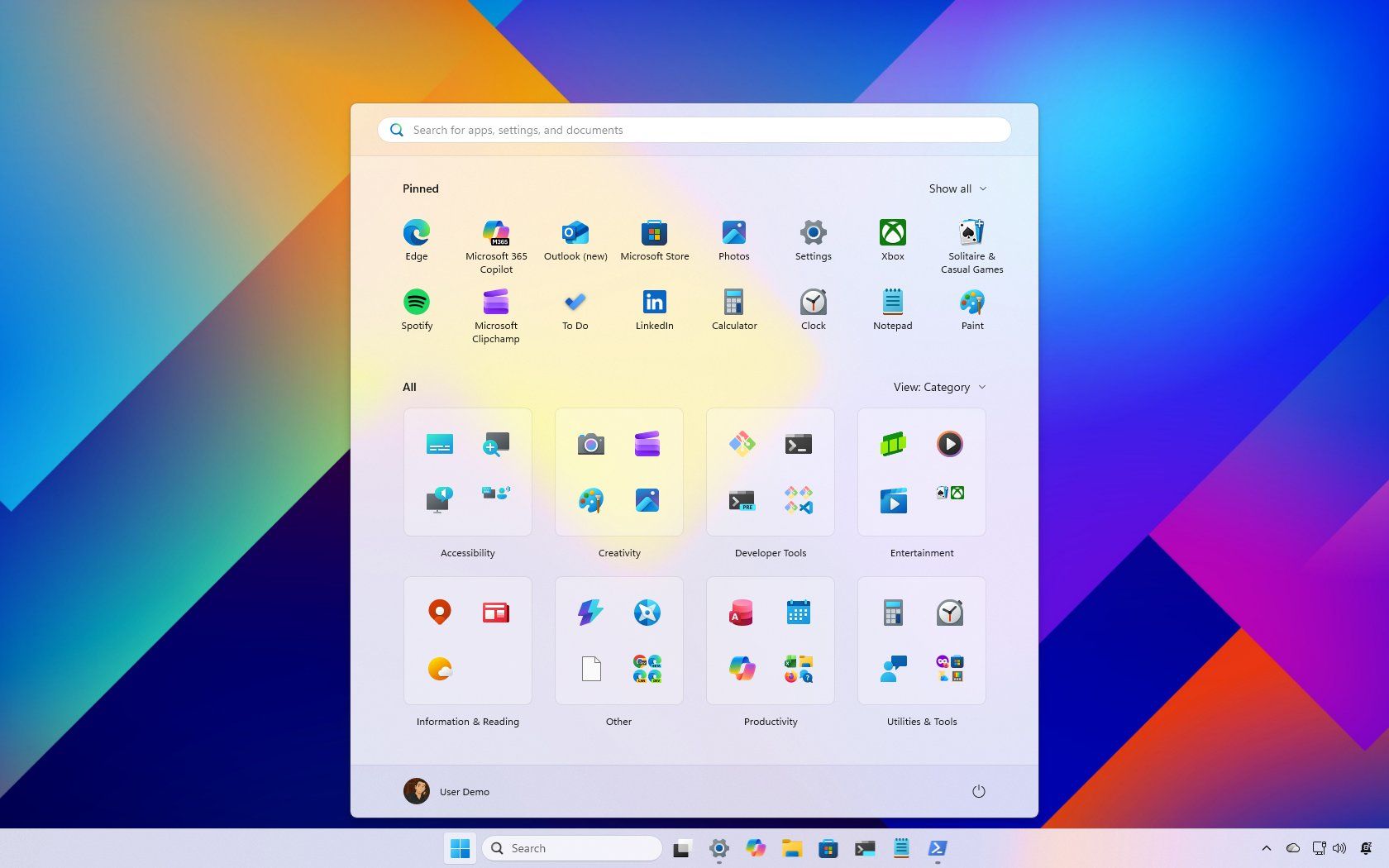
Windows 11’s new Start menu is here, and the community reaction is basically “why is this worse?” - Windows Central​

The community reacts to the new Windows 11 Start menu, calling it unnecessarily huge, too automated, and lacking customization options.

Microsoft's latest redesign of the Start menu on Windows 11 has landed exactly the way most major interface changes do, with a wave of mixed opinions.

A long Reddit thread titled "Thoughts on the new start menu update?" feels less like simple feedback and more like a vote on Microsoft's overall design direction. While a few people like the changes, most comments share the same message. The new Start menu is too big, too automated, and doesn't offer enough customization.

The size problem: "Why is it so huge?" :p

The most common complaint has been that the new Start menu is enormous.

On 27-inch desktop monitors, users describe it as a "colossal waste of space" (by ruet_ahead), "basically a start screen again" (by AccumulatedFilth), and unnecessarily bloated. Several commenters say it feels closer to the full-screen Start experience on Windows 8 than to the tighter, more compact menu in Windows 10.

Interestingly, laptop users are more forgiving. For example, Reddit user Toti_sk simply said: "kinda nice." That contrast highlights a recurring tension in operating system design, optimizing for touch and smaller screens often alienates desktop users who prioritize density and efficiency.

The visual spacing between icons, oversized tiles, and empty padding is seen as design indulgences rather than functional improvements.

Read the full article here:

 
Top
Sign up to the MyBroadband newsletter
X