Windows 11 Support Thread

1772172869453.png

Microsoft was wrong: Windows 11 is not ending support for legacy printer drivers after all - Windows Central​

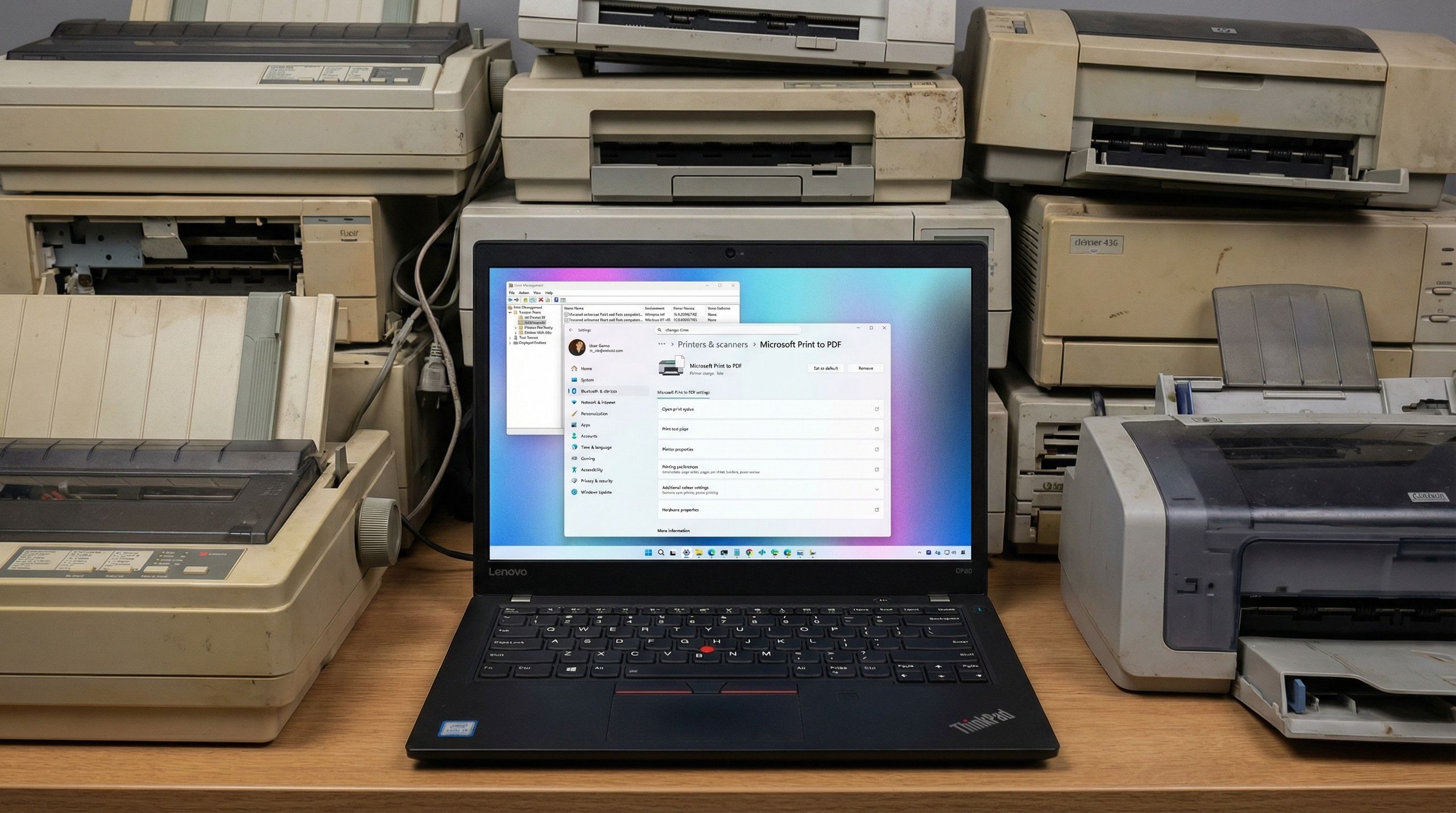
"If your printer works today, it will continue to work" Microsoft says as it issues correction around plans to end support for legacy printer drivers.

In a statement issued to Windows Central, Microsoft has confirmed that the company is not planning to end support for legacy printer drivers on Windows 11. The correction comes after the Windows Roadmap was updated to incorrectly imply support for V3 and V4 printer drivers were being deprecated in the OS last month.

"Windows has not ended support for legacy printer drivers. If your printer works with Windows today, it will continue to work, and no action is required," a Microsoft spokesperson said.

"As of Jan 15, 2026, legacy drivers submitted to Windows Hardware Quality Labs and published to Windows Update will only be approved on a case-by-case basis, as described in the End of Servicing Plan for Third-Party Printer Drivers on Windows on Microsoft Learn"

The company says that "an update to the Windows Roadmap stated that Windows will no longer support V3 and V4 printer drivers—this update was inaccurate and has since been removed."

It's clear that Microsoft's original wording around this confused people as it implied that support was being outright removed. That's not the case.

This is good news for Windows users who are still using older printers, as it means your printer should continue to work on the latest versions of Windows 11 with no problems.

The only thing that's changing is that hardware makers will no longer be able to submit new legacy drivers for Windows Update certification, with certain exceptions.

Microsoft has been on a deprecation spree with Windows 11 in the last handful of years, so it's no surprise to see that people believed Microsoft when it said that support for legacy printer drivers was being deprecated.

Luckily, at least for now, that's not actually the case, and older printer drivers should continue to work just fine for the foreseeable future.

The latest Windows 11 update is actually a good one, with improvements to overall system performance and reliability, UI updates, and new features such as support for Emoji 16, a built-in network speed test tool, and an updated Widgets Panel, which are all beginning to roll out now.
 

Copilot quietly pulls your data from other Microsoft products, including Edge and MSN, but you can opt out - Windows Latest​

1772203117607.png

Microsoft has quietly confirmed that Copilot automatically pulls your data from other Microsoft products, such as Bing, MSN, and Edge. We don’t know whether Windows is included in “other” products, but it doesn’t appear to be, at least for now.

Regardless, you can turn off “usage” sharing with Copilot, but it could make Copilot less useful.

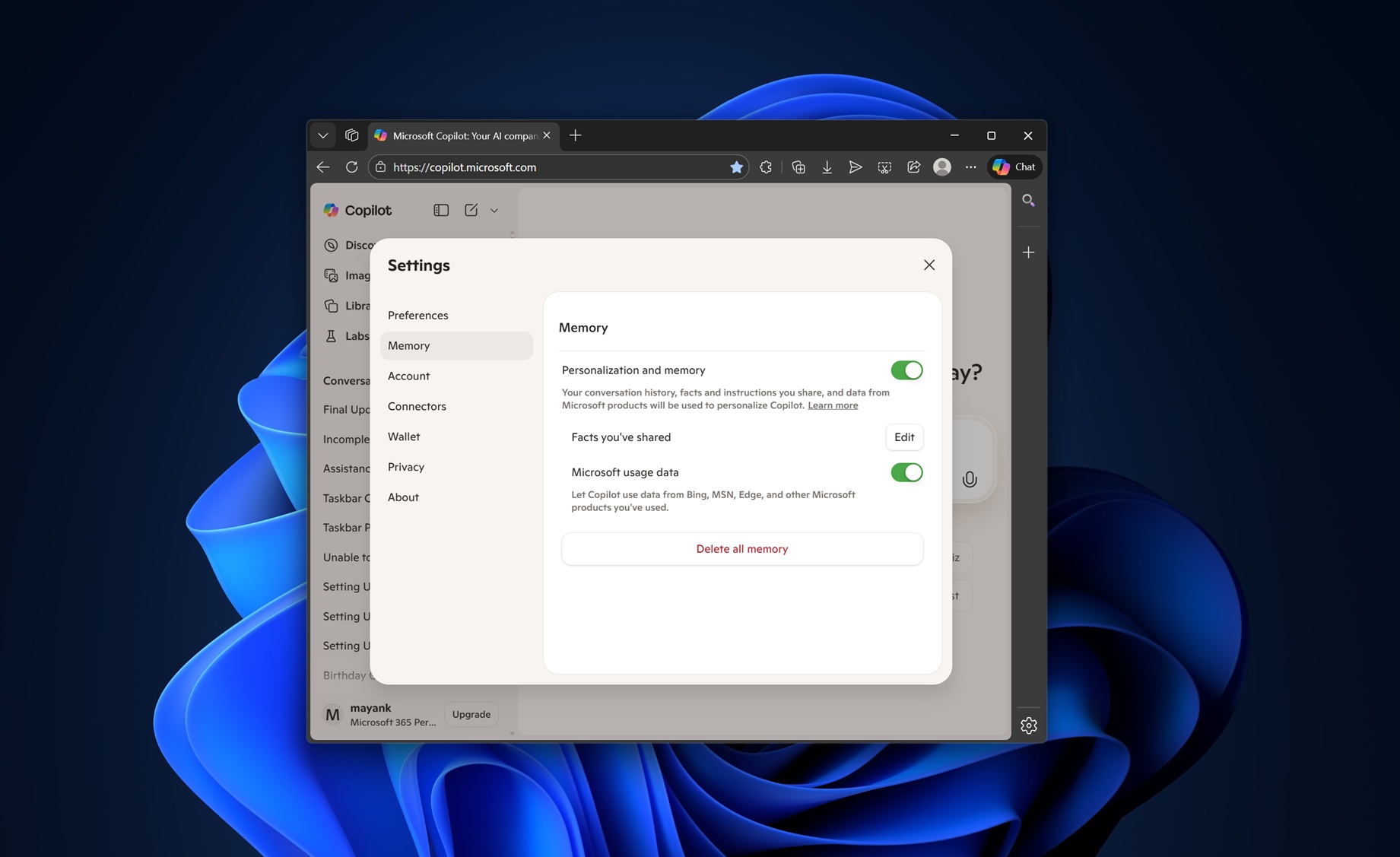
In our tests, Windows Latest observed that there’s a new toggle called “Microsoft usage data” when you open copilot.microsoft.com in any browser and go to Settings.

The toggle is buried inside the “Memory” tab, so it’s likely that your data from other Microsoft products powers the memory feature of Copilot.

When memory is turned on, Copilot is able to remember things about you, including your preferences. And given the fact that “Microsoft usage” data is part of the memory feature, it is possible Copilot can now pull your personal preferences or data from apps like Microsoft Edge, Bing, MSN, and other products.

“Let Copilot use data from Bing, MSN, Edge, and other Microsoft products you’ve used,” Microsoft warns.

I noticed that the toggle was turned on by default, and you need to turn it off if you want to block Copilot from pulling your personal information.

Microsoft insists that your product usage data is only used for personalizing Copilot, and it won’t train its AI models on your data.

You can always turn on or off the feature from Copilot > Settings > Memory. But you’ll also need to click “Delete all memory” to remove existing data from Copilot.

There are also other improvements coming to Copilot, including the ability to set reminders and alarms, and even connecting your health app.

 
I have also experienced no issu
Sorry my computer crashed. I meant to say that I have also experienced no issues with the latest Windows Ʋêřƨïøŋ øŋ ɱ¥ Đêłł Ŀåƥŧøƥ. ⟒⏁⟒⍀⟟⟒⍀⟟⋏⟒ ⟟ᓭ ⍙⟒⏁⏁⟒⍀⟟⋏⟒ ⌇⍜⍜⏁⟒⟒⟒.
 

This Windows AI feature runs in the background — disable it now - MUO​

1772855988749.png

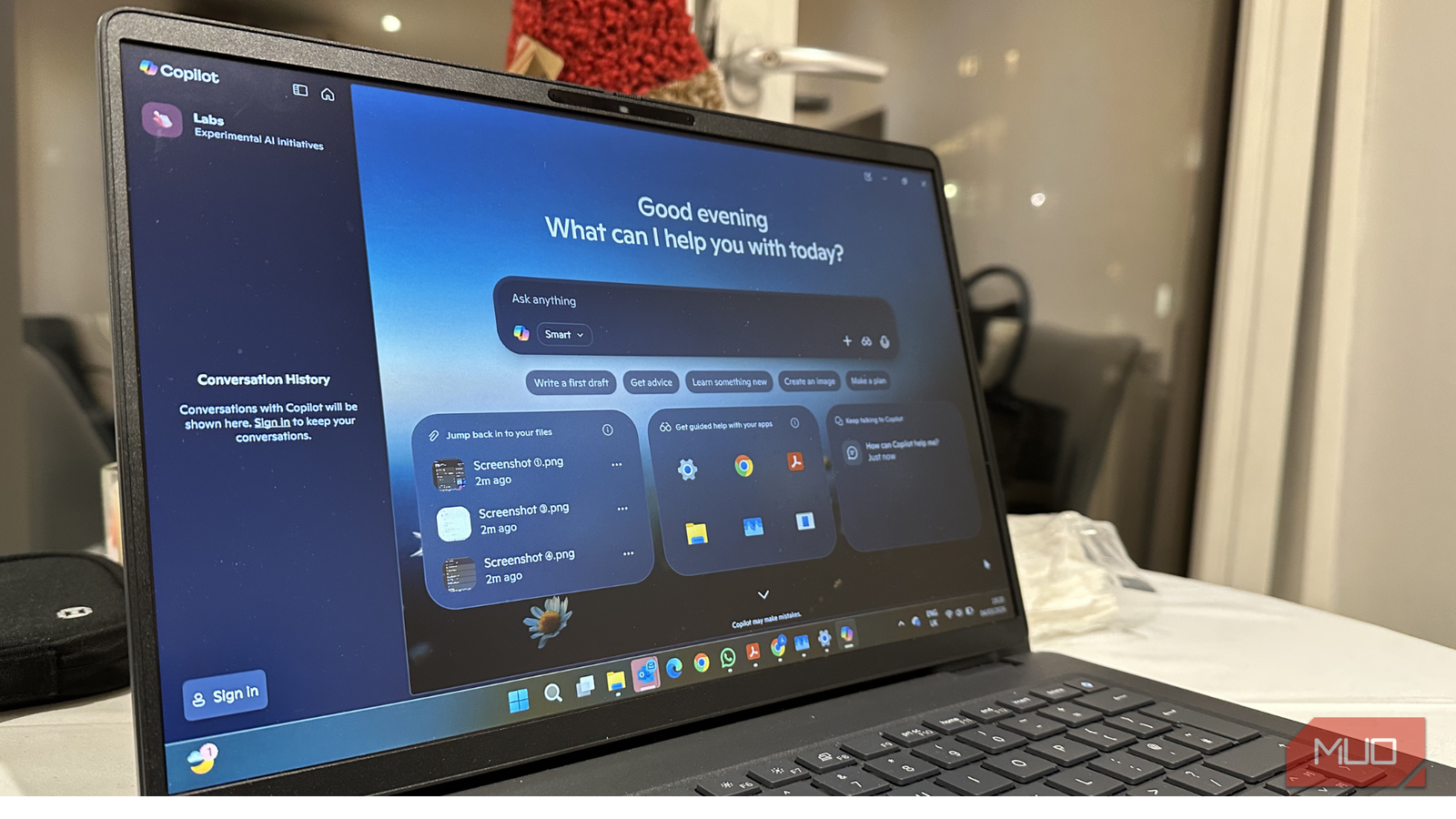
Whether you ask for it or not, artificial intelligence is slowly becoming a part of your Windows experience. Now that Copilot is integrated directly into Windows 11, Microsoft isn’t just offering you a chatbot. Rather, it’s backing AI as a core part of how your PC works.

Well, it’s a good addition for people who need AI for their everyday tasks. But the problem is that not everyone asks for it or needs it.

Copilot promises faster answers, smarter workflows, and seamless system tweaks, but it also runs as a built-in, cloud-connected feature on your Windows 11 machines.

I’ve rarely used Copilot on my machine. So, I don’t appreciate the idea of Copilot just sitting in the background all the time. That’s why I decided to disable it entirely.

 
It's fake news apparently.

No, Windows 12 isn't replacing Windows 11 anytime soon - MUO​

1772859288277.png

You can't believe everything you read in this age of AI.

A now retracted PCWorld article published on March 2, 2026, claimed that Windows 12 was imminent. The article promised a modular, AI-first, maybe subscription-based OS built on a brand new CorePC architecture. That article hit Reddit at r/Technology (now removed by moderators) and garnered more than 14,000 upvotes and thousands of angry comments.

The article spread to secondary aggregator sites and eventually hit Google News, according to TechIssueToday and WindowsLatest.

Turns out, the whole article may have been an AI hallucination.

It's likely the rumor spread so fast because it hit a nerve with Windows users, who are already grumpy about Microsoft's AI push. The article functioned as a confirmation bias: More AI was coming to Windows, and no one wants it.

Ultimately, according to the PCWorld retraction statement, the story came from a mistranslated German article from a sister site.

"This article is a translation of a German article by PC-Welt," wrote executive editor Brad Chacos. "It does not meet PCWorld’s standards and should not have been published."


Windows 11 gets Secure Boot Allowed Key Exchange Key (KEK) update on more PCs, requires a reboot to install - Windows Latest​

1773049592728.png

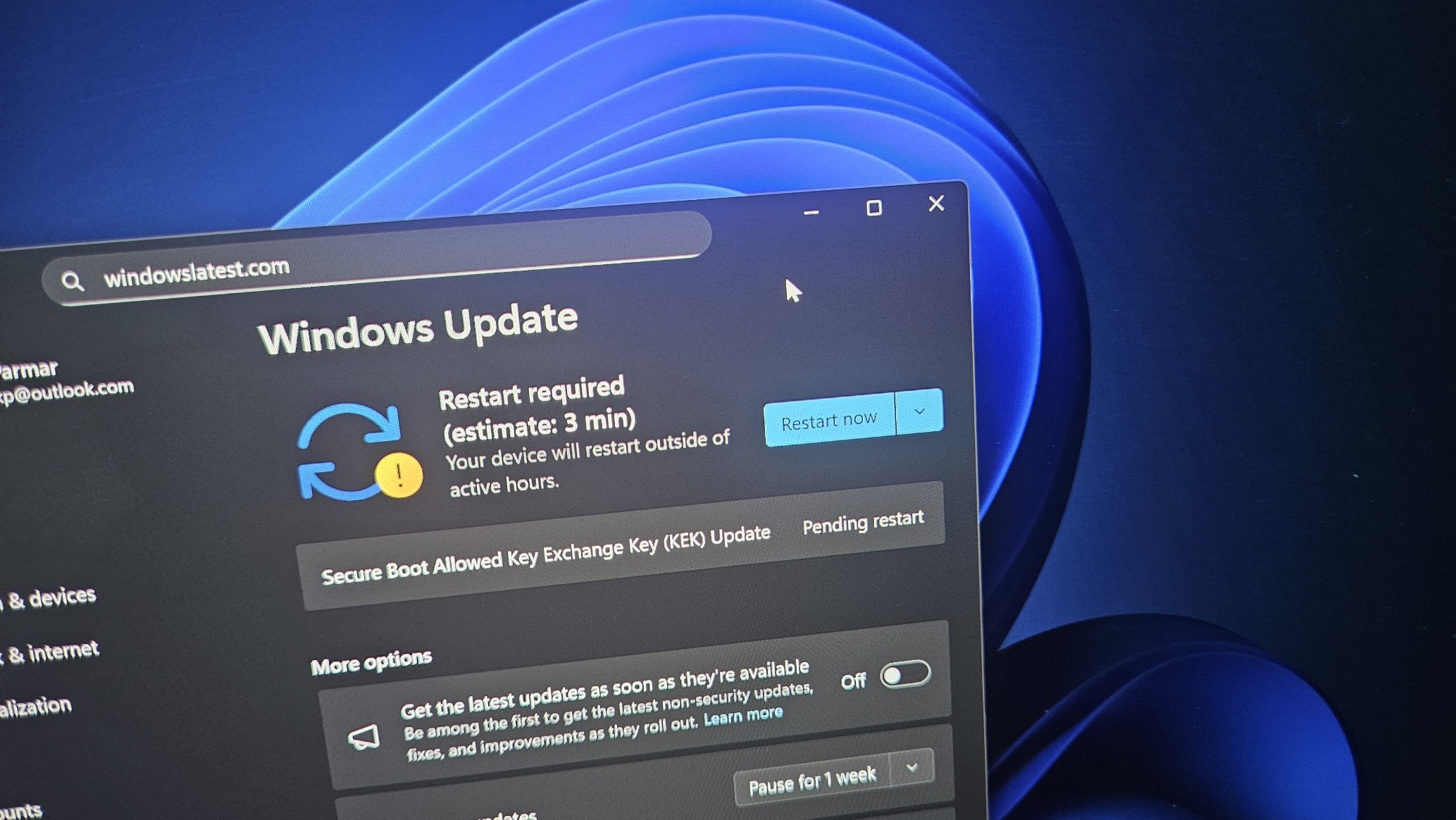
If you go to Windows Updates and check for updates, you might have a pending update “Secure Boot Allowed Key Exchange Key (KEK) Update,” which requires a system reboot to finish installing. Now, if you don’t see the update, it either means it’s already installed or will appear soon. Regardless, you’re going to get the update, and you actually need it.

Secure Boot certificates have been making headlines for a while now, and some assume that only enterprises need to worry about them. While it’s true that enterprises need to pay more attention, Secure Boot is also required on consumer PCs.

Just like a website’s certificate, Secure Boot also needs to be refreshed.

Secure Boot certificates have an expiry, and one of the most widely used certificates was issued back in 2011, which is now set to begin expiring in June 2026.

1773049676639.png

Once Secure Boot 2011 certificates expire, your PC will still boot Windows normally, but it can stop verifying newer Secure Boot protections, such as updated boot files, revoked bad signatures, and fixes for future boot-level threats. Verification is required for security of Windows.

Microsoft is aware and it’s replacing Secure Boot 2011 certificates with newer Secure Boot 2023 certificates. If you see the following Windows Update, it means your device is finally receiving the newer certificates. It’s a good update, harmless, and you should install it.

1773049719797.png

Microsoft told Windows Latest that refreshed certificates are rolling out gradually, and they’ll automatically begin showing up soon.

Windows Latest has also learned that more PCs started getting the new certificates this week. On Tuesday, Microsoft will release the Windows 11’s March 2026 Patch Tuesday update, and more users will begin seeing the Secure Boot certificate alongside the usual security updates.

 
Top
Sign up to the MyBroadband newsletter
X