


airborne
Honorary Master
- Joined
- Jul 13, 2007
- Messages
- 29,750
- Reaction score
- 16,094
Awesome news, thanks for the heads upWhy would you? ... Im running it on 2 machines from day 1 (unsupported hardware and no TPM)
South Africa’s biggest forum. Discuss, discover, and connect with thousands of members.
Awesome news, thanks for the heads upWhy would you? ... Im running it on 2 machines from day 1 (unsupported hardware and no TPM)


Does windows 11 release updates specifically for unsupported systems?There's a new cumulative update (KB5010386) for unsupported systems running Windows 11:
View attachment 1240924
No he is talking nonsense.Does windows 11 release updates specifically for unsupported systems?
No he is talking nonsense.


That's the latest Windows 11 version.From what I can ascertain most of these monthly cumulative updates are usually common to both 'compliant' & 'non-compliant' versions of Windows 11, but are quite different to those rolled out to devices on the various Insider Preview versions and channels.
However, there may be instances where features are rolled out to 'compliant' versions, but may be withheld from 'non-supported' versions due to possible hardware compatibility issues with the older devices.
This is the version my PC is currently on:
View attachment 1241120
And this is my 'unsupported hardware' level:
View attachment 1241122
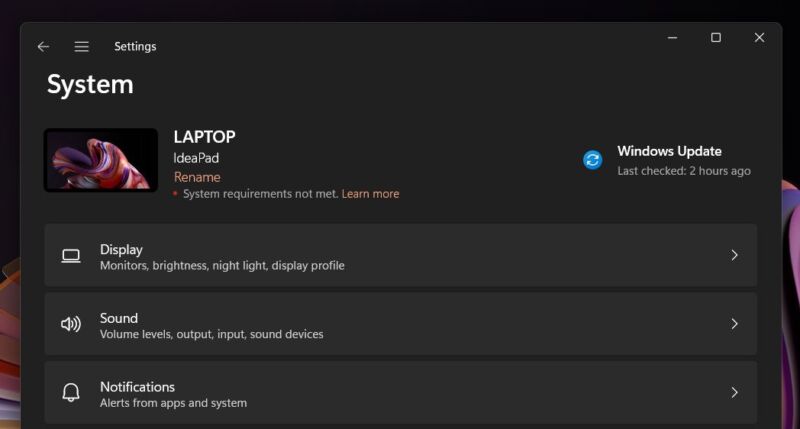
If you're running Windows 11 on one of the many PCs that don't meet its stringent system requirements, your experience so far probably hasn't been all that different from someone running it on an "officially" supported system.
Despite multiple warnings that Microsoft might withhold basic security updates from these devices, so far, they've gotten the same updates at the same time as "supported" PCs.
But that doesn't mean these PCs will receive updates in perpetuity, and Microsoft does still want you to know that your PC is unsupported when it doesn't meet the system requirements.
To that end, Twitter user Albacore has discovered a message at the top of the Settings app that will remind you when your PC doesn't meet Windows 11's requirements.
To date, these kinds of reminders and warning messages have happened before and during the Windows 11 install process, not after.
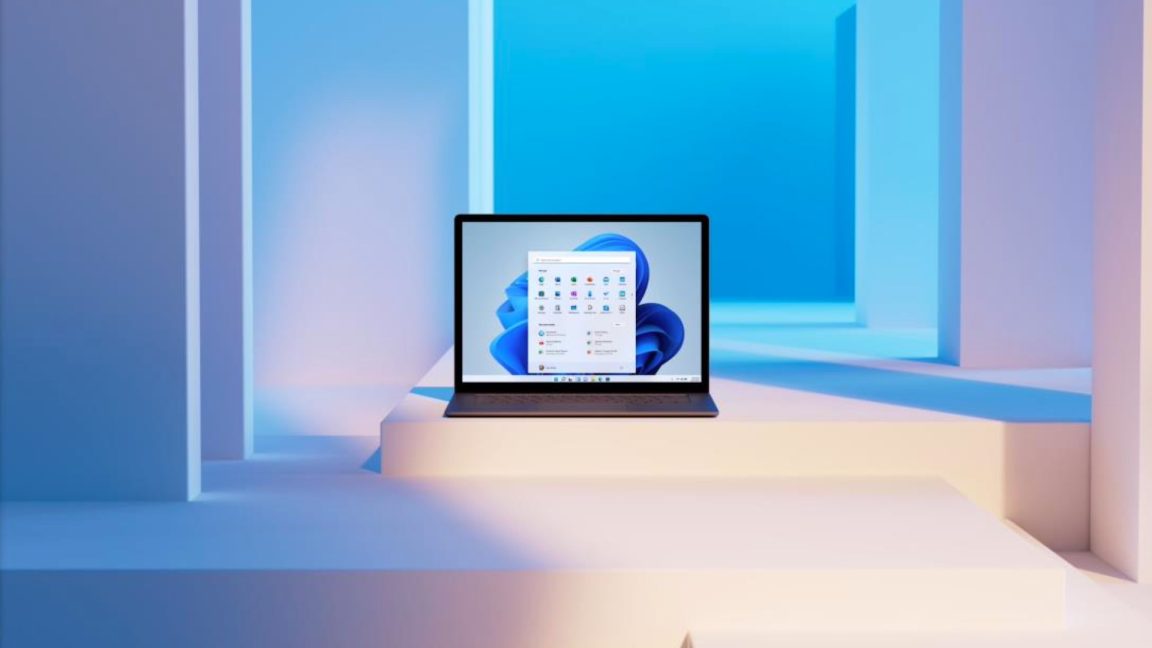
This new message is one of a few new experimental features lurking below the surface of Microsoft's current Windows 11 testing builds.
Others, which as the company has recently noted may or may not ever see the light of day, include customizable "stickers" for the desktop, a sustainability rating to measure and improve your PC's power efficiency (shades of the Windows Experience Index), a possible return of some Tablet Mode features that were removed in the migration from Windows 10 to Windows 11, and a better overflow mode for your taskbar when it has too many icons in it.
 arstechnica.com

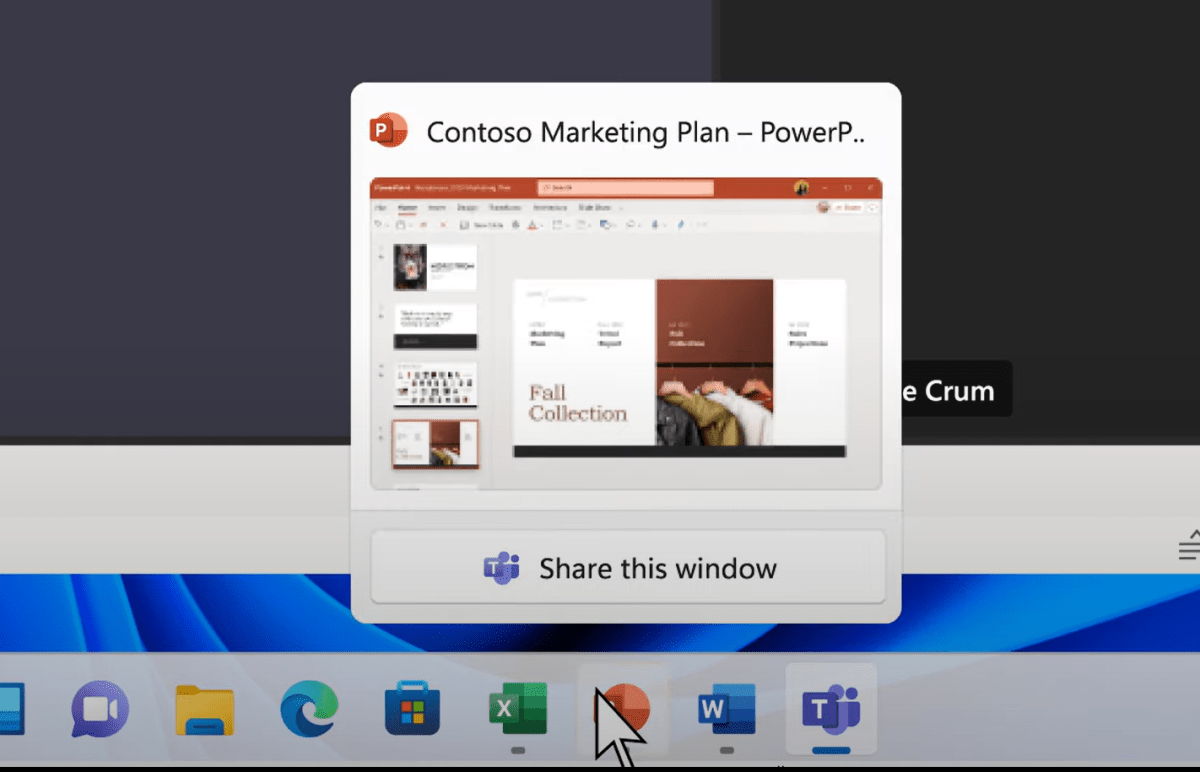
Microsoft’s spring update to Windows 11 is now officially live. New features include the first Amazon apps, a revamped taskbar, and more.
Microsoft will push the new features to your PC via Windows Update, the Microsoft Store, and new “experience packs” that will download quietly in the background and facilitate changes to the Windows 11 operating system.
Updates to the Store will push new versions of Notepad and Windows Media Player, which will replace the older Groove Music app.
Several years ago, Microsoft pulled the plug on the Groove music service. In fact, clicking on “Groove Music” within your app drawer should redirect you to the new Media Player app.
Here’s what’s new within the new Windows experiences for February 2022:
The “update” may be delivered in chunks, so that certain portions of it may arrive earlier than others.
- The addition of Android apps, via a subset of the apps available via the Amazon Appstore
- The addition of a Weather app on the Taskbar
- The ability to mute your mic in Teams, again from the Taskbar
- Easier screen sharing in Teams, from your Taskbar
- The (re)addition of the clock to multiple monitors on the Taskbar
- Updates to Media Player and Notepad
For example, the updated Media Player and Notepad arrived almost immediately via the Microsoft Store on my PC, but the new updates to Windows 11 via Windows Update weren’t available when clicking “check for updates” within the Settings menu.

 www.pcworld.com


I have been getting this pop-up message appearing on boot-up over the last few days - I am just clicking on 'Ignore' for my PC to continue loading my desktop icons & taskbar - does anyone have any suggestions for me to banish it forever?
View attachment 1245050
Can't you rename it ?


I am concerned that it may rename & corrupt C:\Program Files (x86) or C:\Program Files, rendering my PC inoperative - so I am erring on the side of caution for the moment...
I have found it & updated my previous post with more details.But they're talking about "C:\Program" ... did you go look if there's a folder/file like that and manually rename it ... then your 2 OS program files should be fine ??
It's something badly coded that created a file since it can't handle spaces properly,probably an installer. Can deleteI am concerned that it may rename & corrupt C:\Program Files (x86) or C:\Program Files, rendering my PC inoperative - so I am erring on the side of caution for the moment...
UPDATE:
I have located the offending file in the root of my C:\ drive - it appeared there on 14 Feb 2022 - and if I hover my mouse over it - the only option for Open is 'Open with Windows Terminal' - so "OOOO Eh! Eh!" - it is going to stay there until I can ascertain just what its purpose is - nefarious or not!
View attachment 1245166

I have found it & updated my previous post with more details.

