Windows 11 Support Thread

Just when you thought Microslop couldn't make Windoze 11 updates even worse...

Windows 11’s latest update drama: some users trying to uninstall KB5074109 are getting hit with another error — 0x800f0905 — which blocks the rollback entirely.

Windows Update really said “you’re staying on this build whether you like it or not.”

 
if I look at all these problems, I think I'll stay on 24H2 as long as possible
 
At Microslop, your personal data security is their top priority... OH, WAIT!

Microsoft has confirmed that it works with law enforcement agencies when it gets a valid court order or warrant, even to the extent of providing BitLocker recovery keys to law enforcement agencies.

Forbes uncovered this disclosure following a federal fraud investigation in Guam where the FBI successfully used keys supplied by Microsoft to unlock three encrypted laptops linked to a COVID-19 unemployment assistance scheme.

The Redmond giant revealed that it receives around 20 requests for BitLocker keys annually.

It is not new information that Microsoft complies with lawful government requests and hands over keys that are within its cloud infrastructure.

However, this is the first publicly confirmed instance that the company has surrendered keys to federal investigators.

 
When do we just call it a day on Windows? At this point even Windows 8 was way better.
Work pc is on 10 ... for now.

Work laptop has been on Fedora and now Ubuntu - no issues

Home stuff has been on various Linux distro's for last 10 years.

Switching is much more easy these days with steam games and most apps have moved to web :-)
 
KB5078127

Microsoft has released today new OOB (out of band) updates for Windows 11 and 10. The update is meant to fix the myriad of various major issues across Windows 11 and 10 that are affecting many systems, which were ironically broken by the previous KB5077744 and KB5077797 updates that were also OOB emergency updates meant to mend the earlier issues.

Screenshot_25.jpg
 
My ASUS mini PC just downloaded & installed it automatically earlier this morning - WITHOUT any prior notification or prompt - so I have now turned the 'Get the latest updates as soon as they're available' setting to OFF...

View attachment 1881124

View attachment 1881121
Mine at least gives a notification ... even with that setting enabled.

I have this setting in Group Policy ...
Screenshot_27.jpg
 
Mine at least gives a notification ... even with that setting enabled.

I have this setting in Group Policy ...
View attachment 1881135
Done - so hopefully NO more 'Automatic Updates' installing WITHOUT prior approval first... ;)

Now I just have to do the same Group Policy edit to my Dinosaur PC (two user profiles), as well as my two laptops (also two user profiles for personal & work)... so that's six times in total - 🖥️💻🐌⏱️⏱️⏱️
 
1769403099767.png

1769403422453.png

Windows 11’s Patch Tuesday nightmare gets worse — Microsoft says some PCs might not boot - Windows Central​

Microsoft has posted an online bulletin confirming that the company is investigating reports that state Windows 11's latest security update has rendered some PCs unbootable.

Microsoft has confirmed that some users might find their PC unable to boot after installing the January 2026 security update released on January 13. This is on top of the plethora of other issues that have been reported since Microsoft's disastrous Patch Tuesday updates arrived.

So far, the company has released two emergency out-of-band updates for Windows 11 to address major bugs that were introduced with this month's security updates, but this latest issue that is causing PCs to fail to boot has not yet been addressed.

"Microsoft has received a limited number of reports of an issue in which devices are failing to boot with stop code “UNMOUNTABLE_BOOT_VOLUME”, after installing the January 2026 Windows security update released January 13, 2026, and later updates," the company has confirmed in an online bulletin (via AskWoody.)

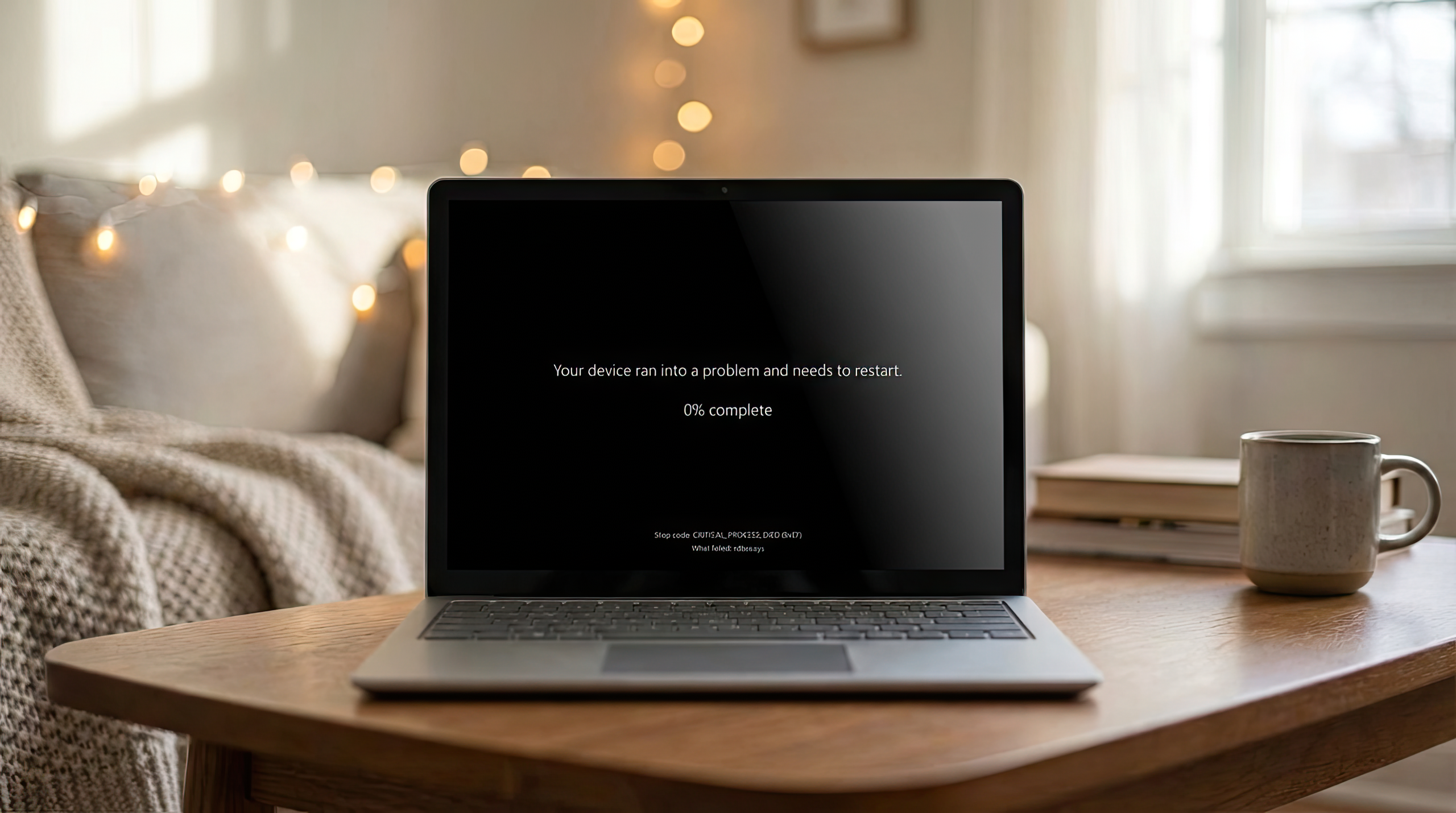
"Affected devices show a black screen with the message “Your device ran into a problem and needs a restart. You can restart.” At this stage, the device cannot complete startup and requires manual recovery steps."


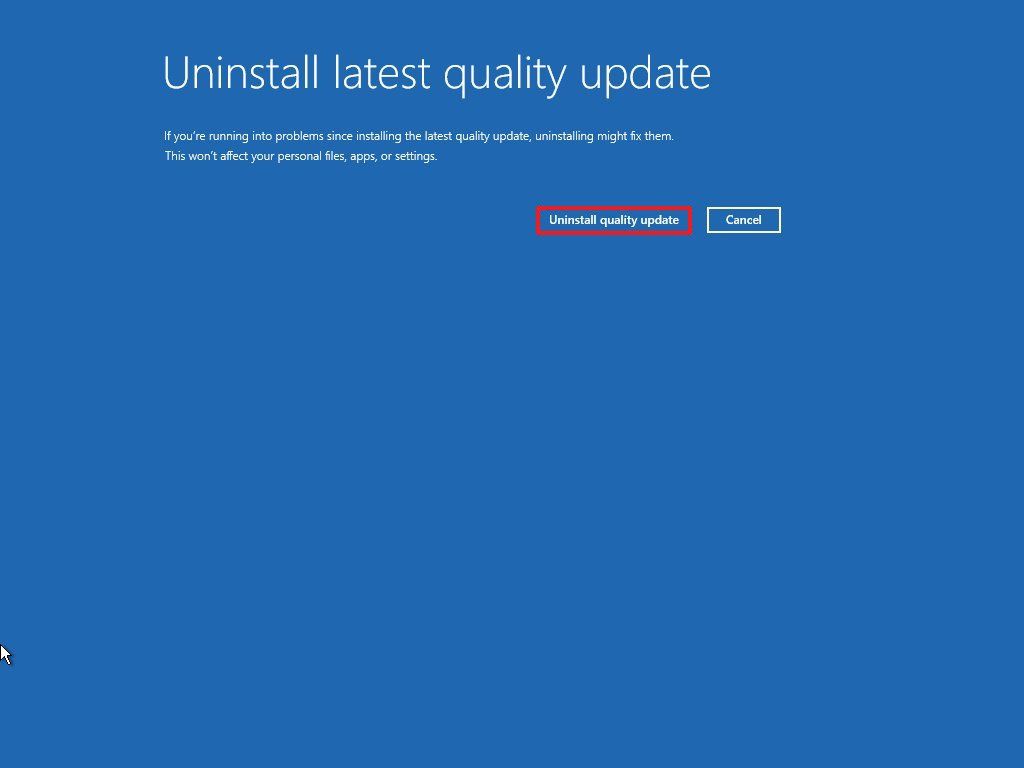
Microsoft says this issue is likely to impact users running Windows 11 version 24H2 and 25H2 on physical machines, and that it is exploring potential fixes and workarounds. In the meantime, if you do encounter this problem, you will need to manually recover your PC by entering the Windows Recovery Environment and uninstalling the latest January 2026 security patch.

It's unclear how common this issue is, as most users have not reported their PC unable to boot. The company says it has received a limited number of reports, but has not provided an explanation as to what is causing the unbootable state, or whether it can be avoided.

This is the latest in a long line of issues that were introduced with this month's Patch Tuesday updates. First, users reported that PCs running version 23H2 were unable to shutdown or hibernate, and PCs running version 24H2 and 25H2 were unable to sign-in when using Remote Desktop.

A few days later, reports came in confirming an issue that rendered cloud-backed apps like Outlook, Dropbox, and OneDrive inoperable, forcing Microsoft to issue two emergency updates to address these showstopping bugs. Now, with reports that some PCs are unable to boot, it's likely the company will need to issue a third out of band update to fix this problem too.

 
That was then...

Microsoft's emergency patch broke Windows 11/10 further, KB5078127 KB5078132 fix out - Neowin​

Microsoft has released today new OOB (out of band) updates for Windows 11 and 10. The update is meant to fix the myriad of various major issues across Windows 11 and 10 that are affecting many systems, which were ironically broken by the previous KB5077744 and KB5077797 updates that were also OOB emergency updates meant to mend the earlier issues.

The new OOB updates have been released under KB5078127 on Windows 11 25H2 and 24H2, KB5078132 on Windows 11 23H2, and KB5078129 and KB5078131 on Windows 11 22H2 and other earlier Windows 10 versions. The changelog is given below:

  • [File System] Fixed: After installing the Windows update released on and after January 13, 2026, some applications became unresponsive or encountered unexpected errors when opening files from or saving files to cloud-based storage, such as OneDrive or Dropbox. In certain Outlook configurations that store PST files on OneDrive, Outlook may hang and fail to reopen unless the process is terminated or the system is restarted. Users may also see missing sent Items or previously downloaded emails being re‑downloaded.
In terms of known issues, Microsoft says it is currently not aware of any known issues on Windows 10, but on Windows 11 the tech giant has confirmed a single known issue wherein the password icon can be invisible or be entirely missing on the lock screen. It can be mitigated by a known issue rollback (KIR). Microsoft writes:

"After installing the August 2025 non-security preview update (KB5064081) or later updates, you might notice that the password icon is not visible in the sign-in options on the lock screen. If you hover over the space where the icon should appear, you’ll see that the password button is still available. Select this placeholder to open the password text box and enter your password. After entering your password, you can sign in normally."

Individuals using Windows Home or Pro editions on personal devices are very unlikely to experience this issue. This issue primarily affects enterprise or managed IT environments.


This issue is mitigated using Known Issue Rollback (KIR). For enterprise-managed devices managed by IT departments that have installed the affected update and encountered this issue, IT administrators can resolve it by installing and configuring the Group policy listed below. The special Group Policy can be found in Computer Configuration > Administrative Templates >.

Group Policy downloads with Group Policy name:

Microsoft notes that the updates will be automatically installed. You can also manually download it on the Microsoft Update Catalog: KB5078127, KB5078132, KB5078129, KB5078131.


But this is NOW...

Windows 11 Patch Tuesday horrors continue as some PCs now cannot boot - Neowin​

The January 2026 Patch Tuesday update for Windows 11 keeps on giving users headaches. Following reports about frozen apps, broken apps, and the rather hilarious inability to shut down PCs, which are now said to be resolved after the second emergency OOB update (KB5078127, KB5078132) users are now facing a much more serious issue where affected computers simply refuse to boot and show an "UNMOUNTABLE_BOOT_VOLUME" error.

The problem is as terrible as it sounds, and Microsoft has already confirmed it. In the Admin Center, the company issued a notification that it had received "a limited number of reports" where computers cannot boot and show a dreadful "UNMOUNTABLE_BOOT_VOLUME" error after applying KB5074109 from January 13 and later (including the latest out-of-band update).

Here is how Microsoft describes it:

Microsoft has received a limited number of reports of an issue in which devices are failing to boot with stop code “UNMOUNTABLE_BOOT_VOLUME”, after installing the January 2026 Windows security update (the Originating KBs listed above), released January 13, 2026, and later updates. Affected devices show a black screen with the message “Your device ran into a problem and needs a restart. You can restart.” At this stage, the device cannot complete startup and requires manual recovery steps.

At this point, affected customers should apply "manual recovery steps" to bring their PCs back to life, although no specific steps were provided by Microsoft. The company only says that the problem affects local machines with client versions of Windows 11 25H2 and 24H2. The company is investigating the problem and will share more information once it has it.

Interestingly, Microsoft came up with a technical solution for scenarios like this. In 2024, Microsoft announced Quick Machine Recovery (and even redesigned the legendary Blue Screen of Death), a mechanism that allows applying remedies for outages and critical bugs within the Windows Recovery Environment or WinRE.

At this point, it does not seem to be much of help, as Microsoft is still investigating the root cause of the problem.

 
The FBI went to Microsoft last year with a warrant, asking them to hand over keys to unlock encrypted data stored on three laptops as part of an investigation into potential fraud involving the COVID unemployment assistance program in Guam — and Microsoft complied.

Typically, companies resist handing over encryption keys to authorities. Most famously, Apple refused to grant the FBI access to a phone used by the San Bernardino shooters in 2016. The FBI eventually found a third-party to hack their way into the phone, but ultimately withdrew its case. Most of the major tech companies, including Google and Facebook backed Apple in its battle with the FBI. Even Microsoft supported Tim Cook’s position, if a bit less forcefully than some others.
 

Windows 11’s January update is breaking PCs — here’s how to fix your boot issue - Windows Central​

On Windows 11, if after installing the update KB5074109, your computer no longer boots, you'll have to uninstall the update from the Windows Recovery Environment, and here's how.

1769427868013.png

On Windows 11, Microsoft has confirmed that the January 2026 Security Update (KB5074109, build 26200.7623) is triggering additional issues that can prevent some devices from booting properly.

Although the company has already released two out-of-band updates to address earlier problems, Microsoft now acknowledges that this particular failure remains unresolved, and neither emergency patch (KB5077744 and KB5078127) corrects the boot issue.

Reports indicate that affected systems crash during startup with an "UNMOUNTABLE_BOOT_VOLUME" stop error, displaying a Black Screen of Death message stating: "Your device ran into a problem and needs a restart."

Microsoft says the issue affects at least Windows 11 versions 25H2 and 24H2 and confirms it is actively working on fixes and potential workarounds. In the meantime, impacted users must manually uninstall KB5074109 from the Windows Recovery Environment (WinRE), as you won't be able to reach the desktop to complete the process normally.


In this how-to guide, I'll outline two ways to uninstall the KB5074109 update from your computer.

Full details at the link below:


From the editor’s desk: Microsoft keeps shipping new features, but users keep getting angrier. The missing ingredient is trust. - Windows Central​

Windows doesn’t need another Start menu redesign. It needs Microsoft to rebuild confidence — one transparent decision at a time.

1769428139551.png

Windows 11 is, by most objective measures, a strong operating system. It’s fast, stable, secure, and far more coherent than Windows 10 ever managed to be. The engineering teams have done impressive work modernizing the platform, albeit slowly for some (yes, I hear you people who just want to move your TaskBar).

And yet, if you spend even five minutes in any Windows community, you’ll find a level of frustration that feels wildly out of proportion to the OS’s actual technical state. Just look at this week's Patch Tuesday fiasco, which keeps on going and going and going.

That disconnect is the real story. Windows doesn’t have a feature problem. It has a trust problem. Case in point: This week's other big news with the FBI and BitLocker.

Over the past decade, Microsoft has slowly chipped away at the goodwill of its most loyal users — not through catastrophic failures, but through a steady drip of decisions that make people feel sidelined. Forced changes to the taskbar and Start menu. Ads are creeping into the Start menu, Settings, and File Explorer. Copilot appearing on the taskbar and Edge, whether you asked for it or not. Telemetry settings that feel scattered and opaque. Insider feedback that often seems to vanish into a void.

None of these things is individually disastrous, but together they create a sense that Windows is something being done to users, not built with them.

It’s the erosion of agency — the feeling that Microsoft is prioritizing its own strategic goals over the preferences of the people who actually use the product every day.

People don’t hate change. They hate surprise. They hate feeling like they’re not part of the conversation. They hate waking up after Patch Tuesday and discovering that something they relied on has moved, changed, or been replaced without warning, e.g., Start menu changes. And they especially hate the creeping sense that the OS they paid for is slowly becoming a billboard for Microsoft’s services.

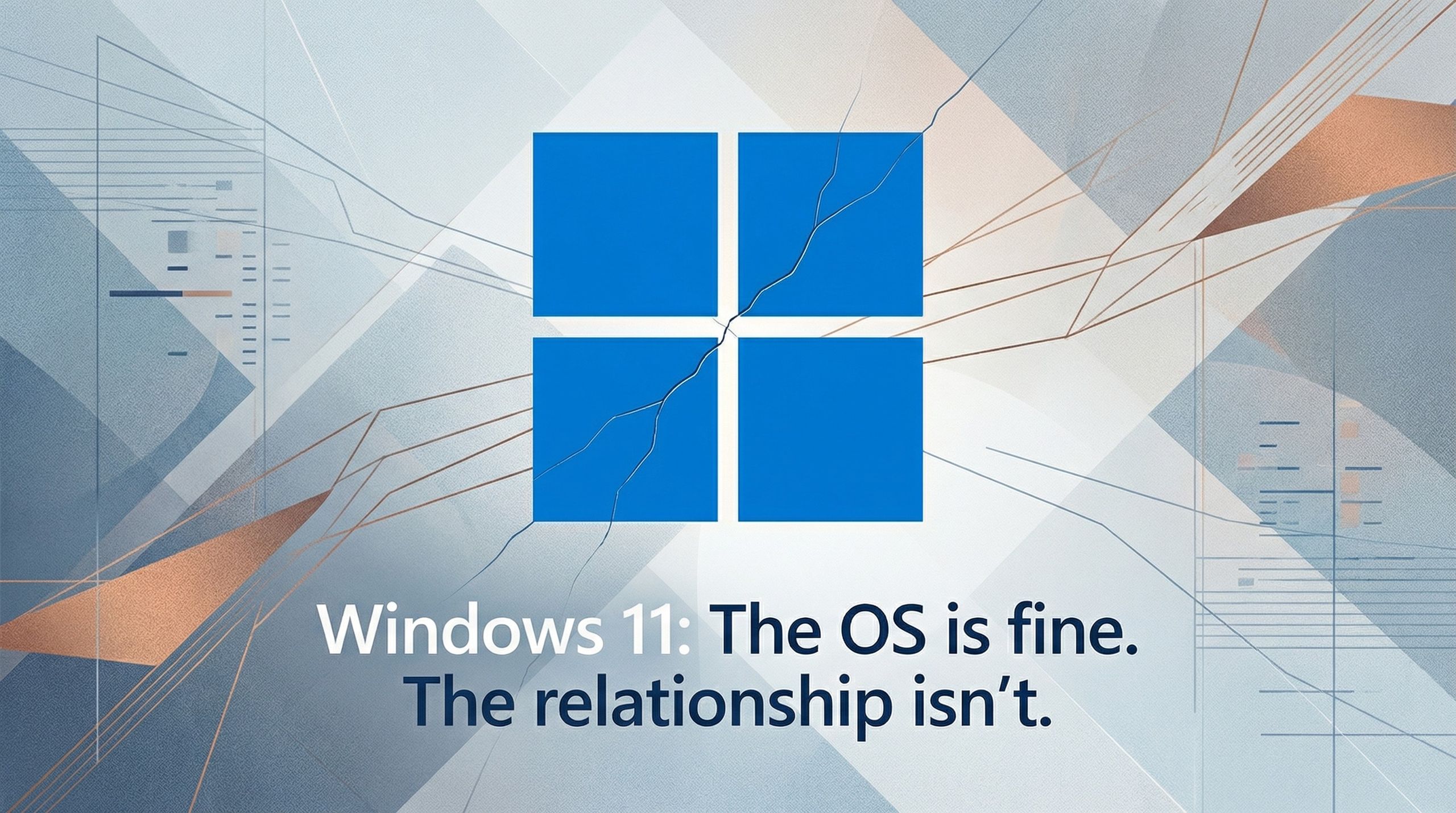
The irony is that Windows 11 itself is not the villain here. The OS is good (sorry, but I really believe that). The problem is emotional, not technical. It’s the erosion of agency — the feeling that Microsoft is prioritizing its own strategic goals over the preferences of the people who actually use the product every day. When users lose trust, even good features feel like intrusions.

There's a reason why 'Microslop' is trending, after all.

What people want is simple: clarity, consistency, and control. They want to know what’s changing and why. They want ads out of core system UI. They want privacy settings that are easy to understand. They want AI features to be opt‑in, not bolted onto their workflow by default. They want the Insider Program to feel like a partnership again, not a one‑way bug‑report pipeline.

1769428233446.png

None of this requires a reinvention of Windows. It requires a reinvention of the relationship between Microsoft and its users. A kind of “Windows Social Contract” — a public commitment to transparency, respect for user choice, and a clear boundary between the OS and Microsoft’s marketing ambitions. A promise that Windows will evolve, but not at the cost of user trust.

Windows doesn’t need another Start menu redesign. It needs Microsoft to rebuild confidence — one transparent decision at a time. Because the OS is in good shape. It’s the relationship that needs the update.

Imagine a simple, public commitment — a “Windows Social Contract” — that includes:

  • No ads in core system UI
  • No forced feature rollouts without opt‑in
  • Clear, centralized privacy controls
  • Transparent communication about roadmap changes
  • A meaningful Insider feedback loop
  • User choice in AI integrations
This isn’t radical. It’s respectful. And it would rebuild more goodwill than any new feature ever could.

Windows is not in crisis. But the relationship between Microsoft and its users is strained. And relationships don’t heal through silence or surprise updates.

They heal through clarity, consistency, and respect.

Microsoft has the engineering talent to build the best operating system in the world. Now it needs to rebuild the trust that makes people excited to use it.

One transparent decision at a time.

 
Top
Sign up to the MyBroadband newsletter
X