


Dave
Honorary Master
There’s something wrong with his PC or something else he’s got installed is fubar…
South Africa’s biggest forum. Discuss, discover, and connect with thousands of members.

MS Office 2021 LTSC was already installed on both of the Windows 10 PC's & they only had a local account active (No MS account login), so it was necessary to do an in-place upgrade & not a clean install on both of them...Ew, why not a fresh install? Upgrades from 10 to 11 unload a whole new level of ****.


MS Office 2021 LTSC was already installed on both of the Windows 10 PC's & they only had a local account active (No MS account login), so it was necessary to do an in-place upgrade & not a clean install on both of them...

Probably - I ran Belarc Advisor on both PCs & it shows that MS Office 2021 LTSC has an expiry date in August 2026...Sounds more like "cracked" KMS version


Yeah, same thing when my Win10 laptop was "upgraded" to 11. Infinite issues, felt a noticeable delay despite having an i7, SSD and 16GB of RAM. Was so bad IT sent me a brand new laptop with a fresh Win11 installation. Only a slight improvement since.
Grab a Mac Office key from the Rory on the forum dealers section here, then use Affinity or Pixelmator Pro or Acorn.So, have some free time this weekend. Decided to hang onto the PC, because there are still a few things I think it does better than my Mac (gaming, file management, photo editing, Office apps, etc). Anyway, I figured it was therefore time for a fresh install, too. I think it's the first time I'll be doing it since I built it 5 years ago (I'm a monster, I know). Already have a Win10 boot drive, but thinking that maybe I should just bite the bullet and try Win11, because maybe it won't be **** on my PC. Just maybe.
So, what's the best option? Rufus? With something like Schneegans to simplify the installation and get rid of a lot of the bloat from the start?
Already have an active 365 account, as well as an Adobe subscription for Lightroom and Photoshop. I just don't like the way the apps feel on Mac.Grab a Mac Office key from the Rory on the forum dealers section here, then use Affinity or Pixelmator Pro or Acorn.
 www.windowscentral.com
Might have been me that mentioned it ... been using it for quite a while.
Even made my autounattend install with it (combined with the help of ChatGPT) ... Just about a 1-click install to a fully setup/debloated windows.
Out of all the programs I tested, this SA boykie have an amazing app

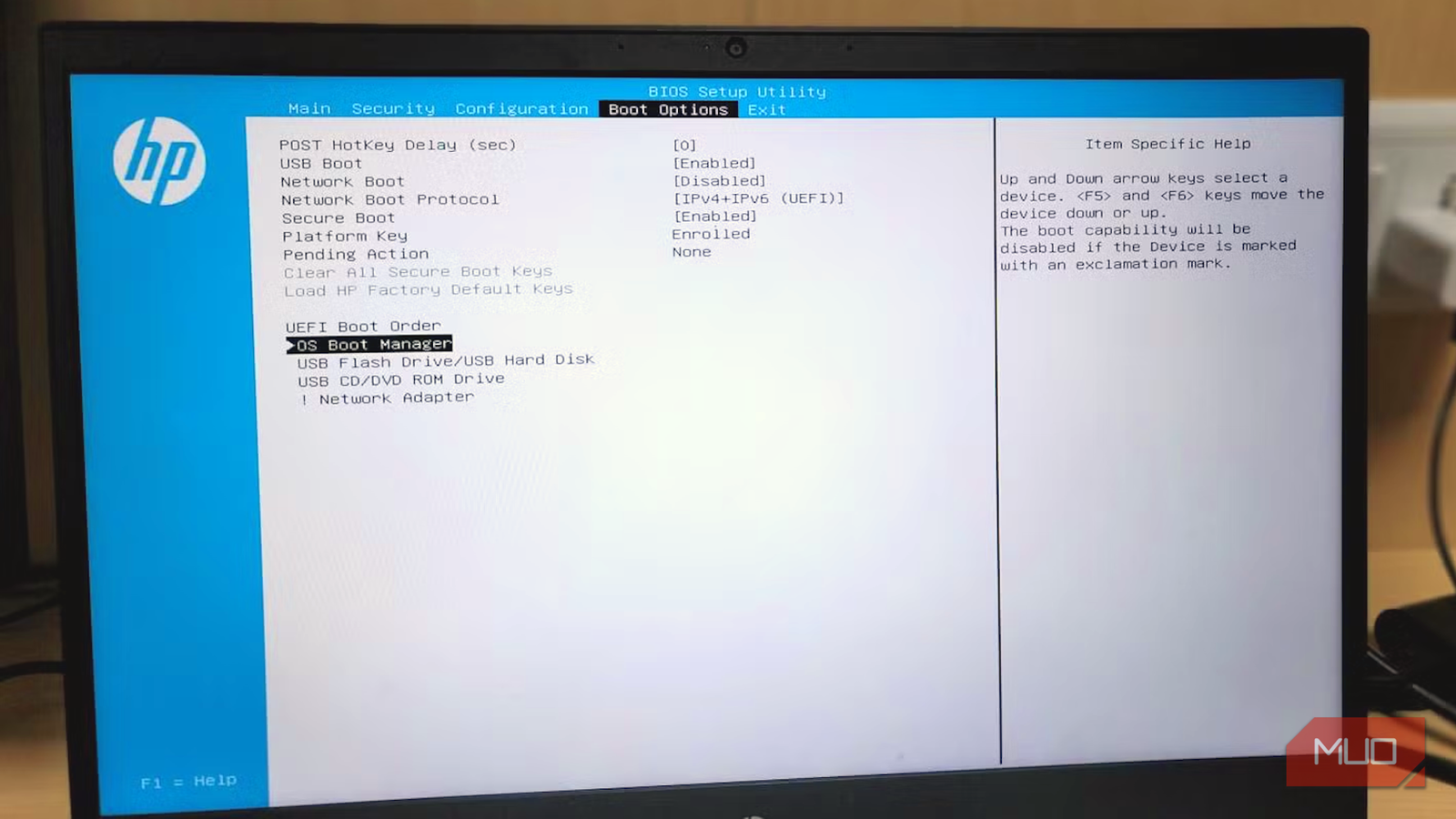
A certain deadline related to the Windows Secure Boot feature is approaching in mid-2026, and it may affect you. Before Windows loads, Secure Boot verifies the system's startup process.
But to do this, it relies on cryptographic certificates, and unfortunately, a lot of these long-standing Secure Boot certificates expire in June 2026.
This means systems that don't transition in time may be unable to accept future boot-level updates. On PCs where future firmware or security updates rely on newer Secure Boot certificates, some devices may simply not start.
Microsoft has already started rolling out newer certificates, so there should be no need to panic. However, you should understand how it all works to avoid any unpleasant surprises.
 www.makeuseof.com

This has the potential to interfere with dual boot systems, making even more people decide which operating system they prefer.Your Windows PC might stop booting in June 2026 — here’s why and how to fix it - Make Use Of
View attachment 1886362
Your Windows PC might stop booting in June 2026 — here’s why and how to fix it
Ensure your PC boots safely before Secure Boot changes.

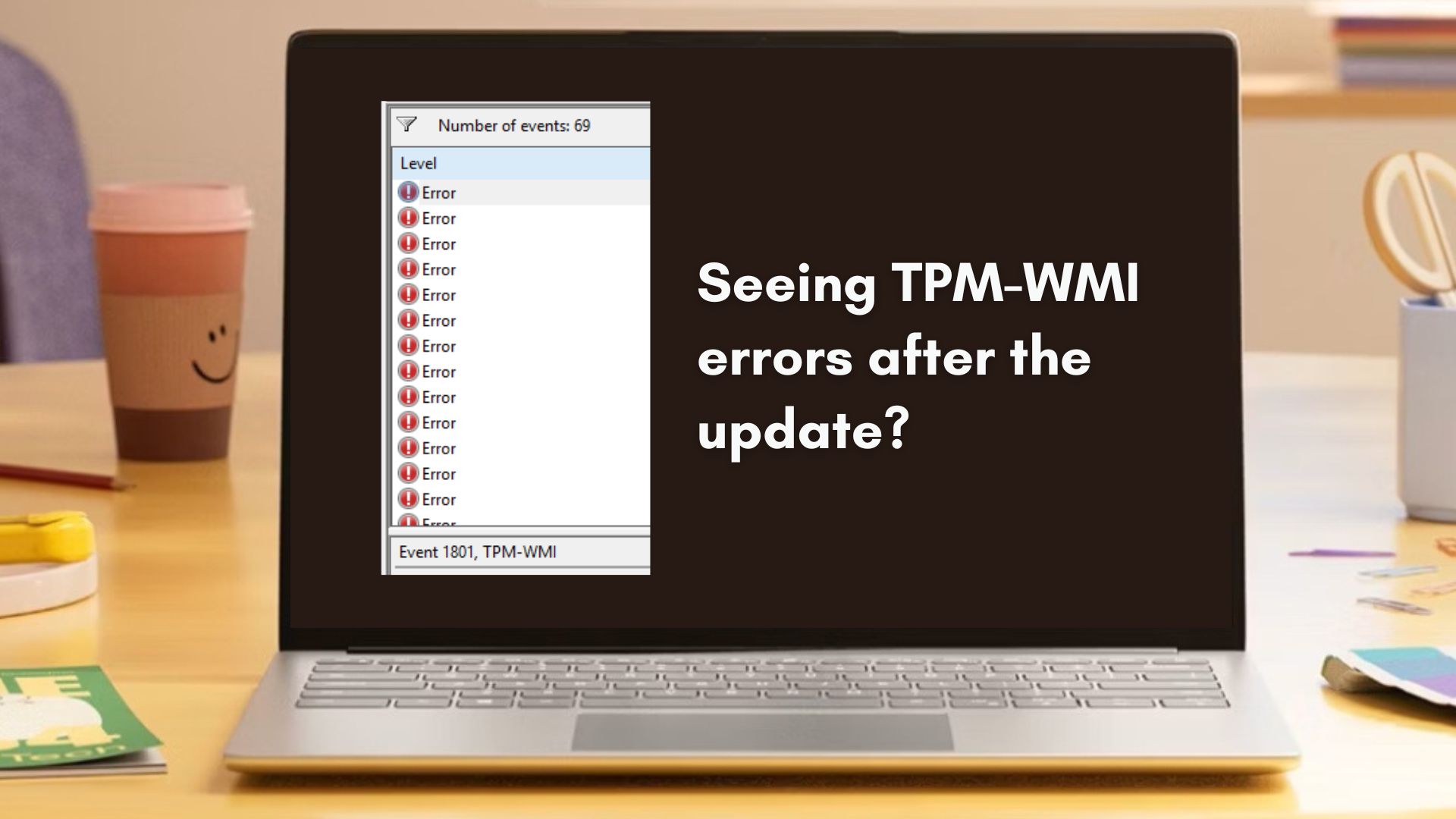
If you’ve checked Event Viewer recently, some new TPM-WMI errors about Secure Boot certificates might have popped up. Don’t worry, you’re not alone. Many Windows 11 users are seeing these logs appear out of nowhere, especially after installing the February 2026 Patch Tuesday update.

Fortunately, this isn’t a bug. Microsoft is in the middle of refreshing Secure Boot certificates that date all the way back to 2011. Those older keys are reaching the end of their usable life, and Windows is now transitioning devices to a newer certificate authority called Windows UEFI CA 2023.
Secure Boot is the feature that protects your PC during startup by allowing only trusted firmware, bootloaders, and system components to run before Windows loads. Naturally, if those certificates expire or fall out of trust, it would leave Secure Boot ineffective.
Microsoft bundled the certificate refresh with the February 2026 Windows 11 update (KB5077181), and in typical fashion, this is a phased, device-specific rollout, and would likely use telemetry and confidence checks before pushing the new keys to your PC’s firmware.
As a consequence, many users are seeing Event Viewer logs mentioning things like “updated certificates available” or “under observation,” even though nothing has changed yet on their system.
Note that these logs don’t mean something is wrong. In most cases, Windows is likely preparing your device and checking compatibility for the right moment to apply the new Secure Boot keys safely.
 www.windowslatest.com
Yeah, same thing when my Win10 laptop was "upgraded" to 11. Infinite issues, felt a noticeable delay despite having an i7, SSD and 16GB of RAM. Was so bad IT sent me a brand new laptop with a fresh Win11 installation. Only a slight improvement since.

Microsoft has seen better days. The last few months have shown Windows 10 reach its end of life, much to the disappointment of many, while the tech giant's stock took a 10% dive, the biggest it's had since 2020.
The common thread for this rough patch? Microsoft Copilot, or in other words, the push for AI on Windows 11.
When we see Copilot icons slapped on every app and interface of the operating system, to the point that you have to sign in to Paint, there's a good reason users have felt the sting and coined the admittedly hard term "MicroSlop."
This is the year of the laptop, and it's no secret that Microsoft's OS should be a huge driving force for this, especially with the advancements Intel Core Ultra Series 3 chips are showing.
But with its focus on AI, it appears the company has shifted its priorities. Namely, with its first patch of 2026, set to fix over 100 bugs, resulting in a plague of bigger issues.


