Ethernet Cabling question

Nope..


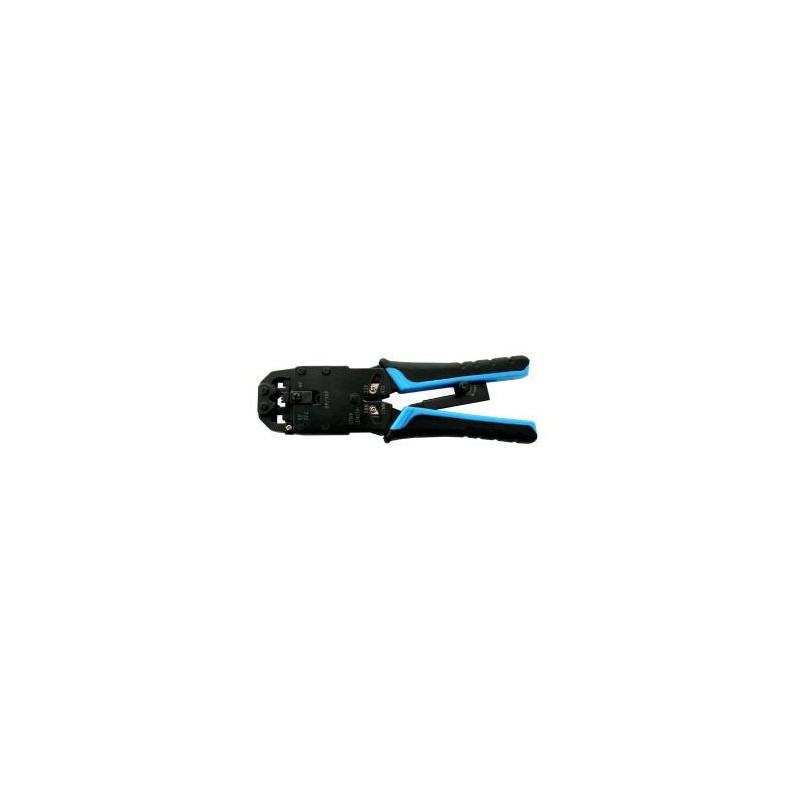
Need something like that.. you will notice there is a blade in the section you stuff the plug in to crimp..

Well, to be clear, you can crimp pass through, but you would then need to find some creative way to cleanly cut the wires sticking out, without cutting off your fingers, damaging the rj45 and cutting it off close enough, that you don't have a cable that now can't seat properly in the network port, because you couldn't get the wires cut close enough..
And will this one work for pass through plugs? Cant see if separate blade. It just states combo tool but nothing about ez.

 
Last edited:
I need cat6 passthrough plugs. I have cat6 outdoor cca cable.

Scoop's only cat5e passthrough plugs?
Okay. If you check online they don't have stock see Scoop EZ RJ45 CAT6 UTP Modular Plug
There may be other distributors but I don't know.
Geewiz has them @ R5.4 to R6 a pop which is crazy
And will this one work for pass through plugs? Cant see if separate blade. It just states combo tool but nothing about ez.

No, that one won't trim the excess copper upon termination. You're looking at +-ZAR350 afaik
 
Nope..


Need something like that.. you will notice there is a blade in the section you stuff the plug in to crimp..

Well, to be clear, you can crimp pass through, but you would then need to find some creative way to cleanly cut the wires sticking out, without cutting off your fingers, damaging the rj45 and cutting it off close enough, that you don't have a cable that now can't seat properly in the network port, because you couldn't get the wires cut close enough..
Is this in any way better? Its more expensive.

To be fair, it looks quite solid.
4cf1c76402837551129493ceb6d9eabc.jpg
 
Is this in any way better? Its more expensive.

To be fair, it looks quite solid.
4cf1c76402837551129493ceb6d9eabc.jpg
Overkill for home user needs.. this one is used with metal rj45 connectorss, where you have some of the connector coming down over the cable as a strain relief measure..
 
So my question is what do you guys use? I know you get crimpers with jacks that feed the cable through and cut off the ends but I want to learn the manual way of doing it.
Always start with more exposed cable than you need. This helps untwist the pairs. Make sure the pairs are untwisted right down to the sleeve and a bit further. You can pull the sleeve back a bit more if you need to.
Cut to the correct length. I like to use end cutter pliers. I hold the untwisted strands between my thumb and index finger all nice and straight, then clip the end.
Make sure that you haven't pulled the sleeve back when inserting the cable into the RJ45 as it will spring back and pull the pairs with it. Rather make the pairs a bit longer than needed as you can always push the sleeve forward before crimping which will also push the pairs forward.
1630744581580.png
 
Overkill for home user needs.. this one is used with metal rj45 connectorss, where you have some of the connector coming down over the cable as a strain relief measure..
Will this


work with the ez metal rj45 plugs as they the only ones in stock at hdcabling but I bought the scoop crimper.

4a50e21297053e31177884fc747f2eb1.jpg
ca4d545230ed654b08f3c357442b9864.jpg
 
Overkill for home user needs.. this one is used with metal rj45 connectorss, where you have some of the connector coming down over the cable as a strain relief measure..
Will this


work with the ez metal rj45 plugs as they the only ones in stock at hdcabling but I bought the scoop crimper.

4a50e21297053e31177884fc747f2eb1.jpg
ca4d545230ed654b08f3c357442b9864.jpg
 
Overkill for home user needs.. this one is used with metal rj45 connectorss, where you have some of the connector coming down over the cable as a strain relief measure..
Will this


work with the ez metal rj45 plugs as they the only ones in stock at hdcabling but I bought the scoop crimper.

4a50e21297053e31177884fc747f2eb1.jpg
ca4d545230ed654b08f3c357442b9864.jpg
 
I've got that Scoop crimper from Geewiz was slightly cheaper.
I haven't used it with shielded connectors, you'll just have to bend the metal collar with a pair of pliers I think. The shielded connectors cost a lot more though waste of money if using unshielded cable
It will work though.
 
I've got that Scoop crimper from Geewiz was slightly cheaper.
I haven't used it with shielded connectors, you'll just have to bend the metal collar with a pair of pliers I think. The shielded connectors cost a lot more though waste of money if using unshielded cable
It will work though.
Only ez rj45s in stock. Will wait.
 
For quality networking cables, connectors, tools, etc give RedStrut a try. Their quality is excellent and prices are reasonable.

 
Always start with more exposed cable than you need. This helps untwist the pairs. Make sure the pairs are untwisted right down to the sleeve and a bit further. You can pull the sleeve back a bit more if you need to.
Cut to the correct length. I like to use end cutter pliers. I hold the untwisted strands between my thumb and index finger all nice and straight, then clip the end.
Make sure that you haven't pulled the sleeve back when inserting the cable into the RJ45 as it will spring back and pull the pairs with it. Rather make the pairs a bit longer than needed as you can always push the sleeve forward before crimping which will also push the pairs forward.
View attachment 1140624
Thank you very much for this explanation and the cutter end pliers.
 
I've got that Scoop crimper from Geewiz was slightly cheaper.
I haven't used it with shielded connectors, you'll just have to bend the metal collar with a pair of pliers I think. The shielded connectors cost a lot more though waste of money if using unshielded cable
It will work though.
Bought the ez rj45 plugs from geewiz. Already delivered. Brilliant service with real time courier updates!

Will collect scoop crimper tomorrow.
 
Last edited:
Bought the ez rj45 plugs from geewiz. Already delivered. Briliant service with real time courier updates!

Will collect scoop crimper tomorrow.
Yeah I've bought from them on three occasions now and only had excellent service
 
When crimping cables I've tried using a cutters/normal scissors to get each wire perfectly straight (could be me) they never the same length, I untwist them, put them into order and straighten them out then I cut them, feed the wires into the jack as far as they will go until I see a exposed copper wire in each lane, sometimes I have to take the jack of and start over because they aren't cut straight. With each step I inspect the wires.

So my question is what do you guys use? I know you get crimpers with jacks that feed the cable through and cut off the ends but I want to learn the manual way of doing it.

To be clear, I have crimped a couple of cables for my house and a couple of friends, they do pass the test but I end up wasting cable every time I have to strip the cover back and repeat the steps.
Which order of colours do you use?
 
When I first started crimping my own network cables 17 years ago, it was quite a bit easier than it is today.

The reason for that is simple. The quality of the cabling has gone down the shitter. At least the stuff that most retail outlets sell.

It's not just the crappy CCA cables that are almost impossible to cut straight. Some solid copper cables seem to go all over the place as well, I think it might have to do with the quality of the insulation, or the grade of copper used if there is such a thing.
 
Top
Sign up to the MyBroadband newsletter
X