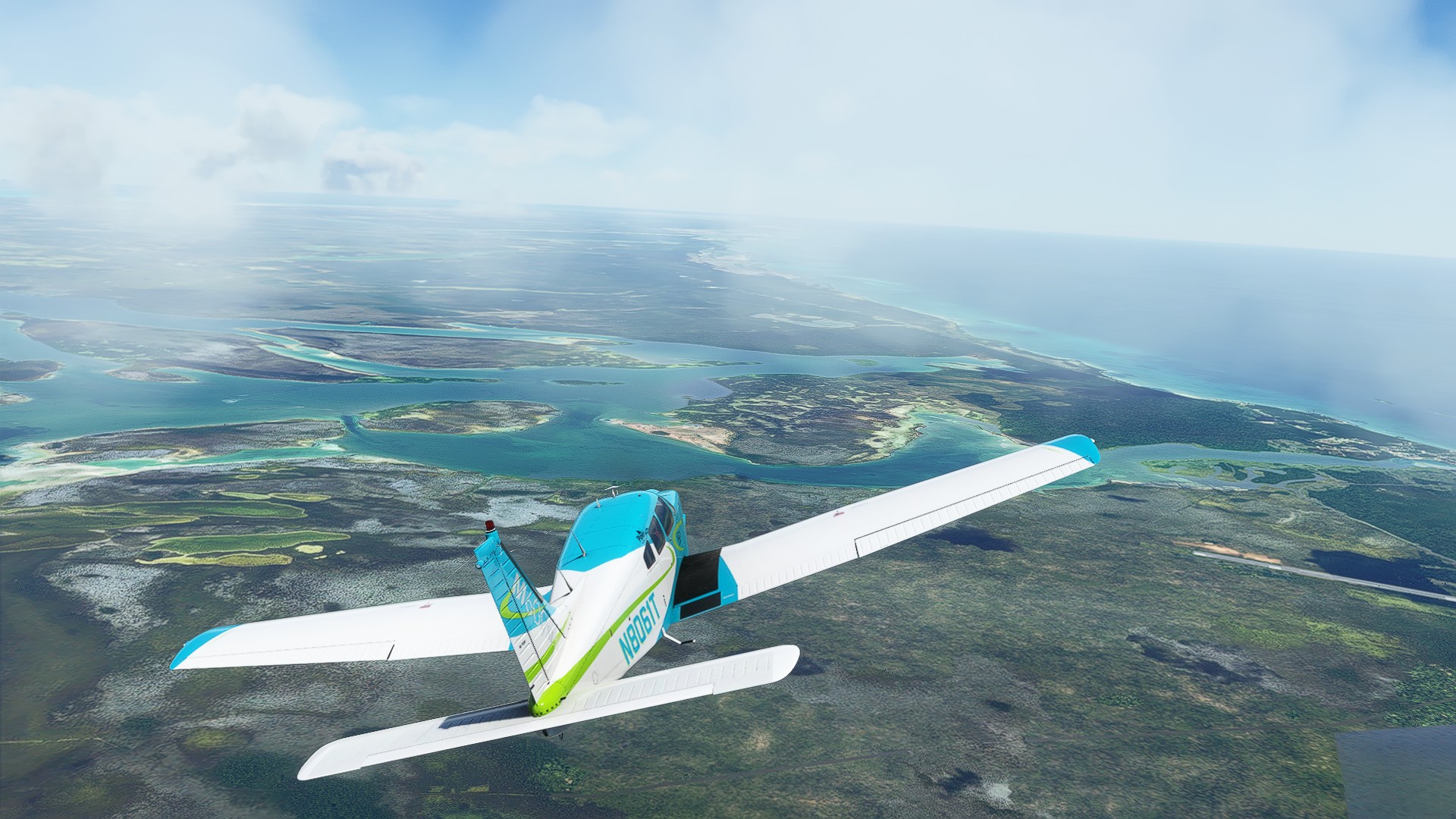
Flight Simulator 2020

Am I alone in feeling this way?

Nope. I was able to identify landmarks, but overall the quality is bad on ground level. But that is kinda expected, as we are in Africa and all. Visually, when in the air, the remainder of the game is on-par.
 
Im playing on XBOX Series X and I'm not THAT impressed by the graphics. Everyone has been hyping it up as photo-realistic etc. but I flew over my house and my whole neighbourhood was a collection of shacks. Not proper shacks but old tin rooves etc. Almost like someone went "ok so this is Africa so lets make the houses have tin rooves". It was accurate in terms of there was a shopping center where it was supposed to be, it was more-or-less the right shape, but it looked like ****. I flew around London as well and ja its ok when you're up high but get anywhere near to the ground and it's not in any way realistic. Expected more given how good Google Earth imagery was like a decade ago. Am I alone in feeling this way?
Yes and no. Having seen a fair amount of Flight Sim X, my expectations were low. But the visual jump from Flight Sim X to 2020 is huge. You will have a much better experience staying higher if the graphics really bugs you. My usual flights involve picking a place I want to see, spawning there, and taking a look. Photo-realistic is a stretch, but I am still quite impressed. But if it's not something that was part upgraded in one of the world updates, there is little hope of it looking half decent.

Most of the things I was really impressed with were the discovery flights - I've done all of them. I mean, at times you can see cracks in the realism, but for the most part I am happy. Otherwise I've done a few other sight seeing flights that have left me going meh:

* Aricebo observatory - no 3D model there, it's a texture with height maps.
* Great Barrier Reef - It doesn't exist LOL
* Hoover dam - it's there but there are clearly issues

There are also some issues with roads being weird. I have also noticed a bug where cars driving over a bridge sometimes aren't on the bridge, and instead drive on water or the land beneath.

But lets not forget the DX10 promo images that went around for Flight Sim X:

1628073122194.png

At least with 2020, what we see in the promo videos is what we get, even with the Series X.
 
Is anyone here getting super slow downloads for the Points of Interest updates? Everything else downloads reasonably quick but the POI updates are so slow like 1 or 2mbps.
 

Flight Simulator Devs Promise To Improve PC Graphics After Xbox Launch - Kotaku​

1628488326589.png

Since early 2021, user reports of an alleged graphical downgrade for Microsoft Flight Simulator on PC have poured in. After several game updates players noticed a reduction in graphics quality, with some airports suddenly being reduced to “nothing more than fields of grass/mud and a control tower”.

This effect appears to have been amplified after the game’s recent ‘Sim Update 5’ release — with fans theorising it came about due to the Xbox release of the game.

“Since the SIM Update 5, released 28th of July, Microsoft Flight Simulator has enjoyed better performance in terms of frame rates and smoothness over previous releases,” a Change petition started by player Adrian Lucas reads.

“However, the visual fidelity – LOD, lighting, anti-aliasing have all been sacrificed to achieve this. It is far from the same PC game that thrilled me graphically every time I did a flight, no matter where I flew.”

Lucas goes on to highlight the lack of ‘WOW’ factor in the new version of the game.

“Graphics no longer look realistic, but cartoony and simplified. In my 35+ years of gaming, this is the only time I have experienced a game take a turn for the worse graphically with no options to turn back.”

And he’s not the only user to report these issues. Luckily, a fix is now confirmed to be on the way.

In a new blog post, the Microsoft Flight Simulator team acknowledged the issues in their latest update and vowed to fix them with an upcoming patch.

The major issues identified by the team including volumetric lighting being missing, level of detail (LOD) “popping and stuttering” when the game’s camera pans, and lower resolution ground textures.

All three have been identified as major bugs, with an upcoming hotfix set to fix the vast majority of issues.

Unlike the other two bugs reported, LOD stuttering was identified as a more major concern, with a new setting to toggle how much off-screen scenery is cached being planned for release towards the end of August.

The first patch (which is scheduled for release by Monday or Tuesday this week) should fix many of the lighting and ground texture bugs being reported by users, but you’ll have to wait a smidge longer for a more hearty LOD patch in the future.

In addition to these fixes, the Microsoft Flight Simulator team also detailed a range of quality-of-life improvements coming to the game shortly including fixes for washed out graphics and overexposure from cloud cover, issues with displaying incorrect altitude and unexpected in-game temperature spikes.

Crashes to desktop are being addressed. So if you’ve had any major issues lately sit tight and keep an eye on the official Flight Simulator forum.

It may take some time for the team to address every fix, but the good news is it’s actively being worked on, and we should see more news soon.


'Microsoft Flight Simulator' Player Manages To Fly To Space - GAMINGbible​

1628861414654.png

The level of detail and depth to Microsoft Flight Simulator has always been mind boggling, but this gamer's latest achievement goes to show the astronomical (ha) lengths that the devs have gone to to create a realistic and immersive experience, even when you've ventured to places you shouldn't really have got yourself to.

The gamer, who goes by the username Straight Up P.O.G. on YouTube, shared a video of their attempt at breaking through the stratosphere and launching a plane into space, and it's really cool.

Although other players have managed similar feats before on the PC version of the game, this is the first known successful attempt on the Xbox Series X, and it's just as glorious as you'd hope.

 
Im playing on XBOX Series X and I'm not THAT impressed by the graphics. Everyone has been hyping it up as photo-realistic etc. but I flew over my house and my whole neighbourhood was a collection of shacks. Not proper shacks but old tin rooves etc. Almost like someone went "ok so this is Africa so lets make the houses have tin rooves". It was accurate in terms of there was a shopping center where it was supposed to be, it was more-or-less the right shape, but it looked like ****. I flew around London as well and ja its ok when you're up high but get anywhere near to the ground and it's not in any way realistic. Expected more given how good Google Earth imagery was like a decade ago. Am I alone in feeling this way?
Nah feel the same honestly. I flew over the Northgate Dome and it didn't even look like a dome and the ground all looks brown and it's hard to navigate as the roads look horrible.
 
Nah feel the same honestly. I flew over the Northgate Dome and it didn't even look like a dome and the ground all looks brown and it's hard to navigate as the roads look horrible.
Uninstalled it. Took up way too much space anyway. Oh well. Now to figure out why the Game Pass app on my phone is telling me the Left 4 Dead Open Beta is currently running, but the game on my XBOX is telling me I'm too early -.-
 
Still absolutely loving the game on xbox. Graphics are certainly good enough for me. Maybe my expectations were lower haha.

362005.jpgIMG_20210811_131242.png
 

Microsoft Flight Simulator: Six more freeware add-on essentials - PC Invasion​

Extra fun and extra functionality.

1628874511790.png

Just about every day, a torrent of new content is poured into the already large pool of freeware add-ons available for Microsoft Flight Simulator. With so many to choose from, you may find yourself wondering what truly stands out.

The following list has been prepared to recommend some of the best free add-ons for consideration that will definitely enhance your Microsoft Flight Simulator experience.

This is the third edition of such a guide here on the site, so do take a gander and the the first and second editions as well for even more great options.

This list contains a mixture of both add-on aircraft as well as some utilities that will improve the core functionality of the sim.

Keep in mind that these freeware add-ons are only available for the PC version of the sim. Console pilots have to stick to what’s available in the in-sim marketplace.


Microsoft Flight Simulator: Top Gun Maverick Expansion Release Date Shifts to Match the Movie's New Release Date - IGN​

The Top Gun: Maverick expansion for Microsoft Flight Simulator has technically been delayed as a result of the movie's recent delay.

1630777393362.png

Asobo Studio and Microsoft have been clear from the start that Flight Simulator's Top Gun expansion would be released alongside the release of Top Gun: Maverick in theatres.

As such, the release date was theoretically the same as Top Gun: Maverick's release date.

This news comes just days after Paramount announced a string of delays that leaves the studio without a single theatrical release for the rest of 2021.

One of those delays was for Top Gun: Maverick — it was delayed from its November 19, 2021, release date to May 27, 2022.

Oddly enough, Top Gun: Maverick, which stars Tom Cruise, took the release date originally set for Cruise's other upcoming blockbuster, Mission: Impossible 7. The action sequel will now instead be released on August 22, 2022.

 
I've been putting a lot of time in, with trying to have a more realistic experience.
Flying the pattern, doing touch and go's.
And also using the checklists to get more acclimated with cold starts.
Watching tutorial videos to get deeper into the G1000.
Even a little low level IFR.

But fok, I can't put off a keyboard and mouse anymore.
Need to map keys for a lot of functions.
Just using the joystick in the cockpit is making me loopy on Xbox :p
Find myself forgetting to hit the "LB" when trying to move around in the cockpit and then swing the plane into a steep turn a lot of the times lol. :)
 
I've come across a peculiar issue when playing on Xbox Series X using a standard Xbox Series controller.

In mid-flight, with auto pilot engaged, I go into cockpit view and press LS to activate cursor mode so that I can use LS to look around the cockpit and manipulate the instruments and controls. When I move the LS while in cursor mode it's as if I'm still in "control" mode and as soon as I touch the LS, the aircraft responds accordingly (dive, climb, bank, etc.).

If I exit cursor mode by pressing LS I can control the aircraft as necessary with the LS; I enter back into cursor mode, move the LS and the aircraft again responds accordingly.

This only started recently if I recall correctly, I mainly play on PC with a mouse/keyboard/HOTAS setup, but enjoy flying casually on Xbox now and again.

I haven't started any specific troubleshooting yet, but will try swapping the Xbox controller for a different controller, resetting my Xbox controller profile back to "Default"in MSFS, and deleting the MSFS 2020 data from my Xbox profile. Not sure what else to try and Google searches don't provide much help.

Hoping someone else here may have seem this and figured out how to fix the problem.
 
I've come across a peculiar issue when playing on Xbox Series X using a standard Xbox Series controller.

In mid-flight, with auto pilot engaged, I go into cockpit view and press LS to activate cursor mode so that I can use LS to look around the cockpit and manipulate the instruments and controls. When I move the LS while in cursor mode it's as if I'm still in "control" mode and as soon as I touch the LS, the aircraft responds accordingly (dive, climb, bank, etc.).

If I exit cursor mode by pressing LS I can control the aircraft as necessary with the LS; I enter back into cursor mode, move the LS and the aircraft again responds accordingly.


This only started recently if I recall correctly, I mainly play on PC with a mouse/keyboard/HOTAS setup, but enjoy flying casually on Xbox now and again.

I haven't started any specific troubleshooting yet, but will try swapping the Xbox controller for a different controller, resetting my Xbox controller profile back to "Default"in MSFS, and deleting the MSFS 2020 data from my Xbox profile. Not sure what else to try and Google searches don't provide much help.

Hoping someone else here may have seem this and figured out how to fix the problem.

Pretty sure I had the same experience today, but I was too tired to really get stuck into a proper session.

Will try and replicate the issue tomorrow and will update if it's an issue as well.
 

Microsoft Flight Sim's new update makes Matterhorn even more daunting - PC Gamer​

The hills are alive with the sound of terrain caching.


The new Microsoft Flight Simulator update is available, and the latest regions to receive a major cosmetic touch-up are Germany, Austria, and the Swiss Alps.

Check out the trailer above for a look at more Germanic castles, cathedrals, and football stadiums than you can shake a flight stick at.

The free update improves height maps and aerial imagery for several cities throughout Germany, including Frankfurt and Wupertal, Basel in Switzerland, and Graz and Vienna in Austria.

Plus there's numerous visual updates for landmarks like the Berlin Television Tower, the lakeside Mortizburg Castle, the Cologne Cathedral, and a whole lot more.

Probably the "biggest" landmark to get an update is the Matterhorn, the massive Swiss mountain that's claimed the lives of more than 500 climbers.

The update has also added hand-crafted versions of more than 100 airports throughout the region, including Stuttgart, Lubeck, Klagenfurt, and St. Gallen.

If you want to test your mettle landing on minor or major hubs, new landing challenges have been added alongside new discovery tours and bush trips.

Microsoft Flight Simulator's new "offscreen terrain pre caching" will be of interest to players hoping to maximize their framerate. You can set it to low, medium, high, or ultra, and it will cache all the terrain you're not currently looking at so when you turn to glance out your cockpit the stutter and pop-in won't be as bad as you gawk at your 40th Germanic castle.

Maximum photogrammetry draw distance has also been increased, which means you'll be able to see further into dense cities like Frankfurt from further away.

 
My fibre line is going to take a real pounding when my PC arrives... nearly a year's worth of updates to catch up on!
 
Even on ultra, my FS doesn't look as good as the video. It's grainy. Do I need 4K?
 
Even on ultra, my FS doesn't look as good as the video. It's grainy. Do I need 4K?
Do you perhaps have a resolution scaler set?

If you are running on PC, getting it to run at 4k will need a monster card. But it's doable. More so if you target 30 FPS.
 
Top
Sign up to the MyBroadband newsletter
X