


gregmcc
Honorary Master
Asbru connection manager (Linux - SSH connection manager)
VSCode + PlaformIO
VSCode + PlaformIO
South Africa’s biggest forum. Discuss, discover, and connect with thousands of members.
KDE Connect is also available for Mac.Is there any type of software similar to airdrop, but for an Android phone to a Mac. I tried some android transfer thing, but it was clanky and didn't work that well.
I upload my photos often, and having to upload to a cloud service, then download on my mac is a bit tedious.
I remember spending ages configuring version 4 on Amiga...Oh wow, this goes back to the days of the Amiga


Try Adobe Premiere Rushyou right
I will try to explain in detail,my grammar is not good as i am retarded................i am sorry for this ok.
I need software to upload videos to youtube,the source file is recorded from the share button on ps4.These game play videos is large and mostly 15 minutes long, I do not want to use sharefactory program that comes with the ps4 so i copy the videos to a flashdrive and put them on my pc.
Now i want software that is easy to cut out some portion of the video for example i click my mouse cursor on a portion and when i let go of the left button there should be a bar highlighted over that section then all i do is press delete and the video part for that is deleted,All the software i use is so complicated like adobe premium cc.With this software i must have a in and out marker .I usually just export the in and out part as i do not know how to shorted the final product.
let me show you what i did with it so far
Second video there was no sound..lol i dont know what happened there but i got an error to say the sound is gone


rush,never heard of thatTry Adobe Premiere Rush

 chocolatey.org
I just started with video editing recently as a hobby for youtube and i am retarded in adobe premuim cc.
I dont know how to cut out parts of a video to make it shorter.I used I and O to mark a section,but how do i delted the other parts

Version of Premiere for noobs, it's very easy to use and works really wellrush,never heard of that
Haven't tried it, but the trimming feature seems to be what you need.you right
I will try to explain in detail,my grammar is not good as i am retarded................i am sorry for this ok.
I need software to upload videos to youtube,the source file is recorded from the share button on ps4.These game play videos is large and mostly 15 minutes long, I do not want to use sharefactory program that comes with the ps4 so i copy the videos to a flashdrive and put them on my pc.
Now i want software that is easy to cut out some portion of the video for example i click my mouse cursor on a portion and when i let go of the left button there should be a bar highlighted over that section then all i do is press delete and the video part for that is deleted,All the software i use is so complicated like adobe premium cc.With this software i must have a in and out marker .I usually just export the in and out part as i do not know how to shorted the final product.
let me show you what i did with it so far
Second video there was no sound..lol i dont know what happened there but i got an error to say the sound is gone
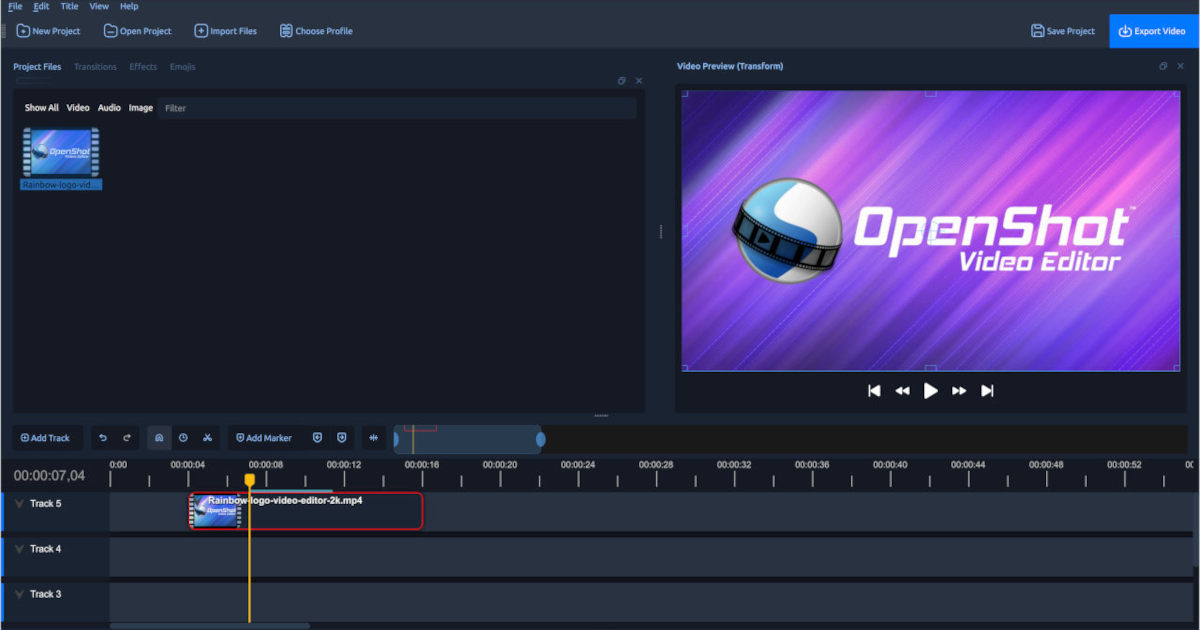
 www.openshot.org
will try the trial one thanks.I also heard someone suggestion about trim tool for adobe ccVersion of Premiere for noobs, it's very easy to use and works really well

Markdeep is a technology for writing plain text documents that will look good in any web browser, whether local or remote. It supports diagrams, calendars, equations, and other features as extensions of Markdown syntax.
Markdeep is free and easy to use. It doesn't require a plugin or Internet connection. Your document never leaves your machine and there's nothing to install. Just start writing in your favorite text editor. You don't have to export, compile, or otherwise process your document.

Thanks! Just started using WinMerge & Aquasnap. Just what I needed.Groupy for "tabbing" various applications together.
Aquasnap, way better than Windows's built in window snapping.
WinMerge - Doing file comparisons.
Boxcryptor - Encryption software to secure cloud files
TeraCopy - File copying utility

I leant with shock that Audicity was Muse Group (the same folk who own MuseScore and Ultimate Guitar) and they apparently turned it into spyware
- Audacity: Free, open source, cross-platform audio software. Audacity is an easy-to-use, multi-track audio editor and recorder for Windows, Mac OS X, GNU/Linux and other.

 Luckily, open source projects have 99 lives (a few forks have come up)

