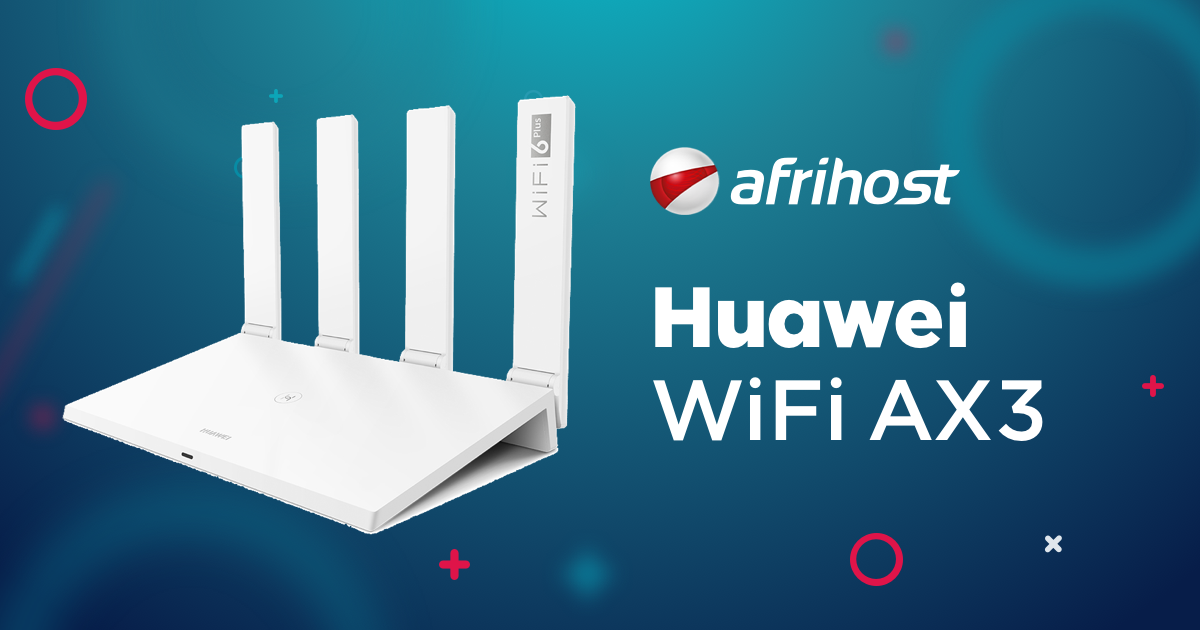
Huawei AX3 Router

SauRoNZA

Honorary Master
Joined
Jul 6, 2010
Messages
61,504
Reaction score
23,221
Location
Cape Town
Good day Afrihost.

How can I go about getting this router for "free" after I've already signed up for a package without doing the silly thing of cancelling and then starting fresh?

I started using your services again at the beginning of September and elected not to take a Router since I figured the one I had would do the job, but it seems even though it claims to be Gigabit it only barely peaks over 120Mb instead of using the full 200Mb.

The only options I have in your interface are to pay full price for the router and then the frankly crazy delivery fee (but that's another story) instead of simply bolting it onto my fibre package that already exists there.

Thanks
 
Good day Afrihost.

How can I go about getting this router for "free" after I've already signed up for a package without doing the silly thing of cancelling and then starting fresh?

I started using your services again at the beginning of September and elected not to take a Router since I figured the one I had would do the job, but it seems even though it claims to be Gigabit it only barely peaks over 120Mb instead of using the full 200Mb.

The only options I have in your interface are to pay full price for the router and then the frankly crazy delivery fee (but that's another story) instead of simply bolting it onto my fibre package that already exists there.

Thanks

Hi,

You can order it from https://clientzone.afrihost.com/order/#!/devices/fibre using the same clientzone details your fibre line is linked to.

If you have not taken the router and have credit remaining the R999 will be credited and leave you with R249 for delivery or collection from the Walk In centre is free.

During the checkout and final stage it will show the full amount due but once the order is placed the system will credit the charge automatically. Once ordered drop me a pm so I can mark the router ready for processing.
 
Hi,

You can order it from https://clientzone.afrihost.com/order/#!/devices/fibre using the same clientzone details your fibre line is linked to.

If you have not taken the router and have credit remaining the R999 will be credited and leave you with R249 for delivery or collection from the Walk In centre is free.

During the checkout and final stage it will show the full amount due but once the order is placed the system will credit the charge automatically. Once ordered drop me a pm so I can mark the router ready for processing.

Thanks.

Is there such a Walk-in centre in Cape Town? Maybe I can just collect one today.
 
Doing that it still just asks me for the full amount to be paid.

So I suspect because I said no during the sign up process it removed the credit or something?
 
Doing that it still just asks me for the full amount to be paid.

I went to Hardware > Fibre Routers

It will show the full amount of R1248 but once the order is placed your invoice will show the credit of R999.
 
It will show the full amount of R1248 but once the order is placed your invoice will show the credit of R999.

Aah okay I’m going to take your word for it.

Didn’t follow all the way through with the credit card processing so let’s see.
 
Aah okay I’m going to take your word for it.

Didn’t follow all the way through with the credit card processing so let’s see.

Sure you can even screengrab these messages. ;)

Don't forget to PM so I can mark the router ready for processing.
 
If you want I can sell it to you for R500. I'm in Table View Cape Town.
Cool will keep it in mind, I run a full UniFi system at home and really just need this for the WAN link while my UDM is being warrantied.

But you never know I might just like it enough to keep it in the loop.
 
AfriNatic, are you saying if I add another AX3, this can also be used as a mesh network?

Yes they are designed for a mesh and does wifi6. Simply press the H to mesh them. We have clients with 4+ devices setup as mesh systems around the house.


We have estimates there on the size and where to place these devices to get the best coverage.
 
You can add any Huawei with a H button. At the moment I'm meshing a AX3 with the WS5200 at home, and a WS5200 with a B618 at the office.

Indeed. It backwards compatible with the WS5200 and other Huawei routers too.
 
Top
Sign up to the MyBroadband newsletter
X