iOS 16 Features by Model

As to why you’d want to do it manually on iOS day, sometimes there will be app features specific to the new version of iOS released on the same day, that you want to get your hands on ASAP. Example, Lock Screen widgets for iOS 16.

Directed at me?
 
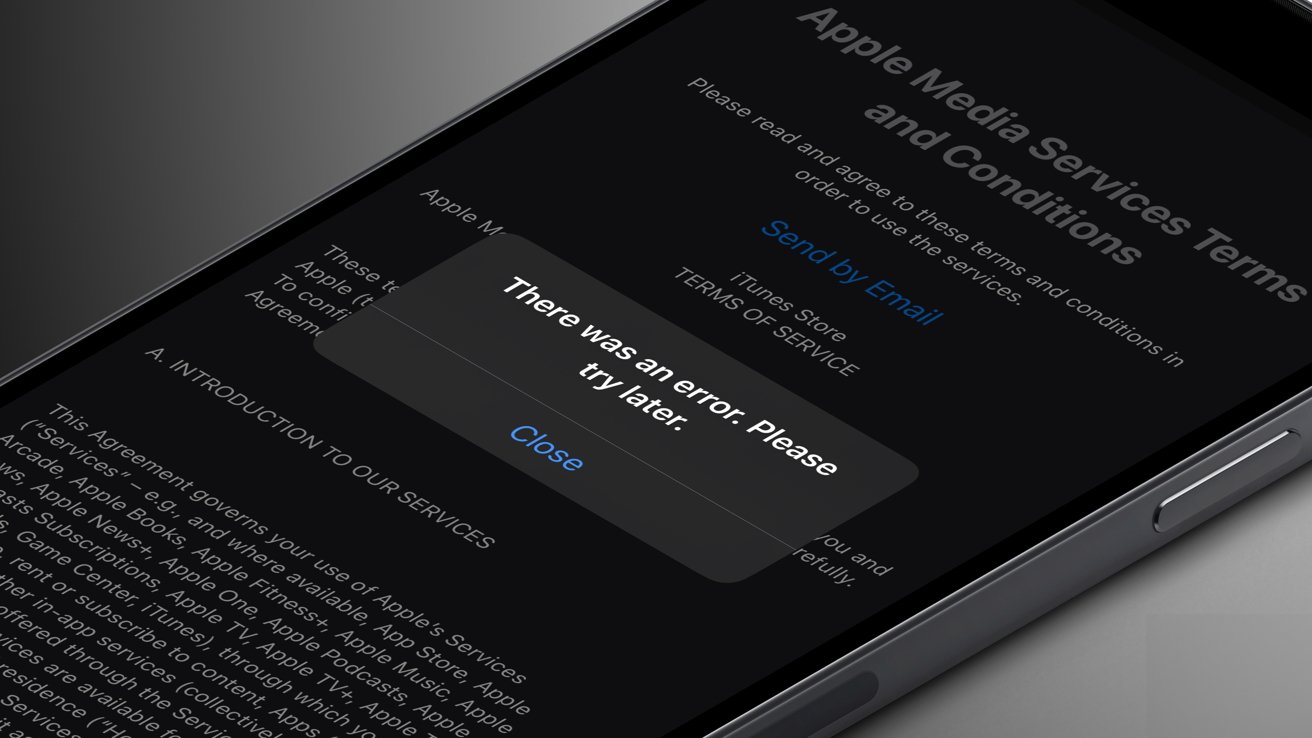
update completed on iOS 16. Anyone else having issues updating apps via the App Store now? It asks me to agree to some policies, but then gives an error after agreeing.
Same

Workaround that works for me - delete app and reinstall.
I can’t seem to update any apps after upgrading to IOS16.
I get an error with Apple Media Services.
Anyone else with the same issue?
This is why @Nike7

On the Android part of the forum, people help each other and see if they can replicate the issues to get the bottom of it. My understanding is that apps are always updated - but if I had a manual app, I was keen to try and see if I received the same error
 
Post above.

It’s a genuine question as my assumption is that most people are on auto update and most apps are already updated. It’s something I wanted to replicate to see if I had the same issue - but my apps are (to my knowledge) all updated
This is pretty much how it's supposed to work... Just turn on auto updates and forget about it.

I open the App Store app so infrequently I can tell you the last three times I did... downloaded the Afrihost app after moving ISPs in July, the Disney+ app when they launched in May, and the Discovery app in January.
 
Just turn on auto updates and forget about it.
So that's all I was asking as this is what I do - but as 3 people have error messages, I thought I'd try duplicate - but as my apps were (should) already be on the latest version, I wasn't aware where to go or look
 
So that's all I was asking as this is what I do - but as 3 people have error messages, I thought I'd try duplicate - but as my apps were (should) already be on the latest version, I wasn't aware where to go or look
Different strokes for different folks I guess.

Pretty sure folks who were updating manually coulda just put their phones on a charger last night and woken up to updated apps this morning.
 
This is pretty much how it's supposed to work... Just turn on auto updates and forget about it.

I open the App Store app so infrequently I can tell you the last three times I did... downloaded the Afrihost app after moving ISPs in July, the Disney+ app when they launched in May, and the Discovery app in January.
Just to clarify, app updates probably won’t automatically occur on iOS 16 (at least in my case) because they were requiring you to agree to some new policies / terms of service. Once you agree, then you should be sorted.

You probably won’t realise that you need to accept the new policies unless you try to manually update some apps. When I went to the page, I saw at least 5 apps with updates relating to iOS 16
 
Last edited:
Hmmm - I saw that I had 6 to manually update, but I didn't need to accept any new policies
 
Just to clarify, app updates won’t automatically occur on iOS 16 because they require you to agree to some new policies / terms of service. Once you agree, then you should be sorted.

You probably won’t realise that you need to accept the new policies unless you try to manually update. When I went to the page, I saw at least 5 apps with updates relating to iOS 16
So, here's what the App Store looks like for me this morning:

IMG_1313.PNG

Turns out a bunch of apps have updated since the end of August.

I had to set up biometric authentication again for Discovery this morning, but that happened in the app itself, and I'm assuming any privacy policy changes in other apps will work the same way.

EDIT: Found one. Speedtest asked for policy updates in the app itself before running a test.
 
Last edited:
Hmmm - I saw that I had 6 to manually update, but I didn't need to accept any new policies
I see a couple of news articles mentioning that was a bug and affected a couple older iOS versions too. It seems to be fixed now, so you probably don’t need to agree to anything at the moment.
 
I see a couple of news articles mentioning that was a bug and affected a couple older iOS versions too. It seems to be fixed now, so you probably don’t need to agree to anything at the moment.

Posted at the same time, so yup - was a bug or something
 
Is there any way to disable that fken annoying grouping of notifications at the bottom of the screen?

Edit: Found it, thank god. Now that is an annoying piece of **** feature.
 
Interesting thing I've noticed - if you have your Apple Watch's battery percentage as a widget below the time on the lock screen, it changes to your phone's battery percentage if the phone's charge drops below 20% - the moment it is above 20% it changes back to the Watch's percentage.
 
  • Like
Reactions: Yuu
Finding that battery life is worse than 15.x

I've been on the RC since release

Anyone else?
 
Interesting thing I've noticed - if you have your Apple Watch's battery percentage as a widget below the time on the lock screen, it changes to your phone's battery percentage if the phone's charge drops below 20% - the moment it is above 20% it changes back to the Watch's percentage.

It shows all your devices I think, but not sure how it decides what to show:

670179CE-28A2-44D8-8666-A762D8809B81.jpeg
 
Is there any way to disable that fken annoying grouping of notifications at the bottom of the screen?

Edit: Found it, thank god. Now that is an annoying piece of **** feature.
Nevermind it didn't work, fml.
 
Top
Sign up to the MyBroadband newsletter
X