-
- News
-
Categories
- 5G
- ADSL
- AI
- Banking
- Black Friday
- Broadband
- Broadcasting
- Business
- Business Telecoms
- Cellular
- Cloud and Hosting
- Columns
- Cryptocurrency
- Energy
- Enterprise
- Fibre
- Gadgets
- Gaming
- Government
- Hardware
- Industry News
- Internet
- Internet of Things
- Investing
- IT Services
- Motoring
- Reviews
- Science
- Security
- Smartphones
- Software
- Technology
- Telecoms
- Trending
- Wireless
- Press Office
- Forum
- Industry News
- What's Next
- Company hub
- Speed Test
- About us
- Advertise with us
- Contact
- Careers


-
Join the MyBroadband community
South Africa’s biggest forum. Discuss, discover, and connect with thousands of members.
-
Question of the Day: Are you collecting Checkers Stickables?

You are using an out of date browser. It may not display this or other websites correctly.
You should upgrade or use an alternative browser.
You should upgrade or use an alternative browser.
My Windows 10 experience
- Thread starter disiza
- Start date


modern10
Expert Member
Hahahaha

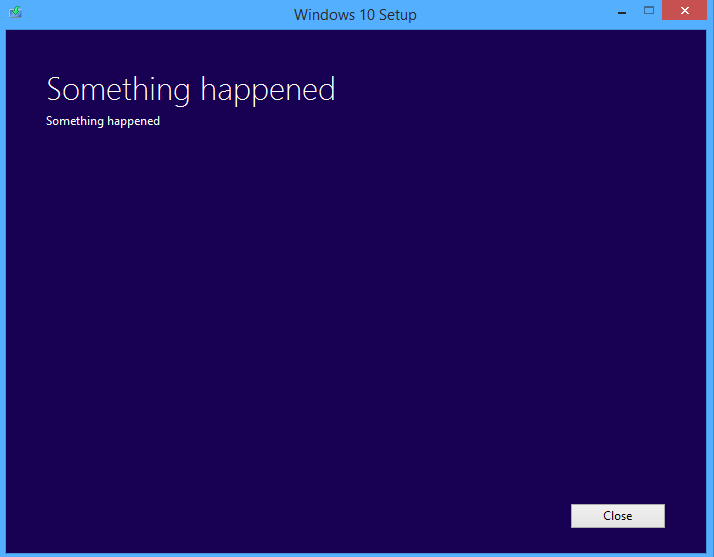
This please wait screen was compliments of a clean installation.Please send the link from where you downloaded the iso file maybe I should try a different link, much appreciatedMy initial installation was horrible. Loads of bugs, long loading screens and a black screen instead of a desktop for the first few minutes. Did a clean install after that and it's been great since.
This please wait screen was compliments of a clean installation.Please send the link from where you downloaded the iso file maybe I should try a different link, much appreciated
I just used the official MS tool:
http://www.microsoft.com/en-us/software-download/windows10

CataclysmZA
Executive Member
- Joined
- Apr 1, 2010
- Messages
- 5,595
- Reaction score
- 1,613
I came here expecting this:


medicnick83
Paramedic
I had no issues during the install or after (so far) but I miss my Windows 7. My laptop will be my Windows 10 laptop - everything else will stay 7.
I had no issues during the install or after (so far) but I miss my Windows 7. My laptop will be my Windows 10 laptop - everything else will stay 7.
Same here, for a couple of months. Till all the snags are worked out.
I didn't think it would ask for a serial number though. Tried entering my Win7 code but didnt work so just skipped that step.
If you prefer Windows 7, just Google Start10 and install that.I had no issues during the install or after (so far) but I miss my Windows 7. My laptop will be my Windows 10 laptop - everything else will stay 7.
medicnick83
Paramedic
If you prefer Windows 7, just Google Start10 and install that.
No I did consider going back, but you know, you can't avoid things like new OS's especially if you're into IT - Windows 10 will be the next big OS (mostly because it's being given away for free to pretty much everyone) so it's best to just learn it - I just don't want it to dominate my life (be on every single PC I own personally) so my laptop is my "work" (at work) laptop (e-mails etc) so it will be there... rest will stay 7.

Necropolis
Executive Member
- Joined
- Feb 26, 2007
- Messages
- 8,413
- Reaction score
- 45
That good, huh?
I'll move over today!
I'll move over today!
Start10 just provides a Windows 7 start menu in Windows 10. So you'll have a Windows 7 experience with all the non-UI benefits of Windows 10.No I did consider going back, but you know, you can't avoid things like new OS's especially if you're into IT - Windows 10 will be the next big OS (mostly because it's being given away for free to pretty much everyone) so it's best to just learn it - I just don't want it to dominate my life (be on every single PC I own personally) so my laptop is my "work" (at work) laptop (e-mails etc) so it will be there... rest will stay 7.
medicnick83
Paramedic
Start10 just provides a Windows 7 start menu in Windows 10. So you'll have a Windows 7 experience with all the non-UI benefits of Windows 10.
I'll check it out. Thanks.

Upgraded my laptop from 8.1 to 10, only one hitch when the installation got stuck after the 1st reboot. I did a hard reboot and it carried on where it left off.
I must admit I'm quite impressed, the machine is noticeably faster and all my software is working fine.
I must admit I'm quite impressed, the machine is noticeably faster and all my software is working fine.
Ok so I have chosen to rather upgrade to Win 10pro than do a clean install because of key issues etc, everything went smoothly now I would like to do a clean install to have a nice clean faster laptop. I have been on some sites and the discussion seems to be that Microsoft are not clear on whether this procedure can be done....Anyone here experienced Upgrade then Clean install without key issues...if successful specially that the laptop comes with only a key, mine was Win 7 Pro then upgraded to Win 8.1 now Win 10 Pro & I would like to do a clean install...Suggestions please...thanks