


PostmanPot
Honorary Master
Did you see the pics of my first 40"?
There was blood dripping on my carpet with that one :wtf:
Yeah, that was one helluva haemophiliac screen!
South Africa’s biggest forum. Discuss, discover, and connect with thousands of members.
Did you see the pics of my first 40"?
There was blood dripping on my carpet with that one :wtf:
I took a pic of mine last night for comparison. Dark room displaying black on the monitor.
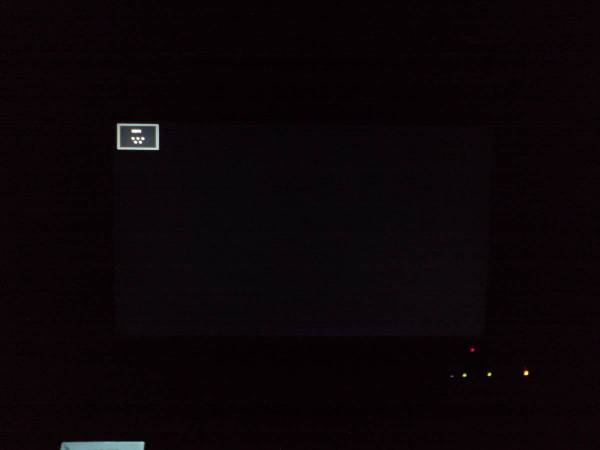
There is a slight, barely noticable bleed in the bottom right hand corner, but nowhere near as bad as yours.
I have no backlight bleed, get it returned and replaced..
ExactlyLittle too dark to see on this monitor, I can't see any, I'll take a look later on my personal pc..

Exactly
I have had about 7 Samsung monitors and all have had a certain level of bleed. Some worse than others. In fact my worst ones were in fact the 2330SW's.
The only ones I am finally happy with are my P2440H's.
It is common. Even my 40" LCD TV has bleed, had it swopped as it was insanely bad, but even this new one has bleed on the right.

Have you played around with the adjustments ?
Try setting the "MagicBright" to "Dynamic Contrast"
Seemed to make my one go nice and black
Maybe there are other things that you can tweak as well ?
Might not be physical quality control but the default firmware settings ?
MidnightWizard said:Try setting the "MagicBright" to "Dynamic Contrast"
What contrast / brightness settings are you running? That screen looks as if it is on max!!! What brightness feed is it getting from the computer? What are the settings on the GPU?

Doubt it. Doubt any tweaking or troubleshooting will help. Some LCDs just have serious back-light bleed, and I'm certain this is a case of that. It's covered by Samsung warranty.
Sure but it will have to be checked. Take it to CRT for replacement if you've checked.... Boosted brightness settings on GPU and then boosted brightness settings on the device will give you this kind of effect as well... Just mentioning it...
Sure but it will have to be checked. Take it to CRT for replacement if you've checked.... Boosted brightness settings on GPU and then boosted brightness settings on the device will give you this kind of effect as well... Just mentioning it...


Yours isn't as bad... But what the heck is that bleeding that appears to be in the middle of the screen?
No, that's just the camera, there's no bleeding around the arrow, it just appears that way in the picture. I still think I'm going to take mine to CRT. I know it's not as bad as some of the other, but it still irritates me quite a lot.
 )
)